

Gain in-demand web development skills, reinforce theory with practical assignments, and receive feedback from curators on the "Web Developer Profession" course. We'll refund your money if you don't find a job.
Find out moreDatabases today store literally everything - your correspondence, passport details, website passwords, videos on hosting services, tracks on music platforms. But to prevent all this information from getting lost and to make data management convenient, a DBMS was invented.
What is a DBMS
To understand what a DBMS is, you first need to know what a database (DB) is.
A database is a set of ordered and structured data that is stored on a specific computer. The easiest way to imagine it is as a large Excel table, where each element (row) has certain properties (columns).
If you create a database for a grocery store, then each product—for example, gum, chocolate bars, and bottles of water—will have properties: price, quantity in stock, and expiration date.
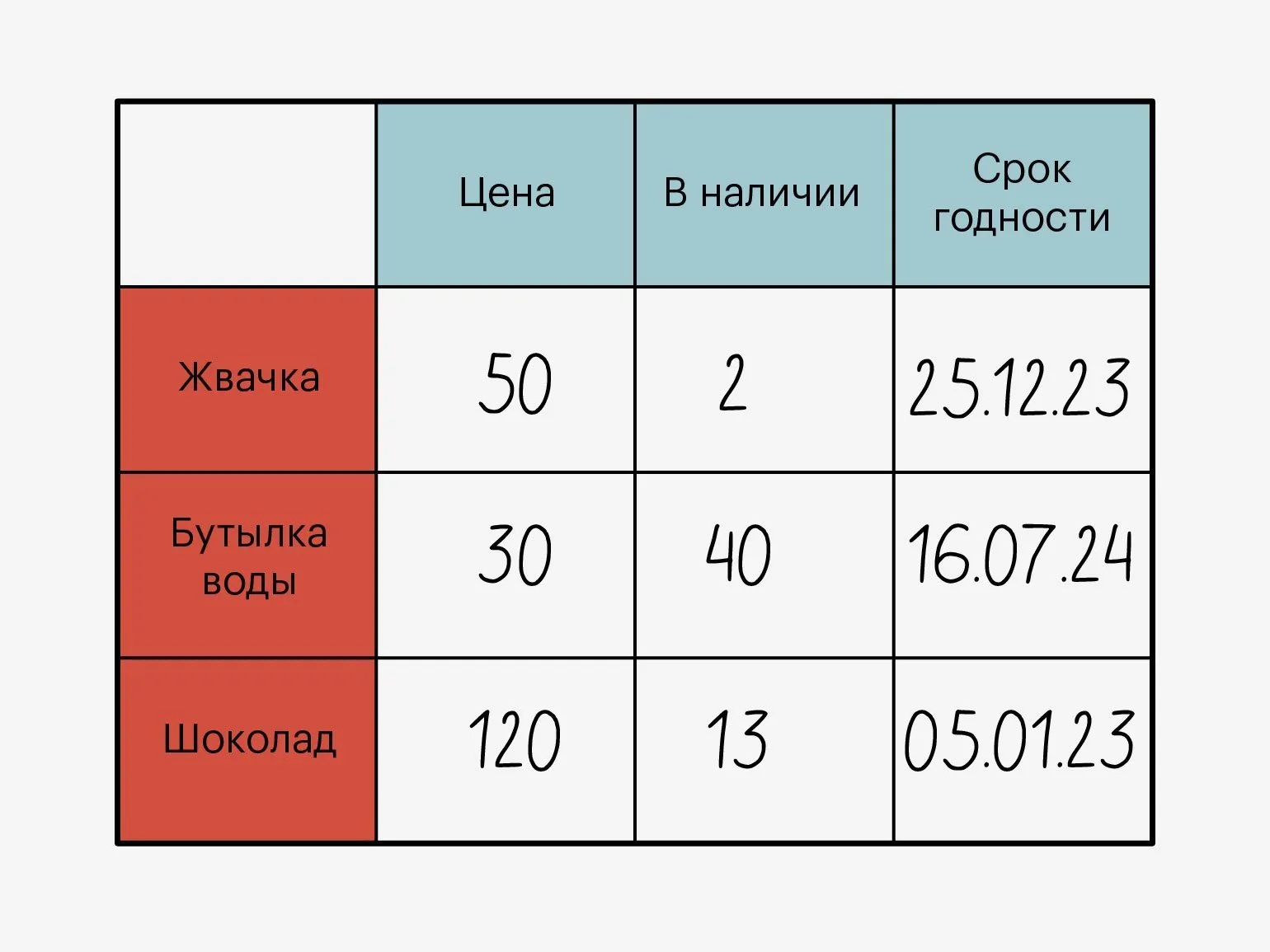
Databases are simply files on a computer disk where new elements can be written. But databases themselves don't have any capabilities, and you need to write your own methods for managing them—for example, to add a new element or search for a specific record. To make the work of programmers easier, a DBMS was invented.
A database management system (DBMS)is a set of tools that allow you to conveniently manage databases: delete, add, filter and find elements, change their structure and create backup copies.
A DBMS can be thought of as a layer between the database and user queries to it.
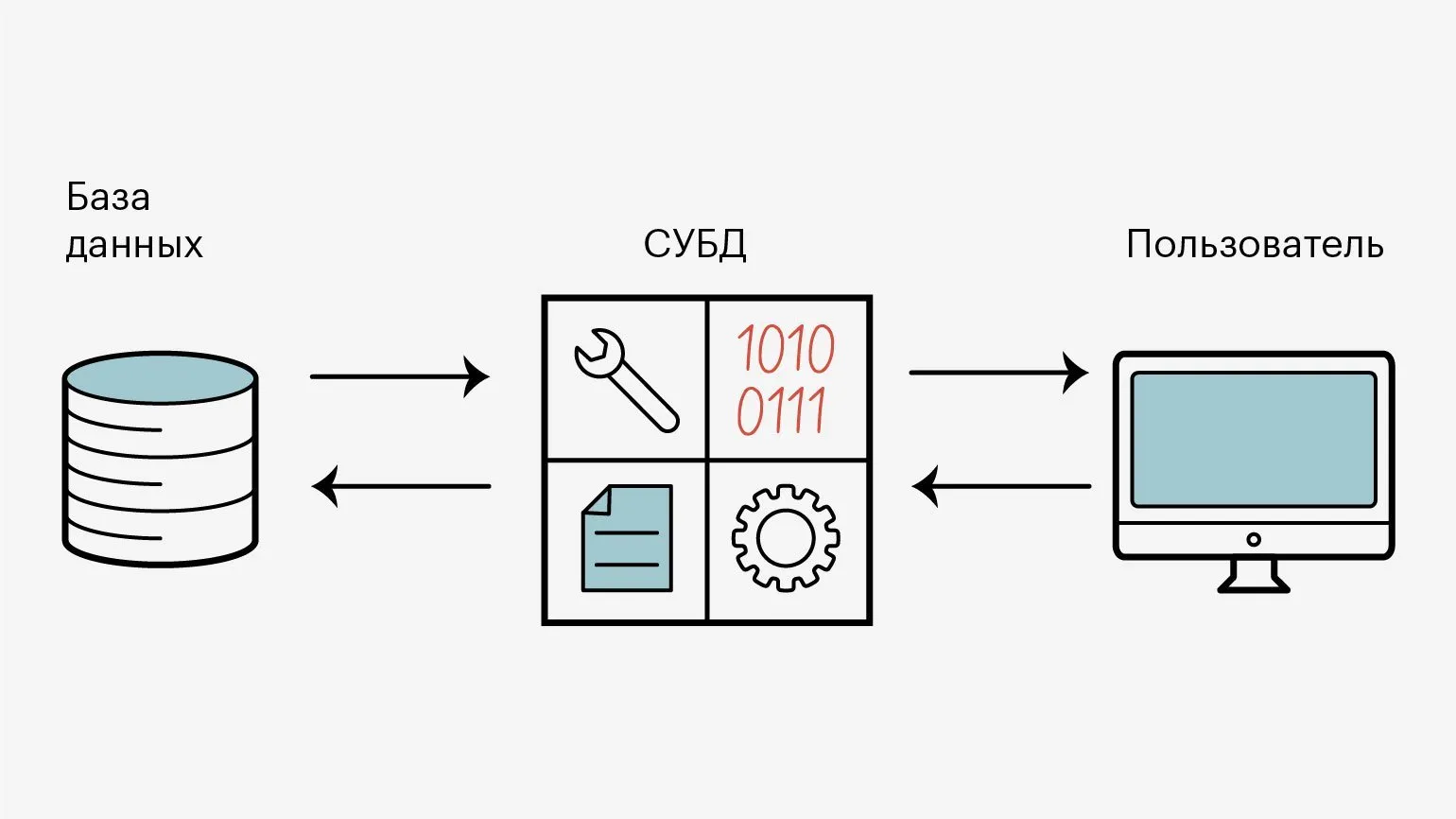
When a user clicks a button on a website — for example, to download an image — the website creates a special query to the database and sends it to the DBMS. It parses it and searches the database for the requested information, then returns it back to the website. The website then converts it into a user-readable format and returns it.
Without a DBMS, developers would have to search database files for the information they need themselves. You could say that a database without a DBMS is like a car without a body. In theory, it's a car: you can fill it with gas, change the oil, and change the parts. But you won't be able to drive it properly. First, you'll have to bolt everything together, make the body, and only then drive it.

A DBMS is needed to make life easier for programmers and give them all the tools for working with databases.
What are DBMSs for?
A DBMS is needed for all manipulations with databases, namely to:
- create databases and administer them - delete, modify, and merge;
- Keep data structured and in the required format;
- Protect data from unwanted changes and hacking attempts;
- Load and sort data using filters;
- Make backups, restore databases after failures and maintain overall integrity.
With the help of DBMS, developers track all changes in databases. And the database stores user information: their transactions and actions.
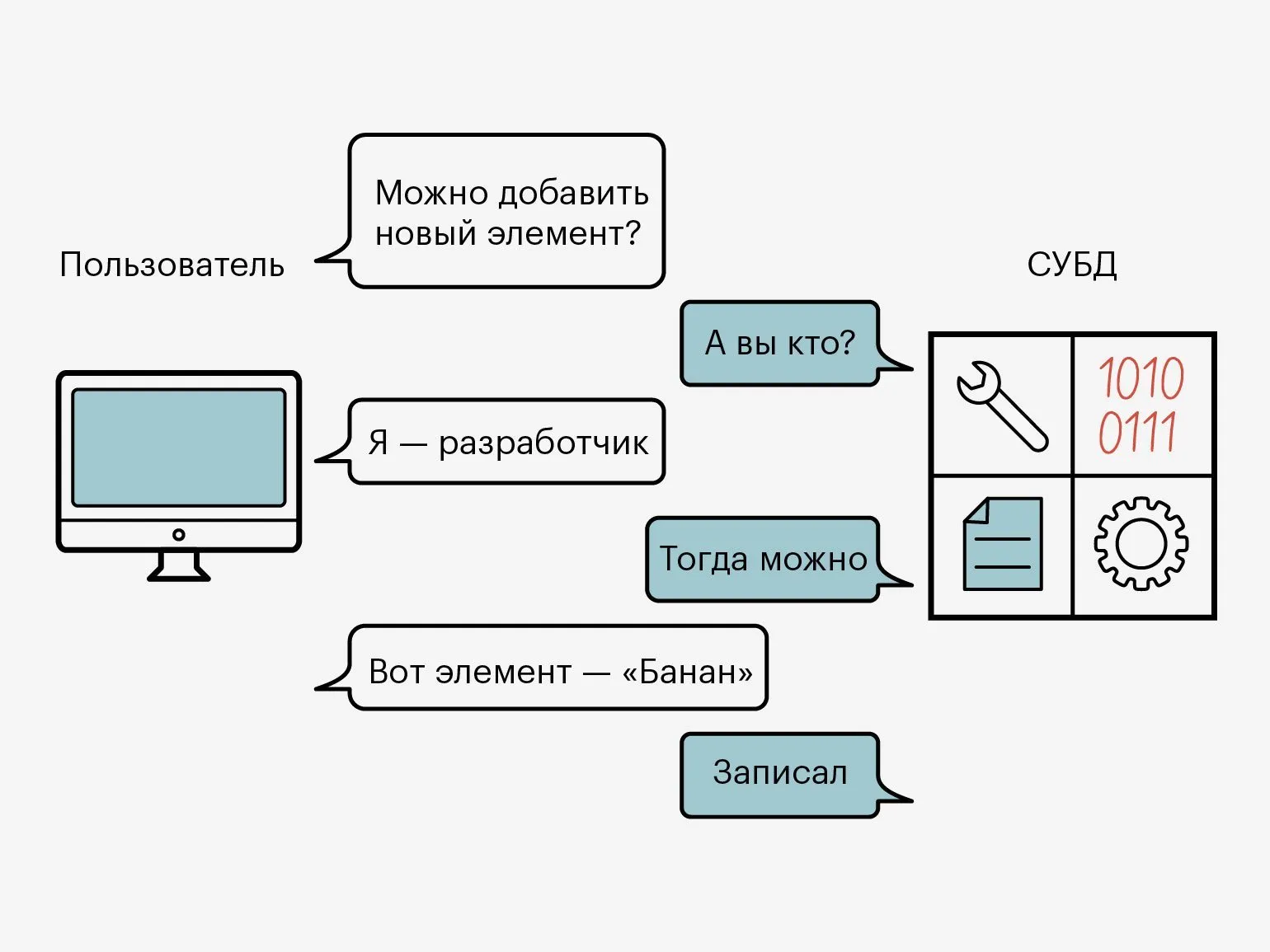
For example, to create a database with a catalog of all products on the marketplace, you need to create a huge table with rows, each with specific properties. They can be like this:
- Product name;
- Cost;
- Number of units in stock;
- Supplier.
To keep such a table in order and constantly supplement it with new elements, you need to ensure reliability and high speed of work. This is exactly what a DBMS is for.
What a DBMS consists of
A DBMS is a set of tools, each of which is capable of performing a specific action on a database: reading it, deleting elements, or processing user requests. And for all these tools to function correctly, the DBMS must have a well-defined architecture.
The main elements of a DBMS are the kernel, the processor, software, and the database. Let's talk about each of them in more detail.
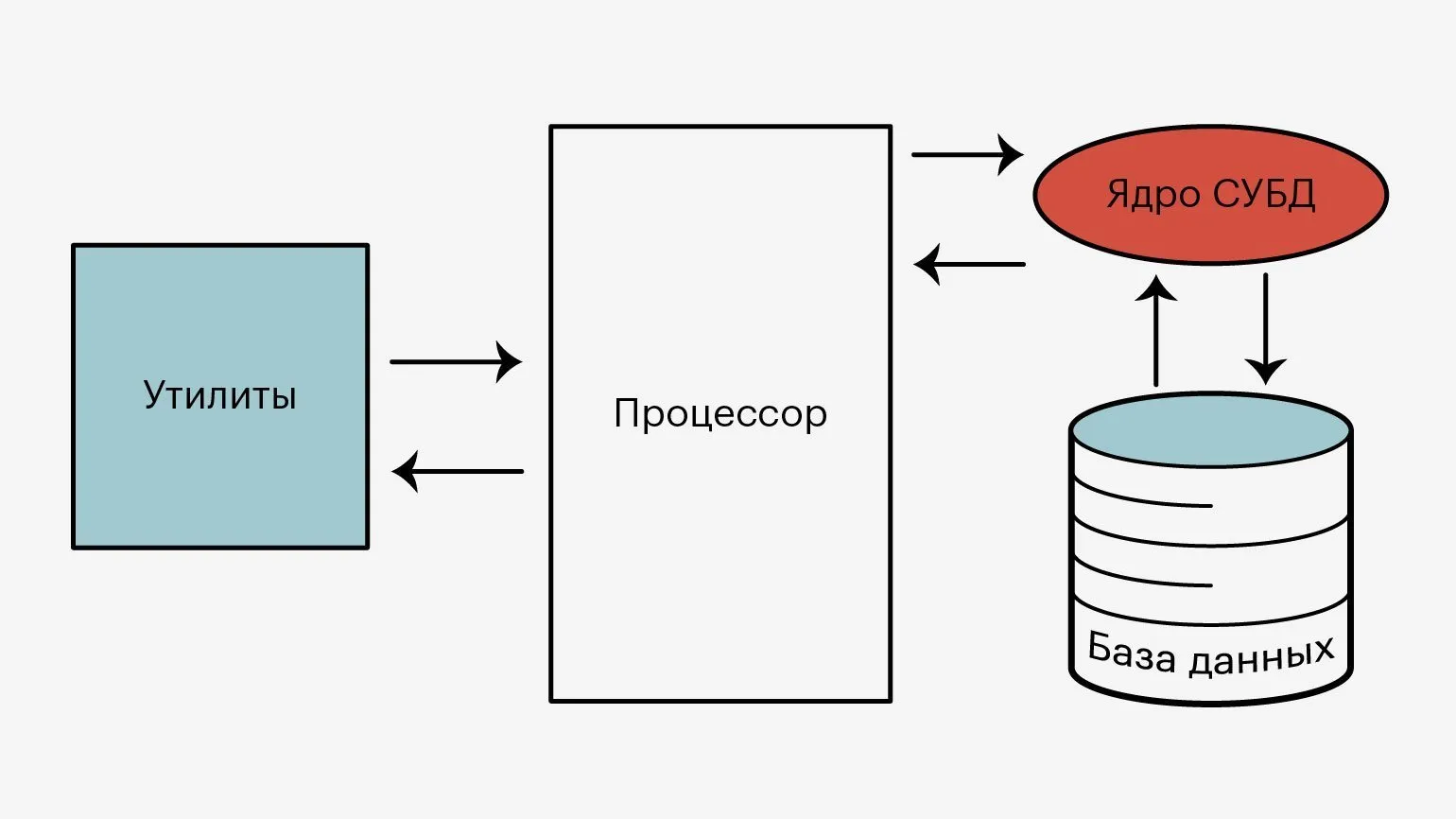
Kernel. Responsible for the operation of the entire system as a whole. All data processing and storage processes go through it. The kernel monitors and records all changes to the databases.
Processor, or compiler. It processes requests from users. Its main task is to convert the SQL query into commands understandable to the computer, and then return the results.
Software tools, or utilities. They are needed so that the user can enter queries, and administrators can configure access and other necessary parameters.
Databases. A place where data is stored in an organized, and sometimes encrypted form. Databases can differ in structure and types of data representation.
Types of DBMS
DBMS are divided into different types and by different parameters. We will consider how they differ in four classifications: by database location, by data storage and processing, by query language, by data structure and organization.
DBMS are local and distributed.
- Local This is when the entire database content is located on a single computer - usually on the company's server.
- DistributedThis is when the database is partially located on different computers - for example, in the cloud.
Modern DBMS can be both local and distributed.
Here DBMS are divided into client-server, file-server and embedded.
- Client-server This is when the DBMS and the database are located on the same computer that users access with queries. This DBMS can be accessed from any computer.
Many online stores create this type of database so that users can quickly receive up-to-date information about their products.
- File-serverThis is when the database is located on a single server, and the DBMS is located on the devices from which queries are sent to the database. To retrieve data, the user must have a DBMS installed and configured.
File-server DBMSs are used for local company services—for example, CRM systems, where customer and document management data is stored.
- EmbeddedThese are local DBMSs that are a separate module for managing data within applications. They are usually written as libraries for different programming languages.
For example, Microsoft Access and 1C: Accounting have this type of DBMS.
DBMS support structured and unstructured query languages.
- SQL. This is a language for creating structured queries to databases. Such DBMS are the most popular in use.
- NoSQL. This is a query language that is based on another programming language - for example, Python or JavaScript. NoSQL DBMSs are typically used when working with big data.
And the last property by which DBMSs are classified is how they represent information within the database.
Relational. Data is presented in the form of tables that are linked to each other through cross-cutting parameters. This architecture ensures row-by-row data storage and is necessary for creating a strict structure. Another feature of these is that a user can only get a small number of elements in a single database request.
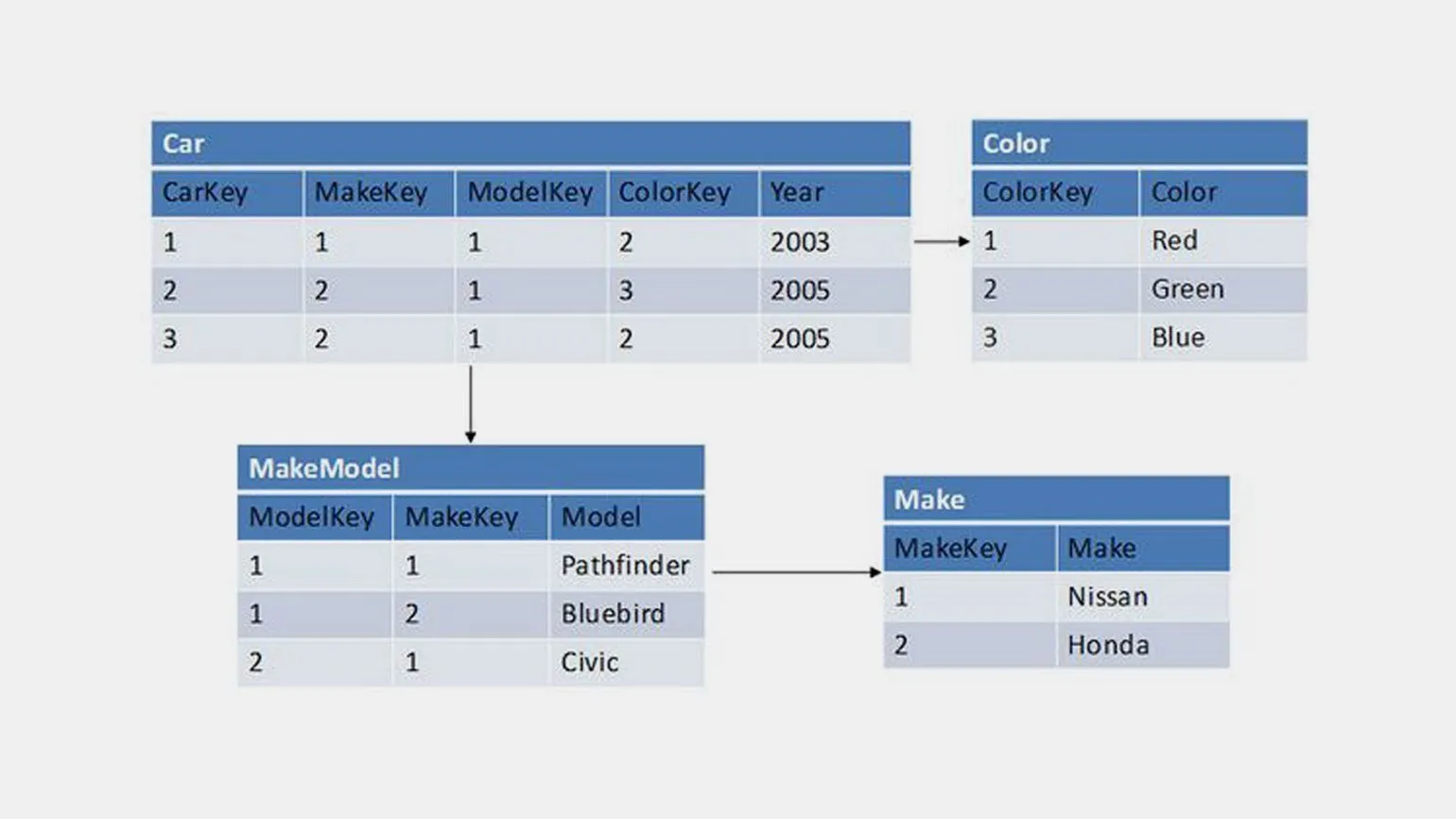
Each row has a unique identifier, or key. Therefore, it is easy to find the necessary data and relate it to each other in such a database.
Relational databases are used when the data volume does not exceed several terabytes. This makes them suitable for almost any project.
The most popular relational databases are PostgreSQL, Microsoft SQL Server, MySQL, and Oracle.
Relational databases are used when the following characteristics are important:
- Transactionality. To perform an operation, you need to make several queries to the database. This could be, for example, transferring money from one card to another through a bank application.
- Frequent data changes. Since relational databases have a strict structure.
- Searching by indexes. Each element of such a database is a row, and searching for elements by rows is convenient.
- Requests for a small number of records at a time. Relational databases work exactly on this principle.
- The data volume does not exceed several terabytes. If there is more, such a database will work slower.
Key - value Each database element is stored using a unique identifier consisting of a key and a value. This storage method is similar to the dictionary data type in programming languages.
Key-value databases are designed as hash tables, in which each record has only one index. There are no strict restrictions on the structure of elements.
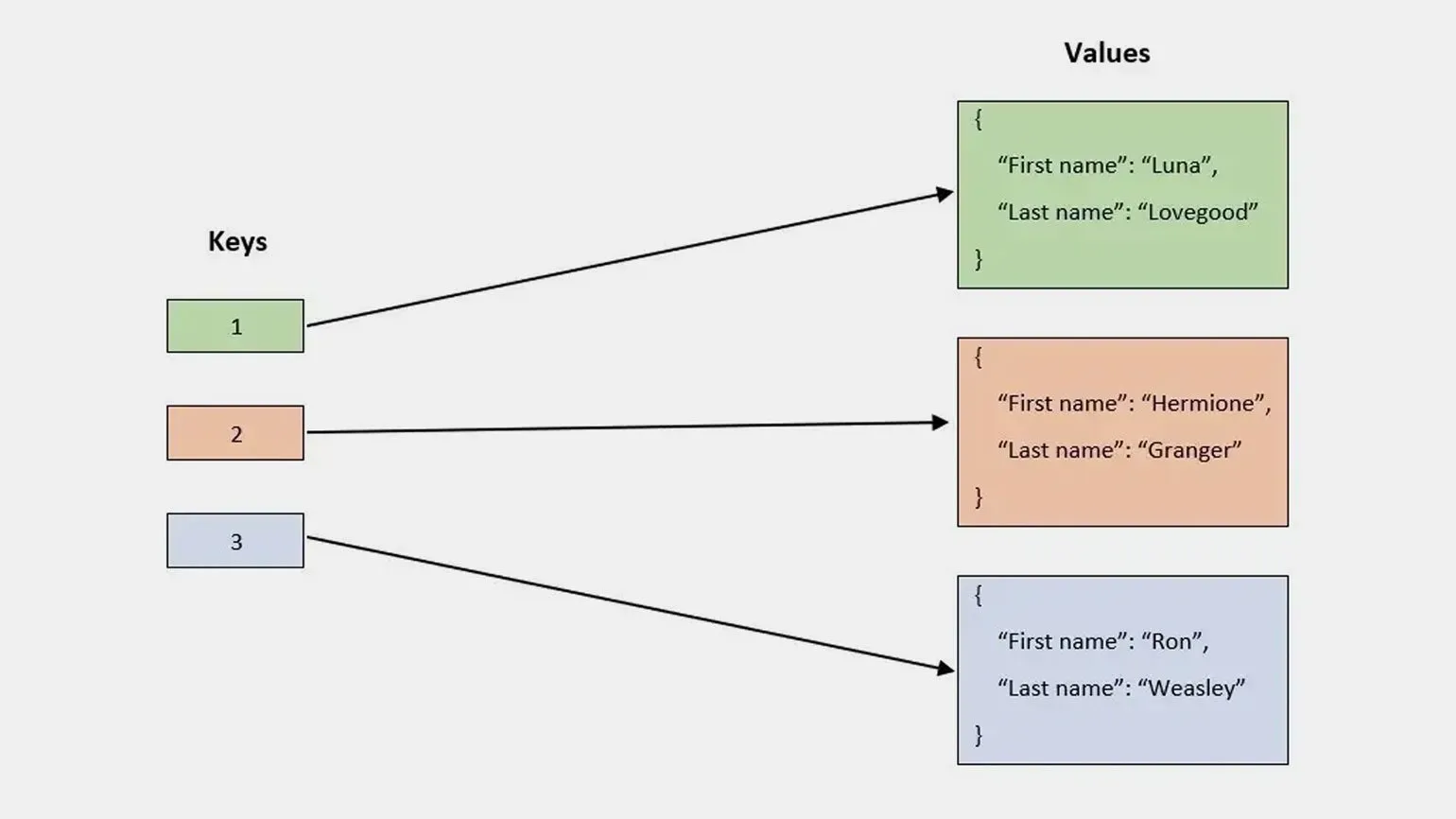
These databases are used according to the logging principle, when new records are written to the end of the storage. Elements are removed by adding a special record.
Some more ways to use key-value databases are queues, caches, and logging.
Popular key-value databases are Redis, DynamoDB, and Aerospike.
DocumentUnlike relational databases, document-oriented databases store information in the form of "documents" rather than tables and rows. The main advantage of document databases is the ability to store information without strict structural restrictions.
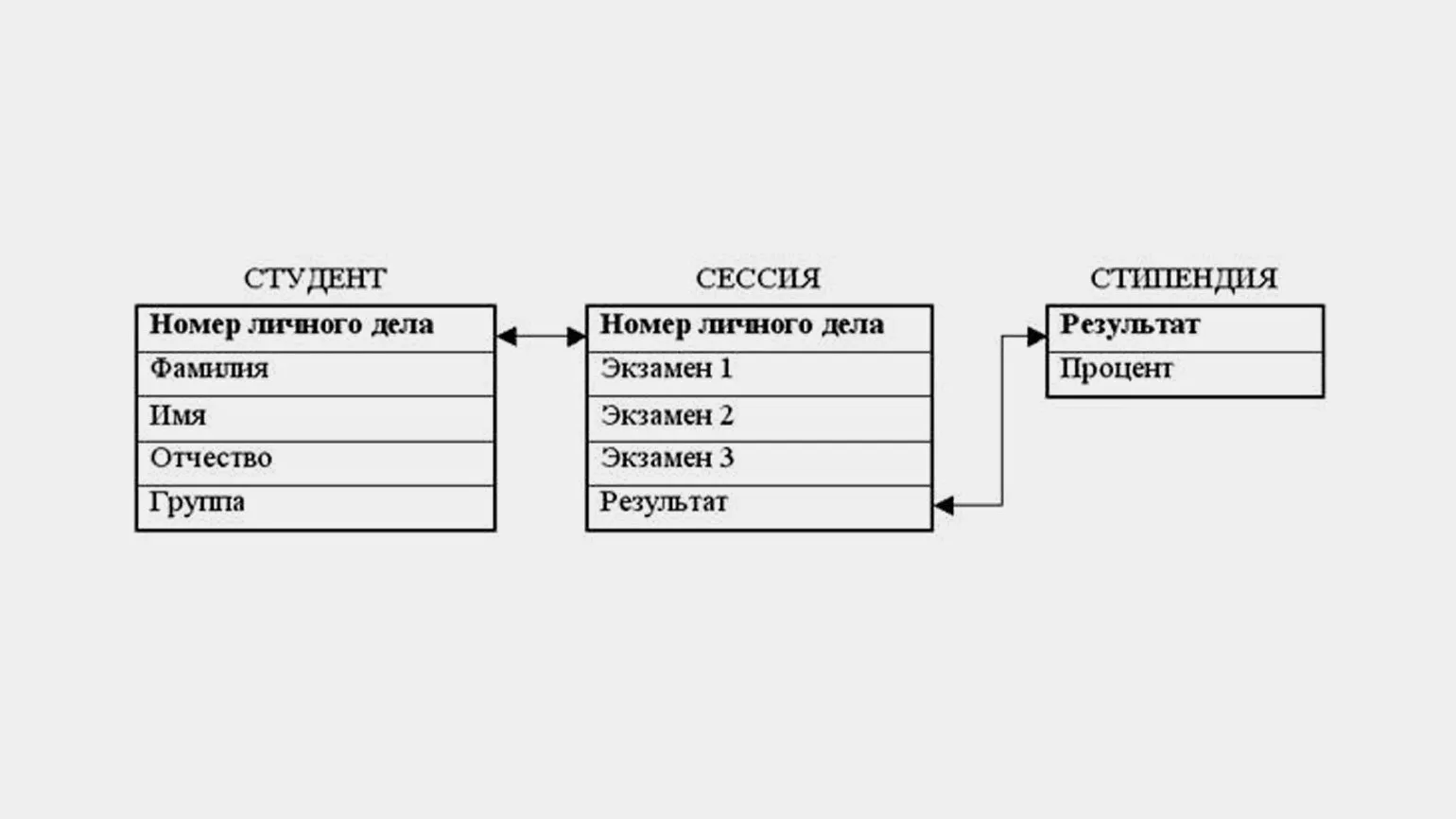
Document databases can store information in its entirety and retrieve it with a single request, even if the structure of the elements is different. Document databases also allow the use of links to other records in the database, which is somewhat reminiscent of the relational model.
Popular document databases are MongoDB, CouchDB, and Amazon DocumentDB.
GraphIn them, elements are interconnected in the form of a graph, where each node has many links to other nodes. This type of database resembles a spider web. These databases are typically used in social networks or recommendation services.
Each node in a graph database contains data, and edges are used to create relationships between nodes. Edges store the start and end nodes, direction, and type. Edges describe the relationships between two nodes—for example, parent-child—and the actions that can be performed on them.

Traversing the entire graph can be very fast, because the connections between nodes are not calculated during the query, but are immediately stored in the database. Therefore, graph databases are used in social networks, recommendation services and fraud detection systems, when it is necessary to build relationships between data and query them.
Popular graph databases are Amazon Neptune, Neo4j and InfiniteGraph.
ColumnarThey store data sequentially as a single column, and it is assumed that elements that belong to the same row are stored in the same place in each column. This allows you to effectively compress data and analyze it - find the sum, count, or average value.

Column-based databases allow you to load new data in a continuous stream or in chunks. However, you cannot delete it this way.
The main application of column-based databases is data analysis. Such databases are used by analysts and company managers to store the history of events.
Popular columnar databases are ClickHouse, Apache Druid, Vertica, BigQuery, and Teradata.
Popular DBMS
There are many DBMS, but programmers often use the seven most popular ones: PostgreSQL, Microsoft SQL Server, MySQL, SQLite, MongoDB, Redis, and Oracle.
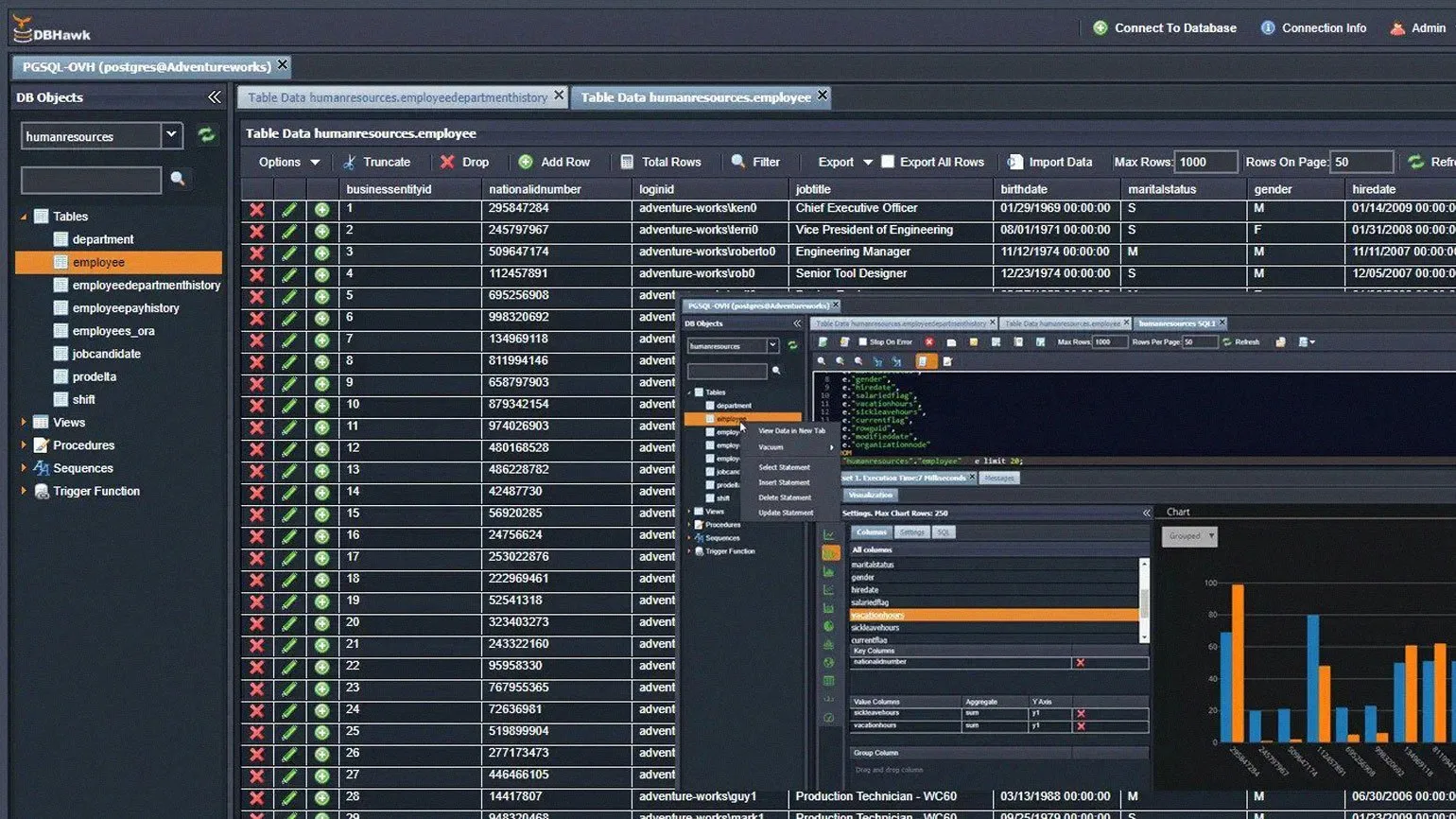
PostgreSQL
Type.Client-server relational DBMS.
PriceFree.
License. PostgreSQL License, Open Source.
For whom. Suitable for projects of any complexity and size.
AdvantagesThe DBMS has extensive functionality and high performance - for example, it can easily handle large data sets under high loads.
Query language is SQL, but it can be changed through extensions to PL/Python, PL/Java, and PL/Perl. Another advantage of PostgreSQL is that it has no limit on the size of databases and the number of records in tables.
You can download the DBMS from the official website..
MySQL
Type. Client-server relational DBMS.
Cost. Free.
License.GPLv2, proprietary.
For whom.Suitable for small and medium teams and projects.
Advantages.The program interface allows you to work with tables of different formats. MySQL works online and holds up to 50 million elements. But it is inferior in functionality to PostgreSQL. Moreover, it can be integrated with other DBMS.
MySQL was used for websites and online stores by such companies as Twitter, Alibaba, Facebook, and Wikipedia.
After MySQL was bought by Oracle, users became a little worried that the database might soon become a paid one. But for now, it remains free.
You can download the DBMS for free from the official website.

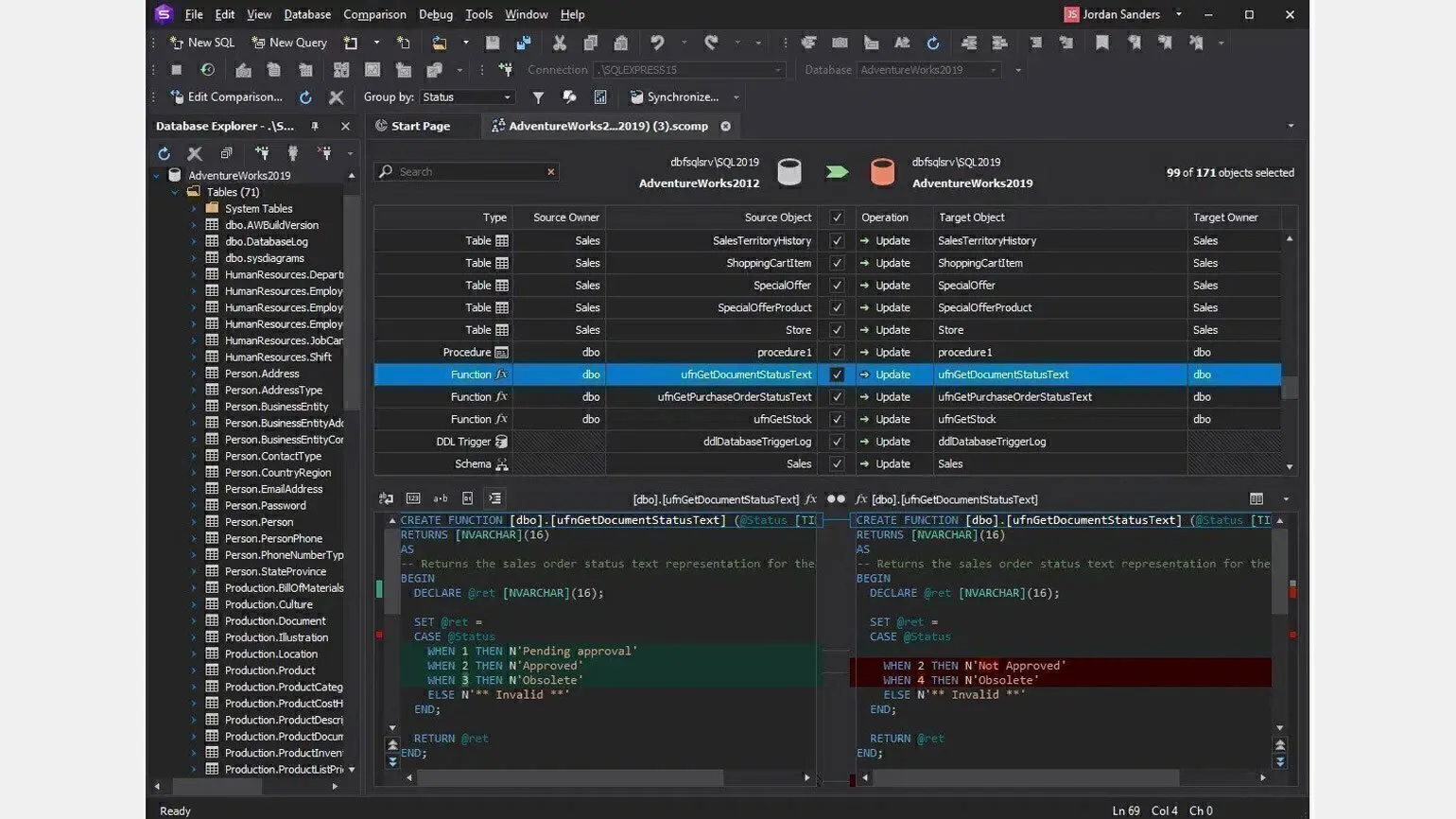
Microsoft SQL Server
Type. Relational DBMS.
Cost. Free.
License. Proprietary.
For whom. The paid version is used in large companies, and the free one can be easily used in projects with a data volume of up to 10 GB.
Advantages. This DBMS adds task automation - for example, you can specify a script that will manage memory. Microsoft SQL Server also allows you to conveniently store complex data structures and quickly search them.
The DBMS is compatible with other Microsoft programs, such as Excel and Access. You can integrate with them and download data from there, as well as edit it online.
Microsoft SQL Server uses SQL as a query language.
You can download the DBMS from the official website.
SQLite
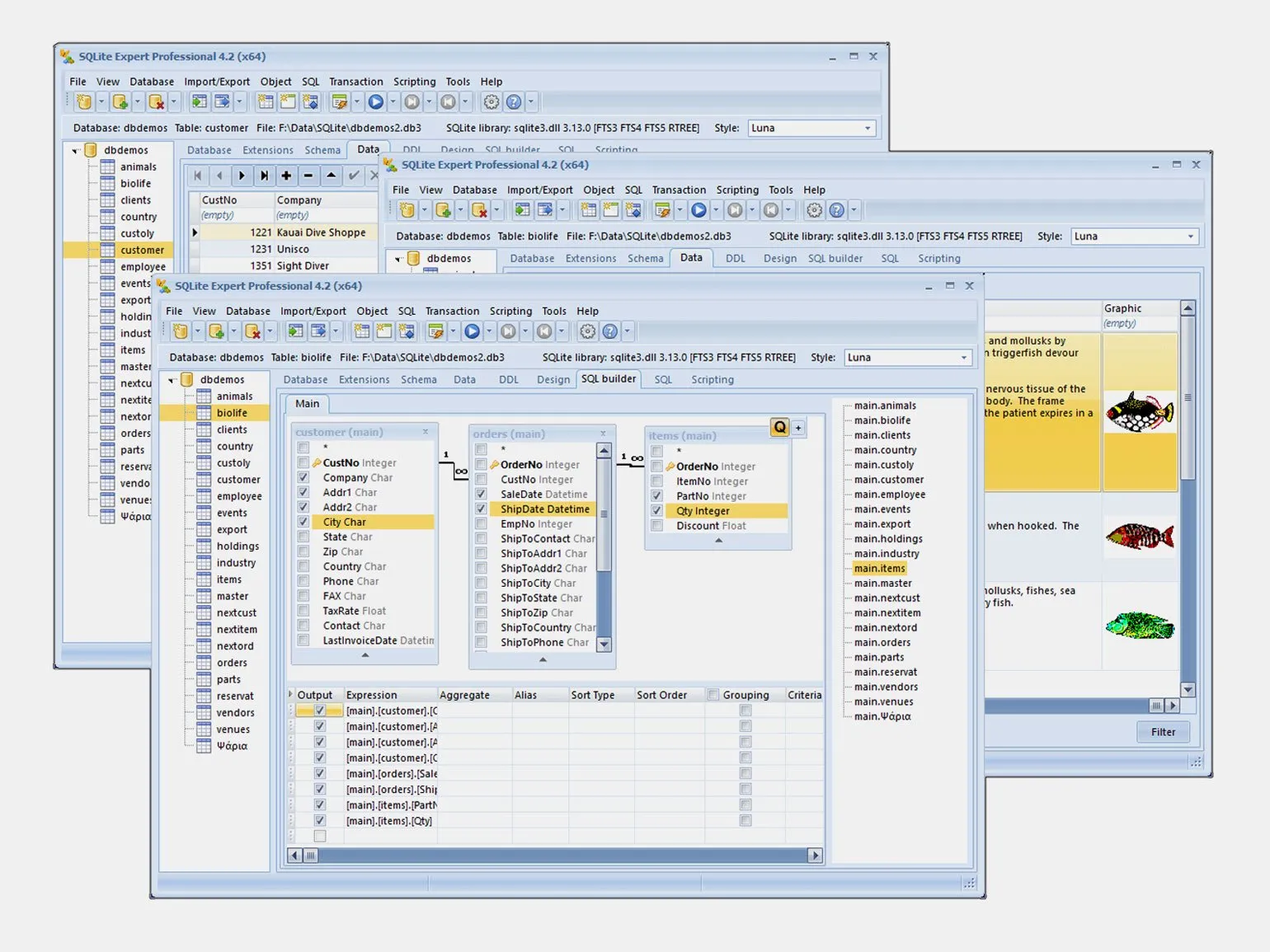
Type. Single-file DBMS in the form of a library for programming languages.
Cost. Free.
License.GPLv2, proprietary.
For whom.Suitable for small projects.
Advantages.SQLite is a very compact DBMS that does not use servers or other utilities. All data is stored on one device.
You can write a simple website or application with limited traffic and stored data volume using SQLite. The DBMS works on any device—smartphones, computers, TVs, and other devices where you can download the library. It does not require administration, and its query language is C.
You can download the DBMS from the official website.
Oracle Database
TypeObject-relational database.
Cost. Free.
License.Proprietary.
For whom.For projects of any complexity.
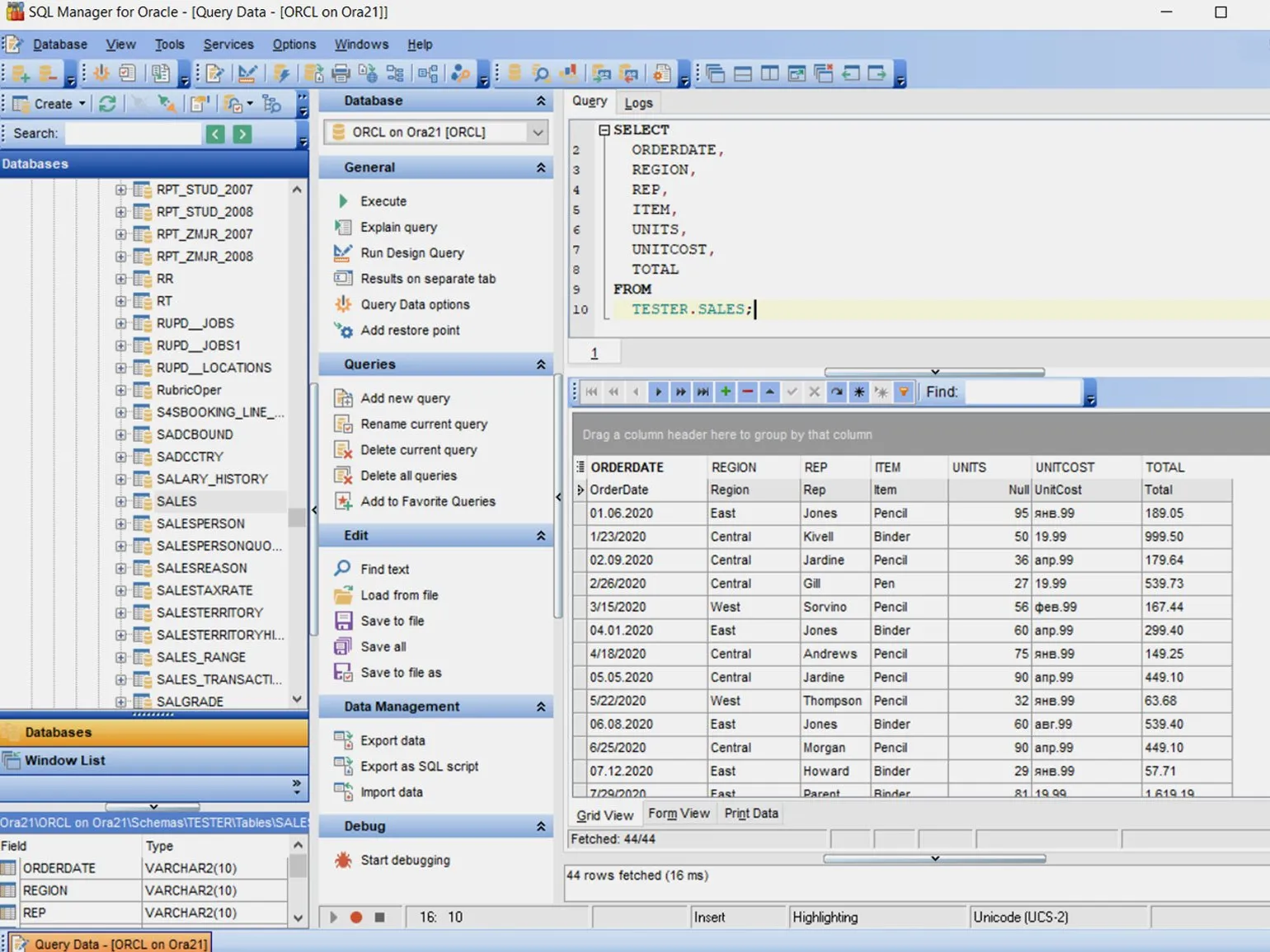
Advantages.Oracle DB operates as a client-server. This means that it is located on the server along with the database. Therefore, to work with it, a special client application interface is needed. The user controls the transfer and receipt of data from the service.
Oracle DB provides high security and easy access for users. It also helps reduce the load on client computers. However, the server for the DBMS must be more powerful.
You can download the DBMS from the official website.
Master JavaScript, TypeScript, and developer tools, learn to create and test React components using hooks. Complete practical assignments, receive feedback from mentors, and prepare a portfolio in the "Web Developer Profession" course.
Find out more