Contents:

Learn: Online tutor
Learn more
Our team received invaluable help in understanding complex issues. We appreciated the support from experts who shared their knowledge and experience. This support played a key role in our learning and development. Now we have a better understanding of the subject and are moving forward with confidence.
Educational gaming solutions developer, product owner at Center-Game, and expert in the Edutainment Community.
What is Notion
Notion is a multifunctional application that is difficult to describe in one word. The creators describe it as "the Microsoft Office of our generation," which is true, as it offers a wide range of functions for text editing, working with tables, and other tasks. At the same time, Notion is a convenient workspace for creating knowledge bases and project management. This program is ideal for teamwork, information organization, and increasing productivity.
Notion offers users the ability to create a variety of notes, tables, to-do lists, Kanban boards, collections, and dictionaries. The official Notion website describes in detail the functionality available to both individual users and large teams. The program is suitable for professionals in a variety of fields, including designers and managers, and also covers various fields of activity, such as business and education. Notion is a universal tool for organizing work and increasing productivity.
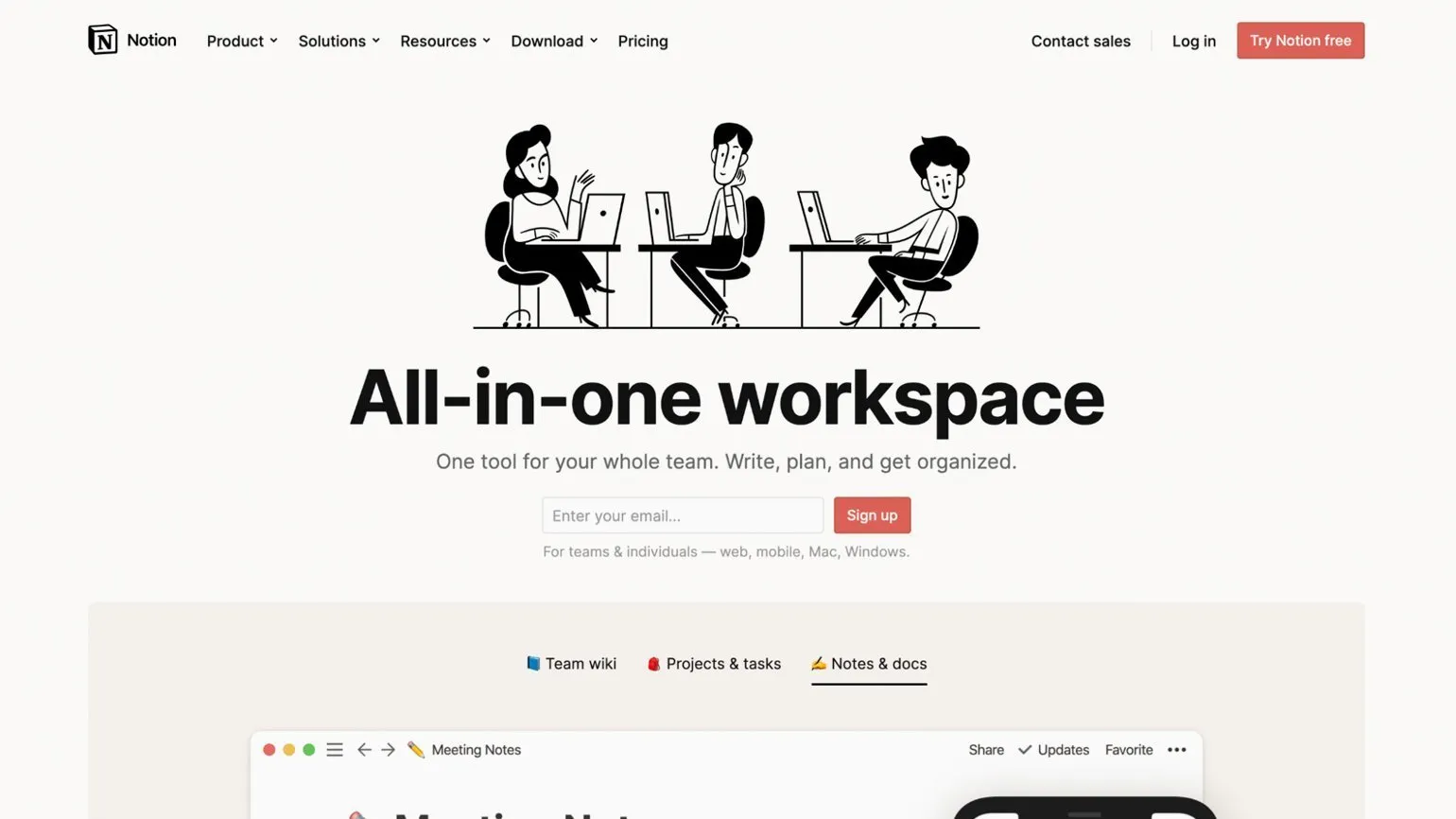
Notion is available as a web version, as well as applications for computers on Windows and macOS, as well as for mobile devices on Android and iOS.
The service is available for free use. The basic version includes all features, but there are certain limitations, such as the maximum size of uploaded media files and the number of users working together. Paid versions remove these limitations, starting at four dollars per month. A special license has been developed for educational institutions, allowing organizations to provide corporate access to their employees, provided that the use of foreign services is not prohibited.
It is important to remember that Notion is primarily designed for online work. Without internet access, you can only edit pre-downloaded pages. This can be inconvenient, especially if you plan to take notes while traveling. To get the most out of Notion, we recommend downloading the necessary pages and documents in advance.
The service interface does not support Russian, but it remains intuitive to use. Users of the web version can take advantage of the automatic page translation feature offered by modern browsers. This significantly facilitates interaction with the service and helps quickly master its functionality.
Our research assistants provided valuable information and support. Thanks to their professional approach and expert opinion, we were able to gain a deeper understanding of the topic and find effective solutions. Their contribution was key to our learning and analysis process. We thank everyone who supported us in this important endeavor.
Educational gaming solutions developer and product owner at Center-Game, as well as an expert in the field of Edutainment Community. I specialize in creating innovative approaches to learning using gaming technologies, which helps increase student engagement and motivation. My work focuses on integrating gaming elements into the educational process, which promotes more effective knowledge acquisition and the development of essential skills in students.
What is Notion good for?
The service offers a wide range of features suitable for both professional and personal activities. It is ideal for a variety of tasks, including teaching. Here are some key ways teachers can use this tool:
- Curriculum planning. With Notion, you can clearly present the structure and content of both an entire course and a single lesson. Convenient tables and a calendar will help with this.
- Collecting and organizing additional materials. Notion makes it easy to compile lists of literature, podcasts, videos, and other sources, and share them with students. Unlike many other note-taking services, it has a system of filters and tags, so you don’t have to worry about a chaotic clutter of links.
- Creating informational pages. For example, if you're supervising a group of students, it's helpful to gather all the information they need in one place: from class schedules to homework and test submission schedules. Maintaining a student database: You can create a database with student contacts, academic progress, and any other data you deem necessary. Creating student portfolios: If your students are working on creative projects, such as in a design or 3D graphics course, recommend Notion—it's one of the easiest ways to create and publish a page with examples of their work. Such a portfolio will be a great way to round off the course and showcase the results your students have achieved with your help. Creating teaching materials: If you're teaching online, instead of a standard presentation, you can create a wiki page on the chosen topic. Structure your text, add images, formulas, and videos, embed a survey from Typeform or a mind map from Miro—Notion will help you liven up a regular lecture.
How to Get Started
First, you'll need to complete the registration process. You can do this using any email address, as well as your Google or Apple accounts. Registration is simple and quick, allowing you to quickly access the features and services you need.
After registration, you'll find yourself on the start page, which is your workspace. The app's developers strive to provide a complete understanding of all available features, so the start page provides information on basic actions, getting started tips, templates for different page types, and instructional videos. All of these resources are also available on the Notion YouTube channel.
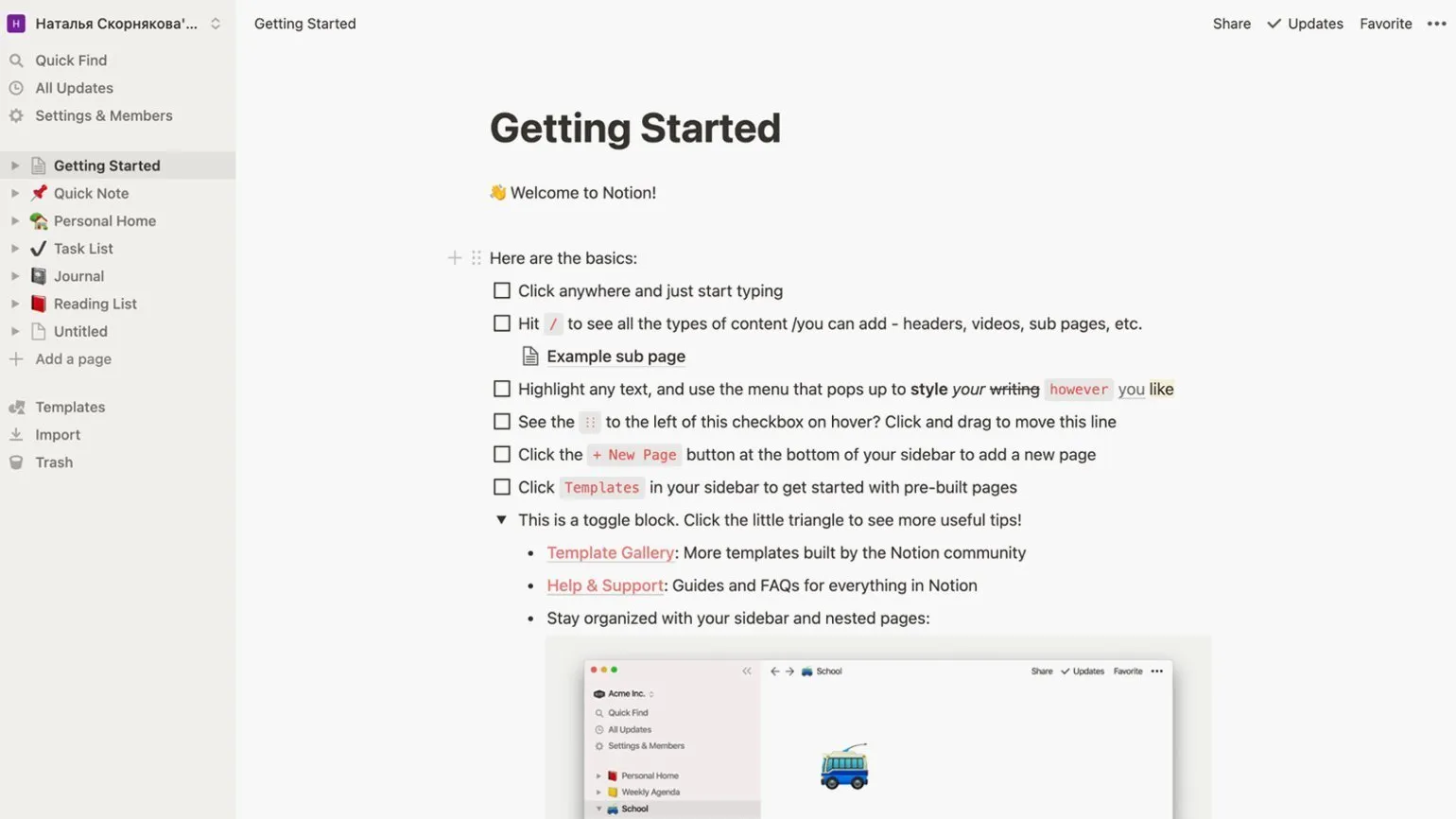
Creating your first blank page is a simple process. To get started, go to the menu on the left and select the "Add page" option. You can then add a page title, emoji, and a cover image by selecting one of the suggested images or uploading your own. You can also add comments, which makes the page more informative and interactive.
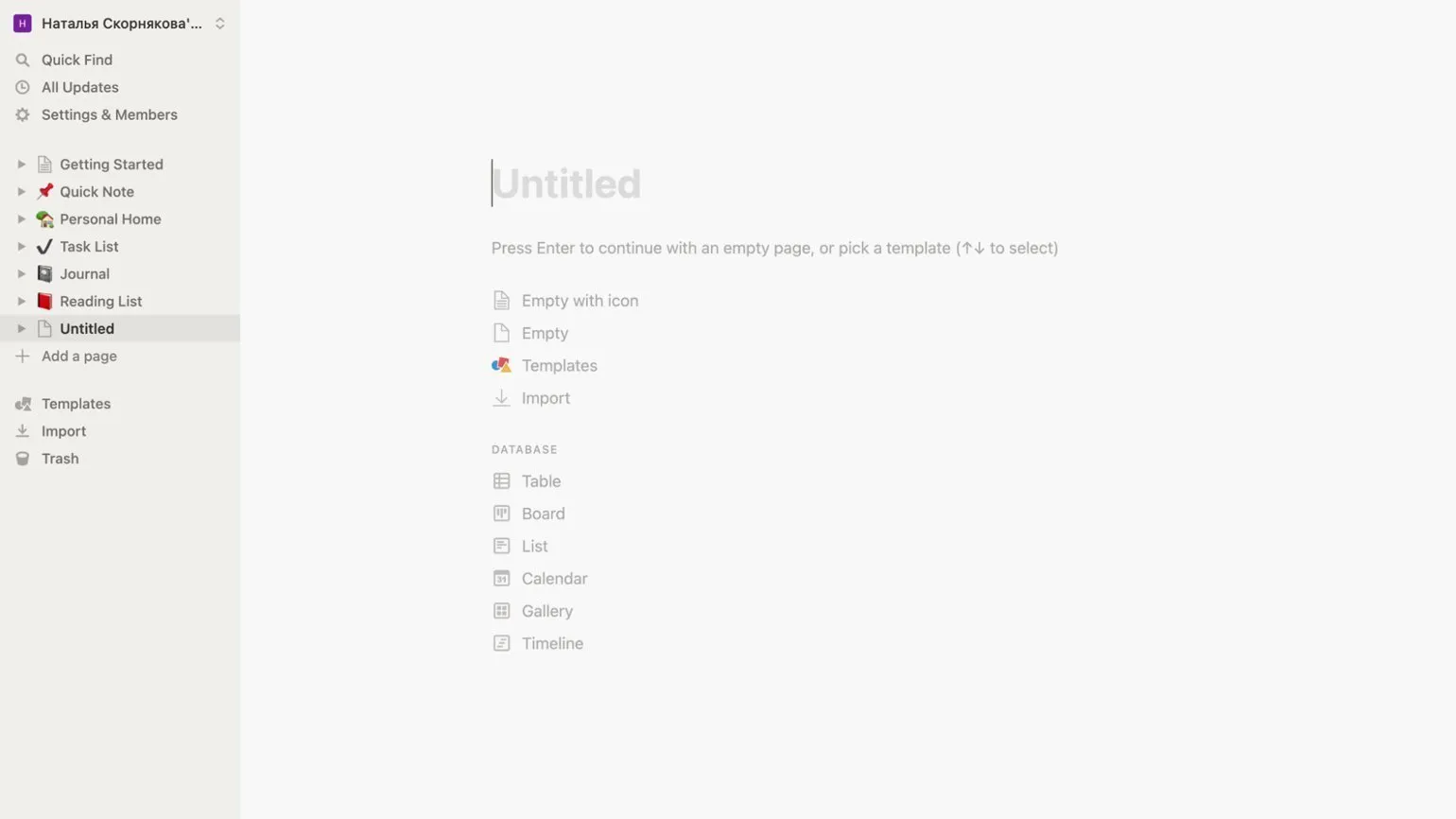
You can start by filling out a blank page or use one of the available templates. This will help speed up the content creation process and ensure your material is structured. Using templates can also improve the quality of your text and make it more engaging for readers.
Standard templates are divided into categories based on industry, including categories for education. We'll take a closer look at educational templates in the next section. Now let's look at the basic elements that can be present on any web page.
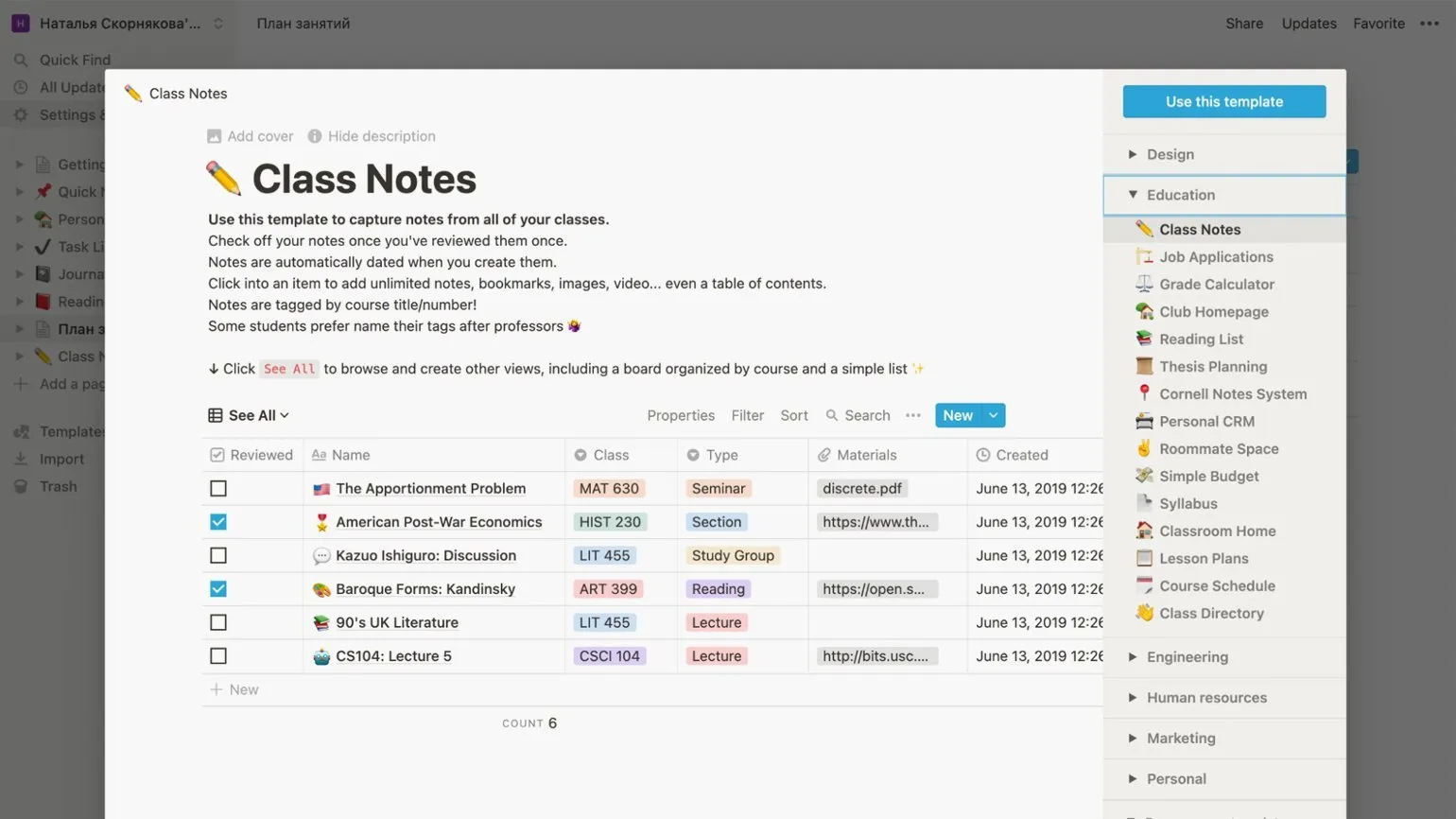
The basic unit we will work with is called a block. A block can be text, a page, a media file, a checklist, a numbered or bulleted list, a quote, a table, a Kanban board, or other elements. To see a full list of available blocks, simply place your cursor in an empty space on the page and press the forward slash (/) key.
Notion offers a convenient embed feature for various formats, such as tweets, links to Google Drive and Google Docs, GitHub repositories, Miro boards, Typeform polls, and more. This allows users to effectively interact with various services without leaving the Notion app. This feature greatly simplifies the process of working and organizing information, making your notes more interactive and accessible. Don't miss the opportunity to improve your productivity by embedding content in Notion.
The multifunctional database block deserves special attention. In its default form, it is displayed as a table, with a choice of information formats for each column. This can be a title, tag, date, hyperlink, email address, phone number, and other parameters. Each of these categories can be used to sort the table contents, greatly simplifying working with data and allowing you to quickly find the information you need. This approach to data organization makes the database more convenient and efficient for users.
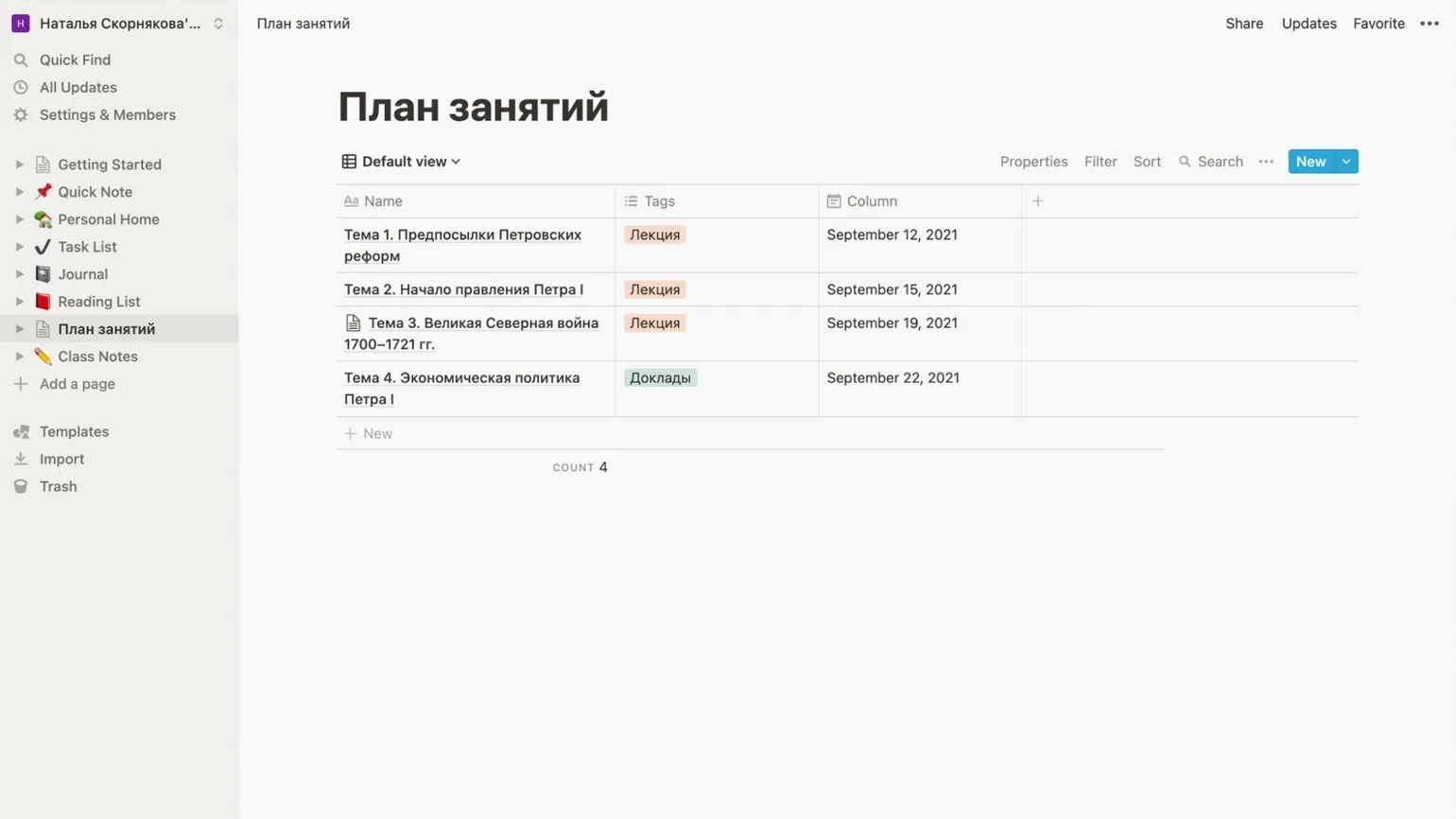
Each row of the table corresponds to a separate page, which opens when you hover over the title and click the «Open» button. On this page, you can add comments and any additional information, which allows you to cover the topic in more detail and improve interaction with users.
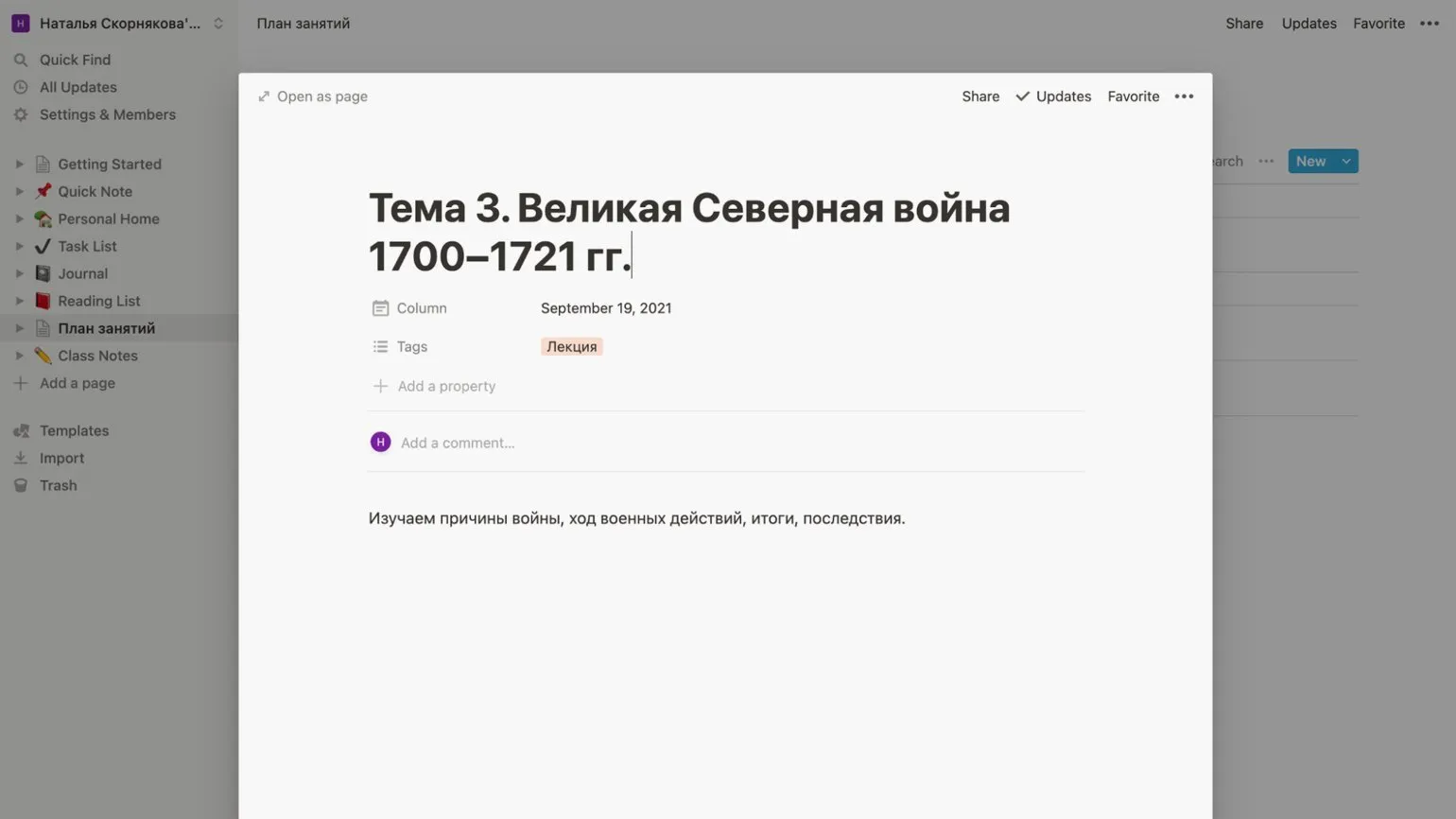
Notion databases offer significant advantages over traditional tools such as Excel and Google Sheets. The main advantage of Notion is that tables can be easily converted into various formats, including lists, calendars, Kanban boards, timelines, and card galleries, without losing data. This allows the user to adapt the presentation of information depending on specific needs and preferences, greatly simplifying working with data. To change the way data is displayed in Notion, simply click the "Default View" button under the table name, then select "Add a View" and specify the desired format. This makes Notion a versatile tool for information management, allowing you to find the optimal data visualization for each case.
Notion allows you to customize access to your workspace and individual pages for users and groups, allowing you to effectively share information with students. However, it's important to be aware of the limitations of the free version, which only allows you to grant "guest" access to individual pages. To invite a user, click the "Share" button in the upper right corner of the page, select "Add people," and enter the email address of the person you want to invite. Here you can also set the access level: view only, comment, or edit. Note that the free version allows you to add up to five users. Use these features to optimize collaboration and manage access to your content in Notion.
Each page can be made accessible via a link, similar to how it is implemented in Google Docs. To do this, click the "Share" button and activate the "Share on the web" toggle. Set the access level: in order for users to comment or edit the page content, they will need to register with Notion. After that, copy the link and share it with colleagues or students. In this case, the number of users with access to view the page is unlimited.
Let's look at the differences in access. If your goal is to create a schedule, curriculum, or reading list for easy sharing with students, you don't need the paid version. Simply share the document via a link. This allows you to effectively share information without additional costs.
If you're looking to create a shared workspace for collaboration with colleagues or students, where you can jointly develop pages and gather information, you should consider the paid version. Paid access provides the necessary tools and features for effective collaboration.
Notion users can export pages to HTML, PDF, and CSV formats. To do this, click the three dots in the upper-right corner of the page and select "Export." In the menu that appears, select the desired format and click "Export" again. The file will then begin downloading automatically. Exporting pages in various formats allows you to conveniently share information and integrate data into other applications.
Useful templates for educational tasks
Now let's look at specific Notion templates from the "Education" category. These templates will help you organize the learning process, improve planning, and increase productivity. In this category, you will find tools for creating schedules, managing assignments, taking notes, and preparing for exams. Notion's educational templates make it easy to customize content for your needs, providing learning flexibility and time efficiency. By exploring and using these templates, you can optimize your learning process and achieve better academic results.
You can create your own templates by exploring the service's diverse features. However, many users find it more convenient and effective to use ready-made templates developed by both the service's creators and other users. These templates are optimized for specific tasks and can significantly save development time.
To copy someone else's template to your account, go to the page with the desired template and click the "Duplicate" button in the upper right corner. This simple process allows you to create your own copy of the template, which you can edit and adapt to your needs.
- Lesson Plans. The very name of this template in Russian—"Lesson Plan"—suggests that it is a convenient place to compile lists of topics and plan lessons, adding links to additional materials. You can start with this basic template and adjust it to suit your needs.
- Syllabus. This template's name translates as "Curriculum," which means it will help you introduce your students to the course syllabus. Lesson schedules, exam procedures, and useful resources—everything students need to know can be gathered on one page.
- Course guide. This template's name translates as "Course Guide." It's similar in functionality to the previous one, but more detailed. It was created by a professor at the California Institute of the Arts.
- Reading List. Although this template's name translates as "Reading List," it can, of course, collect and sort not only books, articles, videos, and podcasts, but also any other information. This format perfectly organizes all of this into convenient lists or cards with tags for sorting.
- Vocabulary. A vocabulary template useful for learning foreign languages.
To find more templates, we recommend visiting the official Notion Template Gallery website. There is also a collection of user-created templates in Russian, but it currently lacks variety.
Reading is an important part of our lives, and it offers numerous benefits. It develops mental abilities, broadens our horizons, and improves communication skills. Books, articles, and blogs can enrich our understanding of the world and contribute to personal growth. Furthermore, reading helps improve concentration and memory. If you want to increase your productivity and creativity, make time to read every day. Research shows that regular reading also reduces stress and improves overall well-being. So, don't forget about the importance of reading and try to make it part of your daily routine.
- 6 Useful Resources in English for Instructional Designers
- 9 Services to Help Create an Engaging Online Course
- 12 Tools for Online Educational Events
Online Tutor
It doesn't matter what you teach—English, CrossFit, yoga, vocals, or culinary arts. Everything you previously taught in schools, studios, and offices can now be taught online. Promote your knowledge and skills and earn money from anywhere in the world.
Find out more