
Contents:

Web development from scratch: 5 steps to free
Learn MoreNAT Definition: What It Is and Why It's Needed
NAT, or Network Address Translation, is an important technology that manages traffic between local and wide area networks. This technology allows devices within a home network to communicate with each other and efficiently connect to the internet. NAT plays a key role in ensuring security and conserving IP addresses by allowing multiple devices to share a single external IP address to access the network. With NAT, users can seamlessly exchange data and access internet resources while maintaining the privacy of their local addresses.
Many internet service providers offer their customers only one IP address for internet access. This address can be static or dynamic, but in any case, it is the only one. However, users often want to connect multiple devices, including smartphones, laptops, TVs, and smart speakers. To solve this problem, routers can be used, which distribute the internet connection among all devices on the network. This ensures that each device has access to the internet, ensuring convenient and efficient resource use. Routers are used to effectively connect the internet to the local network. These devices play a key role in ensuring a stable connection. An Ethernet cable from the internet provider is connected to the router, allowing all devices in the home to access the network. Each device is assigned a unique local IP address, ensuring effective traffic management and local network security. Using routers not only simplifies the connection but also optimizes the operation of all devices on the home network. NAT (Network Address Translation) plays an important role at this stage. When you, for example, open a web page, NAT processes your requests, redirecting traffic from your device's local IP address to a public IP address provided by your Internet service provider (ISP) and back. This makes all requests appear to the outside network as if they were sent by only one router, rather than several connected devices. This ensures the security of your local network by hiding individual IP addresses and preventing unauthorized access. Using NAT (Network Address Translation) has several key reasons that make it important for users. Firstly, NAT allows for efficient address space management. With a limited number of available IP addresses, NAT allows many devices on the local network to use a single external IP address, significantly saving resources. Secondly, NAT provides an additional layer of security. By hiding internal IP addresses from the outside network, NAT reduces the likelihood of unauthorized access to devices within the local network. This makes NAT an essential element in a data security strategy.
Furthermore, NAT simplifies network administration. Administrators can easily change internal IP addresses without having to reconfigure external connections. This increases flexibility and simplifies network management.
It's also worth noting that NAT improves network performance. By balancing loads and distributing traffic between devices on the local network, NAT helps optimize resource usage and improve overall internet access speed.
In conclusion, using NAT is an important aspect for users, ensuring efficient use of IP addresses, security, ease of management, and improved network performance.
- IP Resource Saving. Since the number of available IP addresses is limited, NAT eliminates the need to allocate a separate address for each device connected to the Internet, which significantly reduces costs.
- Enhanced Security. NAT hides local IP addresses from external networks, thereby providing an additional level of privacy and protection. In addition, modern routers allow you to configure NAT rules, which makes it possible to restrict access of some devices to the Internet or certain websites.
- Ease of Use. NAT allows devices to exchange data on a local network without the need for an Internet connection, while providing access to global network resources.
NAT Types: Static, Dynamic and PAT
In the modern world of network technologies, NAT (Network Address Translation) occupies an important place in IP address management. There are several types of NAT, each of which is optimal for different application scenarios. NAT helps efficiently use limited IP address resources, ensuring security and hiding the internal network from external threats. Different types of NAT, such as static, dynamic, and PAT (Port Address Translation), allow you to tailor your network infrastructure to specific requirements, improving network performance and security. Understanding the types of NAT and their capabilities is key for network professionals and administrators. Static NAT is a common solution for servers, assigning a unique global IP address to each local address. This ensures reliable and uninterrupted remote access to the server, which is critical for businesses and online services that require constant connectivity. With the rapid increase in the number of devices on the network, static NAT remains relevant, providing convenient access to resources and increasing the security of the network infrastructure. This solution is ideal for organizations looking to optimize their networks and improve the quality of services provided. Dynamic NAT, unlike static NAT, uses a pool of available global IP addresses. When a device connects, the router assigns it a random IP address from this pool. If all available addresses are exhausted, a temporary IP address can be provided. This method is particularly effective for mobile users and temporary connections, but it can be challenging when constant access to certain resources is required. Dynamic NAT saves IP addresses and simplifies network management, but it is important to consider its limitations when designing a network infrastructure.
PAT (Port Address Translation), also known as overloaded NAT, is the most common variant of NAT. It allows multiple devices with unique local addresses to use a single global IP address to access the internet. When a request is sent to a web resource, the router not only specifies the IP address but also assigns a unique port to each device. When the server processes the request, it returns a response with the port number, allowing the router to determine exactly where to forward the data. This makes PAT ideal for home and small office networks, where the number of connected devices significantly exceeds the number of available global IP addresses. Using PAT significantly simplifies network connection management and improves security by hiding internal IP addresses from the outside world.
With the growing demand for network resources and the increase in the number of connected devices, knowledge of the different types of NAT (Network Address Translation) and their applications is becoming critical for network administrators. NAT allows for efficient IP address management, enhancing security and optimizing network resource utilization. For a deeper understanding and up-to-date information about NAT, it is recommended to refer to resources such as Cisco and Network World. These platforms offer valuable articles, guides, and the latest news to help professionals stay abreast of changes in networking technologies.
How NAT Works: A Deep Dive
NAT (Network Address Translation) is an important technology that ensures security and efficient IP address management in modern network infrastructures. One of the most common NAT variants is PAT (Port Address Translation). Let's look at how PAT works using a practical example. This technology allows multiple devices on a private network to share a single public IP address, with each connection session assigned a unique port number. This not only saves the number of required public addresses but also creates an additional layer of security by hiding internal IP addresses from the outside world. With PAT, organizations can effectively manage their network traffic while ensuring the security and anonymity of their users.
A smartphone with a local IP address of 192.168.0.3 connects to a router with a global IP address of 208.135.26.4. When the smartphone attempts to connect to a server at 208.135.15.7, the router uses NAT (Network Address Translation) technology to process and route the traffic. This allows devices with local IP addresses to interact with external resources and access the internet, while hiding their internal addresses and ensuring network security. Using NAT also allows for more efficient use of IP addresses, which is especially important when IP addresses are limited.
When attempting to load a web page using a smartphone, the router processes network traffic by replacing the device's local IP address with its global IP address. This process protects the internal network structure from external threats and allows multiple devices to share a single global IP address. Thus, traffic routing not only improves security but also optimizes network resource utilization, which is especially important when global IP addresses are limited.
The server processes the received request and sends a response to the router's global IP address, 208.135.26.4. The router then checks its internal routing table and forwards the response to the smartphone's local IP address. This process ensures proper data routing and maintains communication between devices on the network. Efficient data routing is important for the stable operation of Internet applications and minimizing delays in information transmission.
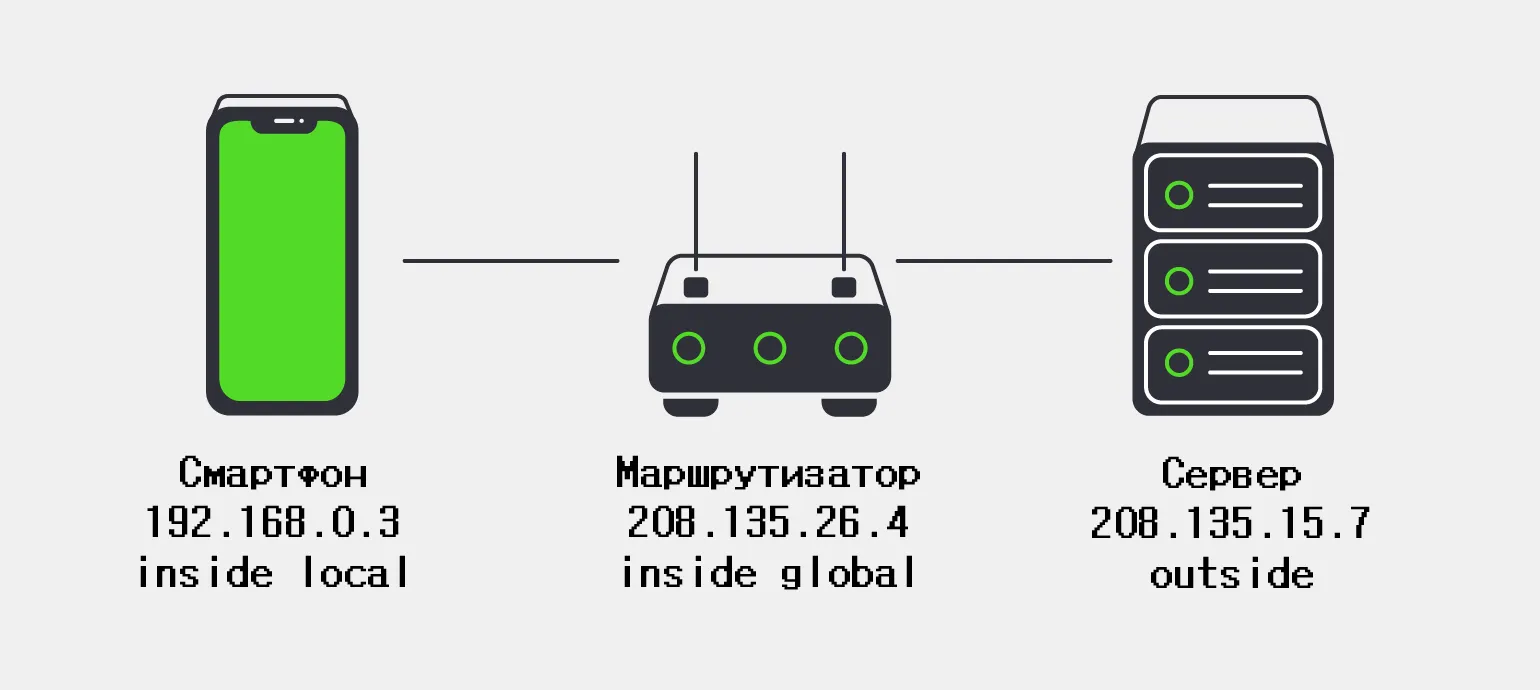
Using NAT (Network Address Translation) offers many benefits. One key aspect is the conservation of IP addresses, which is extremely important in the context of the exhaustion of available IPv4 addresses, according to the Internet Assigned Numbers Authority (IANA). NAT allows multiple devices to connect to the Internet through a single public IP address, which significantly simplifies the management of network resources. In addition, NAT improves network security by hiding internal addresses from external threats. These factors make NAT especially relevant for modern network solutions, ensuring efficient use of resources and data protection.
NAT, or Network Address Translation, is a technology that translates private IP addresses into public ones, and vice versa. This technology is widely used in networks to provide access to the Internet using a single public IP address, allowing multiple devices on the local network to interact with external resources. NAT improves security by hiding internal addresses and reducing the likelihood of unauthorized access. It also helps efficiently use limited IP address resources, which is especially important with the growing number of connected devices. NAT, or Network Address Translation, plays a vital role in network security. It hides the internal structure of the network, significantly reducing the risk of external attacks. By masking internal IP addresses, NAT makes it difficult for attackers to access devices and servers within the local network. This creates an additional layer of protection, because even if the external network is attacked, internal resources remain inaccessible to attackers. Therefore, using NAT is an effective strategy for enhancing the security of a network infrastructure. How does NAT interact with protocols? NAT (Network Address Translation) can effectively work with various protocols, such as TCP and UDP, ensuring optimal routing of network traffic. This technology allows for the translation of private IP addresses into public ones, which helps reduce the number of required public addresses and improve network security. NAT analyzes data packets and modifies headers, allowing devices on a private network to exchange data with external resources. NAT's effective operation with the TCP and UDP protocols makes it an essential element of modern network infrastructures.
How to Configure NAT to Optimize Your Internet Connection
Configuring NAT (Network Address Translation) is a key element for improving the security of your local network. While NAT effectively blocks external devices from accessing your devices, it can create difficulties with your internet connection, especially when using certain services, such as torrent clients or remote access programs. For example, Xbox owners often encounter problems connecting to online games due to NAT-related limitations. Proper NAT configuration can significantly improve the quality of your internet connection and provide more stable access to various online services.
To resolve these issues, it is necessary to open certain ports required by a particular service. Information on required ports can be found on the official website of the relevant product. For example, for the Xbox console, a list of required ports is available on the Microsoft support page. For torrent clients, port information can be found in their settings. Opening these ports will ensure stable service operation and improve connection quality.
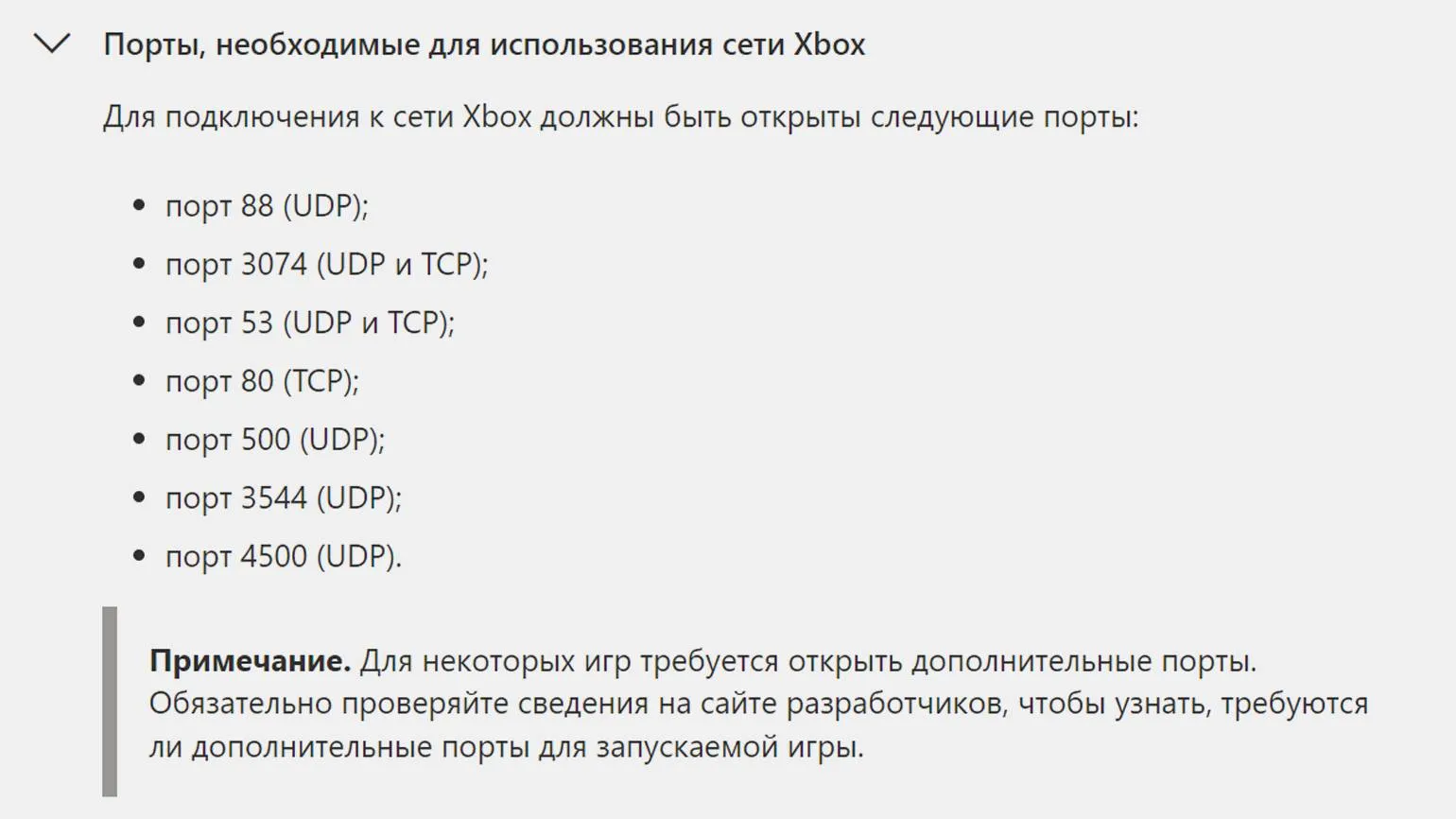
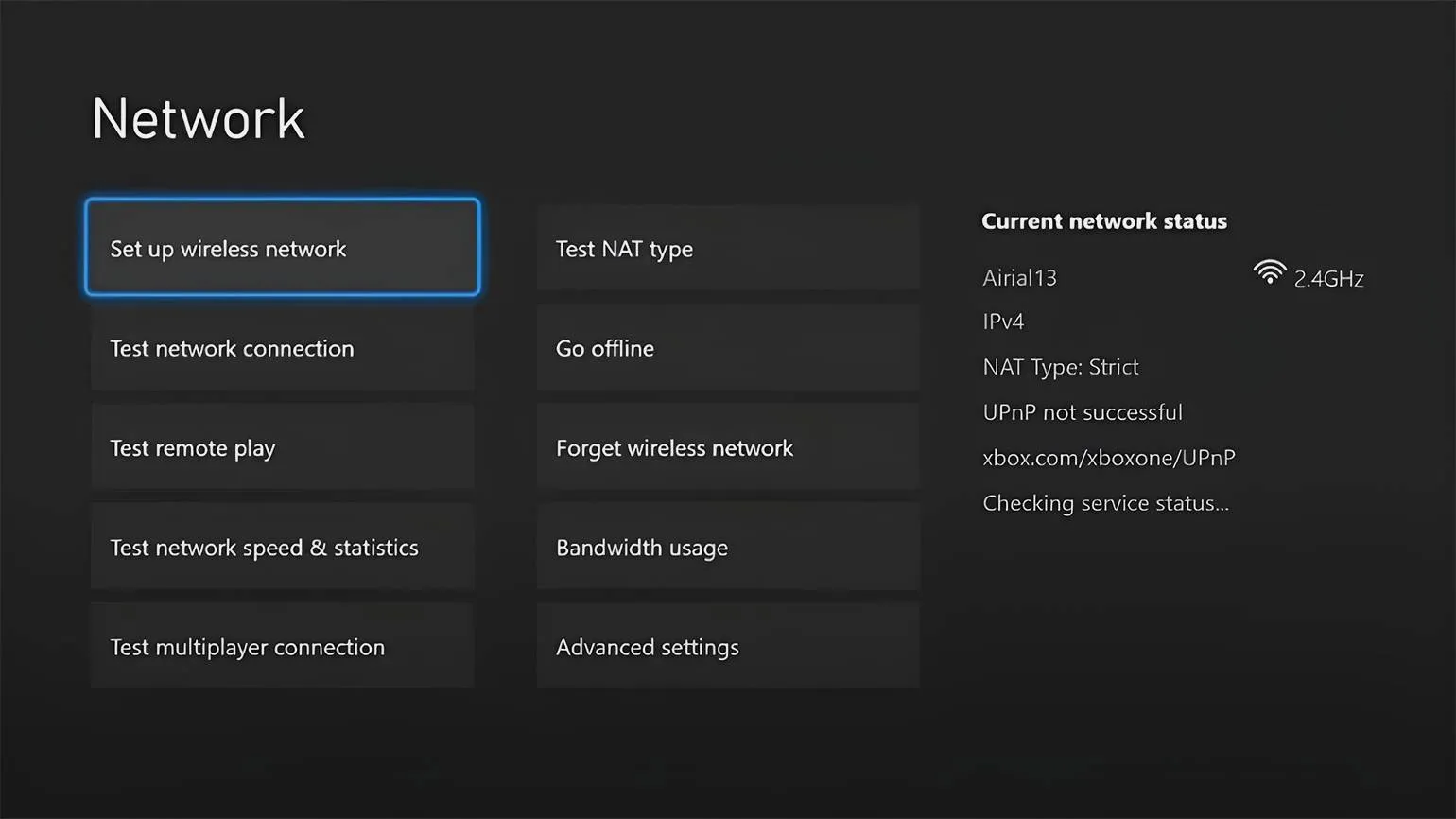
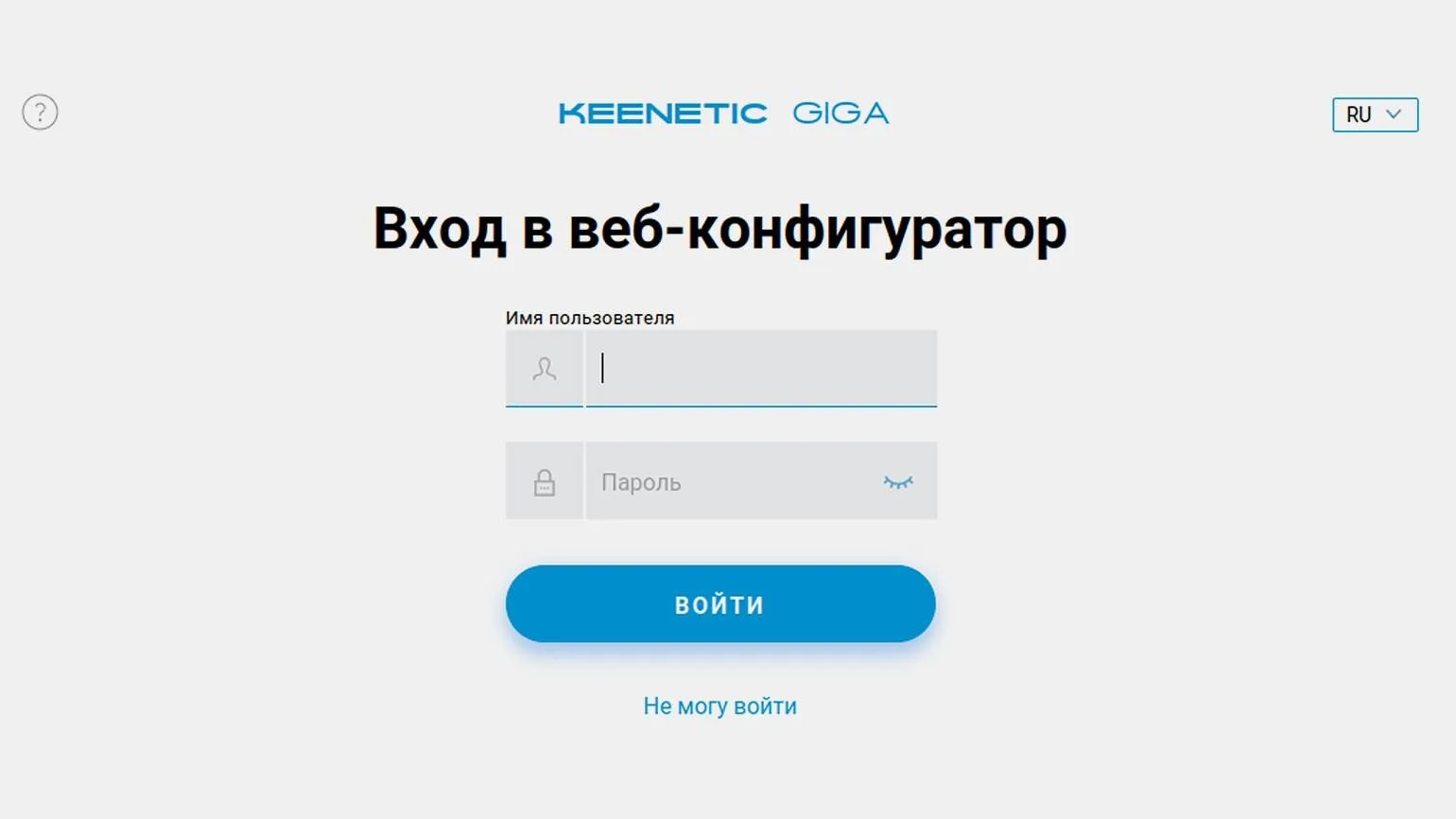
Once you've identified the ports you need, you'll need a device like a smartphone or computer connected to your router. Open a web browser and enter the router's IP address in the address bar. If you're unsure which address to use, consult the manual or look at the stickers on the device itself. For example, the default IP address for Keenetic routers is 192.168.1.1.
For further access, you'll need to log in with your username and password. If you haven't changed your login information, try standard combinations such as admin/admin or root/admin. Make sure you enter the information correctly to avoid authorization errors.
Go to the port forwarding settings section of your router. In Keenetic devices, this option is labeled "Port Forwarding." In routers from other manufacturers, you may encounter terms such as Port Forwarding, DMZ, or simply Forwarding. Setting up port forwarding allows you to direct incoming connections to specific devices on your local network, which can be useful for improving the performance of game servers, video surveillance, and other applications that require remote access.
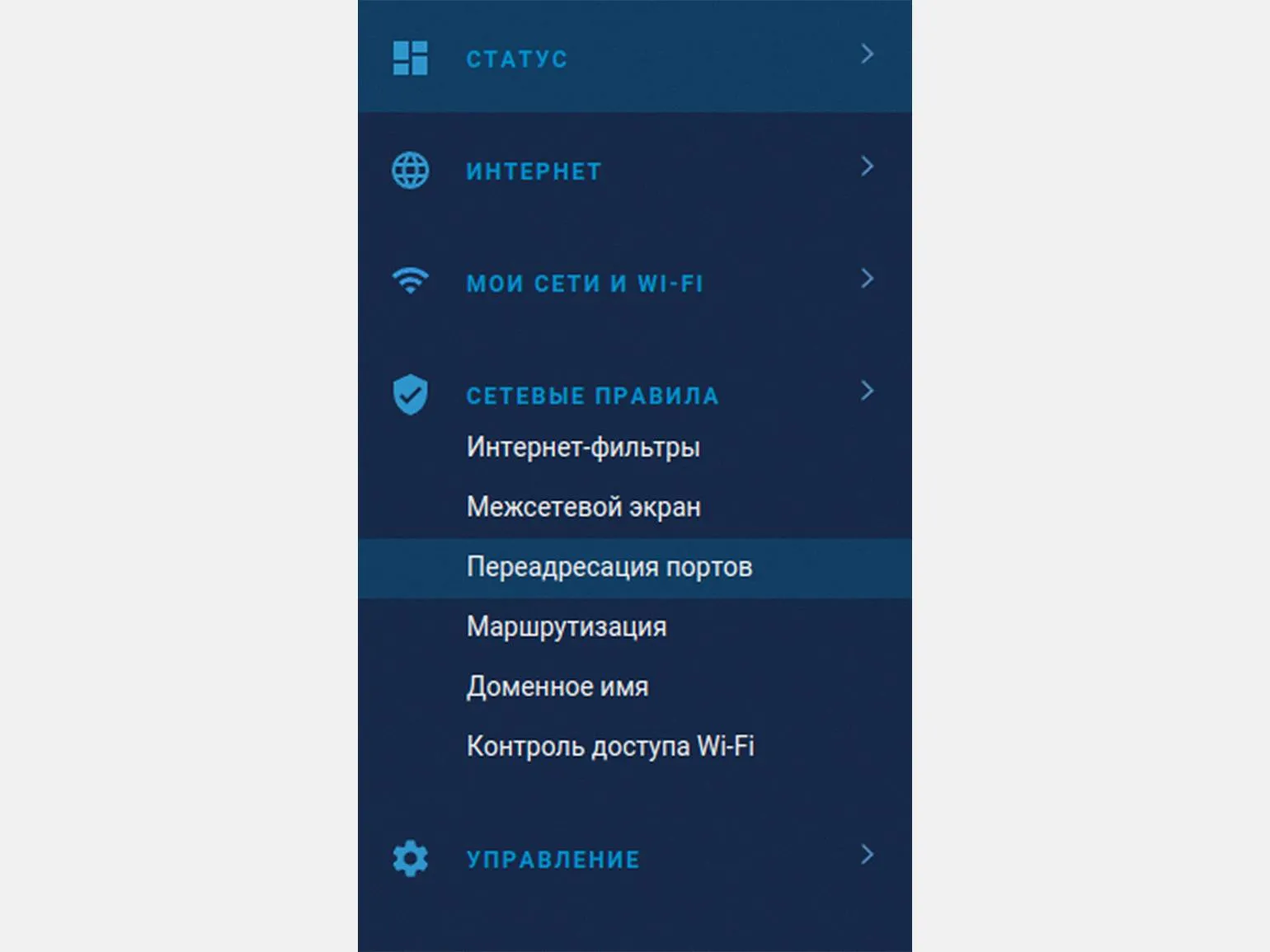
Click the "Add rule" button and enter the information you received from the official website of your product. Please pay attention to the following parameters:
- Description - a name for the rule, which can be arbitrary.
- Input - the method of connecting your router to the Internet (for example, via an Ethernet cable, 4G modem, or satellite dish).
- Output - the device for which you are opening the port (for example, a computer that may have problems accessing Xbox Live).
- Client Name - automatically filled in after you select the output device.
- Protocol - the type of protocol required for the port: UDP, TCP, or both.
- Rule Type - determines whether a single port or a range of ports will be opened.
- Open Port - the port number you want to open.
- Schedule - specifies whether the port should be open all the time or only at certain times.
For each port from the provided list, follow the specified procedure, and then reboot the router. This action ensures the stable operation of your online services and optimizes their performance.
Key aspects of NAT technology
- NAT (Network Address Translation) is an important mechanism that manages traffic between local and global networks.
- With NAT, it is possible to use a single IP address to connect many devices to the Internet, which significantly saves resources.
- If you are experiencing problems accessing some services, be sure to check your NAT settings and make sure all the necessary ports are open.
- This technology also hides local IP addresses from external networks, which helps increase the level of security and privacy of users.
Web Developer: 7 Key Skills for Success in 2023
Want to become a successful web developer? Learn 7 essential skills!
Learn more