
Contents:

Course with employment: “Profession Data Analyst"
Learn moreZero, emptiness, and undefined—in real life, these words might be considered synonyms, but in programming, they have different meanings. These are three different values: 0, NULL, and undefined. Zero is simply zero, emptiness is NULL, and undefined is undefined. In this article, we'll use SQL as an example to understand the difference between zero and NULL. But to understand undefined, we'll need JavaScript. Confused? Now let's take a look at everything in order.
Contents
- Recommendations for better understanding of the topic
- Get acquainted with the basics of SQL
- Register on the Oracle Live SQL platform
- What is zero in SQL
- What is undefined and why it does not exist in SQL
- What is NULL and how to work with it
- What to study next
Recommendations for better understanding of the topic
This is a preparatory section, which is divided into two parts. The first part contains the theory of databases and the SQL language, and the second has a link to the platform for practice. If you are a beginner, we recommend that you first study the proposed materials and then look for the differences between zero, NULL, and undefined. Otherwise, the code examples in this article may not be clear to you.
SQL, or Structured Query Language, is a language for working with relational databases. These databases are represented as linked tables in which information is arranged in columns and rows. They can store reports, bank transactions, customer contacts, invoices, and other information.
If you haven't heard of databases and SQL, here are some introductory articles:
- "Database: What is it and why is it needed"
- "What is SQL: How it works, why is it needed, and how to work with it"
- "SQL Queries: Basic Commands for Managing Databases"
To consolidate what you've read, watch the webinar on the basics of the SQL language. The speaker is Mkrtich Pudeyan, a data analysis specialist at Gazprombank.
Oracle Live SQL is a free online platform where you can learn to write queries and work with databases. Simply go to oracle.com, register, and verify your email.
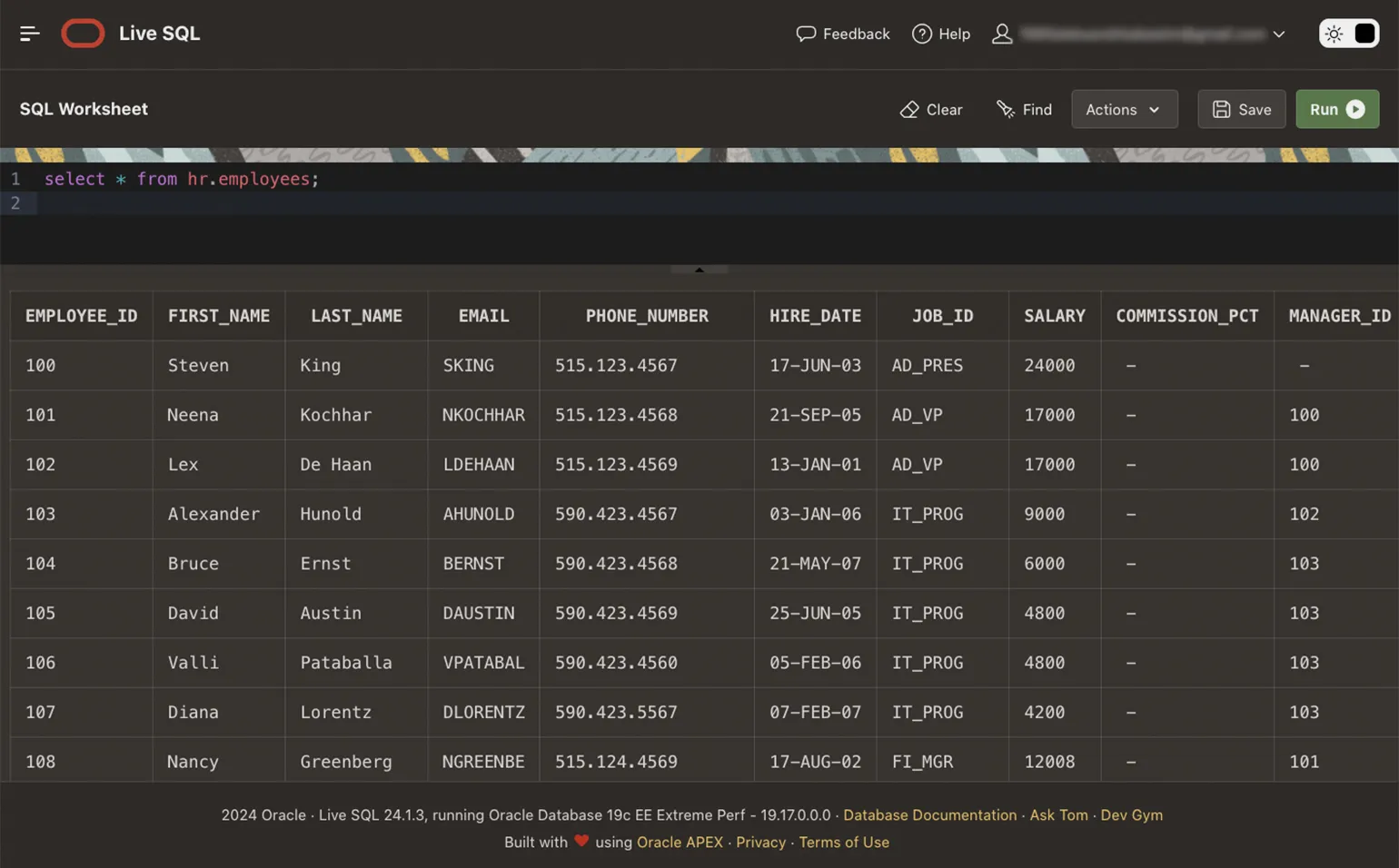
After registration, you'll be taken to the workspace and can immediately test the connection. To do this, enter any SQL command and ensure that the selected table is displayed after it. An example of one command:
What is zero in SQL?
Imagine a bowl of apricots. If you eat them, the bowl will be empty and there will be zero apricots left. Zero here is the numeric equivalent of the absence of something and is used for arithmetic or logical operations.
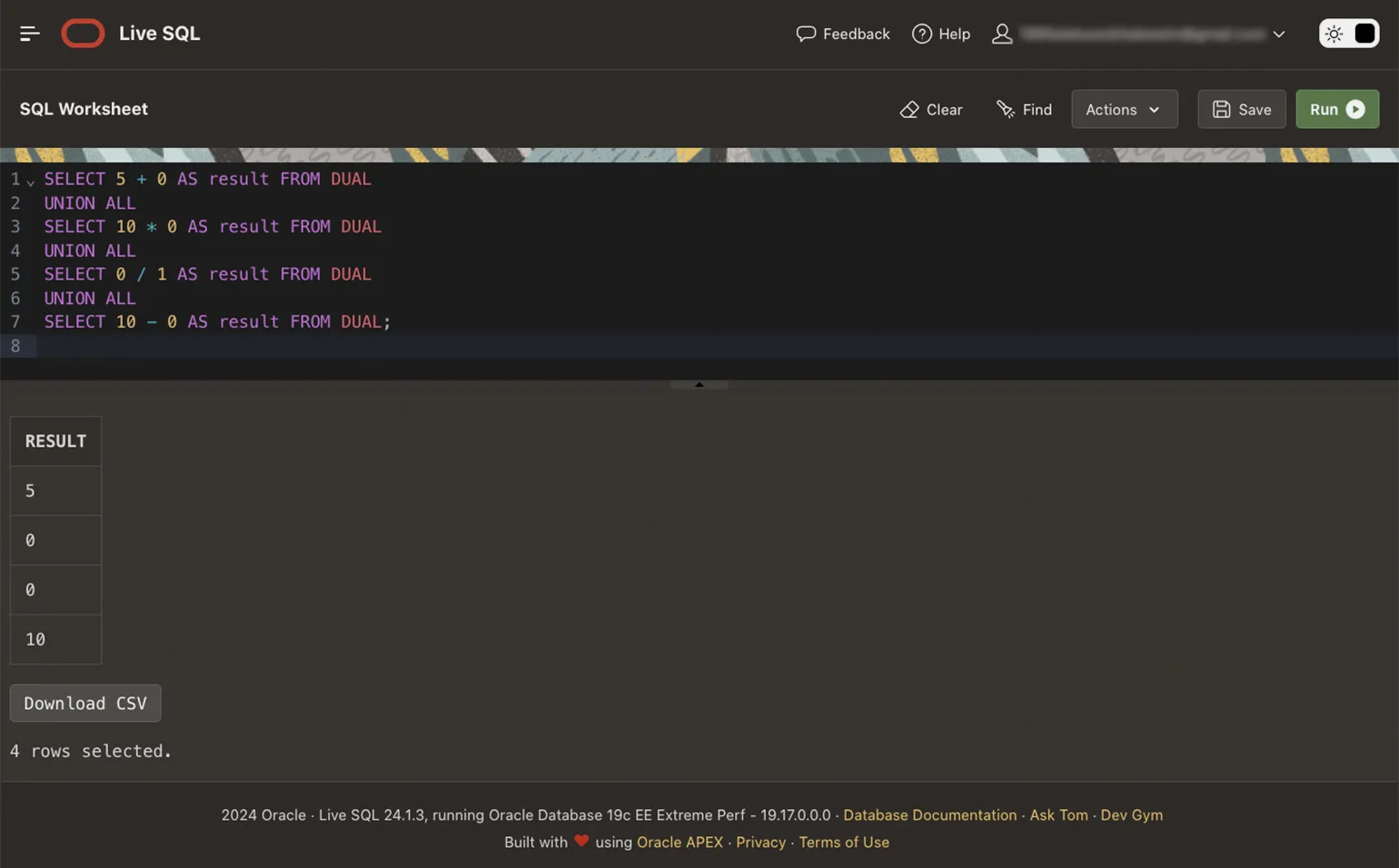
In arithmetic operations, zero can be subtracted from and added to other numbers—the value of these numbers will not change. You can also multiply or divide any number by zero, but the result will be zero:
In logical operations, zero represents a false value. Any other number represents a true value.
Let's create a table with data on the company's employees:
Add information on current and terminated employees to the table:
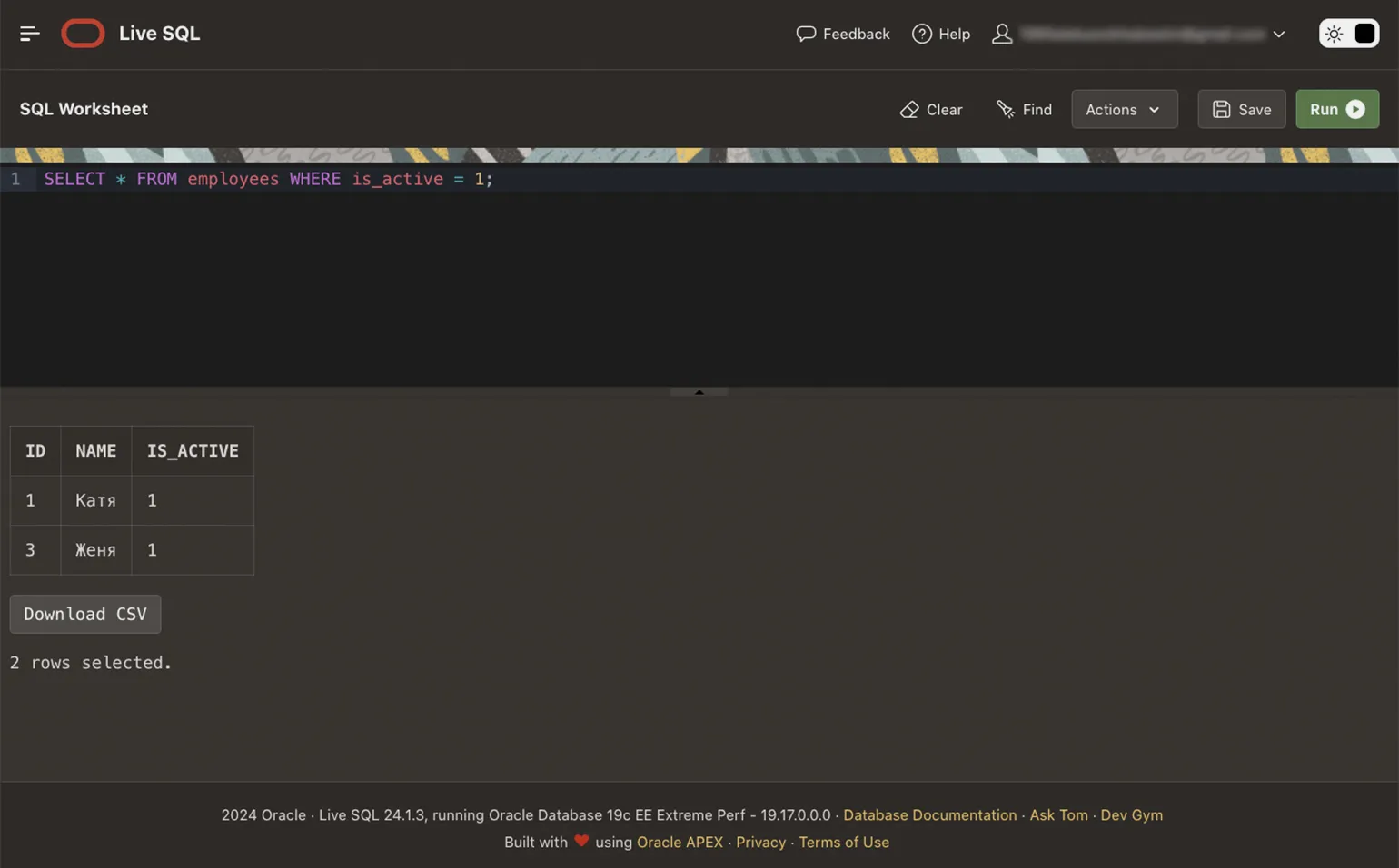
Now, using zero and one, we'll execute several SQL queries against our table. To begin, let's select all current employees:
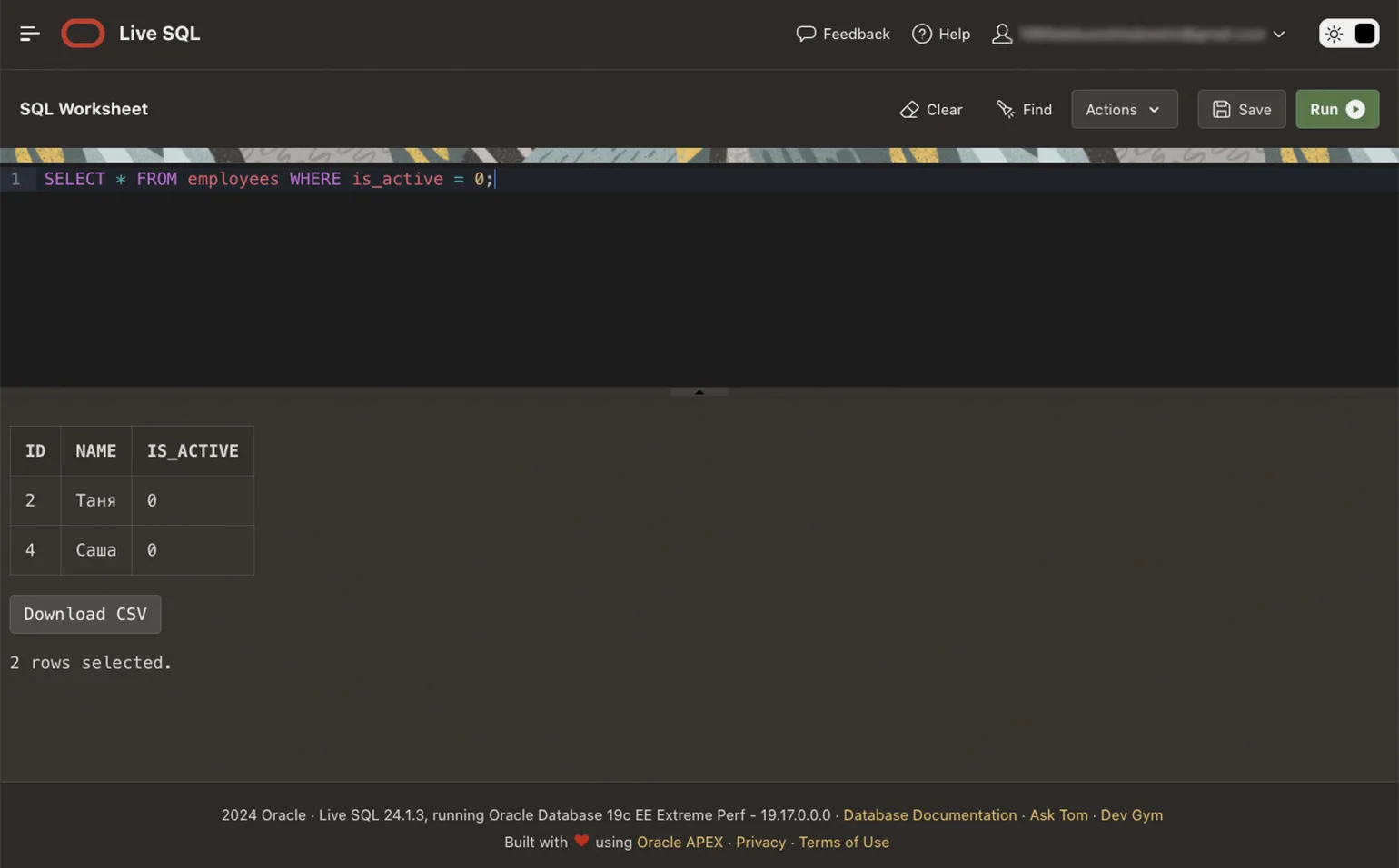
Let's look at the list of dismissed Employees:
Let's close our company and update the database Employee statuses:
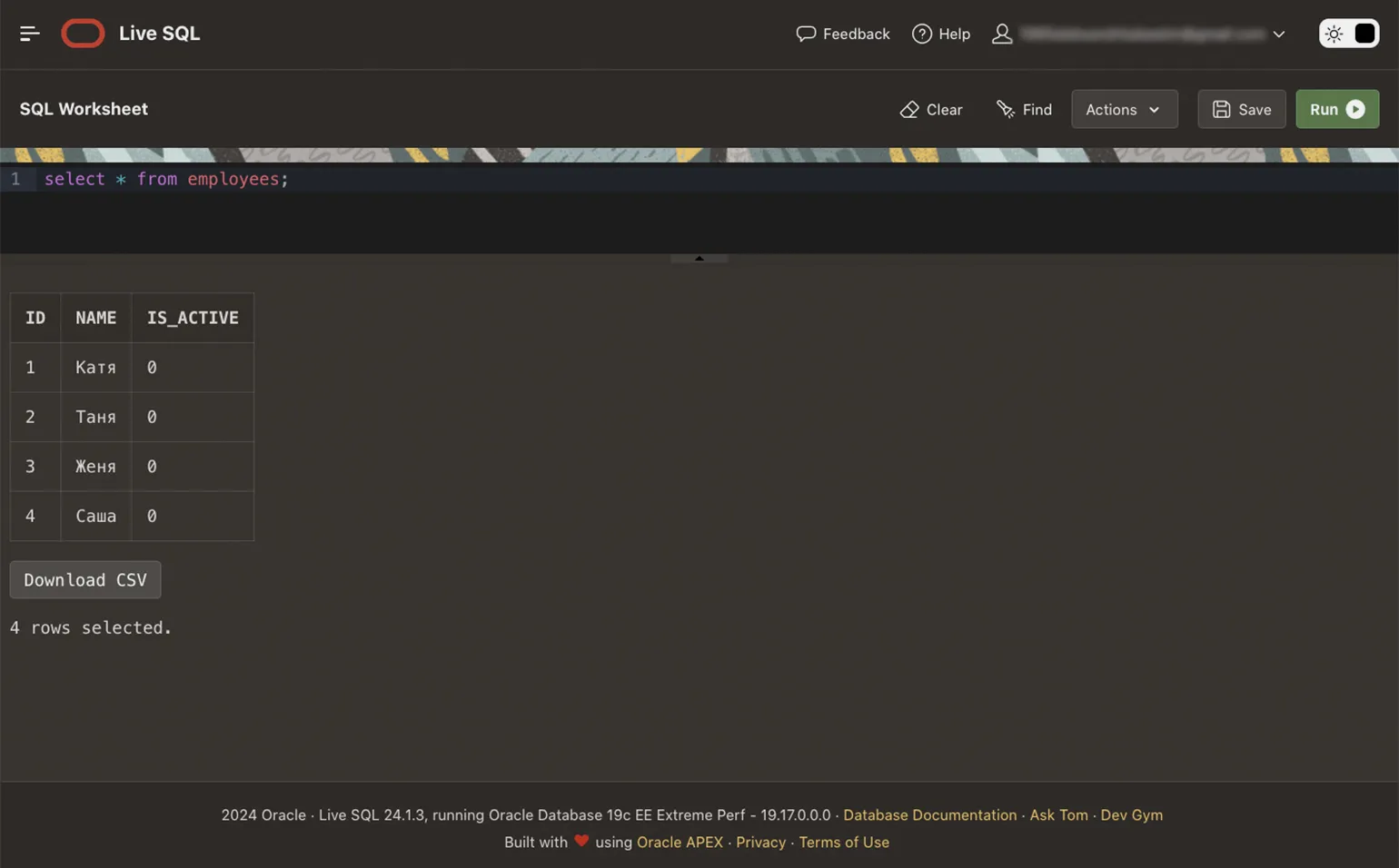
If you now check the result, then no one works in the company:
What is undefined and why isn't it in SQL?
In JavaScript, undefined refers to a special data type that indicates a value is undefined. You don't need to explicitly specify undefined, as the interpreter always indicates it automatically.
The undefined value is easier to understand with an example. Go to your browser's settings, open the Additional Tools tab, and find the Developer Tools section. You need to open the Console tab.

Read also:
What is JavaScript and why is it needed?
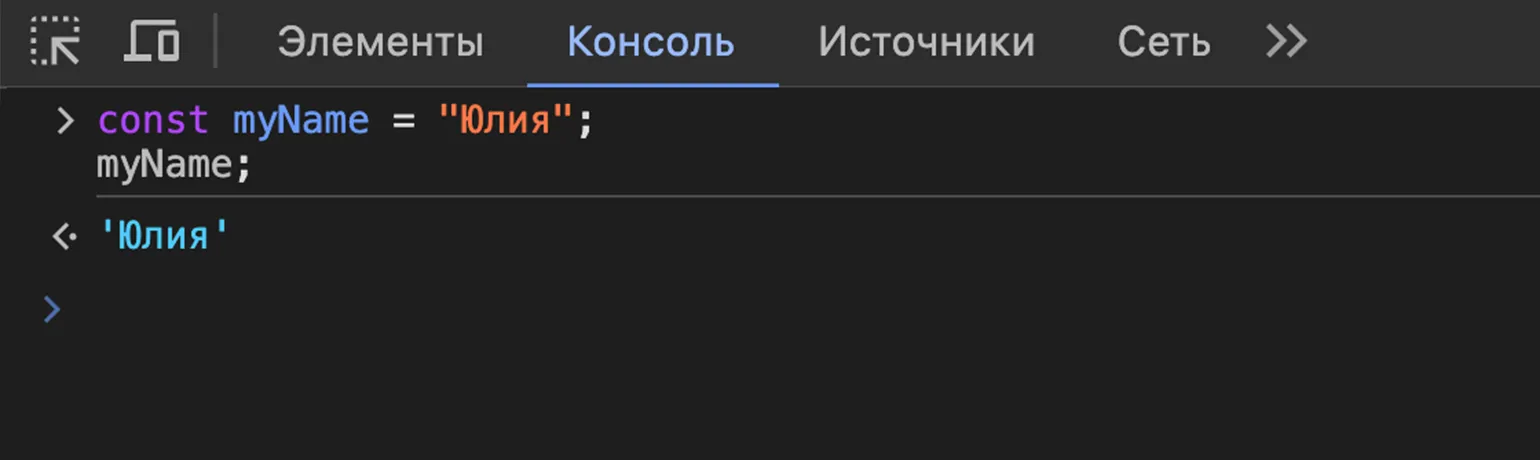
Declare a variable in the console, write the name to it and display the result:
As expected, we get the value stored in the variable:
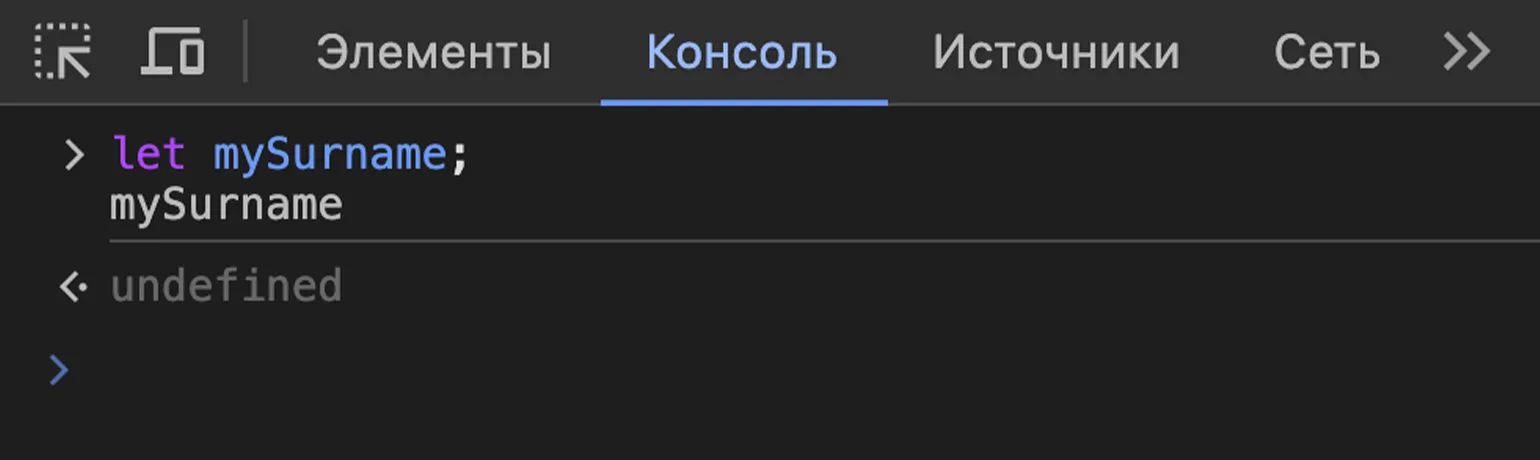
Let's declare another variable, but We won't add any value to it for now. If we print such a variable to the console, the result will be undefined. The interpreter specified this value automatically:
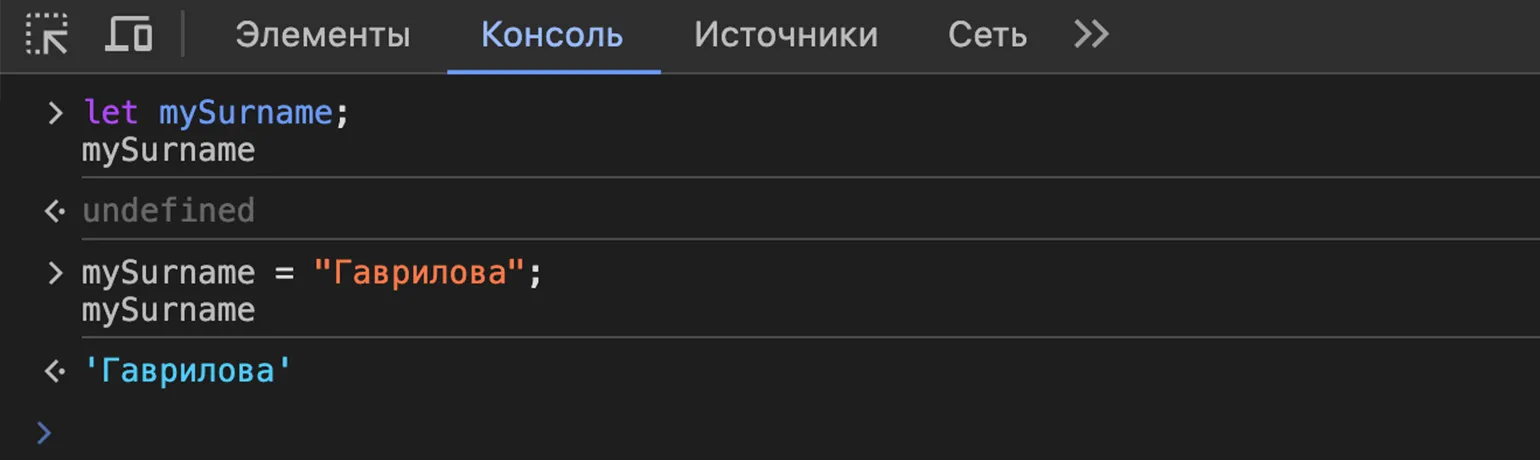
If we fill our empty variable with the value and If we display the result in the console, then undefined will no longer be displayed:

Read also:
What is the difference between var, let, and const in JavaScript?
In SQL, NULL is used instead of undefined — this denotes missing and undefined values. This is provided for by SQL-92 and other standards that ensure compatibility between various database management systems (DBMS). Avoiding undefined makes working with databases more consistent and helps avoid many errors.
What is NULL and how to work with it
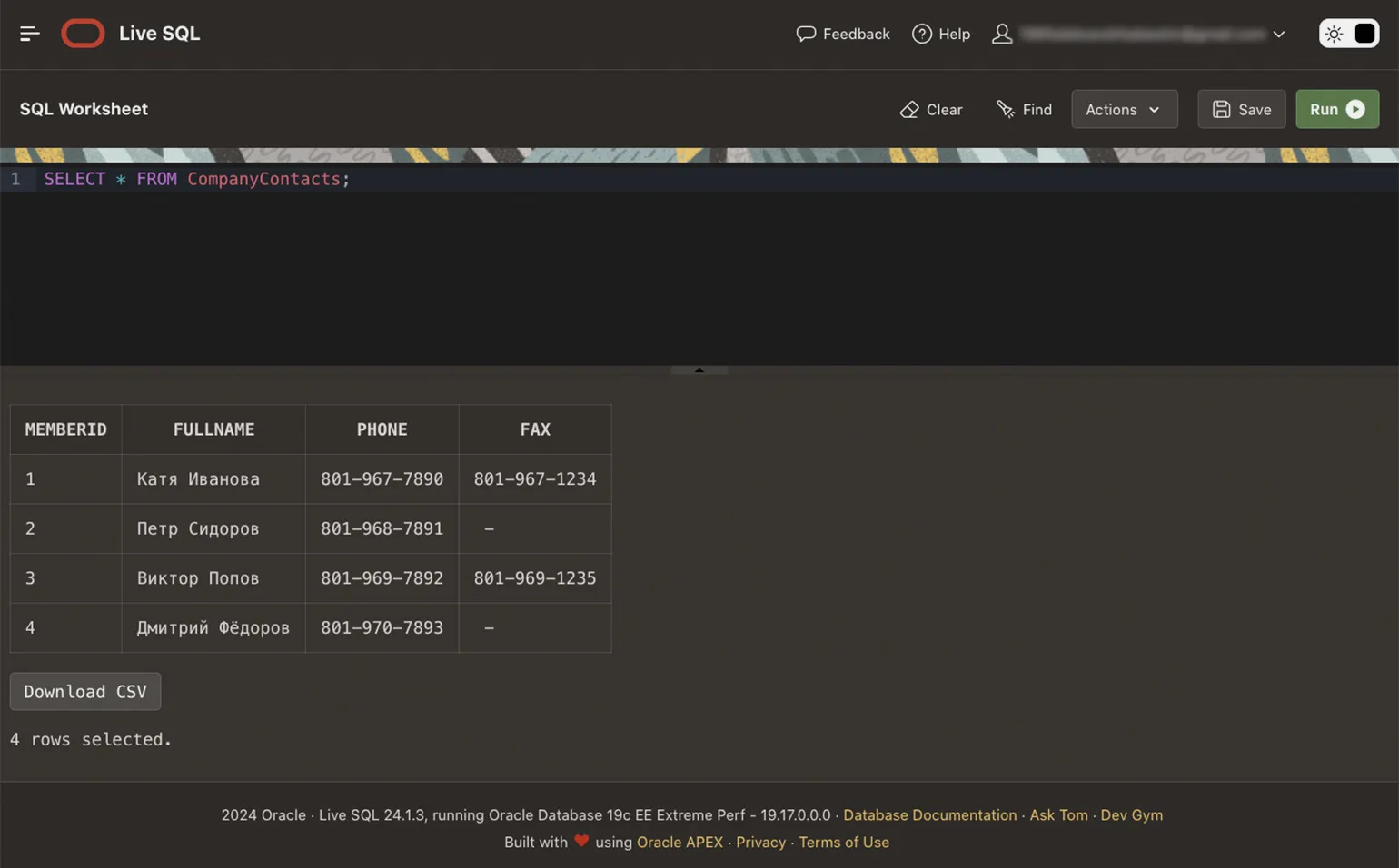
NULL is used in SQL to indicate missing data. Let's create a table with employee names, phone numbers, and fax numbers. Each employee will have columns for name and phone number, but specifying the fax number is optional:
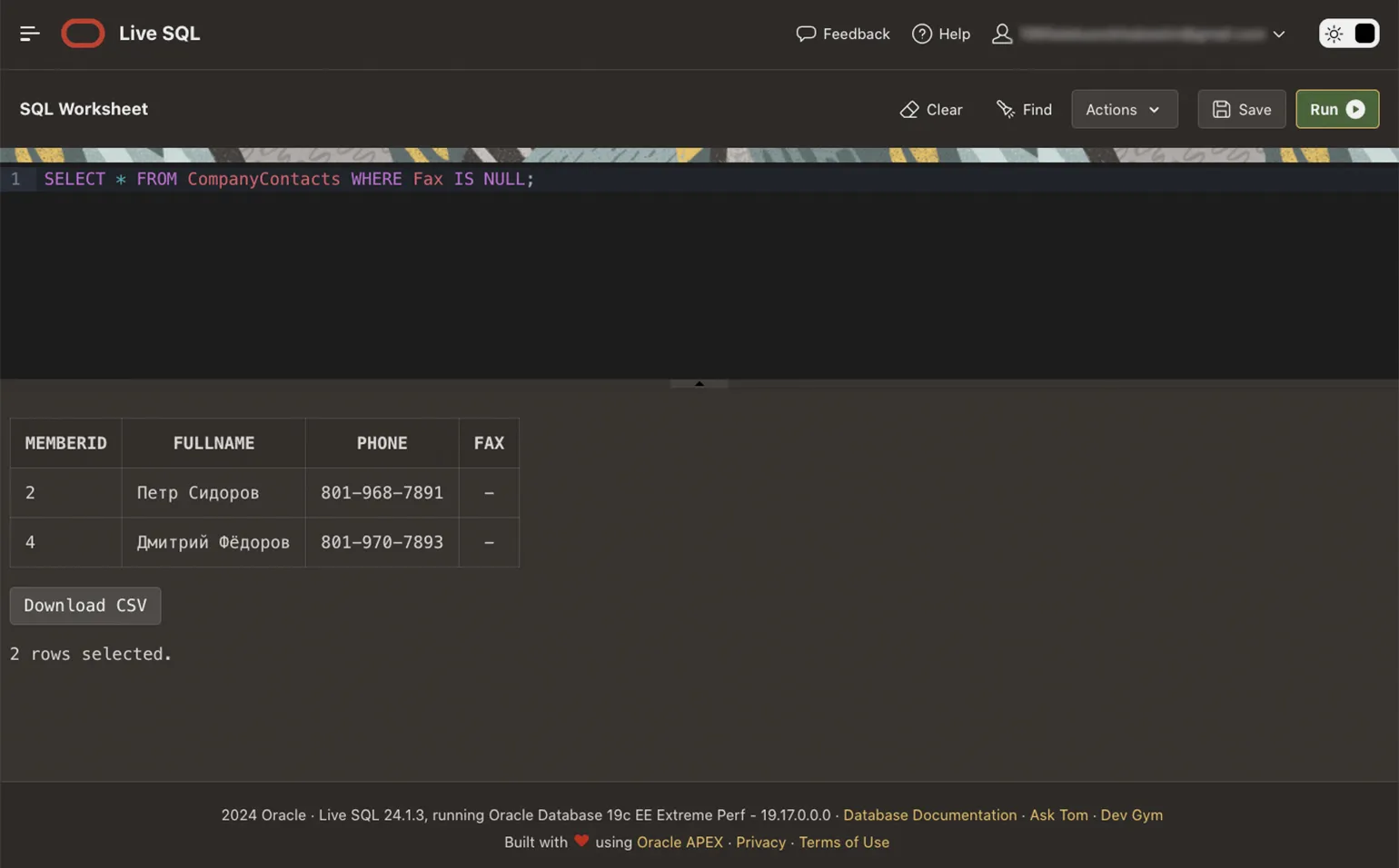
If we look at the table, we'll see that two employees will have dashes in the Fax column. These dashes mean NULL—a missing value. If you use a platform other than Oracle Live SQL, you may see different displays of the NULL value: some programs will also use dashes, others will add the word NULL, and others will leave blank cells.
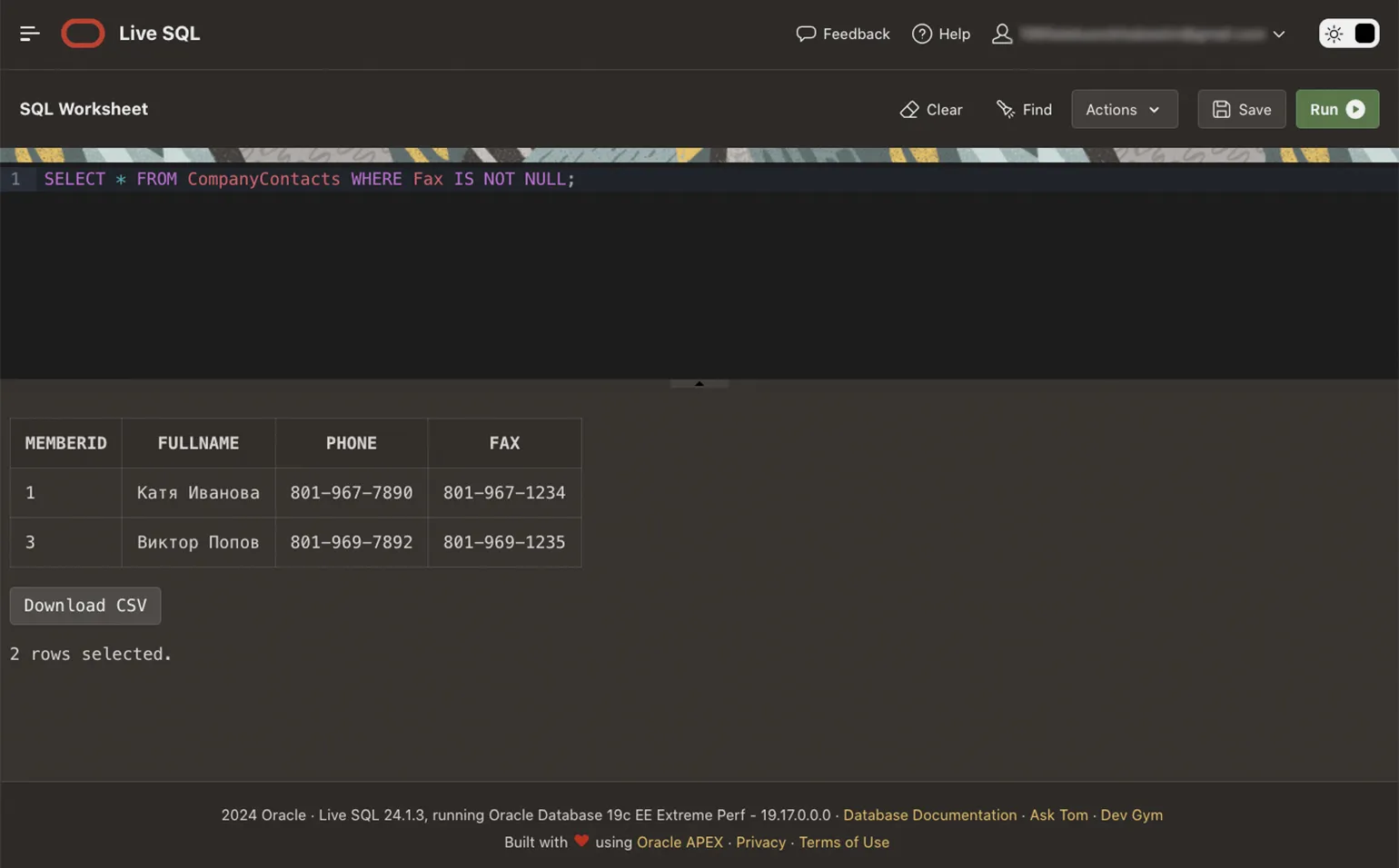
Let's work with the table and first display all employees with a fax:
Now let's look separately at the list of employees without fax:
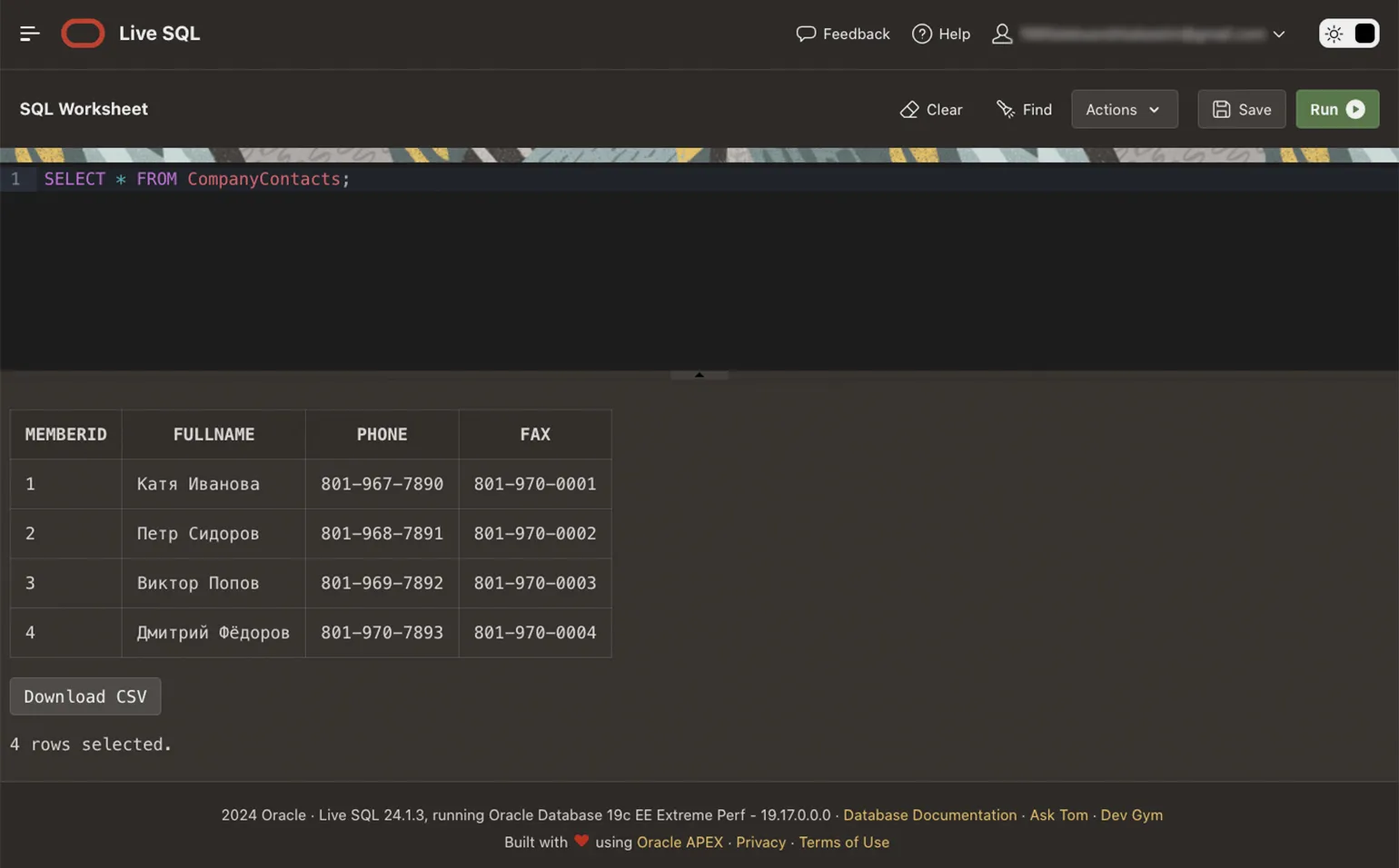
Let's say we are not happy that not everyone has a fax. We will purchase the missing equipment at our own expense and, for convenience, assign each employee a unique fax number based on their identifier from the table:
If you look at the updates now, NULL is no longer found:
What to Learn Next
You've become familiar with the NULL value and know how it differs from zero. However, in this article, we looked at simple examples and didn't delve into the details of SQL syntax. If you need to understand this, we recommend taking two free interactive guides on the Oracle Live SQL platform.
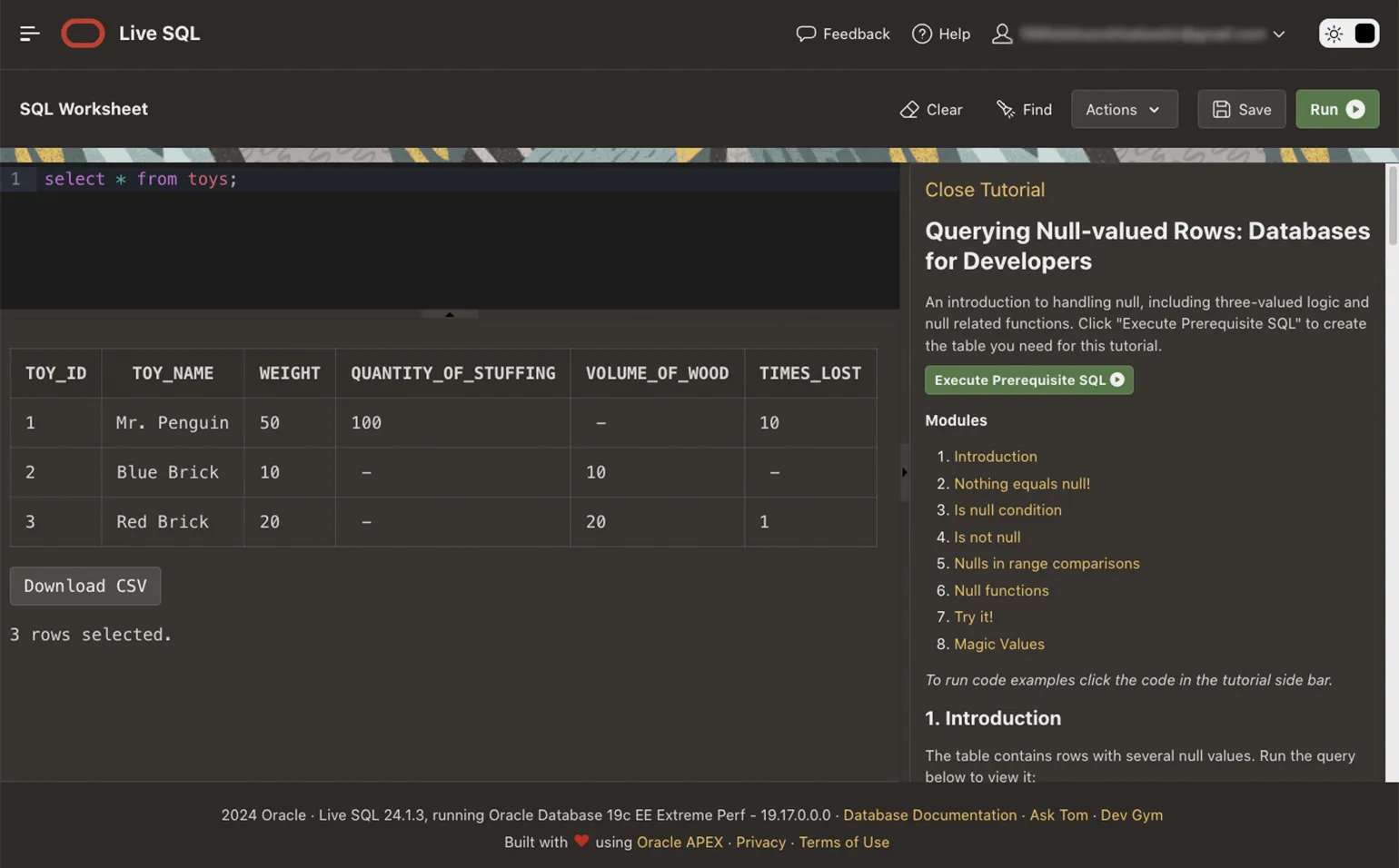
Querying Null-valued Rows: Databases for Developers. This guide is for learning NULL. You will once again become familiar with this value through examples, learn how to correctly define it, compare it, and use it in functions.
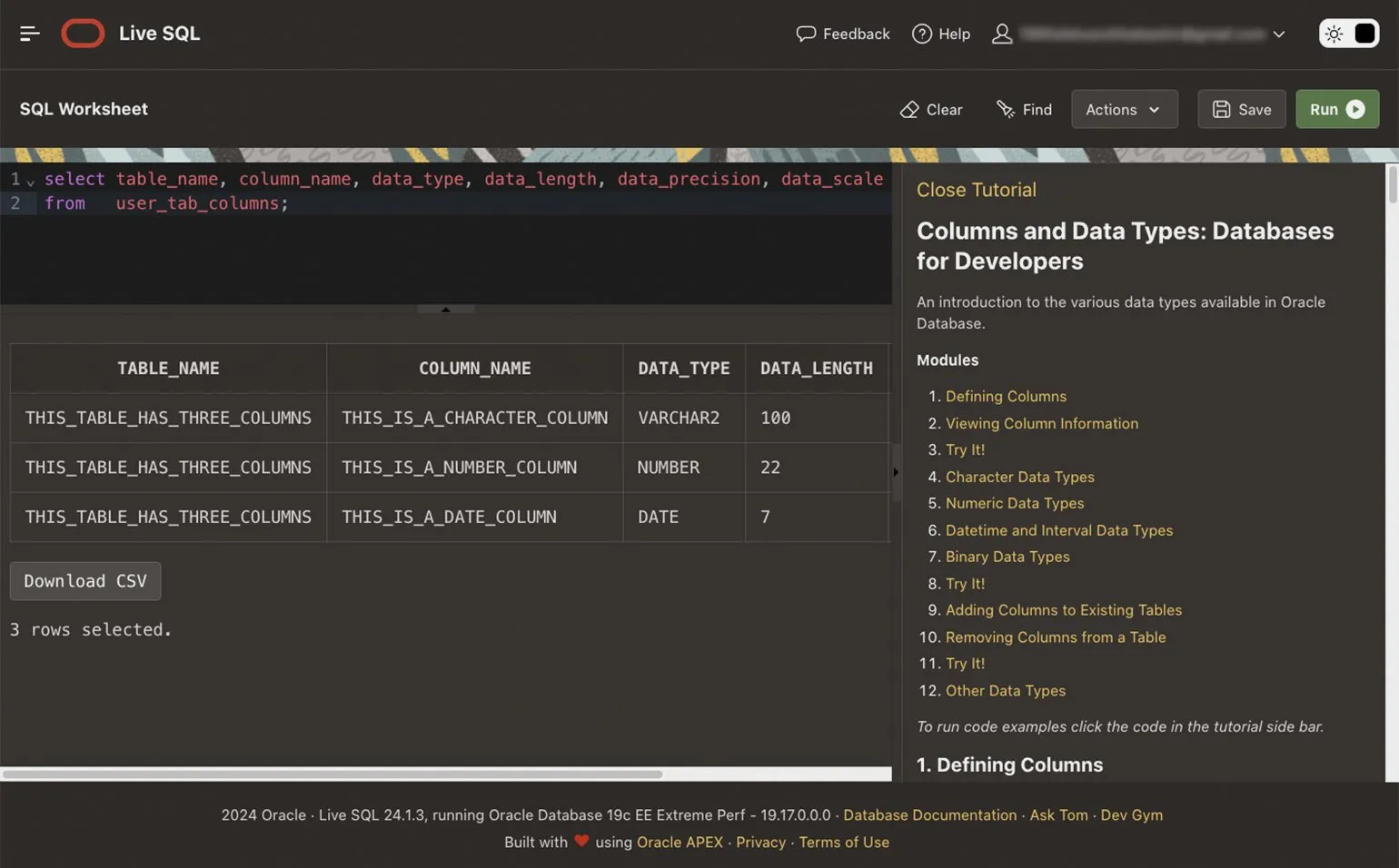
Columns and Data Types: Databases for Developers. In this guide, you'll learn about table structure and popular data types: numbers, strings, Boolean and binary values, dates, and times.
More interesting things about code are in our Telegram channel. Subscribe!
Read also:
- SQL and NoSQL: Yin and Yang in the World of Databases
- Database Management System: What is it and Why is it Needed?
- Getting to Know Redis