
Contents:
- Definition of Wi-Fi
- Why do you need Wi-Fi?
- Wi-Fi Basics: How Data is Transferred
- Overview of Wi-Fi Standards
- How to Choose the Optimal Wi-Fi Standard for Your Apartment or Office
- Efficient Wi-Fi Connection in Your Home
- Advantages and Disadvantages of Wi-Fi Technology
- Efficient Ways to Increase Wi-Fi Speed
- Key Points about Wi-Fi

IT for beginners: Free course on Python and employment
Learn moreWi-Fi Definition
Wi-Fi is a modern wireless communication technology that allows various devices, including computers, smartphones, and tablets, to exchange data using radio waves. It has become an important part of our daily lives, providing convenient and fast access to the Internet and local networks. With Wi-Fi, users can work, study, and entertain themselves without being tied to wires. This technology continues to evolve, offering ever-higher data transfer rates and improved connection security, making it indispensable in the modern world.
Wi-Fi is based on the IEEE 802.11 standards developed by the Institute of Electrical and Electronics Engineers (IEEE). These standards establish the rules for creating wireless local area networks (WLANs) and cover various versions, such as 802.11b, 802.11g, 802.11n, and 802.11ax. Each version of the standard has specific characteristics and is designed for specific use cases. For example, 802.11ax, also known as Wi-Fi 6, offers significantly higher data transfer rates and improved performance under heavy network loads compared to previous versions. Thanks to these standards, Wi-Fi provides a reliable and fast connection for users worldwide.
A Wi-Fi network enables the creation of a wireless local area network (WLAN) within a limited area, such as a home or office. Various devices can interact within this network: from computers and tablets to printers and smart devices. Using Wi-Fi makes it easy to connect gadgets, providing convenience in work and entertainment. Wireless technologies are becoming increasingly popular because they offer users mobility and flexibility.
Wi-Fi is typically associated with internet access, but a local area network can function successfully without it. It facilitates the exchange of data between devices within the network, allowing users to interact and share resources without requiring an internet connection. Local area networks can use various technologies, such as Ethernet, to provide a reliable and fast connection.
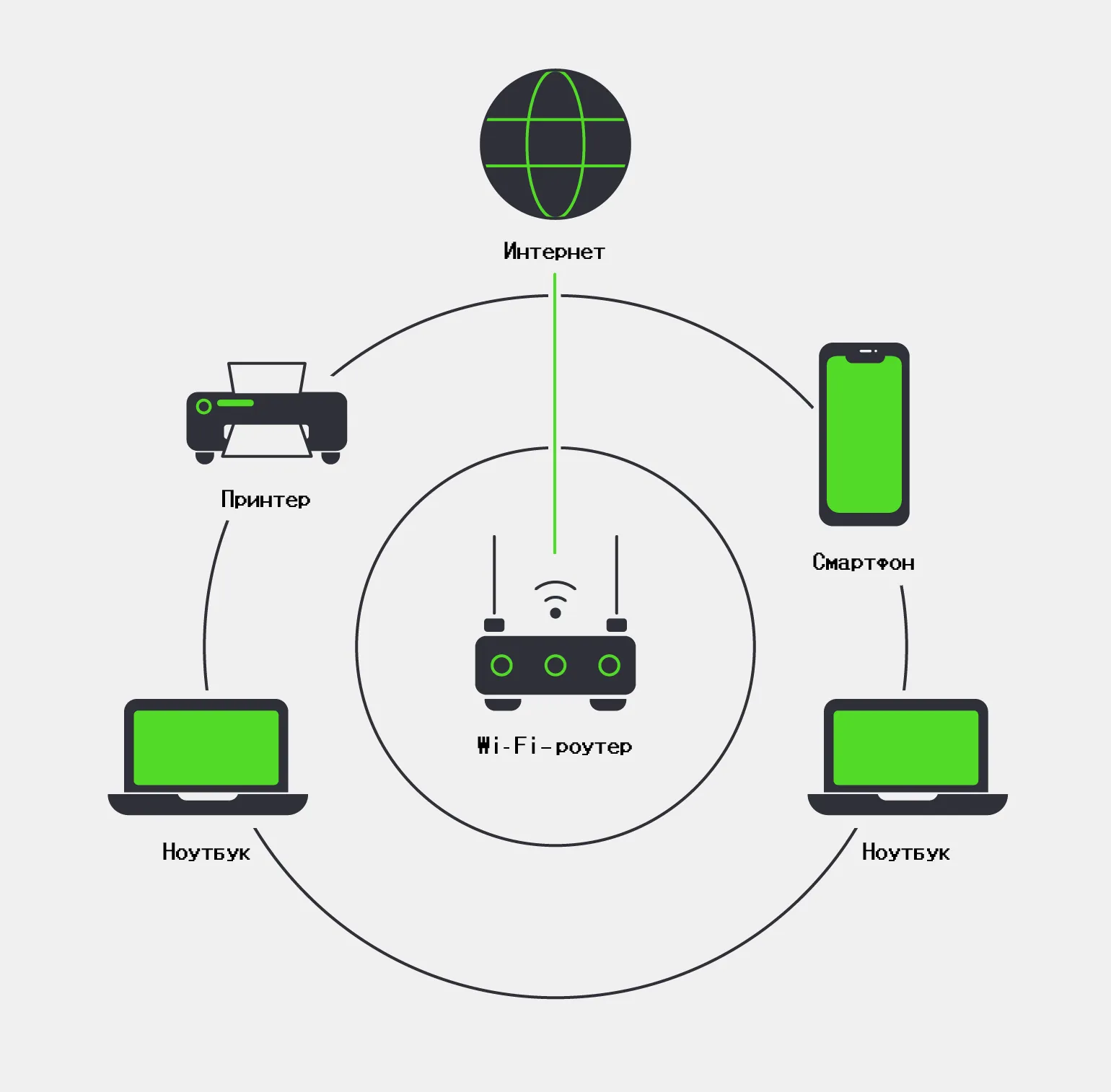
Wi-Fi is a key wireless communication technology, closely related to Bluetooth and cellular. Each of these technologies has unique characteristics that determine their application in different scenarios. Wi-Fi uses a wider frequency range, allowing for high data transfer rates over long distances. Unlike Bluetooth, which is designed for short distances and low speeds, Wi-Fi provides a stable connection for transmitting large amounts of information. Cellular communication, in turn, is focused on mobility and accessibility, making it an ideal choice for communication and internet access on the go. Understanding the differences between Wi-Fi, Bluetooth, and cellular will help users choose the most appropriate technology for their needs.
- Wi-Fi is used to connect devices to local networks, allowing them to be controlled remotely and providing wireless Internet access.
- Bluetooth enables data exchange over short distances of up to a few meters, for example, between computers, smartphones, and external devices such as printers and headphones.
- Cellular communication is a type of mobile radio communication that operates within a cellular network and is designed for voice calls and text messaging.

Optimizing text for SEO is key to attracting the target audience. The main task is to create high-quality and informative content that will meet user requests. Understanding target keywords and their strategic placement in the text will help increase the visibility of the page in search engines.
Quality content not only answers user questions but also offers them valuable information, which helps increase the time spent on the site. It is important to use headings and subheadings to structure the text, making it easier to read. Don't forget about internal linking, which helps users navigate the site easier and improves their experience.
It's also worth considering that meta tags and descriptions play an important role in SEO. They should be brief but informative to attract users' attention in search results. Optimizing images and using alternative texts also contribute to improving the overall quality of the content and its perception.
Remember to regularly update your content to keep it relevant and in line with changes in the interests of your audience and market conditions. This will help maintain high positions in search engines and ensure a constant flow of visitors to your site.
Bluetooth is a wireless technology designed to exchange data over short distances. It allows various devices, such as smartphones, headphones, computers, and other gadgets, to connect and exchange information without the need for wires.
Bluetooth operates based on radio waves that operate in the 2.4 GHz frequency range. This technology uses a modulation method that ensures reliable and stable data exchange. Bluetooth establishes a connection between devices by creating a so-called "pair", which allows them to exchange data over a distance of up to 100 meters, depending on the device class.
Bluetooth also supports many profiles, each designed for specific types of devices and tasks. For example, the A2DP and HSP profiles are used to transmit an audio signal, and the HID and SPP profiles are used to connect various peripherals. Thanks to this, Bluetooth has found wide application in various fields, including personal devices, automotive electronics, and smart homes.
This technology is constantly evolving. New versions of Bluetooth offer improved data transfer rates, more efficient power use, and expanded connectivity options. Bluetooth has become an integral part of the modern digital world, providing a convenient and effective way to interact between devices.
Why do we need Wi-Fi?
Wireless connection to the Internet has become an important part of everyday life. Wi-Fi is widely used in homes, offices, and public spaces to create wireless access points, allowing users to connect various devices, such as smartphones, tablets, and laptops, without the need for wires. Wireless networks provide convenience and mobility, allowing users to stay connected and access information anytime, anywhere. Modern Wi-Fi technologies provide high data transfer rates and reliable connections, making them ideal for work and entertainment.
Wi-Fi enables the creation of local area networks, allowing users to connect various devices. This connection facilitates file sharing and access to shared resources, such as media servers and shared folders. These features significantly simplify collaboration and improve the efficiency of interaction between users. Wi-Fi networks are becoming indispensable for offices and home environments where fast and reliable data transfer is required.
Devices on the same local area network can communicate effectively with each other. For example, you can easily print documents from your computer to a printer connected to the same network. This simplifies workflows and increases productivity by allowing users to quickly exchange data and use shared resources.
Wi-Fi is a vital component in the development of the Internet of Things (IoT). This wireless communication standard enables control of numerous smart home devices, such as thermostats, lighting fixtures, security cameras, and locks. Using Wi-Fi in IoT systems helps create a more comfortable and secure living environment, allowing users to control their devices remotely and optimize energy consumption. Thanks to its high data transfer rates and stable connection, Wi-Fi is becoming the foundation for integrating various technologies into everyday life, improving quality and convenience.

Unfortunately, you have not provided the text that needs to be redone. Please insert it, and I will help you with correction and SEO optimization.
Development for the Internet of Things: Programming Languages, Operating Systems, and Communication Channels
The Internet of Things (IoT) is a rapidly developing field that requires the use of various programming languages, operating systems, and communication channels. Programming languages such as Python, C, and Java play a key role in creating IoT applications. Python provides simplicity and flexibility, making it a popular choice for prototyping and data analysis. C is used for low-level programming, which allows for efficient management of device resources. Java, on the other hand, offers platform independence, which is important for developing scalable solutions.
Operating systems for IoT devices are also varied. Linux is one of the most popular options due to its open architecture and support for a wide range of hardware. Specialized distributions such as Raspbian and Ubuntu Core are optimized for running on low-power devices. At the same time, real-time operating systems (RTOS) such as FreeRTOS and Zephyr, which provide high performance and minimal latency, can be used for specialized tasks.
Communication channels are an integral part of the IoT infrastructure. Protocols such as MQTT and CoAP ensure efficient data transfer between devices and servers. The use of wireless technologies such as Wi-Fi, Bluetooth, and LoRaWAN allows for the creation of flexible and scalable networks for data exchange.
Thus, developing for the Internet of Things requires an integrated approach that takes into account the choice of programming languages, operating systems, and communication channels. This allows for the creation of reliable and efficient solutions that can meet the needs of modern users and businesses.
Wi-Fi Basics: How Data is Transferred
Wi-Fi is a wireless communication technology that allows data to be transferred between devices using radio waves. It operates at 2.4 GHz, 5 GHz, and 6 GHz frequencies, providing a reliable and stable connection over various distances. Wi-Fi is widely used in homes and offices to connect to the internet and exchange data between devices such as computers, smartphones, tablets, and appliances. With the development of technology, Wi-Fi has become faster and more secure, making it an indispensable element of modern life.
To create a Wi-Fi network, you need routers equipped with wireless adapters. The main difference between these devices is the method of connecting to the internet. A router connects directly to the provider's cable, while a router requires a modem to access the network. Choosing the right device plays a key role in the quality and stability of your Wi-Fi network.
Routers are equipped with antennas that can be located both inside and outside the device. External antennas allow for fine-tuning, which can improve signal quality. Correctly orienting antennas toward connected devices helps increase the range and stability of a wireless connection.
Every device that receives a signal, such as a laptop or smartphone, is equipped with an antenna, which is usually integrated into the housing. The size and shape of the antenna may vary depending on the specific device model. Antennas play a key role in ensuring high-quality data reception and transmission, affecting connection speed and signal stability. Designing antennas for mobile devices requires considering many factors, including frequency range and compactness requirements.
Wi-Fi operates by using radio waves to transmit data. Wi-Fi, or wireless LAN, allows devices to connect to the internet wirelessly. The main component of the system is a router, which connects your devices to the internet.
When a device, such as a smartphone or laptop, connects to Wi-Fi, it sends a request to the router. The router, in turn, contacts the internet service provider and provides access to the network. Data is transmitted as digital signals via radio waves, allowing devices to be located farther from the router.
Wi-Fi operates on different frequencies, typically 2.4 GHz and 5 GHz, each with its own advantages and disadvantages. The 2.4 GHz frequency provides a longer range but can experience interference from other devices. The 5 GHz frequency offers higher data transfer rates but has a smaller coverage area. These characteristics make Wi-Fi a convenient and versatile internet connection solution for homes and offices.
Furthermore, Wi-Fi supports various standards, such as 802.11n, 802.11ac, and 802.11ax, which determine the speed and efficiency of data transfer. Effective use of Wi-Fi allows you to provide a stable and fast internet connection for many devices simultaneously.
- Current is supplied to the router's antennas, which generates radio waves.
- The signal is modulated: its characteristics change in accordance with the transmitted data, forming radio waves.
- A receiver on a computer or other device demodulates the signal, converting the radio waves back into data.
Radio signals have the ability to penetrate walls and other obstacles, which ensures a stable connection over short distances. The maximum Wi-Fi coverage area can reach 100 meters outdoors and several dozen meters indoors. However, the actual range depends on the power of the router, as well as the presence of physical obstacles, such as walls and furniture, which can weaken the signal. Optimizing the placement of the router and minimizing interference will help improve connection quality and expand the Wi-Fi coverage area.
By using Wi-Fi on different frequencies, users can connect to different channels. There are 14 channels available on the 2.4 GHz band, but most countries only allow the use of 11 of them. These channels can overlap, which leads to interference and reduced connection quality. The 5 GHz band has more channels available, which reduces interference and improves data transfer rates. With this in mind, choosing the appropriate frequency and channel can significantly improve the efficiency of a Wi-Fi network. Optimal channel settings help avoid conflicts with other devices and ensure a stable connection.
- The 2.4 GHz band has three non-overlapping channels, each 20 MHz wide.
- The 5 GHz band has 33 channels, 19 of which are non-overlapping, with a width of 40 MHz.
- The 6 GHz band offers 59 channels, including 14 channels 80 MHz wide and 7 channels 160 MHz wide.
Optimizing Wi-Fi in apartment buildings and offices requires careful selection of frequency and channels. The more non-overlapping channels and their wider range, the less interference from neighboring networks. To ensure connection stability in such conditions, it is highly recommended to use Wi-Fi on the 5 GHz frequency. This frequency provides higher data transfer rates and reduces the likelihood of interference, which is especially important in dense urban areas where many devices can cause interference.
Wi-Fi encryption methods, including the WPA and WPA2 protocols, are used to protect data transmission. These technologies ensure the security of wireless networks, preventing unauthorized access and protecting users' personal information. The use of WPA and WPA2 is an important step in ensuring the confidentiality and integrity of data in modern wireless networks.
Using WEP encryption is not recommended, as this outdated standard has serious vulnerabilities and is easily cracked. It is recommended to upgrade to more modern and secure encryption protocols, such as WPA or WPA2. These protocols provide reliable data protection and significantly increase the security of your network. Updating encryption is a necessary step to protect your personal information and prevent unauthorized access to your data.
For more detailed information about Wi-Fi and its standards, we recommend visiting the official Wi-Fi Alliance website. This resource provides up-to-date information on new technologies, standards, and recommendations for using Wi-Fi. This will help you better understand how to choose the optimal equipment and configure a wireless network for maximum performance.
Overview of Wi-Fi Standards
There are various Wi-Fi standards based on the 802.11 specification, which differ in data transfer speed, range, and wireless device characteristics. These standards are constantly evolving to meet the growing demands of users for high-speed Internet. Each new standard offers improved capabilities, such as increased speed, expanded coverage, and increased resistance to interference. This makes Wi-Fi more accessible and effective for use in a variety of settings, from home networks to enterprise solutions. Adapters integrated into routers and devices implement specific versions of the Wi-Fi protocol. For example, devices supporting the 802.11ax standard, also known as Wi-Fi 6, are certified by the Wi-Fi Alliance. This confirms their compatibility with the latest technologies and improved features, such as high data transfer rates, increased network capacity, and a more stable connection. Using adapters with Wi-Fi 6 support allows users to enjoy a more efficient internet connection, which is especially important in environments with many devices running simultaneously.
Modern routers have an important feature - backward compatibility. This allows devices supporting new standards, such as Wi-Fi 6, to easily connect to routers running older versions, such as Wi-Fi 5. However, to achieve the best connection speed and stability, it is highly recommended to use devices that comply with the same standard. This will ensure optimal network performance and a better user experience.
How to choose the best Wi-Fi standard for an apartment or office
When choosing a Wi-Fi standard for your home or office, you need to consider several key factors, such as data transfer speed, the number of simultaneously connected devices, and the unique needs of users. It is important to understand which Wi-Fi technologies are most common and how they can meet your requirements. Let's take a closer look at popular standards and their features.
Wi-Fi 4 is an optimal solution for rooms where up to 20 devices can be connected simultaneously. This standard is ideal for small offices and apartments with a limited number of devices. It provides a stable connection and sufficient data transfer speeds for everyday tasks such as web surfing, video calls, and video streaming. By choosing Wi-Fi 4, you get a reliable network that can meet the needs of users with a limited number of connected devices.
Modern routers, starting with Wi-Fi 4, provide a stable connection in homes and apartments with fewer than 20 connected devices. If you experience low data transfer speeds in some areas, the cause may not be the standard protocol, but, for example, the use of the crowded 2.4 GHz frequency band. To improve connection quality, consider switching to the 5 GHz band, which is less susceptible to interference and can offer higher data transfer speeds.
Wi-Fi 5 is the "gold standard" for office and commercial spaces. This version delivers stable and high data transfer rates, making it ideal for 20-30 connected devices. This level of performance makes Wi-Fi 5 an excellent choice for medium and large offices that require a reliable connection for employees and business tasks. Optimizing your network infrastructure with Wi-Fi 5 improves efficiency and reduces latency. Wi-Fi 6 significantly improves local network performance by providing more channels and improving efficiency under heavy loads. This technology is ideal for situations where 30 or more devices need to be connected simultaneously. With improved throughput and reduced latency, Wi-Fi 6 delivers a stable, fast connection, making it a great choice for offices, schools, and home networks with many connected devices. Efficient Wi-Fi Connection in Your Home Connecting Wi-Fi in your home can seem like a daunting task, but by following basic steps and being patient, you can ensure stable, high-speed internet. There are several key factors to consider for a successful Wi-Fi connection. First, choose a high-quality router that meets your needs. Second, place the router in a central location throughout your home to ensure maximum signal coverage. Also, remember to update your router's firmware to improve performance and security. If you're having connection issues, check your network settings and make sure you're using the correct password. By following these guidelines, you can create a reliable Wi-Fi network and enjoy fast internet in every corner of your home. Internet service from your ISP: Check if your premises have a network cable installed that provides internet. A router that matches the speed offered by your ISP. Make sure it supports modern standards, such as Wi-Fi 5 or Wi-Fi 6, for maximum speed and reliability. Wi-Fi-enabled devices. Most modern gadgets, such as laptops, smartphones, and tablets, have built-in Wi-Fi support, but desktop computers may require an additional adapter.
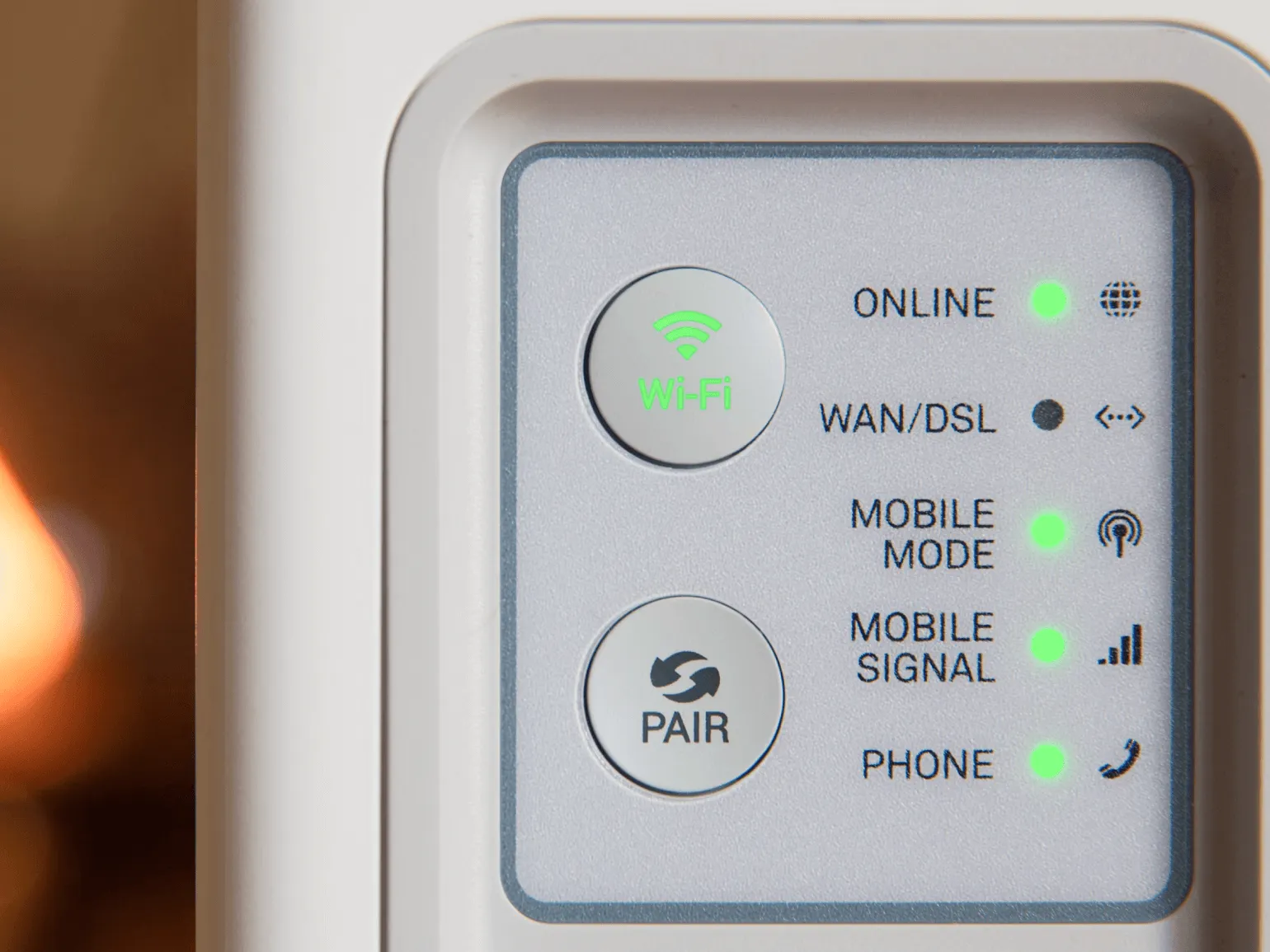
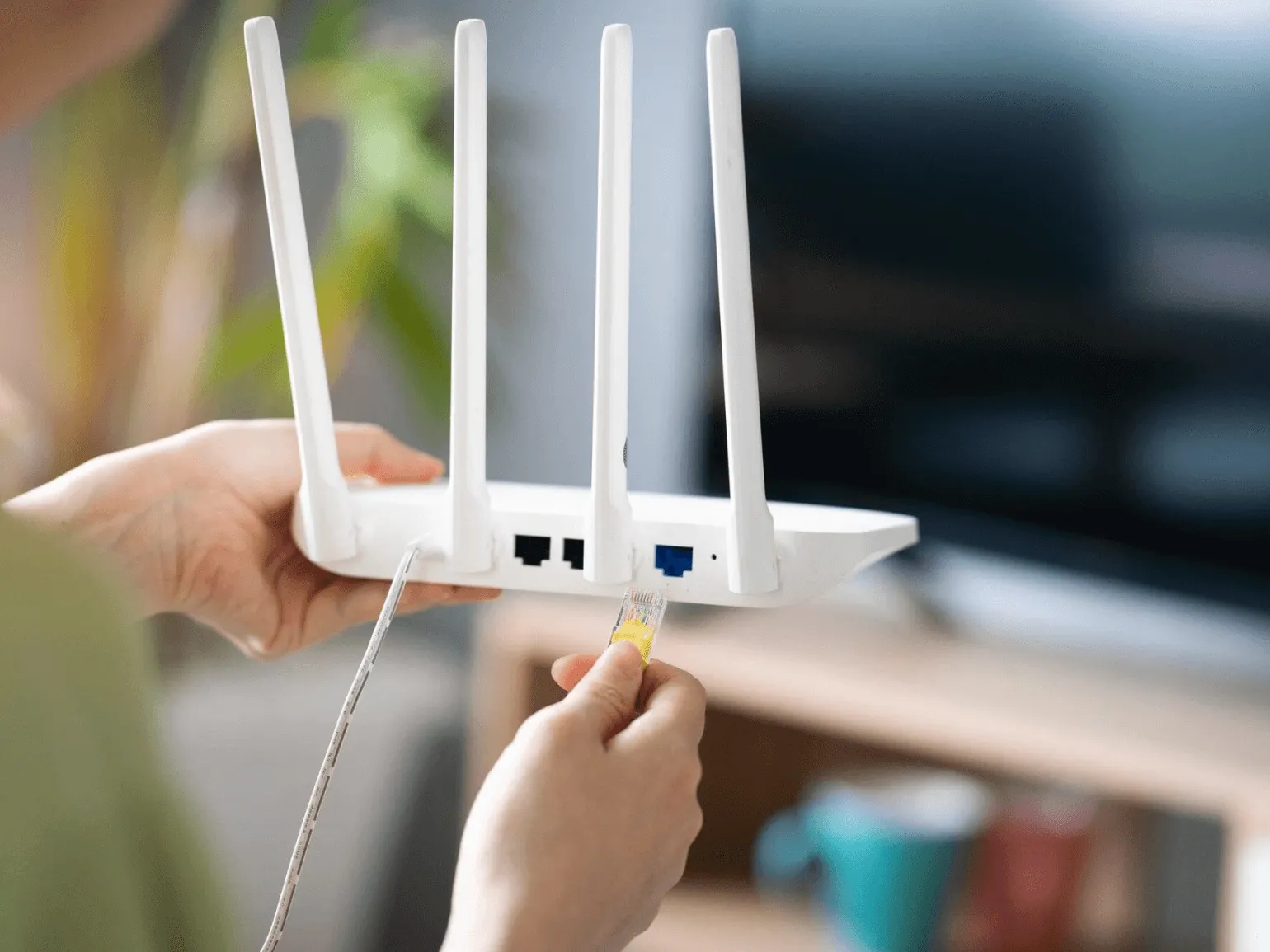
Setup Setting up a Wi-Fi network may seem like a complex task, but by following these simple instructions, you can easily master this task. The first step is to connect the router to a power source and an internet cable. Make sure all connections are secure. Next, connect a computer or mobile device to the router via an Ethernet cable or use an existing wireless network to access the router settings.
Open a web browser and enter the router's IP address, which is usually listed on the back of the router or in the manual. Most often, this is 192.168.1.1 or 192.168.0.1. Enter the login and password to access the setup interface. If you haven't changed this information, use the default values indicated in the device documentation.
After logging in, go to the wireless network settings section. Here you can set a name for your Wi-Fi network (SSID) and set a password to protect access. It is recommended to choose a complex password consisting of various characters to increase the level of network security.
Then check the security settings. Select WPA2 or WPA3, as these are the most secure encryption protocols. After making all changes, be sure to save the settings and reboot the router.
You can now connect to the new Wi-Fi network from your devices using the specified name and password. If you encounter connection problems, check that the entered data and router settings are correct. The Wi-Fi network setup is complete, and you can now enjoy a stable and fast internet connection.
- Connect your computer to the router using a network cable or temporarily via Wi-Fi. Typically, the network name (SSID) and password are listed on the back of the device.
- Follow the on-screen instructions to set up Wi-Fi. Select a unique network name (SSID), create a strong password, and configure other settings if necessary.
- Connect your devices to the created Wi-Fi network using the specified SSID and password.
If you encounter problems setting up or connecting to the network, it is strongly recommended to refer to the user manual of your router. You can also contact your internet service provider's technical support for further assistance and recommendations.
Advantages and Disadvantages of Wi-Fi Technology
Wi-Fi is a primary wireless communication protocol that is widely used in residential, office, and industrial environments. Its popularity is due to a number of advantages, including:
— High data transfer speeds, which allows for comfortable internet use.
— Convenience of connecting multiple devices without the need to lay cables.
— Possibility of mobile network access anywhere in the coverage area.
— Saving space and reducing the cost of installing a wired network.
These characteristics make Wi-Fi an indispensable tool in the modern world, where a stable and fast internet connection is a necessity.
- Maintaining a stable connection and high data transfer speeds as devices move around the space.
- The ability to connect several dozen devices simultaneously. The maximum number of connected gadgets depends on the Wi-Fi standard used, the type of router, and the network bandwidth.
- Connecting a variety of smart devices and sensors, which allows you to create a network for managing systems such as smart homes, media centers, security systems, and other IoT applications.
- Creating local wireless networks. Devices in a home or office can exchange data wirelessly and connect to shared resources like printers and scanners.
- Set up mesh networks with multiple routers to ensure seamless connectivity, even in areas with obstructions like thick walls or industrial equipment.
While Wi-Fi offers many benefits, it also has certain disadvantages that need to be considered. The main concerns relate to network security, as open access points can be vulnerable to hacking. Additionally, signal quality can vary depending on the distance from the router and the presence of obstacles, which can lead to a slower internet connection. It's also important to consider channel congestion in apartment buildings, which can negatively impact network performance. It's important to carefully select equipment and configure your network to minimize these risks and ensure a reliable connection.
- The Wi-Fi signal is limited to a certain coverage area—usually 50–70 meters indoors, depending on the router type. Walls (especially reinforced concrete), massive furniture, and other obstacles can significantly degrade the signal quality. Repeaters and mesh networks can be used to solve this problem, but this will require additional financial costs.
- Connection stability can be degraded by electromagnetic interference from other wireless devices, such as fluorescent lamps, electric heaters, fans, and even microwave ovens. These devices operate in the same frequency range (2.4 GHz) as Wi-Fi. It is recommended to use 5 GHz networks to reduce interference.
- Channel congestion can occur due to neighboring networks, reducing connection stability and data transfer speed. This is especially true in densely populated areas. The solution is to use networks with a 5 GHz frequency range, which have more wide channels that do not overlap.
In conclusion, Wi-Fi is still one of the most common wireless communication methods due to its versatility and ease of use. To ensure maximum efficiency and stability of the connection, it is necessary to consider both the advantages and disadvantages of this technology. Optimizing your Wi-Fi settings, choosing the right equipment, and regularly updating the software will help improve connection quality and reduce the likelihood of problems.
Effective ways to increase Wi-Fi speed
Wi-Fi speed can fluctuate significantly due to various factors. To achieve a stable and fast internet connection, it is worth paying attention to basic optimization methods. Proper router configuration, choosing the optimal location for its installation, minimizing interference from other devices, and using modern communication standards will help improve Wi-Fi quality. It is also worth updating the router firmware and checking the security settings to prevent unauthorized access to the network. These steps will help you improve the speed and reliability of your Wi-Fi connection.
To improve the quality of your Wi-Fi signal, first reduce your distance from the router. The closer you are to the device, the higher the signal quality and, consequently, the speed of your internet connection. It is recommended to stay close to the router while working or watching video for best results.
To ensure a stable Wi-Fi connection, it is necessary to remove all obstacles that can weaken the signal. Walls, furniture, and household appliances significantly affect network performance. We recommend placing the router in the central part of the apartment to achieve maximum coverage and improve internet speed. Correct positioning of the device will help minimize interference and improve connection quality in remote areas of your home.
Regularly rebooting your router is an important step to maintaining a stable internet connection. When turned on, the device often automatically selects the least congested channel. If you notice a decrease in internet speed, rebooting the router can help update the settings and improve connection quality. Consider this simple yet effective measure to optimize your internet performance.
If your router is outdated, consider replacing it with a modern model that supports Wi-Fi 5 or higher. Newer devices offer significantly higher data transfer speeds and improved connection stability, which is especially important for ensuring high-quality internet access in today's demanding environment. Updating your router can help you optimize the performance of all your connected devices and improve your overall network experience.
Using the 5 GHz band for Wi-Fi can significantly improve the quality of your internet connection if your router supports this frequency. The 5 GHz band offers more channels, effectively minimizing interference from neighboring networks and improving connection stability. Additionally, the 5 GHz frequency delivers higher data transfer speeds, which is especially useful for streaming, online gaming, and transferring large files. Configuring your router to operate in this band can be an important step toward optimizing your home internet. Regularly updating your router's software is essential for its efficient operation. The latest software versions often include critical updates that can significantly improve device performance. Updates not only improve functionality but also ensure the security of your network. Make sure you stay up-to-date with update releases and install them promptly to ensure your router operates optimally and protects your data. Repeaters and signal boosters are an effective solution for increasing Wi-Fi coverage. These devices eliminate "dead zones" indoors, ensuring a stable and reliable connection even over large areas. Using repeaters helps improve the quality of your internet connection, which is especially important for work and entertainment in today's world. Installing these devices will allow you to enjoy wireless internet in every corner of your home or office. Mesh networking is an innovative way to create wireless networks. Unlike traditional routers, in a mesh network, multiple devices simultaneously function as routers and clients. This significantly increases coverage and maintains stable data transfer rates. Mesh networks provide a more reliable connection in complex urban environments or large areas where traditional routers may struggle. This approach is suitable for both home and business applications, providing high performance and flexibility in network management. When using a single network, it is important to consider the number of simultaneously connected devices. The more devices connected, the lower the internet connection speed for each. To improve overall network performance, it is recommended to disable some devices, if possible. This will help improve the quality of the connection and ensure the stable operation of the most important gadgets.
To achieve high data transfer speeds, especially when watching 8K video, it is recommended to use a wired connection. A network cable provides a more stable and faster connection compared to Wi-Fi, which is especially important for streaming high-quality content. Wired networks minimize latency and signal loss, making them an ideal choice for users seeking maximum internet connection performance.
Wi-Fi Key Points
Wi-Fi technology is one of the main methods of wireless data transmission. The main aspects regarding Wi-Fi include data transfer speed, signal range, connection security, and standard protocols. Data transfer speed varies depending on the standard used: from 802.11b to 802.11ax. Each new standard provides greater throughput and improved performance. Wi-Fi signal range is also important, as it determines how far away from the router you can use the internet. Connection security is a critical aspect, including protocols such as WPA2 and WPA3, which protect user data from unauthorized access. Properly setting up a Wi-Fi network and updating your equipment will help achieve optimal performance and security. Understanding current trends in Wi-Fi technology will help users choose the most suitable solutions for their needs.
- Wi-Fi is a wireless technology that allows devices such as computers, smartphones, tablets, and other gadgets to exchange data using radio waves.
- There are several Wi-Fi standards that vary in frequencies, data transfer rates, and the number of devices that can be connected simultaneously. Modern versions of Wi-Fi start with 802.11n and higher.
- The basic principle of the technology is based on modulation of the signal, which is produced by the router. This means that the amplitude, frequency, or phase of the signal is changed to encode bits of information. Then, on a device such as a laptop, demodulation occurs—the signal is interpreted into the original data, represented in binary format.
- If you notice a decrease in data transfer speed, try moving your device closer to the router, rebooting it, switching to the 5 GHz band, using a newer Wi-Fi version, installing repeaters, or creating a mesh network to improve coverage.
Subscribe to our Telegram channel to stay up-to-date with the latest developments in technology and programming. We regularly publish relevant materials to help you stay on top of trends and develop your skills. Don't miss important updates and useful tips by subscribing to our channel.
We recommend that you also study the following materials:
- What is Bluetooth and how it works
- Unusual programming languages: Shakespeare, Fortran, Lisp, Brainfuck and others
- The dangers of Trojan viruses: how they can damage your devices
Python Developer: 3 Steps to a Successful Career
Want to become a Python developer? Learn 3 key steps to a successful career start! Read the article.
Find out more