Content:
- Write scripts for each track
- Think about how to optimally synchronize online and offline
- Consider the technical capabilities of the audience and check them in advance
- Consider the location of the equipment - and the position of the trainer
- Think about how to monitor the process and progress
- Find ways to engage online participants in informal communication
Learn: Personnel Training and Development Manager
Learn moreA hybrid format that is a combination of online and Hybrid learning, the practice of bringing together in-person participants in a single event, is becoming increasingly popular in work meetings and training. In 2020, analysts at the international research company Gartner predicted that by 2023, 40% of companies will use a hybrid approach as their primary format. This change will inevitably impact corporate training, transforming its structure and methods. The hybrid format opens up new opportunities for interaction, combining the benefits of in-person meetings with the accessibility of online learning. As a result, companies will be able to organize training processes more effectively, attracting specialists from different regions and providing wider access to educational resources.
Hybrid learning offers many advantages, including the ability to train people from different parts of the world. However, it also brings certain challenges in managing the educational process, maintaining motivation, and evaluating results. However, these challenges can be overcome with the right strategies and tools.
A few helpful tips, based on my experience and recommendations from leading universities, will help beginners make the most of hybrid learning. These tips will help you optimize the learning process and achieve better results.
Write scenarios for each track
Online and offline learning differ in methods, speed of learning, and tools used. What works effectively in the classroom may require radical changes in the digital environment. Therefore, it is important to develop separate scenarios for each format of the educational event. However, it is necessary to identify common elements so that participants develop a sense of interaction and unity. This will help create a more productive learning environment both offline and online.
The optimal solution is to organize work for online and offline participants in separate groups, although they can be combined for key tasks. Experience shows that this training format delivers the best results.
Consider how to optimally synchronize online and offline learning.
In hybrid learning, a key aspect is creating a sense of community among students, allowing them to perceive themselves as a single learning group despite physical separation. To achieve this goal, it is important to integrate elements into the curriculum that combine offline and online learning formats. This may include collaborative projects, virtual discussions, and active communication platforms that promote interaction and connection between participants. Creating such an environment will help students not only better absorb the material but also develop social connections, which in turn will increase the overall effectiveness of hybrid learning.

The first point of interaction in the educational process is the greeting. For example, at Columbia University, instructors recommend greeting the audience first and then addressing online participants while looking directly at the camera. This approach helps create an atmosphere of engagement and connection with both in-person and remote students. Greetings play a key role in establishing a positive attitude and promoting better comprehension of the material.
At the beginning of the process, it is important to conduct a briefing for both groups to ensure all participants clearly understand the process. It is also recommended to jointly discuss ground rules and expectations for the training. This will help create a clear structure and enhance the effectiveness of the learning process. Pay attention to every aspect to ensure productive interaction and understanding.
During the training, it is advisable to combine groups for tasks related to reflection, warm-ups, or summarizing group work. The choice of appropriate training elements is left to the facilitator. For example, the British National College offers an interesting approach: students present their projects, after which both groups jointly discuss their results. This promotes deeper analysis and exchange of opinions, which significantly increases learning effectiveness and participant engagement.
Choose activities that can be adapted for both formats, or find ways to rework exercises for the online format. For example, if in the classroom, participants pass a ball to speak, an online group cannot use this method, and participants may feel excluded. Therefore, it is important to consider how to make the exercise engaging for remote participants so they feel involved and active.
To ensure convenience and transparency, it is recommended to regularly use interactive services such as Miro and Mentimeter. These platforms encourage active interaction among participants, improving communication and increasing the effectiveness of collaboration. Interactive tools help visualize ideas and organize discussions, making the process more productive and structured.
Read also:
Using SpatialChat to improve online communication with
SpatialChat is an innovative platform that creates an atmosphere that mimics real-life communication. This environment promotes natural interaction between students, creating an experience similar to that of in-person meetings.
Unlike traditional video calls, SpatialChat allows users to move around the virtual space, communicate in small groups or individually, which helps establish closer connections between participants. Students can interact with each other, discussing course materials, projects, or simply chatting informally.
The platform supports a variety of interaction formats—from text chats to video calls—allowing everyone to find the most convenient way to communicate. This flexibility allows students to freely share ideas and receive feedback in real time.
Using SpatialChat, teachers can organize less formal activities, including group discussions and workshops, making the learning process more engaging and productive. This platform helps create a sense of community among students, which is especially important in a distance learning environment.
Therefore, SpatialChat is an effective tool for bringing online communication closer to real-life interaction, which promotes deeper student engagement in the learning process.
Consider the technical capabilities of your audience and test them in advance
To achieve the desired results, use a simple checklist. This tool will help you structure your tasks and ensure that nothing is missed. A checklist facilitates the work process, increases productivity, and ensures that all important elements are completed. With its help, you will be able to organize your actions more effectively and achieve your goals.
- What equipment is in the classroom and how can it be optimally used? Good sound and video are essential for full interaction between online and offline teams.
- Is additional equipment required? For example, a microphone, speakers, or a camera—perhaps a small upgrade could resolve the issue.
- Does the classroom equipment support the required software? For example, will it be possible to connect to selected services and display them on a shared screen?
Columbia University experts strongly recommend developing a plan for dealing with the failure of electronic devices. A pre-prepared plan will help minimize negative consequences and ensure uninterrupted operation in all situations.
Before the start of a class or training session, it is important to arrive at the classroom in advance. This will allow you to prepare the equipment and ensure its proper functioning. Don't forget to launch Zoom or another online communication platform in advance. This will avoid delays and ensure comfortable participation for those learning remotely. This way, you can avoid unnecessary stress and focus on the training content.
Consider the placement of equipment—and the position of the trainer
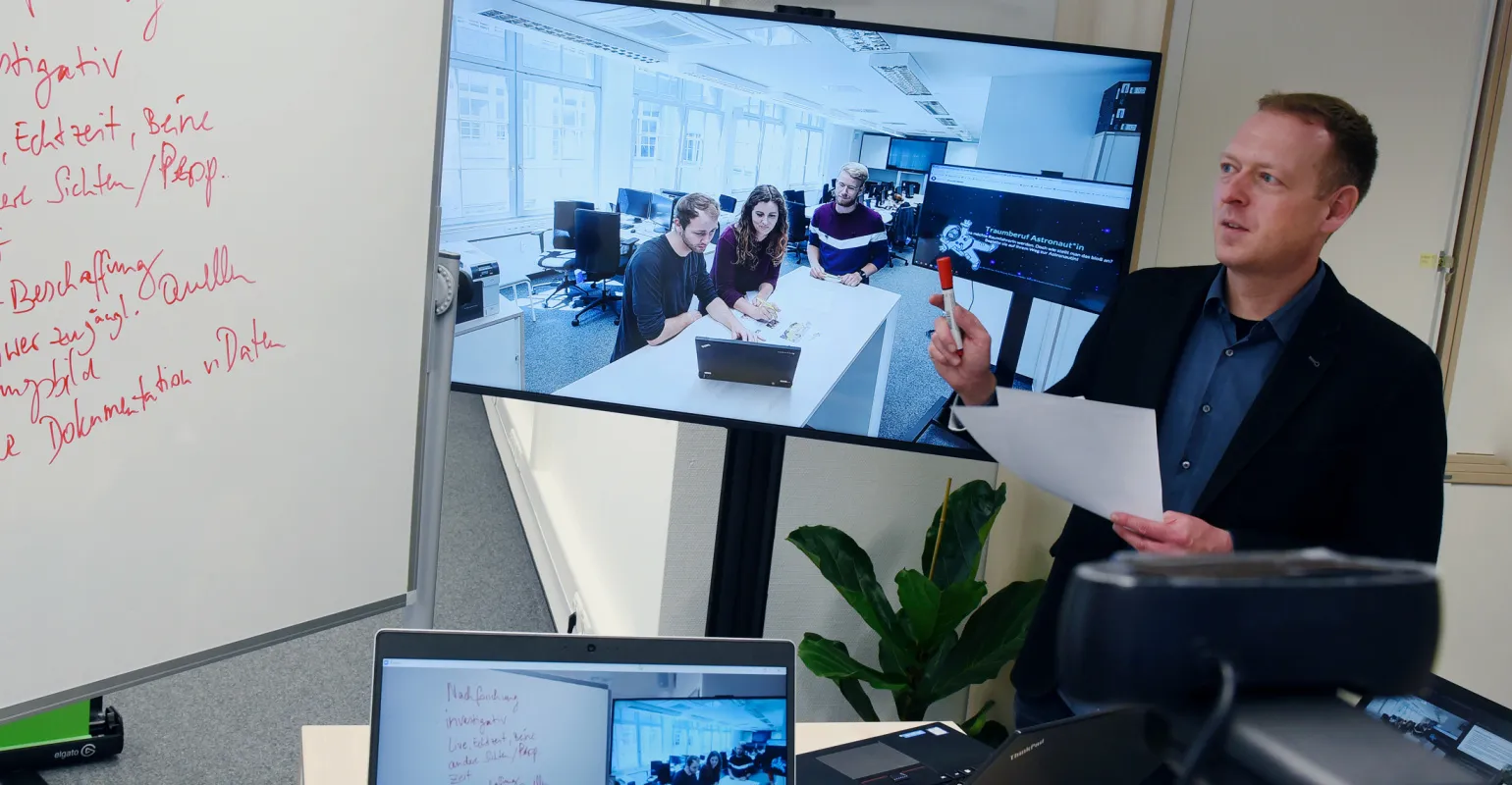
Modern universities, both foreign and Russian, are actively creating hybrid classrooms, which significantly simplify the educational process for teachers and students. These modern classrooms are equipped with built-in microphones, multiple high-resolution cameras with a wide viewing angle, allowing the instructor to move freely around the room. In addition, these rooms are equipped with interactive whiteboards and projectors, making classes more interactive and engaging. Hybrid classrooms facilitate more effective learning by enabling high-quality communication and interaction between teachers and students, regardless of their location.

Technological advances are not accessible to everyone, especially in a corporate environment. Therefore, it is important to consider a number of factors and discuss them with the training leader. For example, it is necessary to pay attention to the accessibility of technology for employees, their training, and integration into work processes. It is also worth considering the possibility of adapting innovations to the specific needs of the company. Discussing these issues will help make the training more effective and useful for participants.
- If the microphone is stationary, do not move far from it;
- It is important to think about the trainer's position in relation to the camera in advance and keep this in mind throughout the event, so that they do not end up with their back to the online participants for an extended period. It is advisable to place the camera further away for a better view.
If the location of the lesson or training is not properly equipped, it is important to pay close attention to your actions. The image on the screen may differ significantly from what participants see in the audience. Ensuring good visual perception and proper equipment setup will help avoid misunderstandings and make your presentation more effective.
Consider how to monitor process and progress
If you only have one coach or teacher, this can be a challenge, but don't despair. It's important to allocate time in advance for feedback and support to students, as well as for monitoring their progress. Careful consideration should be given to how this will be implemented for each individual track. One key tip is to use pauses to help students better absorb the material and ensure high-quality interaction with the coach.
Columbia University recommends that when you ask a question of the audience, allow time for responses from all groups and be sure to check the chat. Repeat answers out loud, including those spoken in the audience and those written in the chat. This is important because not all participants may have time to read messages in the chat, while others may not hear the responses voiced in the room. This approach promotes greater engagement and improves the quality of interaction in the learning process.
Brown University has developed a new approach to organizing hybrid groups. Participants are divided into small teams to collaborate and complete tasks, each with an assigned leader. After a set time, participants have time to interact and exchange ideas, and team captains present a report on their work. This method promotes more effective collaboration and improves the quality of interaction in a hybrid environment.
Having assistants significantly simplifies the training process. When responsibilities are divided among multiple facilitators, the online group facilitator can effectively manage the chat, promptly answer participant questions, and organize their assignment to Zoom rooms. At the same time, the in-person facilitator will facilitate interaction between participants, monitor the time, and provide assistance to those attending in person. This approach creates a more comfortable and productive atmosphere for all training participants.
Find ways to engage online participants in informal communication
In synchronous training, informal interactions play a key role in creating a learning environment and building connections. Participants in the room can easily interact with each other, but remote participants often feel isolated. To avoid this, it is important to integrate elements of collaborative informal communication between the in-person and online groups. One effective way is to organize screen sharing. Online participants can be shown behind the scenes of the training, including breaks, while the remote participants can be shown in the classroom. This will create a sense of unity and engagement for all participants, regardless of their location.
There are many creative approaches that can enrich the learning process. One such method is to relay jokes and informal comments made by participants in both groups during the sessions. This creates a relaxed atmosphere and helps establish closer connections between participants. Additionally, you can offer to discuss interesting posts from social media or the learning platform during breaks or after the event. This approach not only stimulates discussion but also promotes the exchange of knowledge and ideas among participants, enriching the overall learning experience.
The first experience of conducting hybrid training can cause significant stress for a T&D specialist. However, it is quite normal if not all planned elements are implemented on the first try. It is important to remember that the more you practice and receive feedback from participants, the faster you will be able to adapt the methodology to your needs. Hybrid trainings offer unique opportunities for learning and development, and over time, you will be able to effectively use them to achieve your goals.
Rework the text with SEO in mind, improving its readability and attractiveness to search engines. Focus on keywords and phrases that can increase visibility. Ensure the text stays on-topic and free of unnecessary information.
Read also:
- 12 Tools for Online Educational Events
- How to Transfer a Curriculum from a Developer to a Teacher (Trainer)
- A new version of the "hybrid" platform, HyFlex, is coming to universities. What is this format and why is it important?
Personnel Training and Development Manager
You will learn how to build corporate employee training programs and evaluate their effectiveness. You will be able to start a career in the HR department and implement a working personnel development system in the company.
Find out more