Content:
Learn: The Profession of a Methodologist from Scratch to PRO
Find out moreIn recent years, there has been a significant increase in demand for domestic digital learning tools. This is due to a number of factors, including the introduction of sanctions, as a result of which many previously popular services became unavailable to users in Russia. In the current reality, employees of Russian organizations are increasingly turning to domestic developments, which contributes to the development and implementation of local educational technologies.
Russian developers are actively responding to market needs, creating and improving online services for interactive learning for both children and adults. In previous collections, we have already discussed some of these tools, including online quiz and timeline builders. In this article, we will consider these and other useful resources, which can be both free and paid (with available free plans or trial periods). We will cover specialized and multifunctional tools designed for synchronous and asynchronous learning. Please note that the plans are current as of May 2024.
"Convenience"
The main purpose of this service is to create interactive educational materials that can take various formats, including tests, presentations, virtual tours, and quests. This tool provides the ability to develop engaging and educational materials that promote active learning and user engagement. The service is suitable for both teachers and students, allowing them to effectively interact with educational content and develop skills in an interactive form.
The cost of using the service is zero rubles, as it is provided absolutely free of charge.
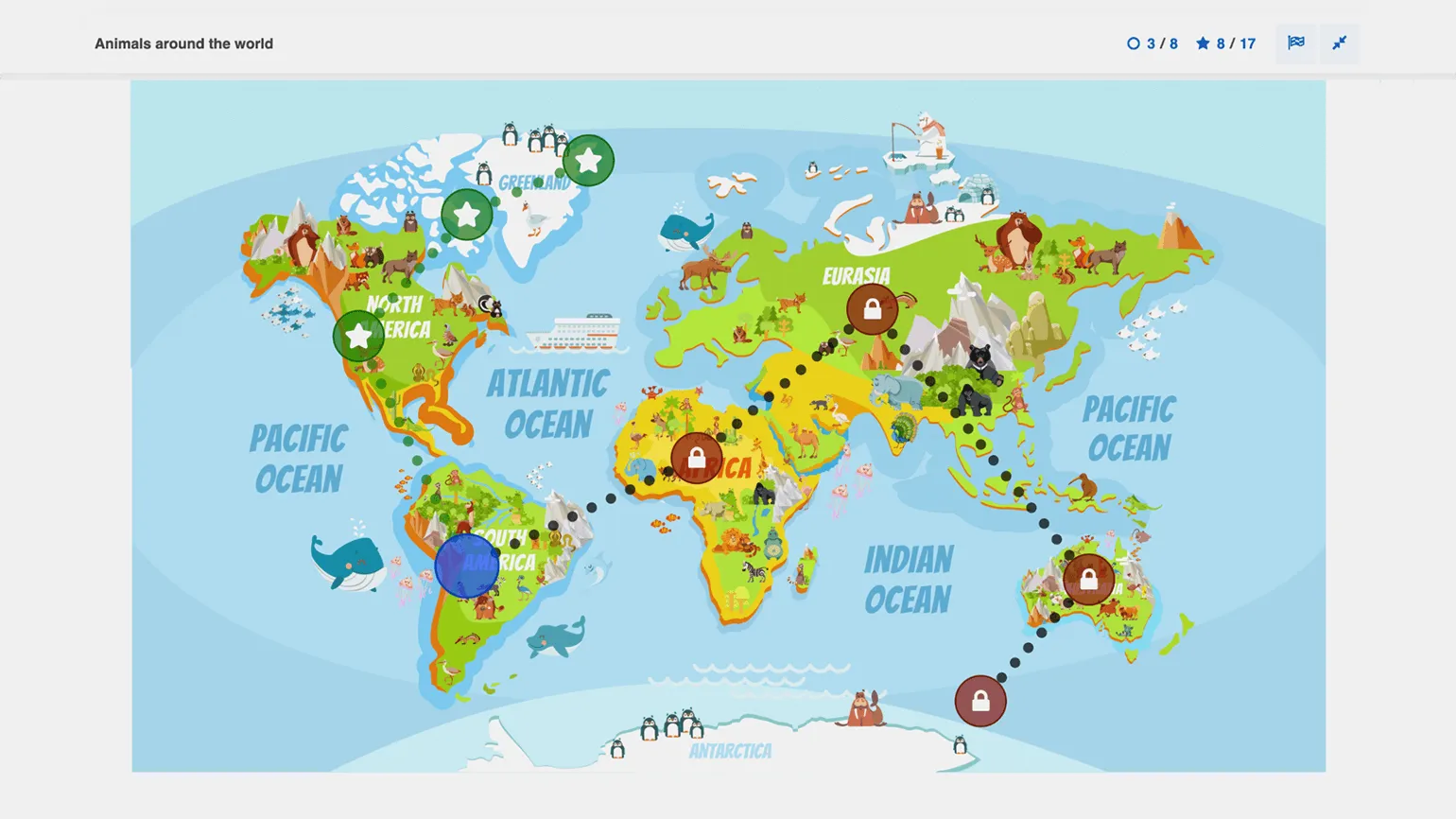
The multifunctional "Udoba" platform, developed with the support of Perm State National Research University, offers free access to a variety of templates for creating educational materials. The platform's tools allow you to present content in an engaging way, including timelines, interactive longreads, presentations, and videos. With "Udoba," teachers can offer students games, exercises, and assignments that will effectively engage their brains during lessons, reinforce learning, and test their knowledge. The platform is an ideal solution for increasing student engagement and improving the educational process.
The builder offers not only standard tests and assignments but also unique formats, such as virtual tours with panoramic images, branching quests, and game cards. You also have the option to integrate augmented reality elements into your lessons, making learning more interactive and engaging.
All materials are available to users without registration. However, in order for teachers to track individual student progress, students will still need to register. Alternatively, you can use workarounds, such as adding a mandatory "Your Name" question to the assignment. This will allow you to identify the user on the reports page while still providing the ability to obtain performance data without registration.
FlikTop
The main purpose of this service is to create collections of educational materials and interactive longreads. The platform allows users to conveniently organize educational resources, providing access to a variety of content formats. The service is suitable for both teachers looking to organize the learning process and students seeking effective learning. Interactive longreads promote a deeper understanding of the material and active user engagement.
The service is provided completely free of charge.
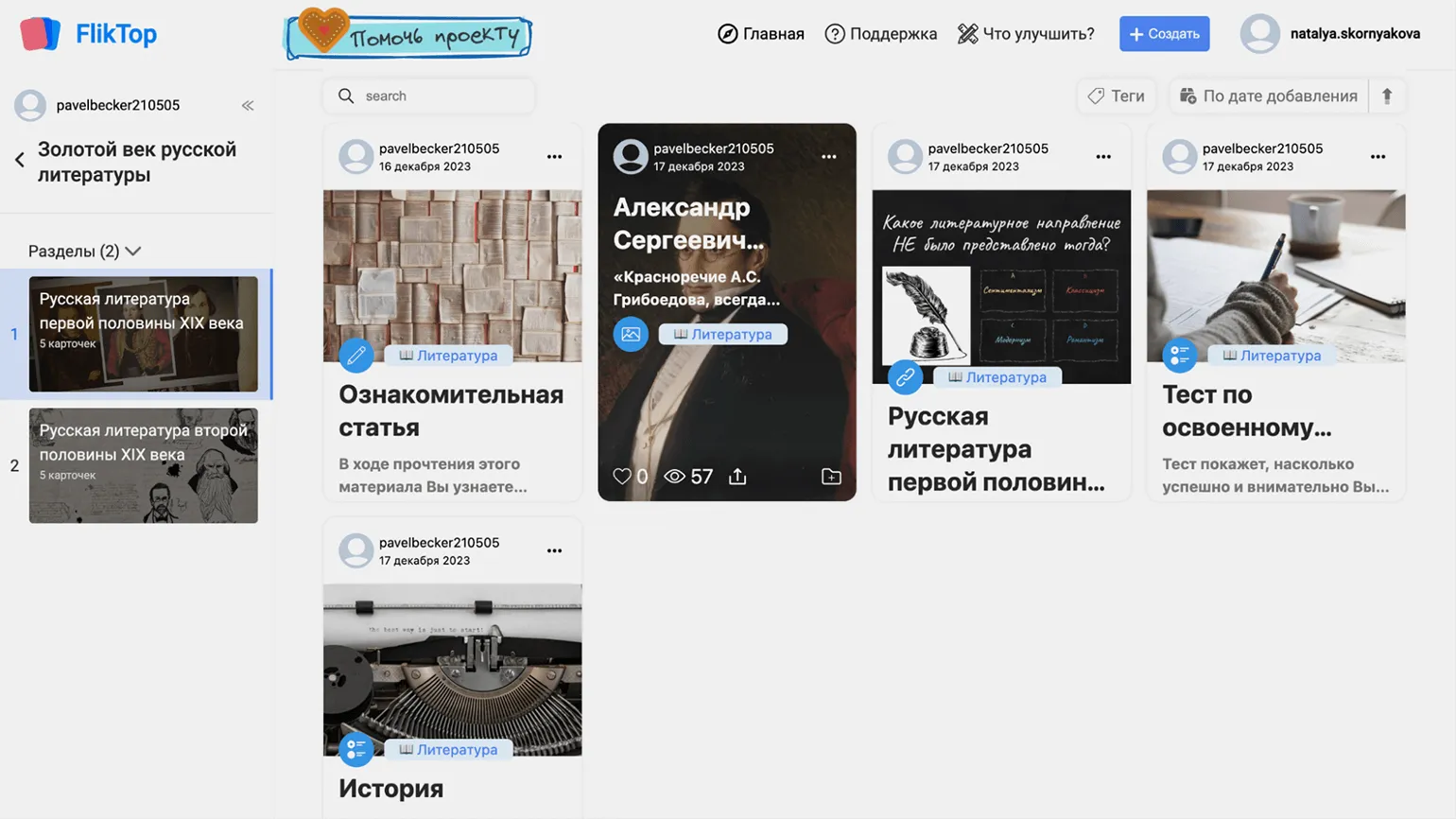
The service offers extensive capabilities for creating interactive learning materials suitable for both independent study and synchronous classes. One of the most useful features is the ability to create interactive longreads, which can include text, images, audio, and video materials, as well as quizzes and trivia. FlikTop offers a variety of task templates, including multiple-choice questions, fill-in-the-blanks, and arranging questions, as well as matching and group assignment exercises. For each task, users can add hints, set a timer, and limit the number of attempts. The service also supports the integration of exercises from other platforms, such as Wordwall and LearningApps, making it a tool for creating a diverse and engaging learning experience.
All created materials, including audio recordings, videos, and PDF documents, can be combined into thematic collections. These collections are available for viewing via a single link, simplifying access to educational materials. Students do not need to register to view content and take tests—they simply click the provided link. To track individual results, the "Name required" option can be enabled in the test settings, allowing the teacher to see each student's scores and answers on the leaderboard. This approach promotes more effective learning and makes it easy to monitor student progress.
Joyteka
This service is designed for creating online quests, interactive videos, tests, quizzes, and terminology games. It allows users to develop engaging and educational content formats that promote audience engagement and improve the learning process. Use our tool to create unique and memorable events that will attract attention and help effectively convey information.
Prices start at 510 rubles per month. There is a discount when paying for an annual fee.
There is a free plan, which offers limited features and allows you to create up to 20 training sessions.
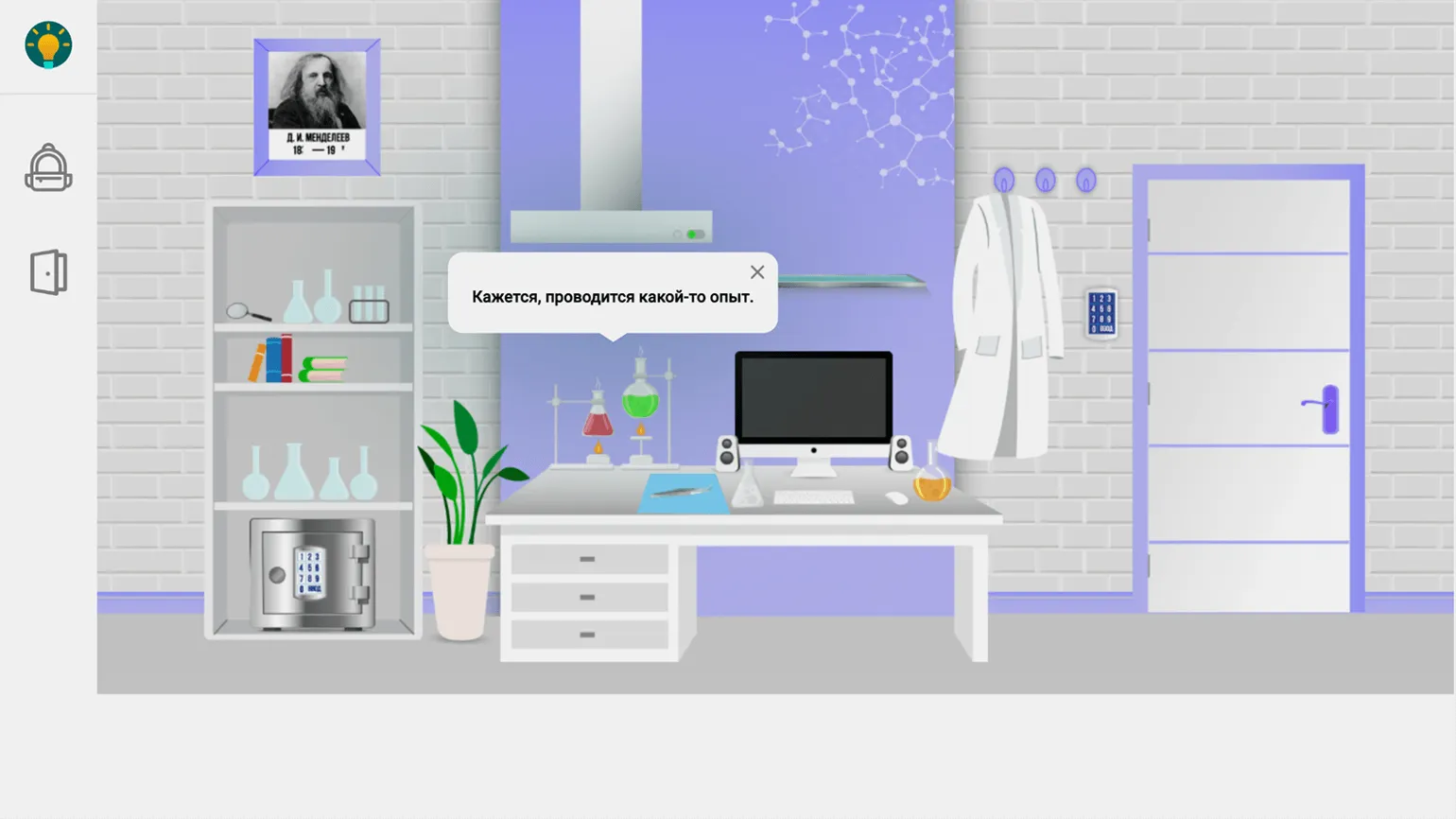
The platform's co-founder, Maxim Novikov, a computer science teacher from Yekaterinburg, wanted to create a tool for teachers that would allow them to design educational quests to increase student engagement. The first implementation of this idea was the Learnis constructor. Over time, it evolved into the multifunctional Joyteka platform, offering a wide range of options for creating interactive and engaging educational materials.
The quests on this service are escape-the-room games, where players must find a way out of a locked room by solving a variety of intellectual tasks and puzzles. In Joyteka quests, users interact with objects on the screen and answer questions using multiple-choice options or by entering answers themselves. Each task can be supplemented with images and audio files, making the process more engaging and interactive. These quests are ideal for those looking for engaging ways to spend time while developing their analytical skills and creative thinking.
The platform offers a variety of tools for creating text-based quests with branching scenarios, allowing users to immerse themselves in interactive stories. Additionally, quizzes are available for synchronous classes, promoting active learning. Interactive videos with questions that arise while watching make the learning process more engaging and effective. Games for memorizing vocabulary terms and standardized tests are also offered to help assess learning. These features make the platform ideal for educational institutions and individual teachers seeking to diversify the learning process.
No registration is required to participate in classes on the platform. Students can connect via the provided link or QR code. To record individual results, you must activate the option in the activity settings that requests the student's name. This will allow you to track the progress and achievements of each participant.
Online Test Pad
The online test, crossword, dialogue simulator, and worksheet designer is designed for creating interactive learning materials. It allows users to easily develop tests and assignments, which helps improve the learning process and increase student engagement. The tool is suitable for teachers, trainers, and anyone who strives for effective learning.
The service is provided absolutely free of charge.
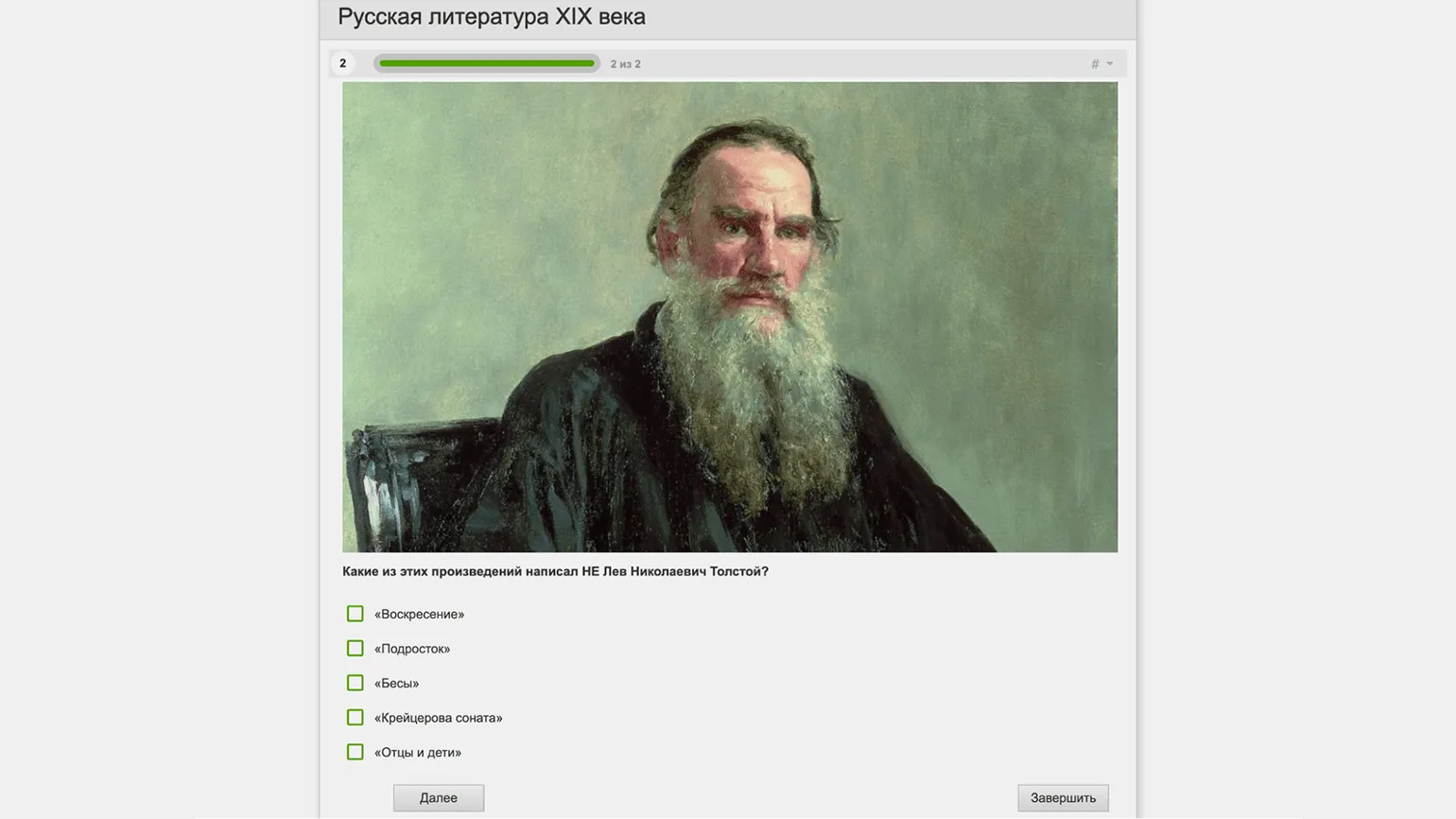
This free tool allows you to create surveys, tests, and various types of crosswords, including classic puzzles and sudoku. Dialogue exercises with branching scenarios, complex tasks, and entire lessons in longread format are also available. The tool supports adding text, images, video, and audio, as well as exercises created in other services and PDF documents. All these elements can be integrated without any restrictions, making the learning process more engaging and varied.
Test assignments support various media formats, including images, audio, and video. Code snippets with syntax highlighting are also available, making it easier to understand. Students can use voice input to record their responses, which are saved on the platform. This allows teachers to listen to recordings and assign grades, providing a more personalized approach to learning.
Each material offers flexible access settings. Students do not need to register—the content is available via a link. To identify a specific user's activity and results, simply enter their name. In addition, created materials can be downloaded for printing or integrated into a website or LMS.
Stedio
The main purpose of this platform is to organize and conduct synchronous online lessons. It provides tools for real-time interaction between teachers and students, which helps create an effective educational environment. The platform supports various learning formats, including video conferencing, messaging, and material sharing. This makes it an ideal solution for educational institutions and educational organizations seeking to improve the quality of distance learning.
A 60-minute broadcast costs 14 rubles.
The platform does not have a free plan, but new users receive a 100 ruble bonus upon registration, which can be used to pay for broadcasts.
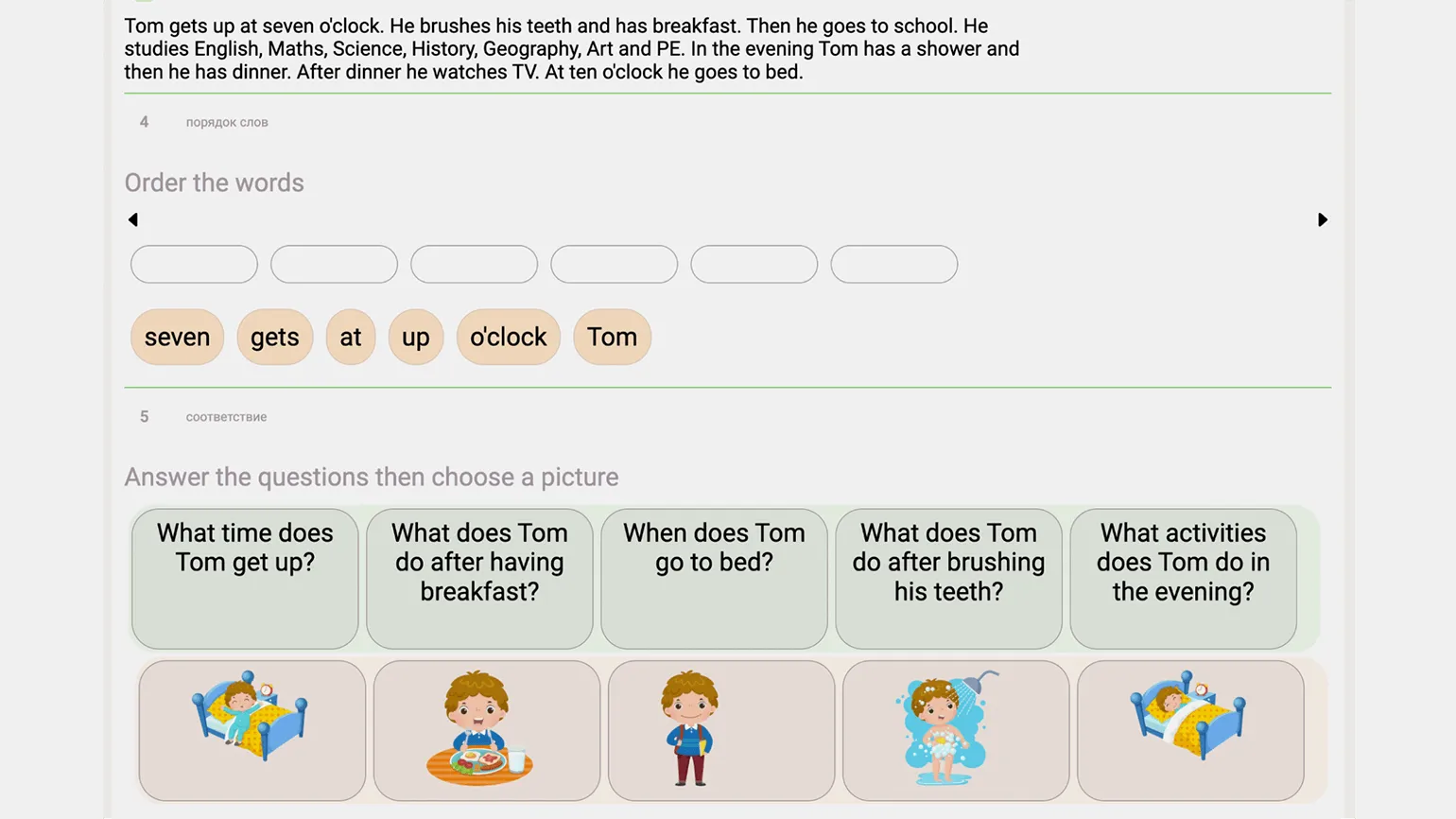
Synchronous online learning is becoming available to tutors and teachers of small online schools who do not have their own platform for conducting lessons. This solution allows for the effective organization of classes, ensuring interactive interaction between the teacher and students. The use of modern technologies and platforms for online learning opens up new opportunities for a high-quality educational process.
In the personal account, the user can create courses consisting of individual lessons containing all the necessary content: text, images, audio, and video. Video can be uploaded from a computer, recorded independently, or embedded from YouTube. Various exercises are also available, such as anagrams, filling in the gaps, identifying matches, and sorting elements. The user can upload a presentation and add an online whiteboard to the lesson. After this, you need to set the date and time of the lesson, and then send the link to it to students who do not require registration. All scheduled lessons are displayed on the schedule page, allowing you to easily track the educational process.
During the online broadcast, the teacher has the ability to control what students see on the screen at any time during the lesson. They can switch between different content blocks and even transfer control to a student. This allows for increased student participation, for example, when completing exercises or interacting with the online whiteboard. This approach promotes more effective learning and student engagement.
Chattern
The platform is designed for conducting online lessons using an interactive whiteboard that provides audio and video communication. It allows teachers and students to interact in real time, share materials, and conduct classes effectively. The platform's tools create an engaging learning environment where every participant can actively participate in lessons.
Services start at 50 rubles per day and 500 rubles per month. We offer attractive discounts for six-month or annual payments, allowing for significant savings.
There is a free plan that offers lessons of up to 30 minutes. Ten-minute breaks are provided between lessons. Please note that the board used during a lesson cannot be saved. In addition, the online whiteboard functions without video communication are available absolutely free of charge and do not require registration.
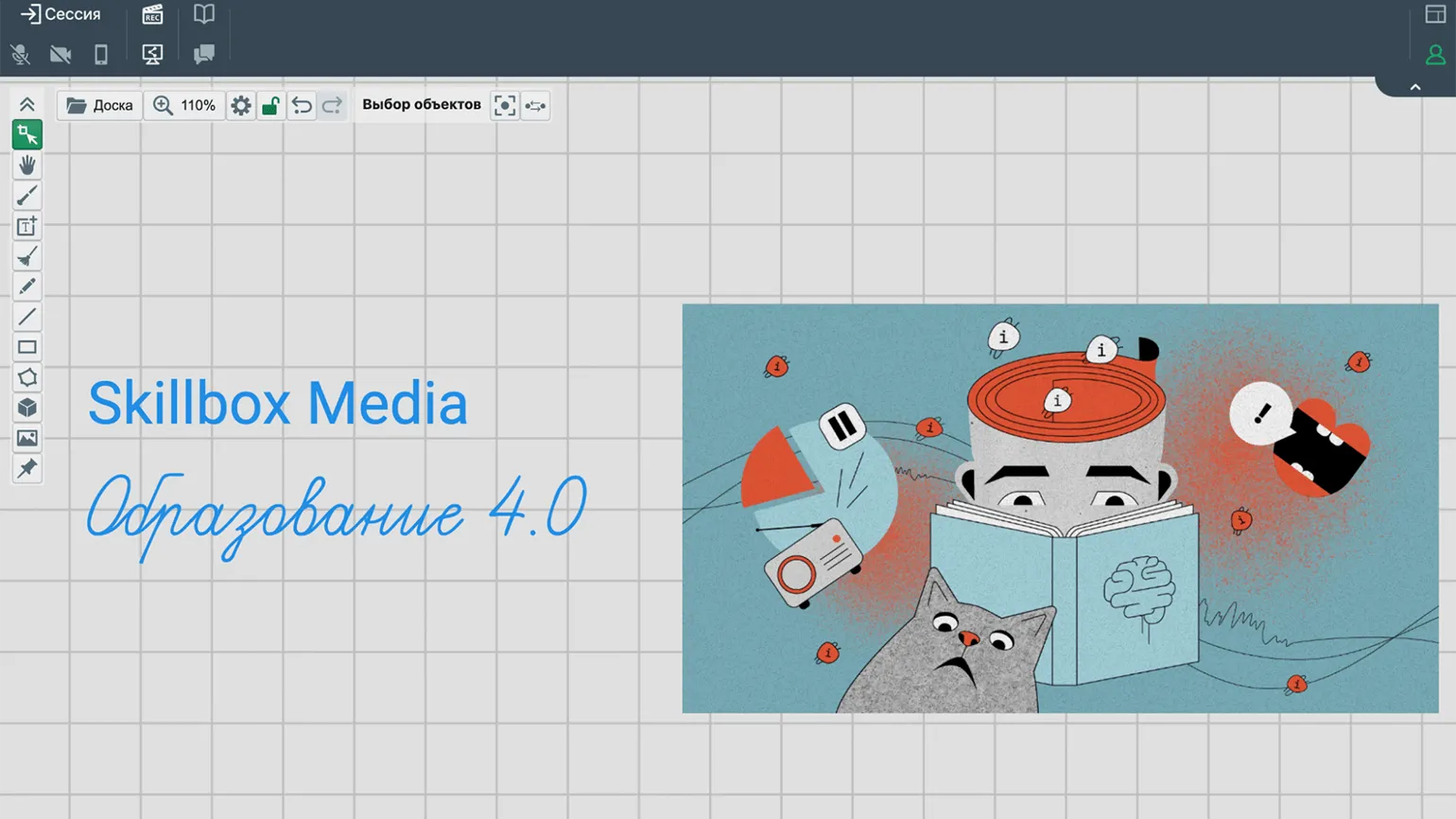
Studio is A platform for organizing online classes, it is designed exclusively for tutors conducting individual lessons. Only one student can join each class, ensuring a personalized approach to learning and deeper interaction between tutor and student. Before the start of a class, the teacher can prepare one or more boards on which necessary elements can be placed and attached, such as text, geometric shapes, lines, and uploaded images. PDF document uploads are also available, allowing you to draw and annotate directly on the document and then save it in this format. Created boards can be saved to your account or exported in PDF and PNG formats, ensuring ease of use and sharing. After the teacher creates a session, students can easily connect to the lesson via a link or code, without the need to register. During the class, the tutor has access to all saved boards, while the student works only with the active board. The platform offers screen sharing and recording of classes, increasing the effectiveness of learning. Chattern's unique feature is the "Smart Camera" feature, which allows teachers to monitor students as they complete assignments if they connect their smartphone and position it correctly. Similarly, tutors can demonstrate problem-solving examples and other visual aids to students. This makes lessons more interactive and productive.
"Knowledge"
The platform is designed to organize and deliver online lessons, offering a variety of interactive tasks. It provides a user-friendly interface for teachers and students, promoting effective learning. The platform's tools allow for the creation of engaging content, maintaining active student participation and improving learning.
The "Pro" plan starts at 990 rubles. A discount is available for annual payments. This plan allows for teaching up to 100 students.
There is a free plan, which provides limited access to functionality. This plan does not include video conferencing and has a limit on the number of interactive templates. Users can use a library of ready-made lessons and create up to five of their own materials.
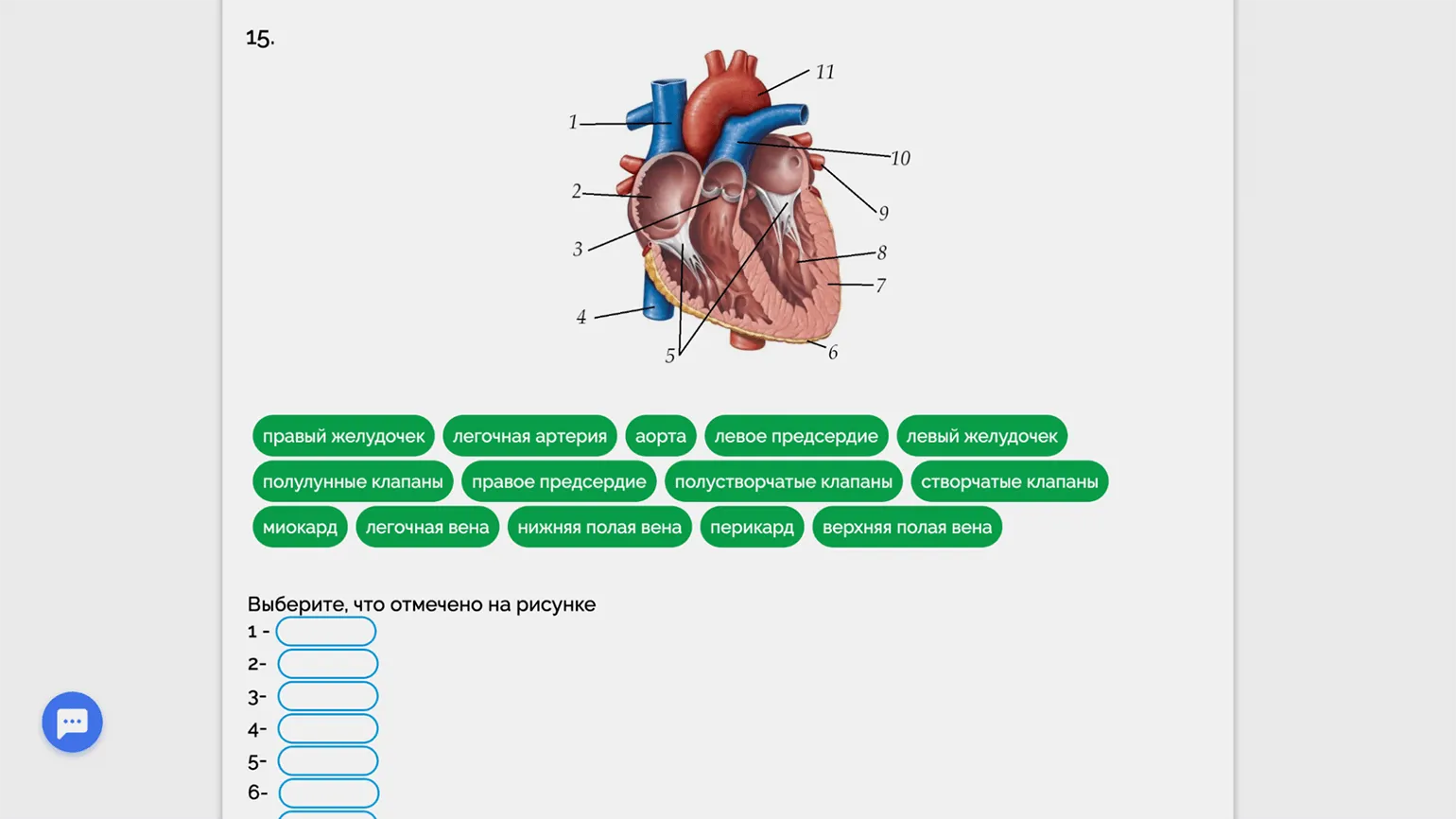
This is a multifunctional platform offering four types of learning content. The first is focused on memorization and includes information that needs to be remembered, such as dates, events, terms and definitions, as well as foreign words with translations. This is followed by exercises to reinforce the material and tests to test knowledge. The second option is interactive lessons that combine various media formats: text, images, audio, and video, as well as tasks and exercises, making the learning process more engaging. The third format is challenges, where students complete practical tasks and share their results via photos or videos. The fourth option includes game elements such as crosswords, Match 3, Battleship, and other educational games. The fifth format is interactive videos, in which students are asked to complete tasks within specific time periods, which promotes a deeper understanding of the material.
Students are required to register on the platform, after which the teacher can create classes, open lessons, and assign homework. Teachers will be able to track student activity and progress. Studying materials and completing homework are also available in the mobile app, ensuring students have convenient and accessible learning at any time.
The platform offers a webinar platform for synchronous online lessons, which includes an interactive whiteboard, virtual rooms for group work, and tools for creating quizzes and surveys. Users can share their screens and record lessons, ensuring effective interaction and ease of learning.
Surprise Me
This service is designed for creating quests and virtual excursions, allowing users to develop engaging and interactive adventures. The platform offers ease of use and extensive functionality, making quest creation accessible to both beginners and experienced users. This service allows you to develop unique scenarios and conduct virtual tours that will provide participants with unforgettable experiences and expand their knowledge of various topics and places.
The cost of participation in the quest starts from 1,500 rubles for a group of up to 10 people.
The platform offers a free plan that provides access to all features. However, please note that no more than five people can participate in one quest.
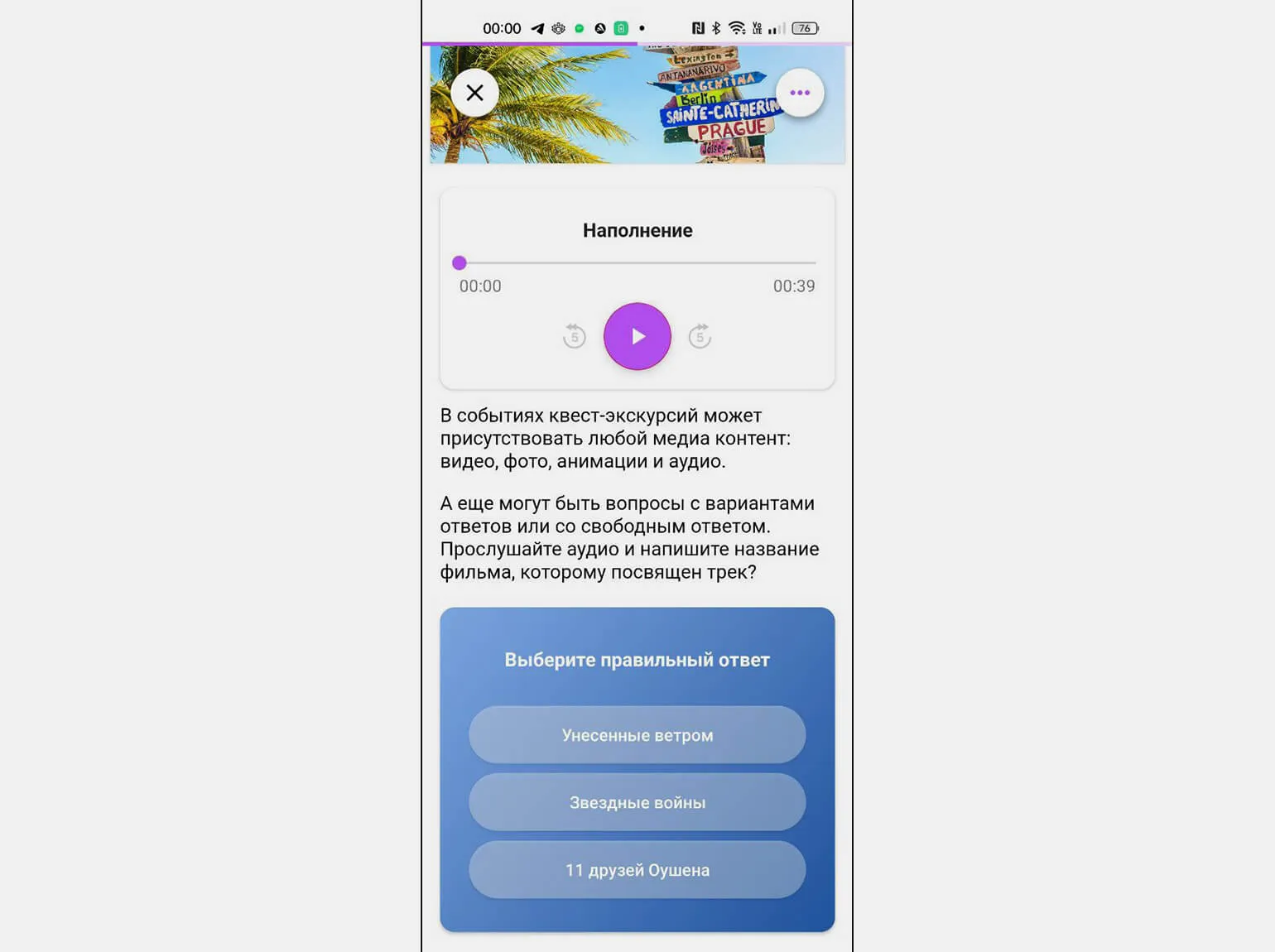
Company Surprise Me specializes in developing and hosting online and offline quests on a variety of topics. We also offer a user-friendly builder that allows users to create their own quests and virtual tours. Our goal is to provide unique and engaging experiences that will make your time unforgettable.
A quest typically consists of a series of tasks united by a common plot and setting. Participants earn points by completing each task and advance to the next stage until they complete the entire quest. Available offline tasks include navigating to a specified location using a smartphone's geolocation, multiple-choice or input-only questions, and searching for specific objects. This quest format allows for engaging and interactive experiences for participants, fostering engagement and developing team spirit.
The teacher can take a photo of the desired object in advance and upload it to the platform. Students, completing the quest in a real physical space, such as a classroom, search for the hidden object using clues. When they believe they've found the desired object, they point their smartphone camera at it using a special app. If the object is identified correctly, the app confirms their discovery. This approach promotes active learning and engages students in the process.
Virtual escape rooms offer a wide range of opportunities, including choosing the correct sequence of actions, assembling puzzles, and searching for objects on Google Maps panoramas. This makes the experience more interactive and engaging, allowing participants to become immersed in the game and develop their critical thinking and logical analysis skills.
Virtual quests are accessible via a browser on a computer or smartphone, but users must register on the platform to participate. To complete the quest offline, download the Surprise Me app. The quest administrator's personal account provides detailed statistics, including overall and individual results. Here you can see the points earned by each participant, their answers, and the time spent on completing the various stages of the quest.
DiaClass
The main purpose of this service is to create interactive presentations that include quizzes. The platform allows users to develop engaging and informative presentations, combining visual elements and interactive tasks. Using our service, you can increase audience engagement and make learning more effective and interesting. Interactive quizzes in presentations promote better learning and keep participants engaged.
The basic plan costs 590 rubles per month. Discounts are available for 3, 6, or 12 months. Special terms are also available for employees of public educational institutions. We also offer a trial period for the advanced plan: you can test it for a month for 1 ruble.
The free plan is available, but with some limitations. It allows you to host events with up to 10 participants simultaneously, create a maximum of 2 groups, and create 5 presentations. Each presentation can contain a maximum of 8 slides.
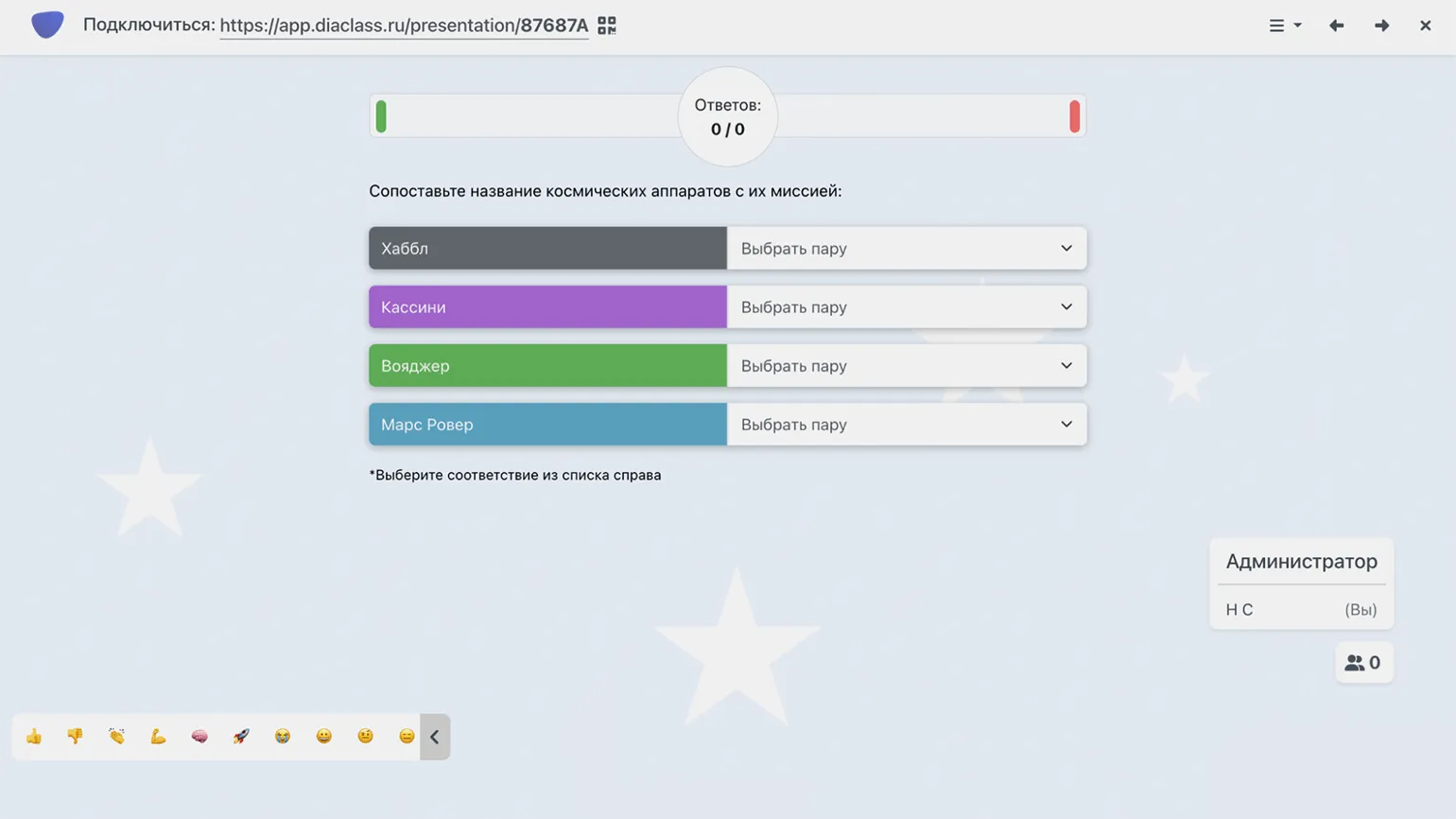
This service offers the ability to integrate information slides with interactive Quizzes allow students to first master the theoretical material and then immediately test their understanding and reinforce their knowledge. The designer also includes polling features, including a word cloud. DiaClass supports both synchronous and asynchronous learning formats. In synchronous mode, students can simultaneously view the presentation and take quizzes. In asynchronous mode, the teacher provides deferred access to the content, allowing each student to connect via a link or QR code at their own convenience. This approach promotes deeper learning and flexibility in learning.
Information slides can accommodate text, images, and video, including links to YouTube, Vimeo, and RuTube. Geometric shapes and diagrams can also be added. Users can upload their own presentations in PDF, ODP, PPT, or PPTX formats. This allows you to create visually engaging and informative content that effectively conveys the necessary information.
You can use a variety of questions to create quizzes, including multiple-choice and type-in answers, matching tasks, and placing objects in the correct order. Each question can be customized with a time limit and point value, and you can even add extra points for answering quickly. Music, emoji reactions for participants, and a "Raise Hand" button are also available. A leaderboard is also available for tracking results. The finished quiz can not only be launched in the service but also saved as a PDF or embedded on your website.
Student registration is optional. When connecting to a presentation, the service will ask for a name and automatically save the results in the statistics. For convenience, we recommend creating a group of students, which will allow you to quickly register them by entering their names and email addresses. Final reports display the average group score and individual results, including detailed answers to each question. This simplifies performance analysis and allows teachers to more effectively monitor student progress.
"Unislide"
This service is designed for creating interactive presentations that include quizzes. It allows users to develop engaging content that promotes active audience participation. With this tool, you can easily create presentations with testing elements, making the learning and presentation process more engaging and effective. Interactive quizzes will help test participants' knowledge and increase their interest in the material.
Prices start at 490 rubles per month for the standard plan, which has no limitations.
A free plan is available, but a single presentation can only contain up to 5 question slides and 2 survey slides. The number of participants is not limited.
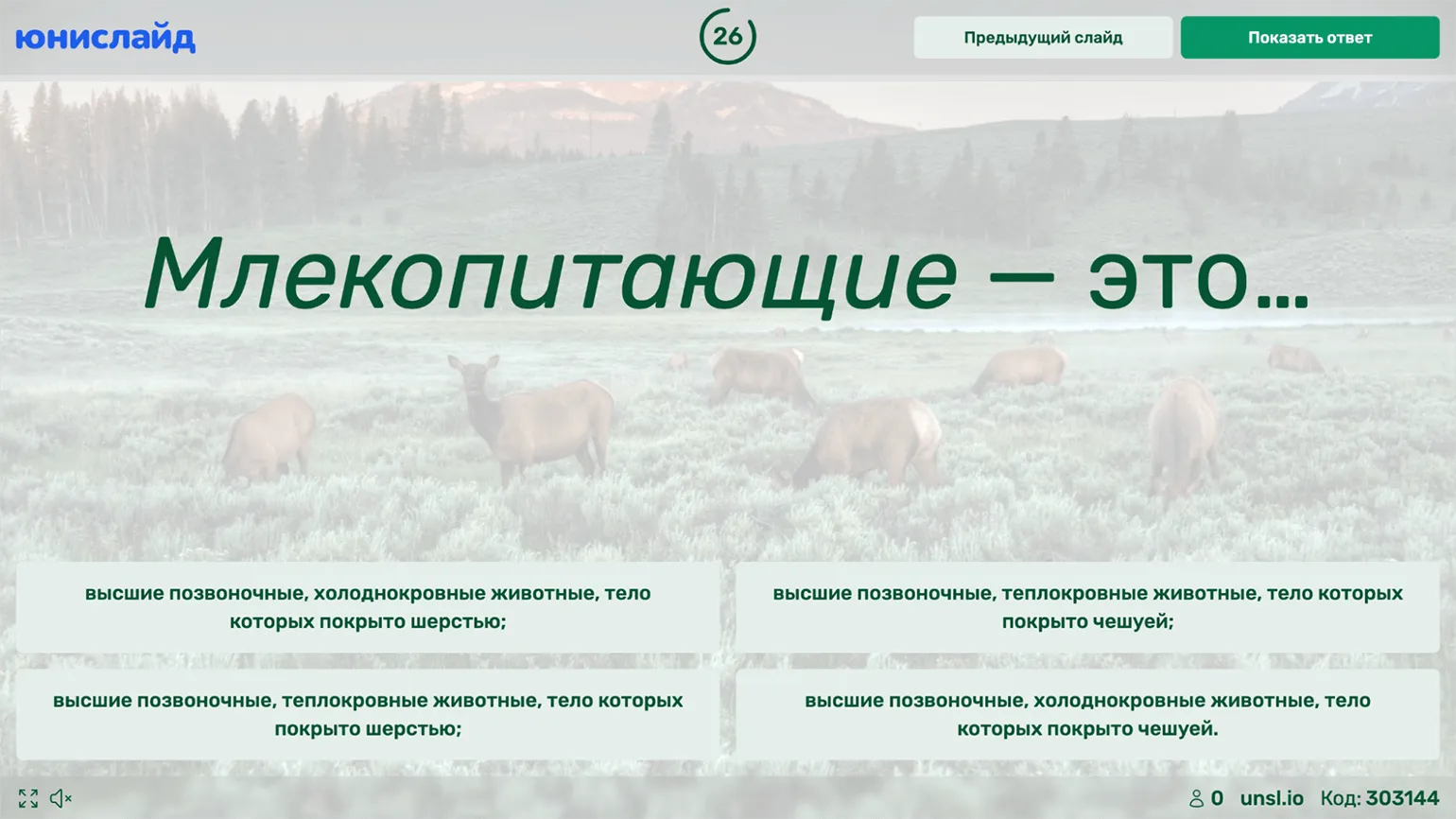
This service operates on a similar principle as The previous version offers the ability to alternate informational slides with questions and tasks. Options include multiple-choice questions, text-entry questions, and number-based questions, "Make Pairs" and "Arrange in the Correct Order" tasks, as well as basic quizzes and word clouds. Users can use ready-made presentation templates on various topics, which can be copied and edited to suit individual needs. This approach promotes more interactive learning and increases participant engagement.
Images or videos can be attached to questions, while images only can be attached to answer options. Audio files can also be added to slides, which will play during the slide display. Settings include response time, points awarded, and displaying a leaderboard after each question. An option is available to increase the number of points awarded for answer speed.
To organize a synchronous presentation, launch it and invite students by sending them a QR code or a numeric code, which they will enter on the service's main page. Registration for participants is not required. If you want to run asynchronous quizzes, select the "Run in Test Mode" option. The platform will create a unique link that students can use to connect at any time before the deadline. The results will display each user's score and answers, making it easy to track progress and assess participants' knowledge.
MyQuiz
The quiz creation service is designed for developing interactive tests and surveys. It allows users to quickly and easily create unique quizzes, customize questions and answer options, and analyze results. With this service, you can increase audience engagement, make learning more interesting and engaging, and collect valuable feedback. Use our quiz creation tool to effectively test knowledge or conduct surveys among users.
Prices start at 999 rubles per month. A discount is available when paying annually.
A free plan is available, but it has limited features. Under this plan, you can invite up to 35 students to participate simultaneously.
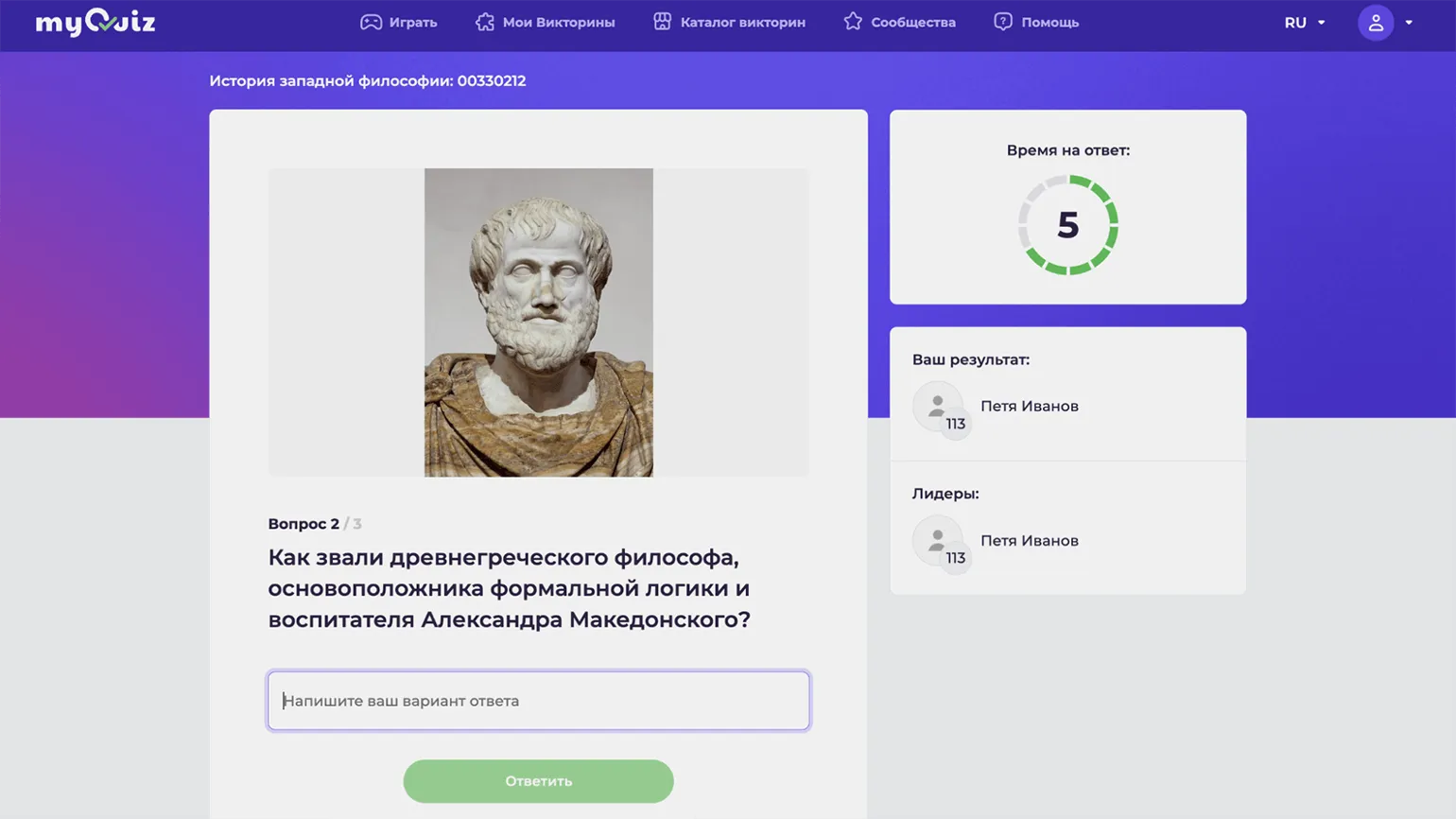
MyQuiz is working MyQuiz is similar to DiaClass and Unislide, but is primarily focused on creating quizzes and tests rather than presentations. The free version offers three testing formats: multiple-choice and type-in answers, image-based answers, and standard surveys. Upgrading to a paid plan unlocks new features, including interactive presentations, quizzes where the user must draw the answer on the screen, word clouds, and other engaging templates. MyQuiz is an excellent tool for creating engaging content that will improve audience interaction and increase engagement. Lessons can be conducted in three modes. The free version only offers synchronous mode, where students join MyQuiz via a link or QR code and answer questions simultaneously, competing for points and answering speed, if this option is enabled. Paid modes include synchronous mode, in which the quiz is available for a limited time, allowing students to complete it at their own pace, and team mode, which allows for competition between groups. The choice of mode depends on your goals and preferences, allowing you to tailor your lessons to your specific needs.
Students do not need to register to access the quiz page—just provide their name. All information about each game session is saved in the archive, where a leaderboard and the percentage of correct answers to each question are available. This allows participants to track their achievements and improve their results in the future.
Madtest
This service is designed for creating online quizzes and tests. It allows users to easily develop interactive tests and surveys that can be used for education, entertainment, or knowledge testing. With this tool, you can create a variety of question formats, including multiple choice, open-ended answers, and rating scales. It is an ideal solution for teachers, trainers, and event organizers looking to increase audience engagement. Our service offers a simple and intuitive interface, making quiz creation accessible to everyone.
Subscriptions start at 990 rubles per month. A 20% discount is available for annual payments. The subscription includes the ability to create 10 quizzes and 10,000 views per month. A 7-day trial period is also available, which allows you to evaluate all the benefits of the service.
At the moment, there is no free plan.
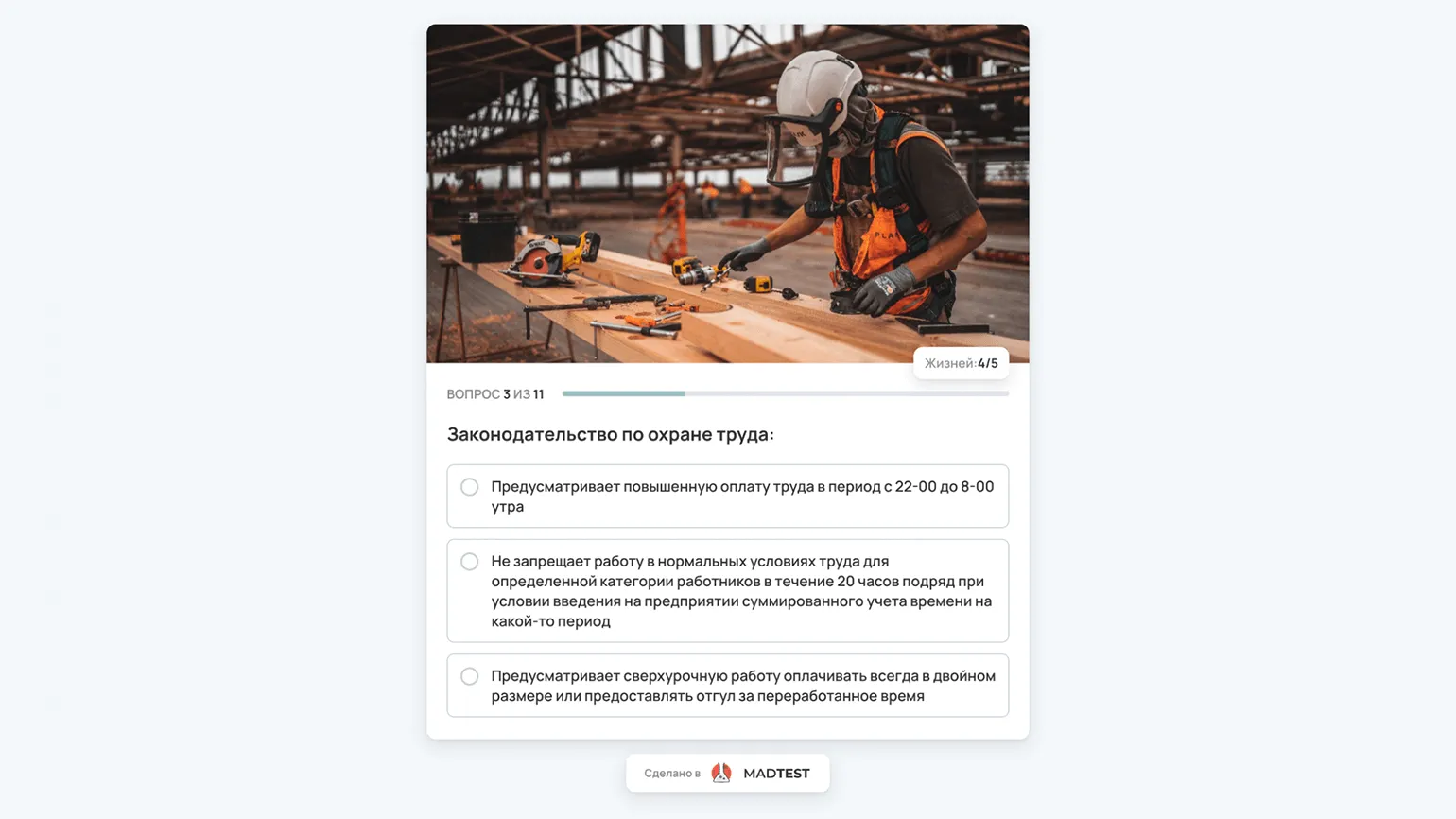
This service is a convenient designer for creating quizzes and surveys for marketing and educational purposes. It offers two main testing mechanics: knowledge tests with points awarded for correct answers and personality tests with no right or wrong answer options. A library of ready-made quizzes and surveys is available, which you can use immediately or modify as needed. The designer allows you to add single- and multiple-choice questions and also includes a free-response field. This tool is ideal for engaging your audience and improving learning effectiveness.
Questions can be supplemented with images, audio, and YouTube videos, and answer options can include images. Quizzes have flexible settings: you can set a timer, limit the number of retries, and specify the maximum number of errors after which the quiz is completed. Branding is also available. Quizzes adapt to screen size, ensuring ease of use on both computers and smartphones.
The completed test can be easily embedded on your website or sent to students via a link. Students do not need to register to take the test, simplifying the process and making it more accessible.
The platform provides not only general statistics on views and completions but also detailed information on the pass rate for each question. Audience distribution by country and device type is also available. In the "Applications" section, users can view individual results, allowing them to analyze their effectiveness and improve their results.
4exam
The online test creation service is designed for the convenient and effective creation of test assignments in digital format. This platform allows users to easily develop, edit, and publish tests, making the learning process more interactive. Online tests help assess knowledge and skills, allowing teachers and organizations to quickly receive feedback. With an intuitive interface, users can customize questions, select different answer types, and analyze test results. This service is ideal for educational institutions, corporate training, and individual users seeking to improve their knowledge.
The cost of using the service is zero rubles, as it is provided absolutely free of charge.
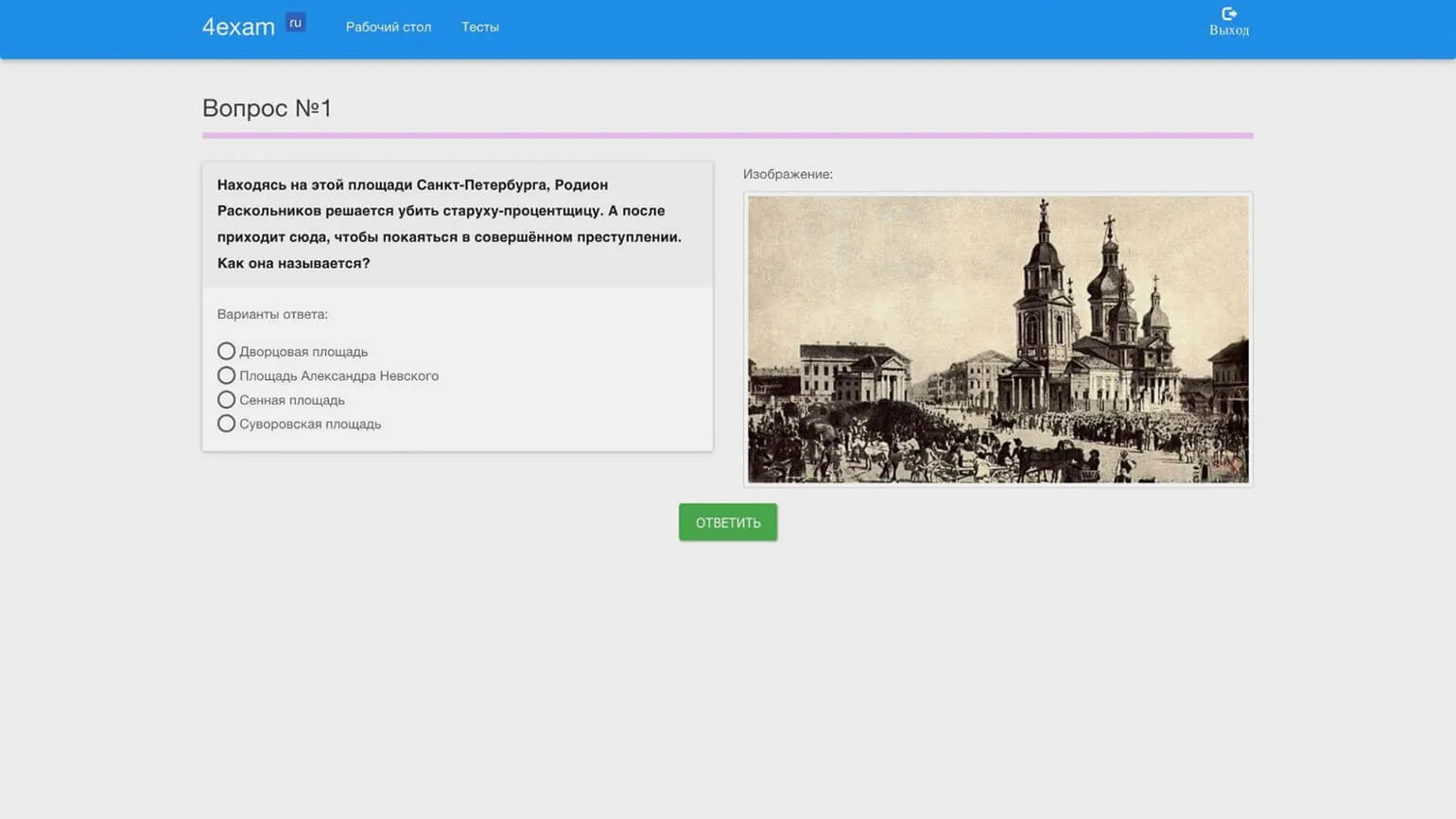
This is a simple and functional test builder that offers users free access to its capabilities. Despite the presence of advertising banners on the pages, the interface remains intuitive and user-friendly. Users can easily create, edit, and manage tests, making this tool an ideal choice for educational institutions and training programs.
The builder allows the use of text and images only. The option to add images is available only for questions; answers are presented in text format. The tool provides basic mechanics: single choice, multiple choice, and the ability to type in an answer. This provides flexibility in creating interactive content and allows users to effectively engage with the material.
Students can take tests via the provided link without having to register if the corresponding option is enabled in the settings. In this case, 4exam will prompt the user to enter their name and email address. A journal is available in the teacher's account, which records all student results and the time spent on the test. Testing is also possible without an internet connection: simply save the test in HTML format, and it will be available for opening in any browser offline, displaying the results on the same page.
"Crossword Factory"
The main purpose of this service is to create crosswords. The platform offers users convenient tools for developing and customizing individual crosswords, allowing them to easily add words and clues. The service is suitable for both educational institutions and puzzle enthusiasts looking to develop their skills. The crossword creation process is intuitive, making it accessible to all ages. Use our service to create unique crosswords that will help develop logical thinking, enrich vocabulary, and simply have a good time.
The service is completely free. You can use all its features without any costs. This is a great opportunity to gain access to high-quality services without financial investment.
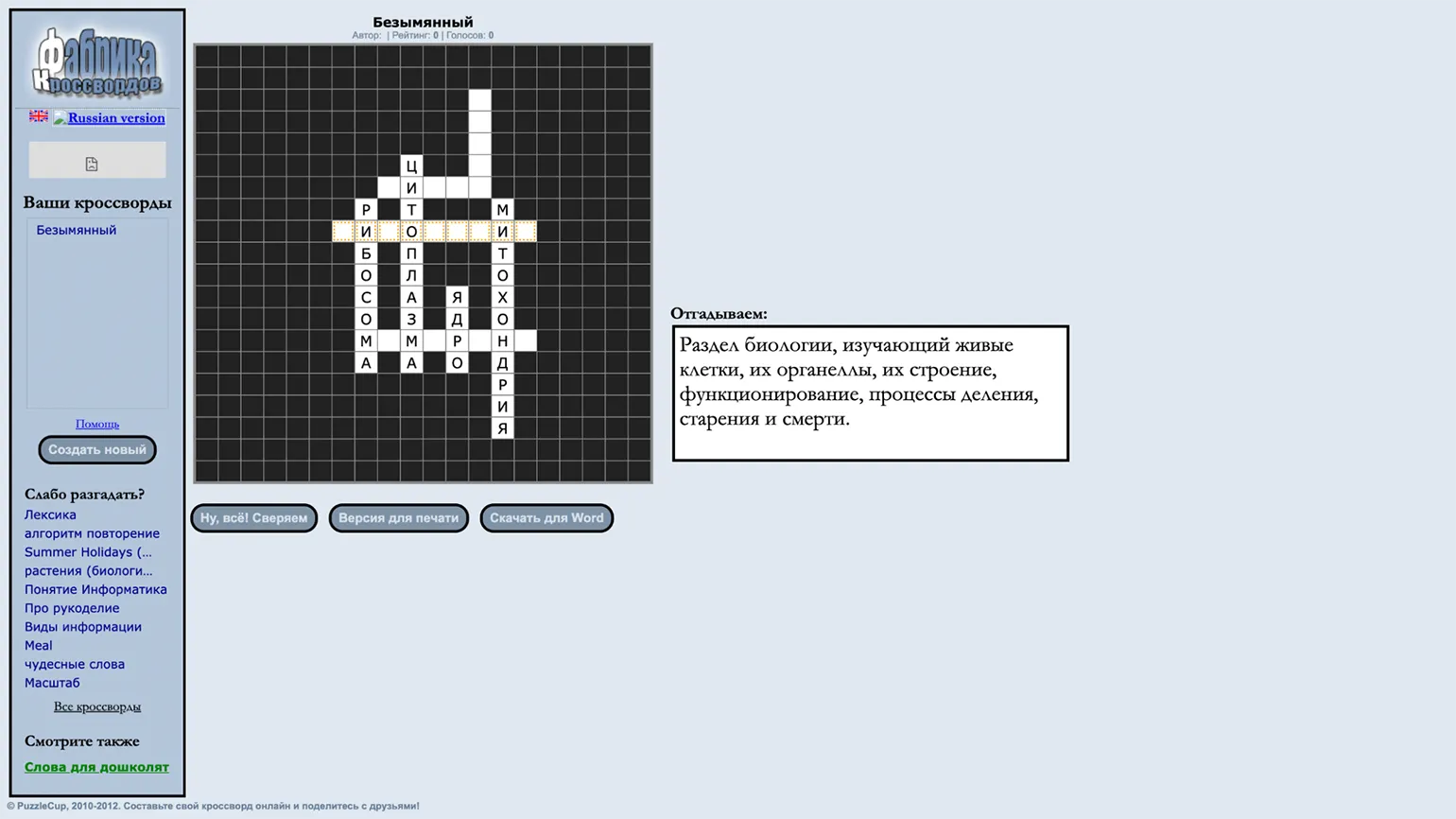
Convenient and An easy-to-use crossword puzzle builder is available to all users without registration. This builder offers two main methods for creating crosswords. In the first method, you highlight the cells in the field where the word will be placed, enter it yourself or select it from the provided list. Then, add a definition or upload a corresponding image. This process is repeated until all the words have been entered. The second method automatically generates a crossword puzzle based on a word list, but definitions must be added manually. This approach makes crossword creation simple and interactive, suitable for both learning and entertainment. The completed crossword puzzle can be found at the provided link. A printable version and the option to save it in Word format are also available. The service does not collect completion statistics, so this crossword puzzle is best suited for warm-up exercises in class or for reinforcing learned material, rather than for assessing knowledge.
Course Editor
The service is designed for creating online courses in the format of interactive longreads. It provides users with tools for developing educational content that promotes deep engagement and effective learning. Interactive longreads not only allow for the transfer of knowledge but also stimulate active participation from students, making the learning process more engaging and productive.
The cost of training plans is 2,000 rubles per month for the Teach plan, which includes the course builder and access to the educational platform. The Create plan is available for 6,200 rubles per month and allows you to download created courses in a convenient format. There are also discounts for annual payments, and new users can take advantage of a 14-day trial period to evaluate the platform's capabilities.
There is currently no free plan.
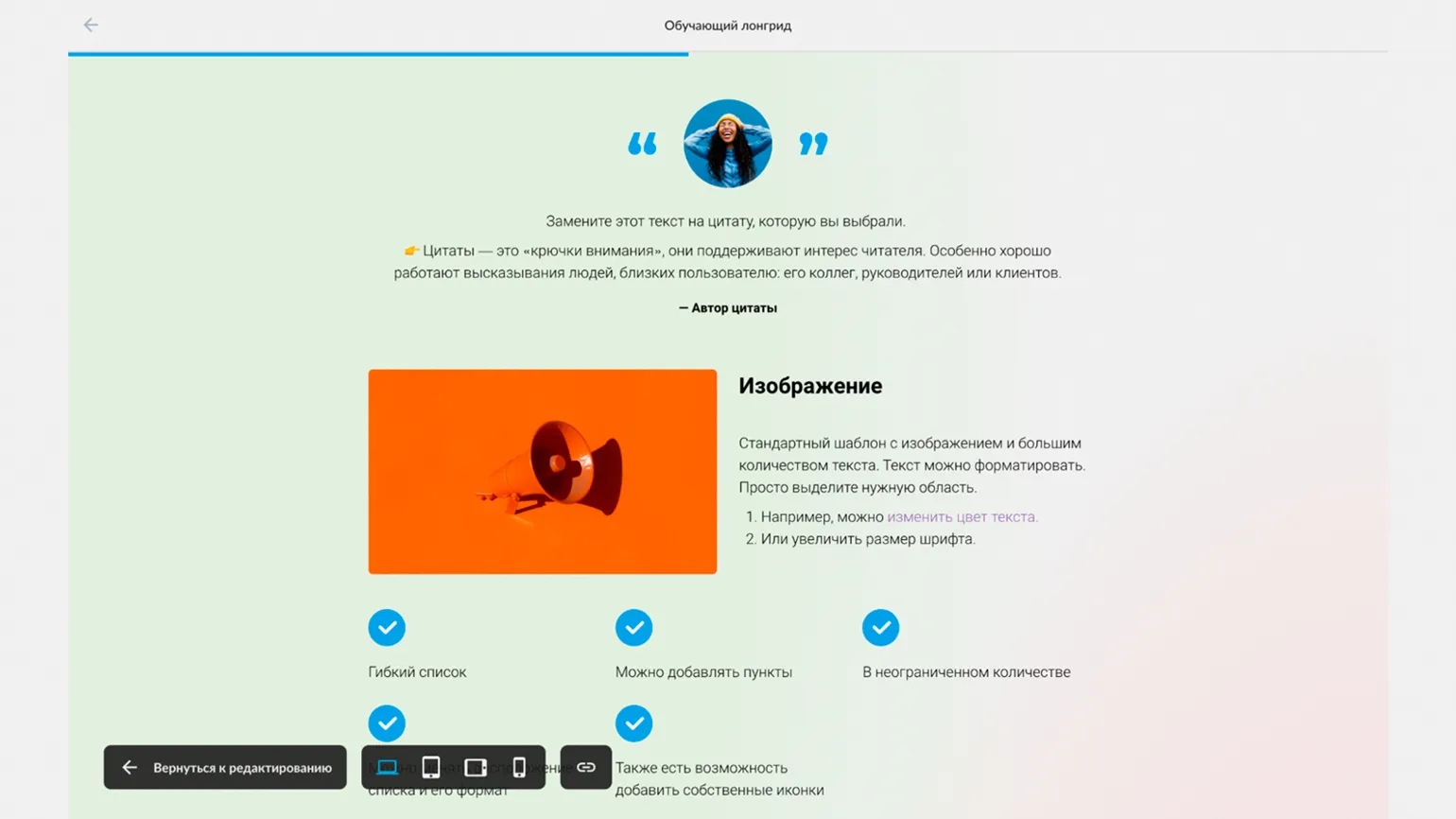
The builder allows you to quickly create interactive longreads using template blocks for various content types, including text, headings, lists, quotes, checklists, images, audio, and video. Interactive formats such as cards, tabs, and accordions offer users the ability to open content with a click, promoting a more convenient perception of information. In addition, the builder provides the ability to integrate tests and exercises into courses, as well as customize access to materials. For example, the next section will be available only after watching a video or answering a question, increasing user engagement and promoting deeper learning.
Two user plans are available. The Teach plan allows you to create courses and teach students directly on the Course Editor platform. You will be able to add students and monitor their learning outcomes. The Create plan provides the ability to download the created course in SCORM, xAPI, or CMI5 formats, allowing you to integrate it into your own learning management system (LMS). Choose the plan that best suits your online learning needs.
Scroll
The main purpose of this service is to create interactive longreads and simulators. It gives users the opportunity to develop engaging and informative materials that effectively retain audience attention. Interactive longreads allow you to integrate text, images, video, and other elements, making the content more attractive and accessible. Simulators, in turn, help users develop skills and knowledge in various fields by offering interactive tasks and tests. This approach promotes deeper learning and engagement, making the service an indispensable tool for educational institutions, training companies, and content creators.
The cost is 3990 rubles per month for a plan that allows you to create an unlimited number of course scenarios, as well as 10 simulators and 10 longreads. You can also customize the plan to suit your individual needs by selecting only the necessary builders. Discounts are available when paying annually, and you can also use a 14-day trial period.
There is no free plan.
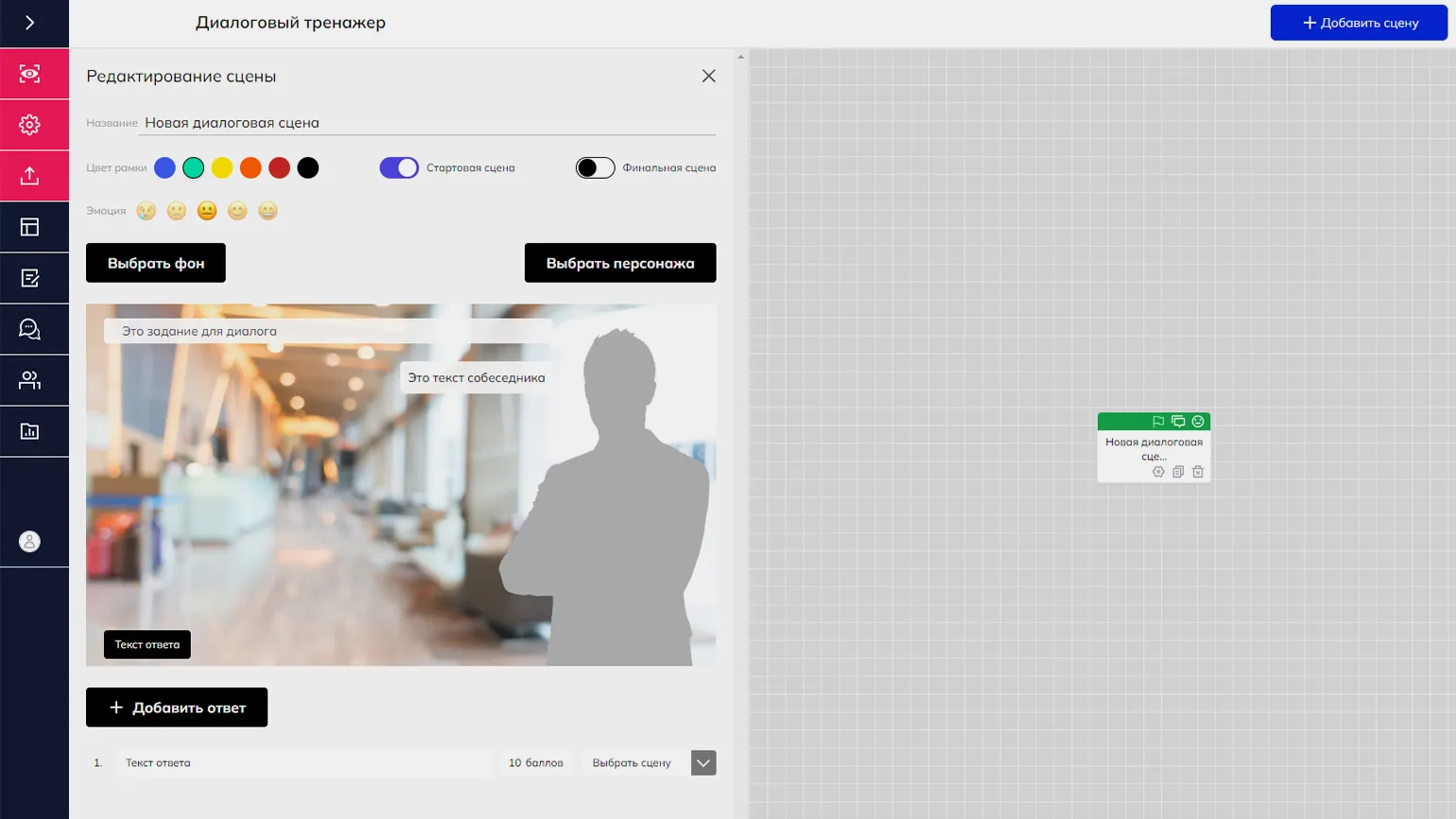
Scroll offers a wide selection of modules for creating interactive longreads, including various media content formats, tests, and assignments. Users have access to a dialogue simulator builder, which allows them to create scenarios with characters, audio, and video materials, as well as simulate instant messaging. The service also includes a tool for collaborative course structure development. A separate team can be formed for each project, inviting producers, methodologists, and subject matter experts. The completed script can then be uploaded to the longread builder to integrate learning materials and assignments. This approach ensures flexibility and efficiency in creating educational content.
Access to ready-made courses and simulators is available via the provided link. Access is available through two options: the first is without saving results, which is convenient for demonstrating the course to the client, and the second is with saving student performance reports. All materials are presented in SCORM format, allowing them to be uploaded to learning management systems (LMS). Courses can also be embedded directly into the Teachbase and Moodle platforms.
The Methodologist profession from scratch to PRO
You will improve your skills in developing curricula for online and offline courses. Master modern teaching practices, structure your experience, and become a more sought-after specialist.
Find out more