Contents:

Graphic Designer PRO: Course with Employment in 3 Months
Learn MoreBehance: A Platform for Designers and Creative Professionals
Behance is a leading online platform owned by Adobe that connects creative professionals from around the world. It serves not only as a marketplace for illustrations and fonts, but also as a powerful career development tool for designers and creatives. On Behance, users can showcase their work, find inspiration, and establish professional connections, making it an indispensable resource for development in the design field.
- An extensive directory of vacancies in design and creative industries;
- Mood boards where you can find inspiration and ideas for new projects;
- A marketplace for illustrations, mockups, and other design tools.
On Behance, professionals build their profiles by presenting their work in the form of case studies. These case studies illustrate not only the results but also the stages of development, which distinguishes the platform from similar services such as Dribbble. Behance provides an opportunity to deeper understand the creative process and approaches of designers, making it a valuable tool for creative professionals and clients seeking talented artists.
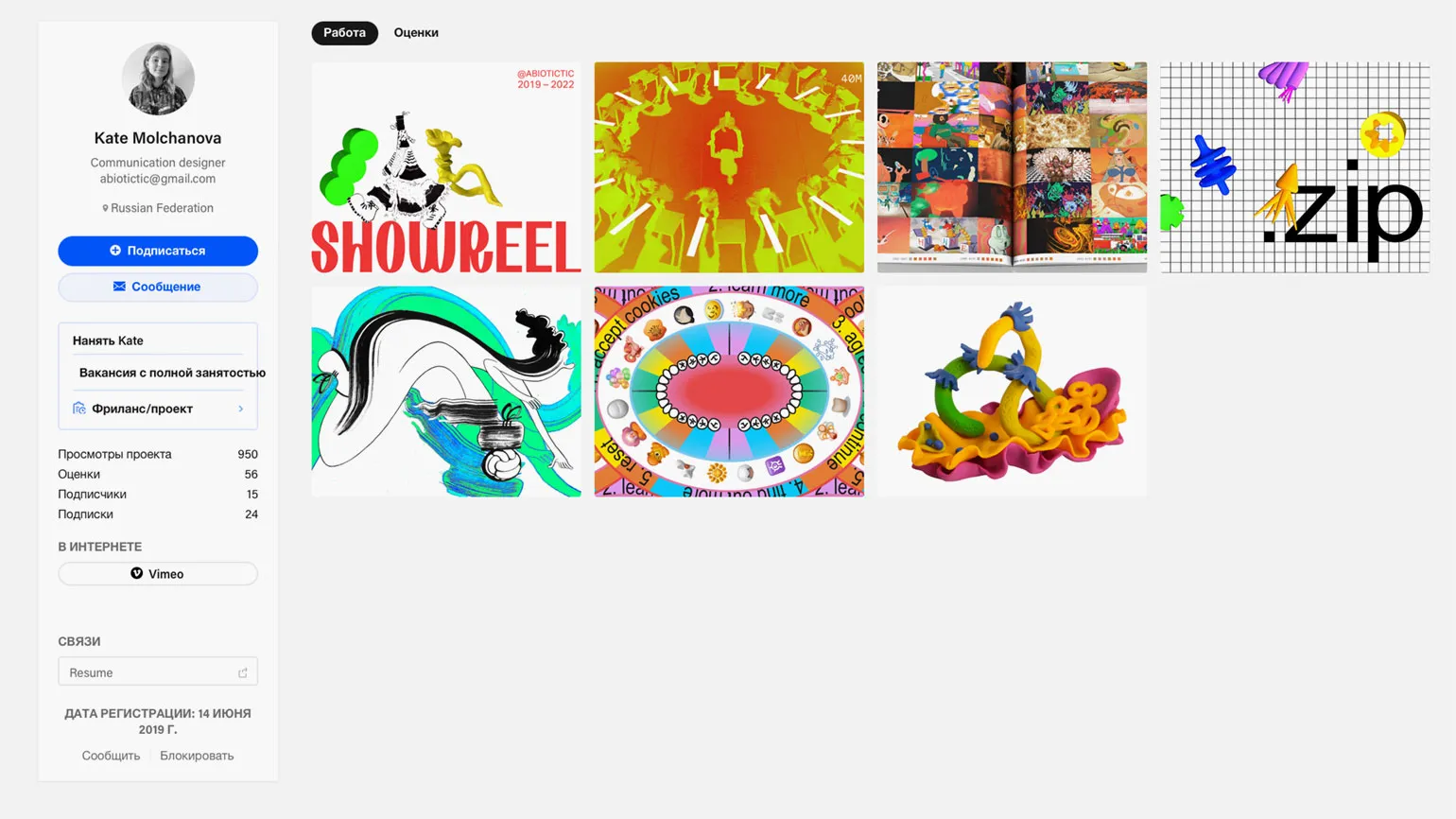
The key goal of case studies is to showcase design work from multiple perspectives, including context and process. This allows for a deeper understanding of the project and enhances its value. Effective case studies not only highlight the visual aspects of the design but also illustrate the approaches and methodologies used during the development process. This approach helps clients and colleagues appreciate not only the end result but also the path taken to achieve it, a crucial aspect in the design field.
Users can like and comment on projects on Behance, which significantly impacts their popularity and the success of their creators. Thus, Behance is becoming not only a platform for creating portfolios but also a full-fledged social network for professionals in various fields. This interactivity promotes the exchange of experiences and ideas, making the platform attractive to creatives looking to increase their visibility and establish contacts in the industry.
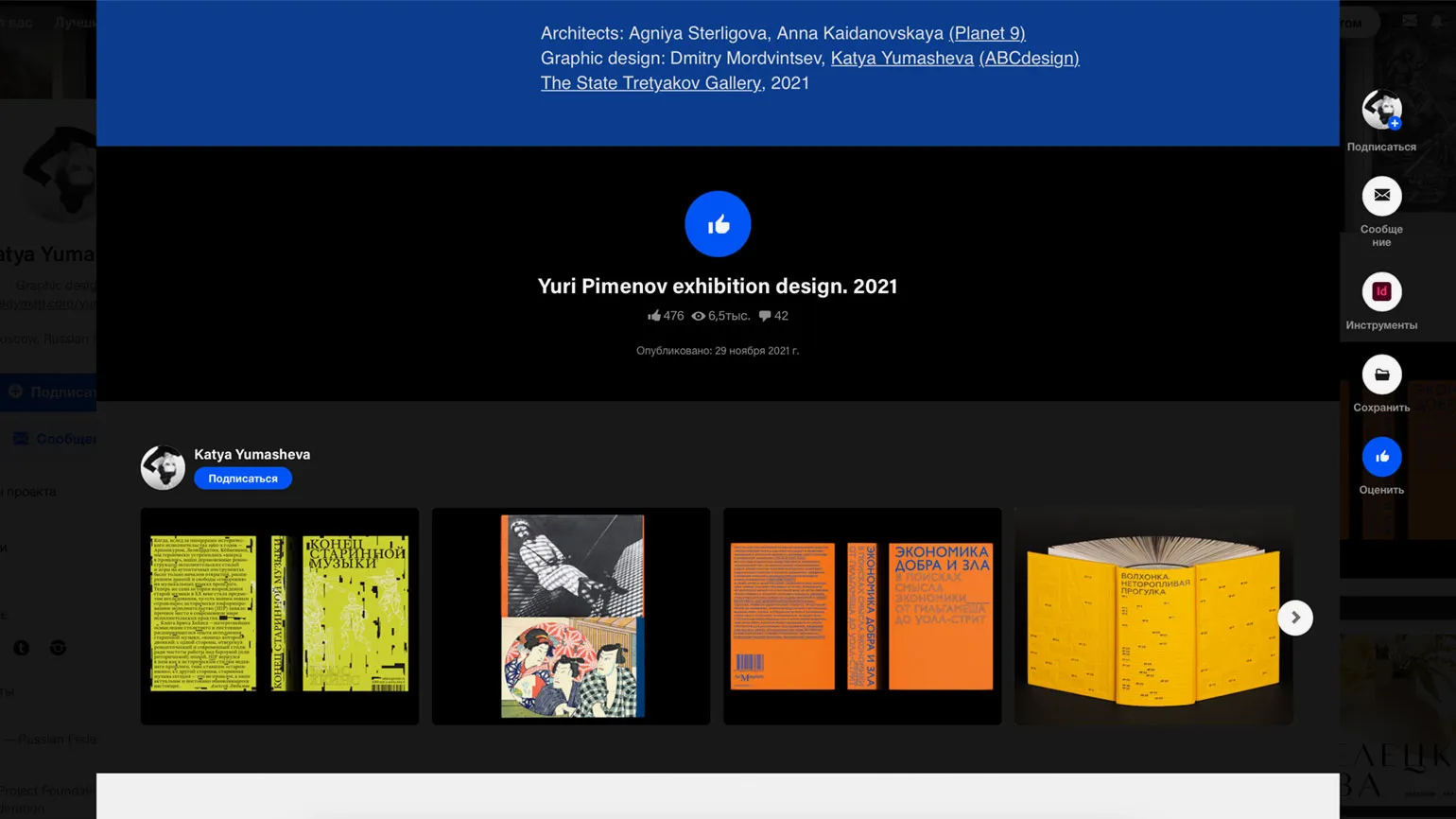
Behance actively supports the career growth of designers, providing them with the opportunity to:
— showcase their work to a wide audience, which helps attract clients and employers;
— receive feedback from professionals and the community, which helps improve skills and improve the quality of projects;
— find inspiration in the work of other designers, which promotes creative development and new ideas;
— participate in competitions and projects, which opens doors to new opportunities and collaborations.
Therefore, Behance is an important platform for designers looking to develop their careers and find new creative horizons.
- Collect references and inspiration;
- Make useful contacts in the industry;
- Study examples of successful and unsuccessful design;
- Interact with followers and receive feedback.
A strong Behance profile is an important tool in finding work, giving designers a significant competitive advantage. A professionally designed profile demonstrates skills and creativity, attracting the attention of potential employers and clients. Well-structured projects and high-quality visualizations help stand out from other design professionals. Regularly updating your portfolio and actively participating in the community also help increase visibility and improve your chances of successful employment.

Develop your skills and career with the Behance platform. It is a unique opportunity for creative professionals to showcase their work, receive feedback, and connect with other professionals. Behance provides access to a vast community where you can find inspiration, learn from experts, and discover new projects. Don't miss the chance to improve your skills and advance your career on a platform that supports creativity and innovation.
Reading is an essential part of our lives. It develops thinking, broadens our horizons, and enriches our vocabulary. Reading books, articles, and other materials helps improve writing skills and critical analysis. In today's world, where information is available in any format, it's important to choose your sources wisely and focus on the quality of your reading. This will not only help you become more educated but also develop personal skills that will be useful in various areas of your life. Be sure to devote time to reading to stay up-to-date on the latest trends and gain new knowledge.
Creating a portfolio is an important step for every designer, as it allows you to showcase your skills and attract potential clients. There are many platforms and builders online that help designers create a professional portfolio. In this article, we'll look at nine of the best design portfolio websites and builders to help you stand out from the competition. The first option is Behance, a popular platform for creative professionals to share projects and find inspiration. The second is Dribbble, a community of designers where you can publish your work and get feedback from peers. The third is Adobe Portfolio, which offers integration with Adobe products and makes it easy to create beautiful websites. The fourth option is Wix, a versatile website builder with a variety of templates and customization tools. The fifth is Squarespace, known for its stylish design and ease of use. The sixth is WordPress, which offers flexibility in portfolio creation, especially with specialized themes. The seventh option is Format, a platform focused on creating professional portfolios for photographers and designers. The eighth is Carbonmade, which offers ease of use and attractive templates. Finally, ninth is Portfoliobox, a free portfolio creation service with the ability to add various multimedia elements.
Choosing the right website or portfolio builder for designers depends on your needs and preferences. Use these resources to create an impressive portfolio that will help you stand out in the design world.
How to properly design a profile on Behance: important aspects and tips
Behance is not only a source of inspiration and mood boards, but also a powerful tool for developing a personal brand and attracting clients. To effectively present your work and attract clients, it is essential to carefully design your profile. A well-designed Behance page will help you stand out from the competition and attract potential employers, significantly increasing your chances of a successful collaboration. Focus on visual aesthetics, project descriptions, and the relevance of information to create a compelling image and showcase your professional skills.
Your Behance profile is an important showcase of your work and a quick introduction to you. Clients and recruiters researching you online are likely to encounter your profile because it ranks high in search engines. Optimizing your profile will help attract more attention to your projects and increase your chances of receiving interesting offers. Make sure your profile highlights your best work and provides up-to-date information about your skills and experience.
A well-designed page highlights your professionalism and creates a positive perception of you as a professional. Research shows that over 70% of employers consider social media profiles when selecting candidates. This underscores the importance of creating engaging and informative content that can set you apart from other applicants. Make sure your profile is up-to-date, clearly communicates your skills and achievements, and is visually appealing. This approach significantly increases your chances of successful employment.
When choosing the language of your profile, it is important to consider several key factors. Profile language influences how users perceive information and can significantly impact their interaction with the content. Consider the intended audience for your profile and what language will be most understandable and user-friendly. Make sure the language you choose matches the topic of your profile and helps convey the main idea. It's also worth paying attention to SEO optimization: use keywords that can attract your target audience and increase your profile's visibility in search engines. Choosing the right profile language not only improves user experience but also helps increase traffic and engagement. Defining your profile's target audience is a key step. If you plan to collaborate with international companies, it is recommended to complete your profile in English. This rule also applies to case studies, even if they are intended for local clients. Properly formatting your profile and case studies in English will help attract the attention of international partners and increase your chances of successful collaboration. Make sure your content is tailored to the interests and needs of your target audience to stand out from the competition.

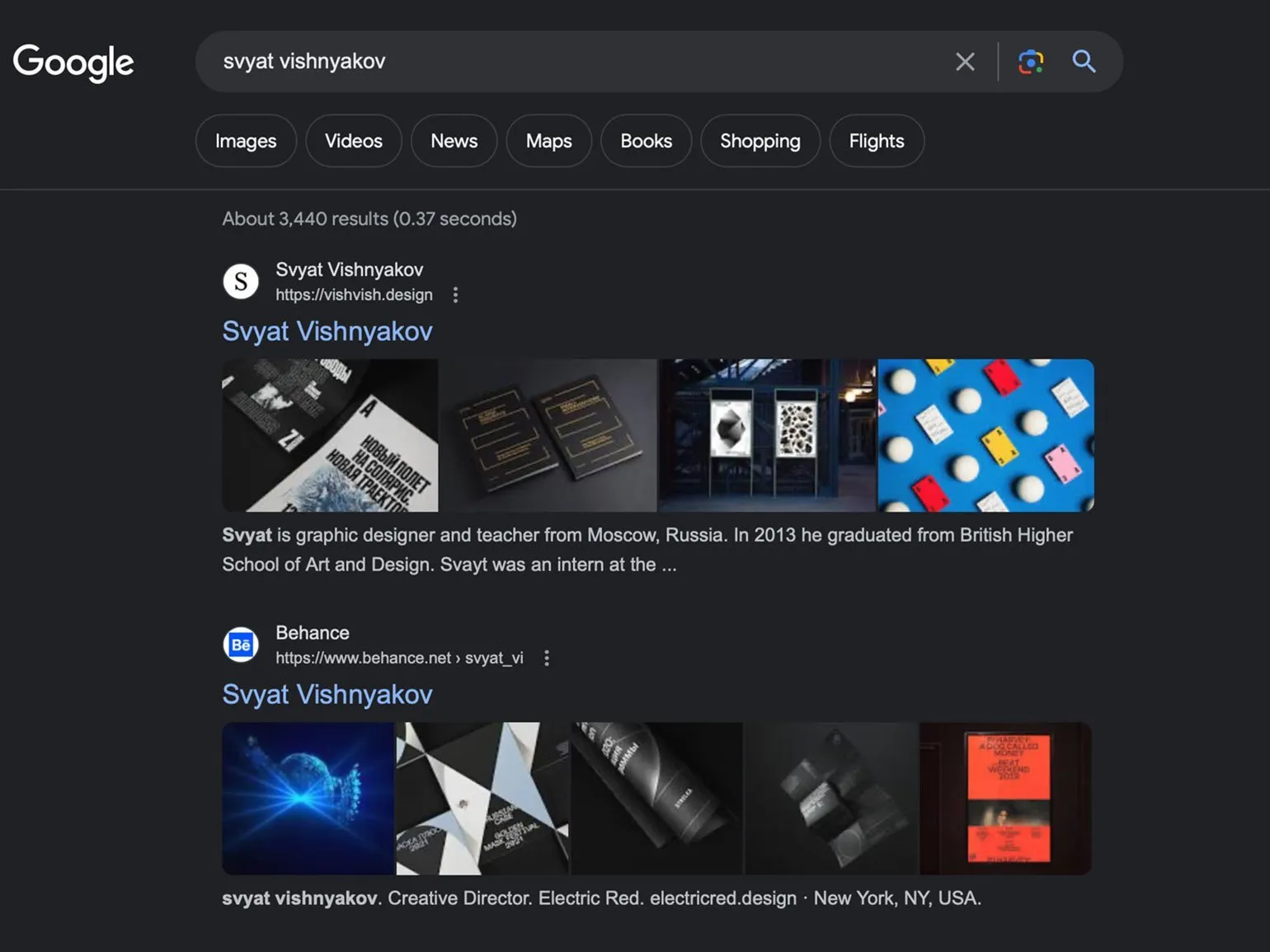
Choosing a name is an important and responsible process. A name significantly influences how someone is perceived, shapes first impressions, and can even influence their destiny. When choosing a name, consider aspects such as its sound, meaning, and cultural traditions. It's also important to consider how the name will be perceived in various social and professional settings. Researching popular names and their associations will help you make a more informed choice. Ultimately, a name should reflect your personality and be pleasing to both the bearer and those around you. Using the same name or handle across all platforms, including social media and Behance, helps create a unified personal brand. This not only helps your audience remember you but also makes it easier for them to find you online. Consistency in names makes your profile more professional and reliable, which is important for attracting potential clients and partners.

A job description includes an analysis of key aspects of the job, requirements, and prospects. A profession is formed based on the skills, knowledge, and experience necessary to perform specific tasks. It often requires specialized education and competencies that meet modern standards. Understanding the specifics of a profession allows job seekers to better navigate the labor market, and employers to find qualified specialists.
Each profession has its own unique characteristics that determine its specificity and demand. It is important to consider not only current trends but also industry development forecasts, which help determine which skills will be in demand in the future. A job description should also include information about career advancement opportunities, working conditions, and average salaries, which contributes to a more complete understanding of the chosen field.
Professional development and continuous learning are important factors for a successful career. Understanding the dynamics of the profession and a willingness to adapt to change contribute to achieving high results. Therefore, a job description not only informs but also inspires professional achievement.
Define your professional role with a concise description, such as "UI/UX Designer at Company X" or "Junior UI/UX Specialist, HSE Art & Design Graduate." This will allow you to effectively present your skills and experience.
Regularly update this information to reflect your changing professional priorities. This will help keep your data up-to-date and increase your competitiveness in the job market.

An avatar is a graphic image used to represent a user on various online platforms, such as social media, forums, and gaming communities. Avatars can be real photographs, artistic drawings, or 3D models. Choosing an avatar allows users to express their individuality and stand out from the crowd. Choosing the right avatar can significantly impact a user's first impression, so it's important to consider the style and theme of the platform on which it's used. Furthermore, many services offer the ability to create avatars using special tools, allowing each user to create a unique and memorable image.
A profile photo plays a key role in shaping your online image. It should accurately reflect your style and be easily recognizable. It is recommended to use the same image across all social platforms so users can quickly identify and remember you. Consistency in your images will help strengthen your personal brand and increase your audience's trust.
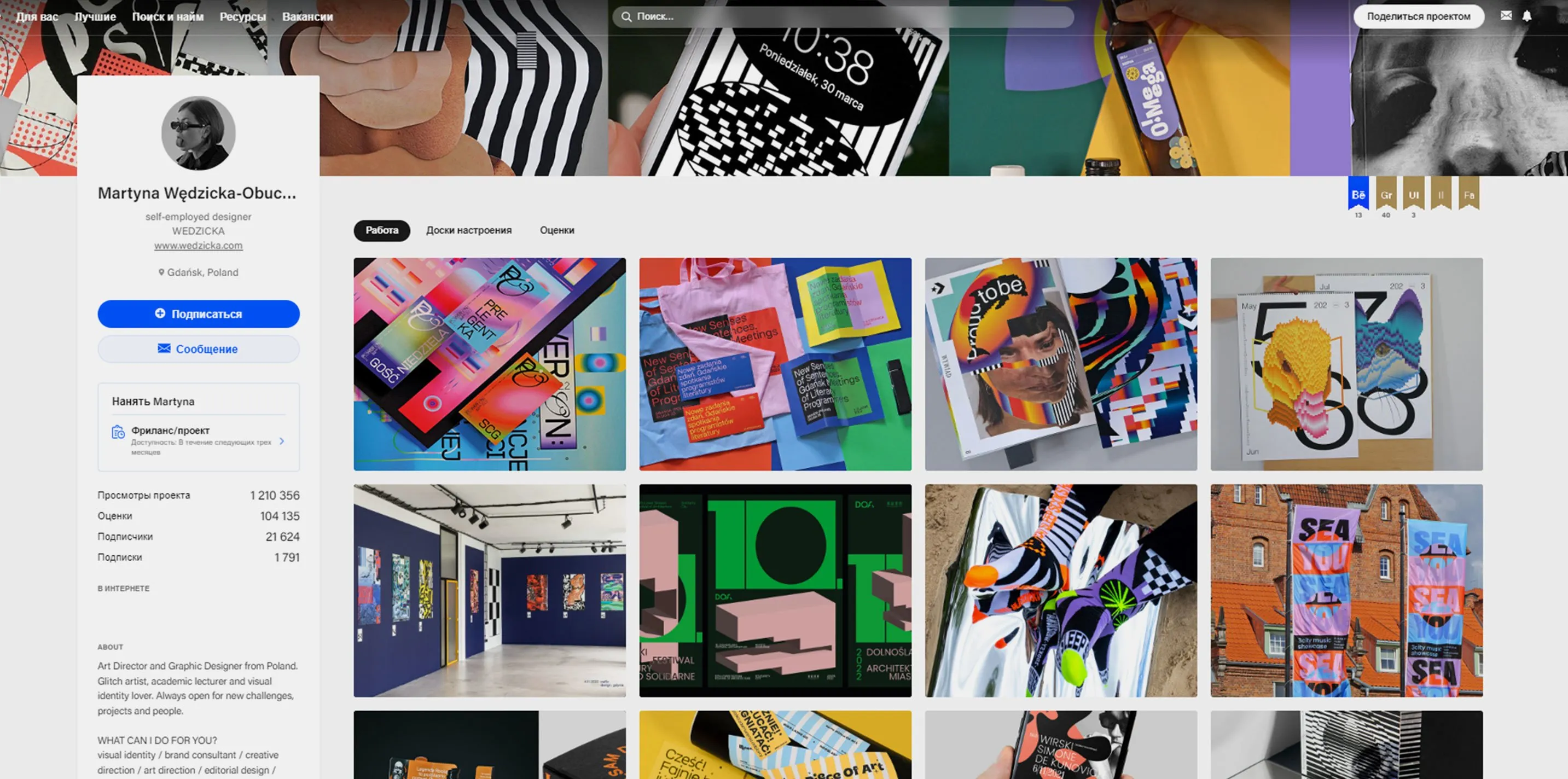
Your profile header is an important element that represents you or your brand online. It includes key information such as your name, photo, and short description. Optimizing your profile header can significantly improve the visibility and appeal of your account. Make sure your name and description include keywords related to your industry or business. This will help users find you more easily in search engines and social media. It's also important to use a high-quality image that reflects your style or activities. An effective profile header helps create a first impression and can attract the attention of potential followers or clients. Remember to update your information regularly to keep it current.
Create a unique cover photo for your profile to draw attention to your content. Use a collage of your work or an original creative design. It's important not to overload the visuals to keep the focus on the content. An effective cover photo will not only make your profile stand out but also help create a positive first impression on visitors.

The "About Me" section is an important element that helps users get to know you and your interests better. In this section, you can share information about your experience, professional skills, and hobbies. Describe your achievements and goals to create a positive image and attract attention to your services or projects. Use keywords related to your activities to improve visibility in search engines. Write briefly and clearly so that the information is easy to digest. It is important to emphasize your uniqueness and what sets you apart from others. This section can become the basis for establishing a trusting relationship with your audience, so strive to be sincere and open.
A brief and clear description of yourself is the key to successful promotion. List your key skills, achievements, and unique approach to design. This text can be effectively used across various platforms to create a professional image. Don't forget to highlight what sets you apart from other professionals in your field. External links play an important role in website SEO. They help improve your site's visibility in search engines and increase its authority. External links pointing to high-quality and relevant sources can significantly increase the trustworthiness of your content. It's important that the links are relevant and relevant to your site's topic. Using external resources not only enriches your content but also helps users better understand the information. When adding links, consider their quality and reliability, as this affects your site's overall reputation. Including external links in your text helps create a more comprehensive and informative presentation of the topic, which, in turn, can improve user experience and improve search engine rankings. Add links to your personal website, freelance exchanges, and social media for the convenience of potential clients. This will provide them with easy access to additional information about you and your projects. Posting such links will not only increase your visibility but also build trust in your professionalism. Make sure all links are relevant and lead to pages with up-to-date information about your services and work.
Creating a consistent style across your profiles is a key element of developing a cohesive image as a professional. Consistency in visual and text presentation helps strengthen your professional reputation and makes it easier for potential clients or employers to identify your brand. Ensure consistency in design, color palette, and content across all platforms to increase recognition and trust in your services.
An Effective Approach to Creating Case Studies
Creating case studies plays a key role in building a professional portfolio. Once your profile is well-designed, you should begin preparing and publishing case studies. Well-designed case studies showcase your skills and experience and help attract the attention of potential clients and employers. Make sure each case study details your role, the methods used, and the results achieved. This will not only strengthen your reputation but also increase the visibility of your portfolio in search engines.
In this part of the material, we will analyze the key aspects that are essential for understanding the topic. We will focus on the main elements that will help you gain a deeper understanding of the subject matter. The aspects discussed will cover both theoretical and practical aspects of the issue, which will allow you to get a complete picture of the situation.
- what mistakes can harm even the most successful cases,
- which projects are advisable to format as cases,
- the structure of the case study and its elements,
- technical aspects that need to be considered.
Scott Belsky, the founder of the Behance platform, created it with the aim of giving designers the opportunity to showcase not only the end result of their work, but also the process of its creation. This allows for a better understanding of the approaches and solutions used during the work. However, many designers make the common mistake of only posting completed projects without the necessary explanations and context. This limits the perception of their work and prevents the audience from appreciating the depth and complexity of their design solutions. It's important to remember that sharing your process can significantly improve interactions with potential clients and colleagues, as well as increase the value of a designer's work.
A case study is more than just an attractive image; it's a complete story about how you successfully completed a specific task. Properly crafted, your story will help attract the attention of potential employers and earn the respect of your peers. An effective case study showcases your experience, skills, and approach to problem-solving, making it a valuable tool in your portfolio. When working on a case study, it's important to emphasize the process, conclusions, and results to demonstrate your expertise and professionalism.
On the Behance platform, it's especially important to provide a detailed description of the project development process. Include information about the objectives, the research conducted, and, of course, the final results. This will help draw attention to your project and demonstrate your professionalism. Properly formatted and structured information also contributes to a better perception and understanding of your work.
Quality design is more than just an attractive visualization; it is a successful solution to a given problem. It must effectively fulfill its functions, ensuring convenience and comfort for the user. The importance of functionality in design cannot be underestimated, as it determines its success and ability to meet the needs of the audience.
Creating a case study can take as much time as completing the project itself. To simplify and speed up this process, use the following recommendations. First, define the case study structure in advance to avoid confusion and waste time on revision. Second, collect data and materials during the project process to avoid searching for them later. Third, use visual elements such as graphs and images to make your case study more visual and engaging. Finally, pay attention to text editing—clarity and conciseness are important for information comprehension. By applying these tips, you can create a high-quality case study faster and more efficiently.
- Start collecting materials from the very beginning of the project so that you have a ready-made foundation for your case study by the end.
- Save everything that might be useful: findings, sketches, mood boards. This can enrich your presentation.
If your work involves UX design, it's important to remember to preserve the user experience at every stage of the project. Make sure you document all changes and ideas so that you can easily return to them later. By saving prototypes and user testing, you can analyze what works and what doesn't and make any necessary adjustments. Keeping track of user preferences and behavior is also important, as it will help you create more intuitive interfaces. Don't forget to pay attention to user feedback, as it can provide valuable information for improving the project. Systematically storing data and testing results will allow you to effectively optimize the user experience and increase customer satisfaction.
- description of the problem and the proposed solution;
- target audience characteristics, personas, and user journey maps;
- market analysis and audit of similar products;
- application maps;
- drafts and prototypes.
Compliance with NDA terms is extremely important. If your agreement with the client specifies that publication of work results is prohibited, you must strictly adhere to this requirement. Violating the terms of the agreement may entail legal consequences and negatively impact your company's reputation. Always carefully review the terms of the NDA and ensure their compliance to maintain client trust and protect your interests.

Reading is an important aspect of our lives, contributing to broadening our horizons and developing critical thinking. It helps us gain new knowledge, develops imagination and improves communication skills. In today's information-saturated world, it is important to be able to choose the right sources and analyze what you read. Reading not only contributes to self-improvement but also helps in the professional sphere by improving writing skills and comprehension. To read effectively, it is necessary to choose a variety of genres and topics, which will allow you to gain a deeper understanding of different aspects of life and culture. Regular reading contributes to the formation of a habit that enriches our lives and helps us achieve our goals.
Creating a Case Study of Your Work: A Guide for Designers
A case study of your work is an important tool that allows you to showcase your skills and achievements in design. To create an effective case study, follow a few key steps.
Start by choosing a project that best illustrates your abilities and achievements. Describe the goals of the project, your role, and the challenges you addressed. Make sure you highlight your unique approaches and working methods.
Next, present the development process. Include the research, conceptualization, and implementation stages. This will help demonstrate your strategy and creative approach to problem solving. Don't forget about visuals: screenshots, mockups, and diagrams that clearly demonstrate your process and results.
Conclude your case study with an analysis of the results. State how your design influenced the project, what goals were achieved, and what feedback you received. This will add value to your case study and confirm your professional competence.
Optimize the text for SEO using keywords related to your project and the design field. This will help improve the visibility of your case study in search engines and attract potential clients or employers.
Creating a high-quality case study about your work is a great way to showcase your skills and draw attention to your portfolio.
When working with a large amount of information, it is important to hold the reader's attention by focusing on key aspects and avoiding unnecessary detail. Use visual elements, such as animations and illustrations, to make the text more attractive and easier to read. This will help maintain interest and ensure effective information absorption.
Many aspiring designers ask themselves, "How do I create a portfolio if I don't have studio experience or completed projects?" This is a common problem, but there are several effective ways to build an impressive portfolio, even if you're just starting out.
First, start by developing your own projects. Choose topics that interest you and create designs that showcase your skills and creativity. These could be fictional brands, redesigns of existing websites, or creating visuals for social media.
Second, participate in competitions and challenges. Many platforms offer the opportunity to participate in design competitions, where you can gain experience and create new works for your portfolio.
Also, consider volunteering. Offer your services to nonprofits or startups that may need design help. This will not only help you gain practical experience, but also expand your network of contacts.
Don't forget the importance of presenting your work well. Try to present your projects in a uniform style, create case studies in which you describe in detail the work process and the decisions you made.
Thus, even without studio experience, you have many opportunities to create a strong and attractive portfolio that will help you attract the attention of potential clients and employers.

Reworked text:
Study Also:
Creating a portfolio for a designer is an important career step that helps showcase your skills and attract clients. The first step is collecting work that best reflects your style and skill level. Include a variety of projects to demonstrate your versatility and ability to adapt to different challenges.
Optimizing your portfolio for the online space is also key. Use high-quality images and clear descriptions of each project, outlining your specific roles and responsibilities. This will not only improve the perception of your portfolio but also aid in SEO, increasing your website's visibility in search engines.
Don't forget to include a section with client testimonials and contact information so potential clients can easily contact you. Regularly update your portfolio by adding new work and removing outdated ones to maintain audience interest and demonstrate your professional growth.
Designers working for large companies sometimes face restrictions on publishing their work due to contractual terms. In these situations, platforms like Behance are an excellent solution for showcasing your skills. Here, you can share concepts and projects created exclusively for your portfolio. This not only allows you to showcase your creative abilities but also attract the attention of potential clients and employers.
A project can be successful even without a real client. The main thing is that it solves a specific problem, even if you developed it yourself. This approach allows you to develop skills and demonstrate abilities, creating valuable experience.
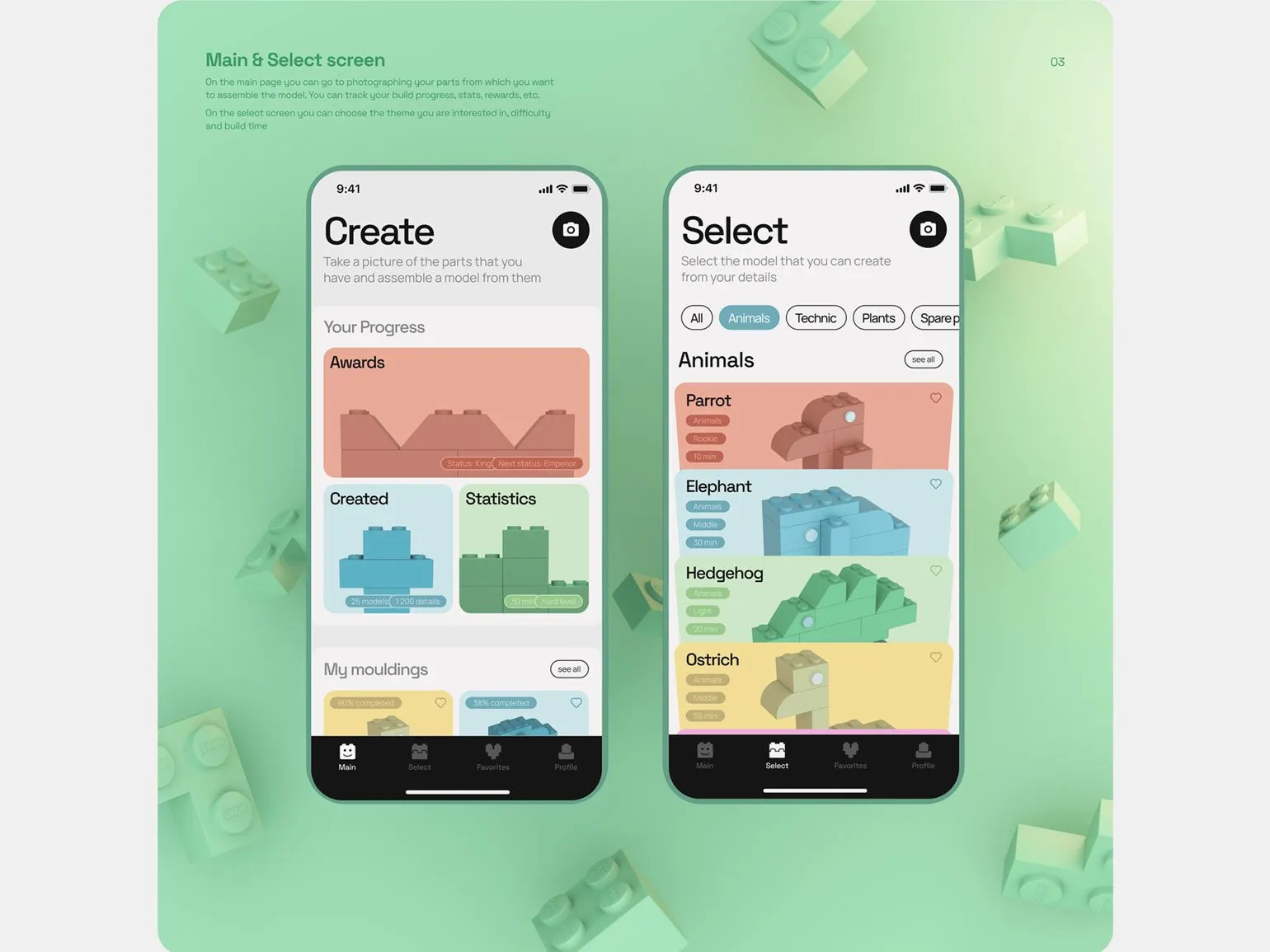
Creating a portfolio requires generating ideas for real projects and solving current problems, and it is not necessary to have a real client. You can develop concepts that showcase your skills and creativity. This will not only help improve your portfolio but also attract the attention of potential clients or employers. This approach allows you to demonstrate your ability to solve real problems and implement your ideas, which will significantly increase the value of your portfolio in the eyes of your audience.
- Redesign the app, website, or service you use, as you have probably encountered elements that need improvement.
- Create a design for a fictitious product.
- Develop an alternative identity for an existing brand.
Helpful Tips for Technical Aspects of Behance
The Behance platform offers an intuitive interface, but users may have difficulties and questions. In this article, we will cover important aspects that will help you optimize your project on Behance. We'll discuss design tips, visibility, and audience engagement to help you present your work most effectively.
On the Behance platform, you can upload graphics in JPEG, PNG, and GIF formats. Please note that files with .pdf, .psd, and .tiff extensions cannot be uploaded. To enhance the quality of your visual content, you can integrate media files from services like Adobe XD, Vimeo, YouTube, and other popular platforms. This will add variety to your project and attract a larger audience, thereby improving its visibility in search engines.
If the quality of your JPEG images noticeably deteriorates when uploaded, it may be due to a large file size or a complex color palette, which makes optimization difficult. One effective solution is to split the image into smaller fragments. This will not only reduce the overall file size but also help maintain high image quality. Using this technique will improve loading speed and user experience, which will also positively impact your site's SEO.
All images have a default maximum width of 1400 pixels. Even if your image is initially wider, it will be automatically resized to this size. However, in Lightbox view, the image opens at a maximum resolution of 2800 pixels, allowing you to use images at a larger size and quality. This is convenient for users who want to view image details or save them in high resolution.
It is recommended that image sizes not exceed 10 MB. Large files can slow down page loading, negatively impacting user experience and may affect site rankings in search engines. The maximum file size allowed on the platform is 50 MB. Optimizing images not only improves loading speed but also promotes better user interaction with the content.
There are no strict height restrictions for images, but it is recommended to avoid uploading images that are too long. This is because such images may appear blurry when viewed in Lightbox mode. The optimal solution is to design the case using separate blocks containing images and text. This approach promotes better information comprehension and enhances the visual appeal of the content.
The cover image for a Behance project should have a minimum size of 808x632 pixels. In various recommendations and collections, images are displayed in a format of 202x158 pixels. Choosing the right cover size improves the perception of your project and increases its popularity among platform users.
The number of blocks in a case study depends on the scale of the project and typically ranges from five to 15. Including images, videos, and text explanations is an important aspect of case study design. Too few blocks will prevent you from creating a complete case study. On the other hand, too many blocks can lead to a negative user reaction. The optimal number of blocks allows you to convey information effectively and retain the audience's attention.
The optimal length of all blocks is approximately 20,000 pixels. It is important to avoid excessively bloated case studies, as the quality of content matters more than its quantity. A proper balance of length and content promotes better information comprehension and has a positive impact on SEO. Focus on creating high-quality content that will be useful and interesting to your audience.
- Collect all case materials in one folder or create a file in a graphics editor.
- Create a block structure for the future presentation.
- Create a 1400 pixel wide layout and add rectangular blocks for content.
The case design should match the style of the project, while clearly separating the wrapper from the content. This will help users easily perceive the information and improve navigation. Proper design contributes to the creation of a harmonious visual perception and improves usability.
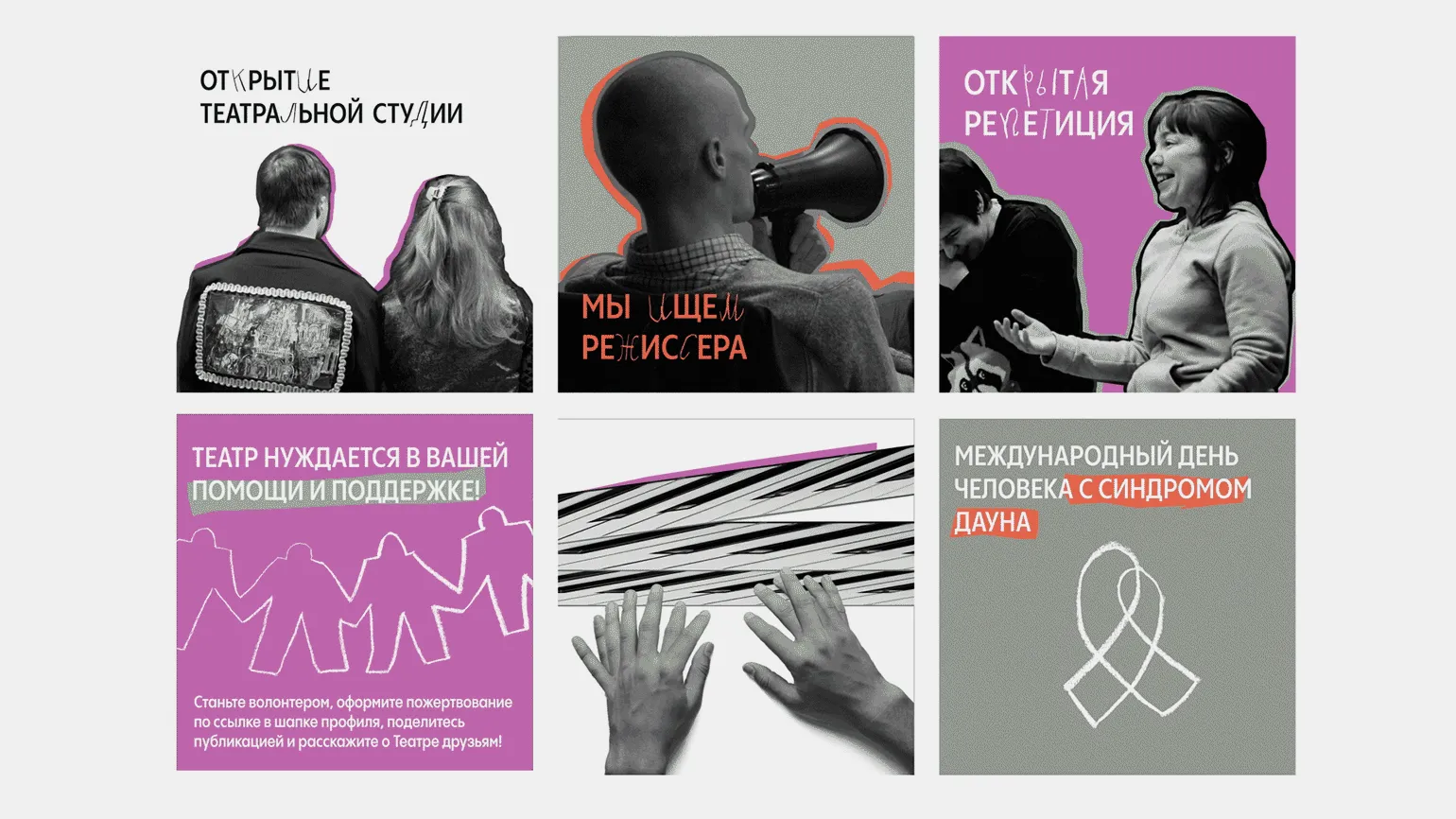
While GIFs on the Behance platform may not be as high-quality as videos, they offer unique advantages. GIFs quickly convey ideas and emotions, ensuring instantaneous consumption of content. Their ease of loading and playback makes GIFs an ideal choice for showcasing animations and short loops that capture viewers' attention. Additionally, the GIF format is supported on most devices and platforms, contributing to its wide availability and distribution. Using GIFs in a Behance portfolio can effectively highlight the author's creativity and professionalism, helping you stand out from the competition.
- Creating GIFs is easier and requires fewer resources than working with videos.
- Uploading GIFs to your portfolio is as simple as uploading regular images.
To achieve high image quality and smooth animation, we recommend using a video format that is best suited for embedding. Video images provide a more dynamic perception of content and improve the user experience.
For greater flexibility in video customization, we recommend first uploading it to Vimeo. Using YouTube or directly uploading to Behance limits the ability to customize your content. Vimeo offers a wider range of customization tools, allowing you to better tailor your video to your needs and the requirements of your audience.
To embed a video on your website, follow these steps. First, select the video you want to add and get its URL. This can usually be done by right-clicking on the video and selecting the appropriate option. Then, open your website's HTML code and determine the location where you want to place the video. Use the
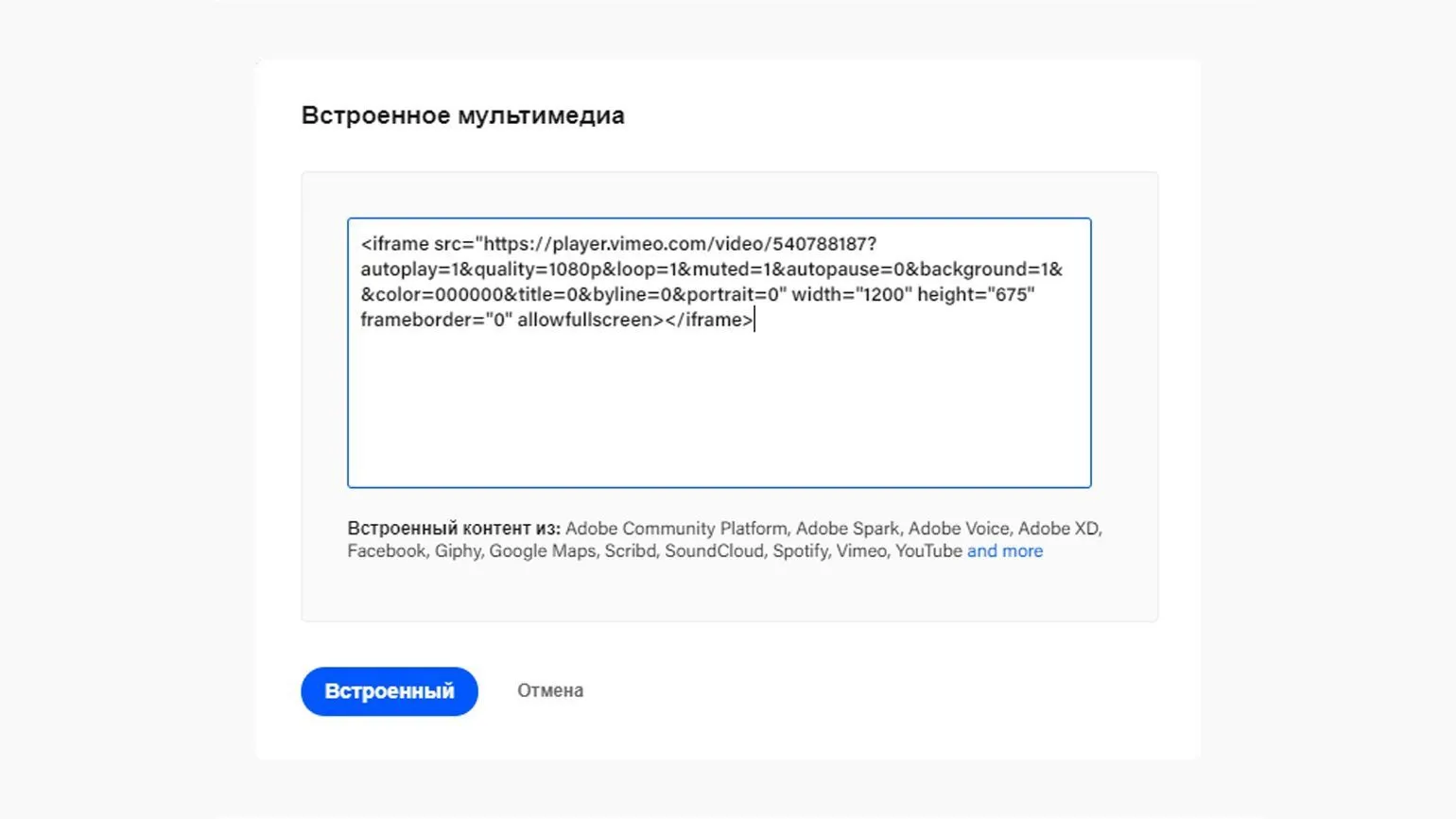
- On Vimeo, click "Share" and select "Embed."
- Copy and paste the code into the appropriate field when creating a case.
- Add keys to customize playback settings.
Video customization keys may vary depending on the video service used. For example, the autoplay=1 key enables automatic video playback, but in some browsers, the sound must be muted to comply with autoplay rules. In this case, it is recommended to use the muted=1 key to ensure that the sound is muted during autoplay. These settings help optimize the user experience when working with video content on websites.
To play multiple videos simultaneously on the Vimeo platform, use the autopause=0 parameter. Please note that the option to completely disable the interface is only available on paid Vimeo plans.
Keywords can be added sequentially, using the ampersand as a separator. This will help you effectively organize and structure your content for search engines, improving its indexability and visibility. Correct use of keywords helps improve page rankings in search results, which in turn increases website traffic.
Users often view your case studies on smartphones, so it's important to ensure they display correctly in mobile apps and browsers. This is especially true for projects with image grids, which may look different on different screens. Optimizing content for mobile devices will help improve user experience and increase audience engagement. Regularly test the responsiveness of your case studies to ensure they are accessible and appealing on all devices.
Key Tips for a Successful Behance Case Study
Choose only the most significant projects to present on Behance. This will help you build a strong portfolio and attract the attention of potential clients and employers. Make sure each project showcases your skills, creativity, and professionalism. Well-designed and well-developed work will increase your visibility on the platform. Don't forget to add high-quality images and detailed descriptions to highlight the uniqueness of each project. Choosing the right work to present on Behance will enhance your image and increase your chances of successful collaboration. Not every project should be presented as a case study. Each case study should enrich your portfolio with unique solutions. Not every project presented necessarily has a real client. A case study on Behance presents not only the final result but also a detailed process of working on the project. It is important to show all stages of development, from the initial idea to the final touches. Including research, conceptual design, and iterations allows viewers to better understand your methodology and approach to problem solving. This approach not only demonstrates your professional skills but also helps potential clients assess your ability to work on projects of varying complexity. A well-designed case study on Behance can be a powerful tool for attracting new clients and strengthening your portfolio.
- Collecting materials for your case study from the very beginning will help streamline the process.
- The viewer needs to clearly understand what your case study is about and what problems you solved.
Pay attention to important technical aspects. Focus on optimizing your website's loading speed, as this directly impacts user experience and search engine rankings. Check that all links and forms are working correctly to avoid errors that could discourage visitors. Don't forget about responsive design, ensuring easy access on mobile devices. Also, pay attention to website security, using HTTPS and regular updates. Proper code structure and use of meta tags will help improve your resource's visibility in search engines.
- Case studies should consist of individual blocks, not long images.
- The recommended case study length is between 15,000 and 25,000 pixels.
Add behind-the-scenes moments, and use animation and video to enrich static content. This will not only attract your audience's attention but also make your content more dynamic and interesting. Behind-the-scenes moments allow viewers to see the content creation process, which creates a more personal connection with the brand. Using animation and video helps diversify the presentation of information, improving comprehension and retention. Incorporating these elements into your content strategy can significantly increase engagement and appeal.
Stay up-to-date with current design trends by subscribing to our Telegram channel. We regularly publish fresh ideas, innovations, and helpful tips to help you stay ahead of your creative journey. Don't miss out on the opportunity to receive the most interesting content and inspiration right on your device. Subscribe and grow with us!
Additional materials that may be of interest to you:
- How to create your first project for a design portfolio?
- Effective strategies for promoting your portfolio on Behance.
- Tips for creating the perfect portfolio for a designer.
Graphic Designer PRO: 5 Steps to a Successful Career
Want to become a graphic designer? Learn 5 key steps to creating a portfolio and starting a career!
Learn more