Try 4 top design professions. Free ➞ In 5 days, you will get acquainted with illustration, UX/UI, web, and graphic design. Add 4 cool cases to your portfolio and decide which direction to develop in next.
Learn moreUI kit — what is it?
A UI kit is a collection of ready-made graphic elements available in source file formats such as PSD or Sketch. This system works like this: one designer develops a set of elements and shares them openly or offers them for sale, after which another user can download and integrate them into their interface. Using a UI kit significantly simplifies the design process, allows you to speed up development and ensures consistency of visual style across projects.
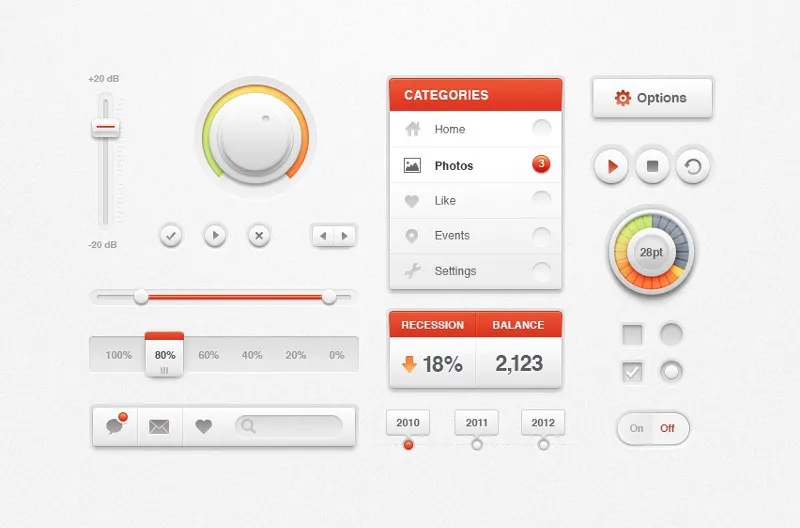
Many designers save time by using ready-made interface elements, such as buttons, forms and fields. Instead of creating everything from scratch, they adapt existing components, changing their appearance and functionality. This allows them to quickly create an interface that matches the specified visual style and interaction logic. Using ready-made elements not only speeds up the development process but also ensures consistency in design.
Designers develop UI kits for online stores, multimedia applications, news sites, and other web projects, including mobile platforms. These UI kits help create a unified style and improve user interaction, ensuring ease of use and intuitiveness. A UI kit includes design elements such as buttons, icons, fonts, and color schemes, which helps speed up the development process and improve the quality of the final product.
Working with other designers' products allows us to pay attention to important details and develop our own vision. The combination of practice and theory is an effective tool for professional growth. You can see this for yourself and become a true expert in UX design by taking the "UX Design" course. This course provides a unique opportunity to improve your skills, master modern techniques, and gain valuable knowledge from experienced professionals.
What tasks does a UI kit solve?
Creating a UI kit is not always justified for every project. The main tasks it solves include simplifying the development process, ensuring consistency in design, and improving user experience. A UI kit reduces the time spent on creating an interface, since developers can use ready-made components, which increases work efficiency. In addition, it helps maintain consistency in visual style and functionality across all project pages. Using a UI kit also facilitates changes and updates, since all components are centralized and can be modified in one place.
Unification in the context of a complex project plays a key role in ensuring its successful implementation. This process involves the standardization of methods, tools, and processes, which allows teams to work more efficiently and consistently. The use of unified approaches helps reduce errors, simplify communication, and improve quality control. It's important to remember that successful unification requires detailed planning and the involvement of all project participants to achieve maximum productivity and resource optimization. Thus, unification becomes the foundation for achieving the goals of a complex project and increasing its competitiveness in the marketplace.
Successful product development requires a systematic approach that ensures all new pages align harmoniously with existing ones. A UI kit plays a key role in this process, as it helps maintain a consistent style and standardized interface solutions. This, in turn, significantly reduces the time frontend developers spend creating and adapting components. Using a UI kit helps increase team efficiency and improve the user experience.
Creating a knowledge base is an important step in organizing information and improving work efficiency. A knowledge base helps systematize data, facilitate access to it, and improve knowledge sharing among employees. The main stages of creating a knowledge base include defining goals, choosing a suitable platform, collecting and structuring information, and regularly updating the content. For a knowledge base to be useful, it must have a user-friendly interface and be quickly searchable. Furthermore, it is important to engage employees in the process so they can share their experiences and contribute new materials. An effective knowledge base not only increases productivity but also improves customer service, as employees can quickly find the information they need. Creating and maintaining an up-to-date knowledge base is key to the success of any organization.
When several designers and developers are working on a project, and the team is constantly growing, the process of knowledge transfer becomes more complex. Experienced specialists understand how elements should look and function, while newcomers need hints and guidance. To avoid unnecessary time spent by team veterans, they should use kit functionality. This will optimize the training process and speed up the integration of new employees, ensuring a uniform standard and understanding of the project.
Speeding up work is a key aspect of increasing productivity in both personal and professional settings. Effective methods of organizing workflows and streamlining tasks can significantly reduce the time spent on daily duties. Using modern technologies, such as specialized applications and project management tools, allows you to automate routine processes and focus on more important tasks. It is also worth paying attention to time planning and prioritization, which contributes to a more efficient use of resources. Implementing such approaches not only speeds up task completion but also improves the overall quality of work. Increasing task completion speed can lead to increased competitiveness and improved business results.
A UI kit includes source files of elements, significantly simplifying the designer's work. This reduces the need to create elements from scratch or search for similar elements across all layout layers. The designer can use this kit like an artist using a palette, selecting the necessary components from a single page. This speeds up the development process and increases efficiency, allowing them to focus on creating high-quality designs.
For complex and constantly evolving projects, such as online stores, using a UI kit is essential. Teams working on large projects face the need to maintain a consistent style and simplify the development process. However, for smaller projects, such as landing pages, working with a small team can do without a UI kit. In such cases, you can focus on an individual approach to design, which allows you to achieve the desired result faster.
What elements are included in a UI kit
The set of elements of a UI kit varies depending on the purposes for which it is being developed. A UI kit for an online store will differ significantly from a set of elements for a corporate website, blog, or music player. It is important to consider the specifics of each project to ensure the usability and functionality of the interface. Let's consider the most common types of UI kits.
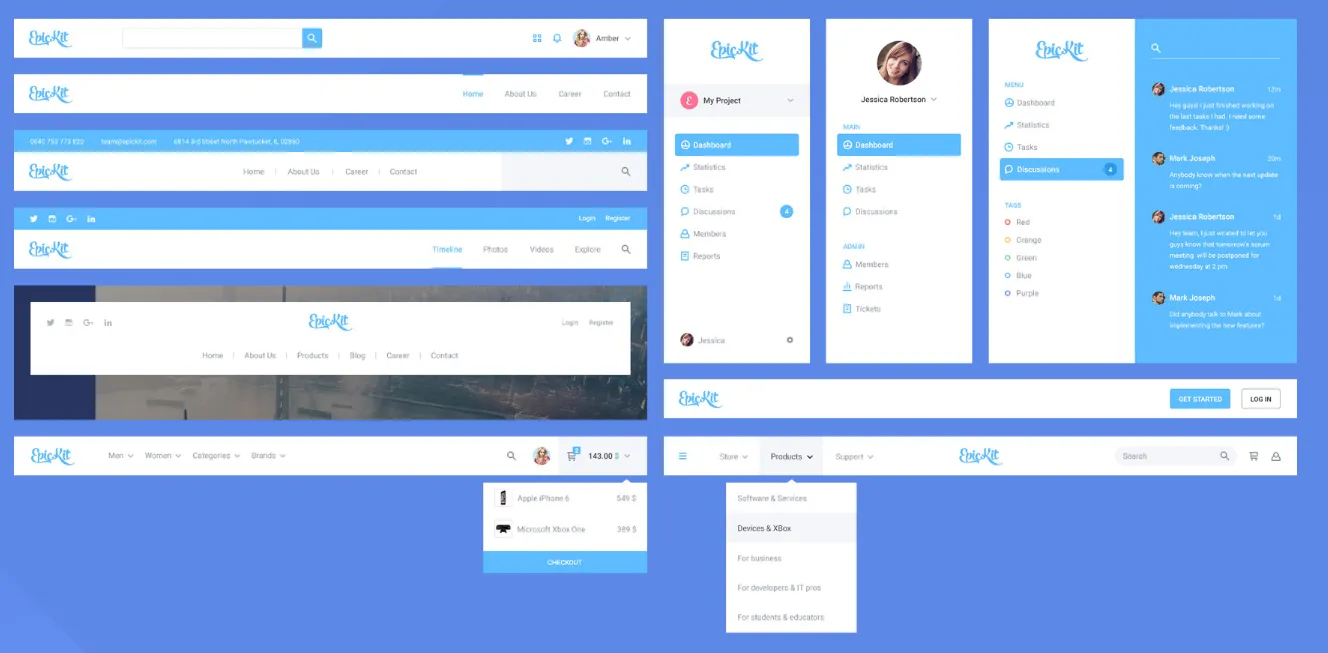
A horizontal or vertical navigation bar, a drop-down menu, an additional block for pop-up text with a description, and a hamburger icon are important elements of modern web design. These components not only improve the user interface but also facilitate convenient site navigation. Correct use of such elements helps create an intuitive and attractive interface, which contributes to increased user engagement and a better overall user experience.
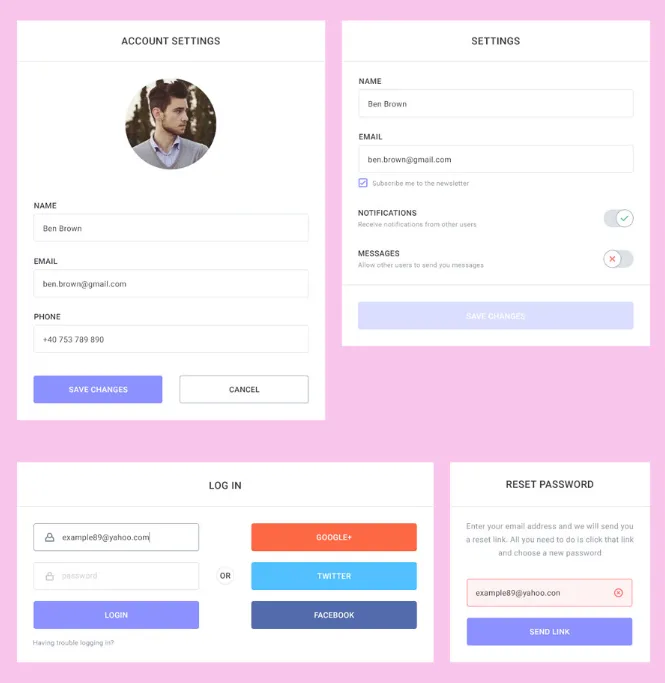
The user needs to fill out several forms: a registration form, a feedback form, and an order form. These actions ensure convenient interaction and allow you to effectively organize the process of obtaining information and services. Correct completion of these forms helps improve user experience and speed up the processing of requests.
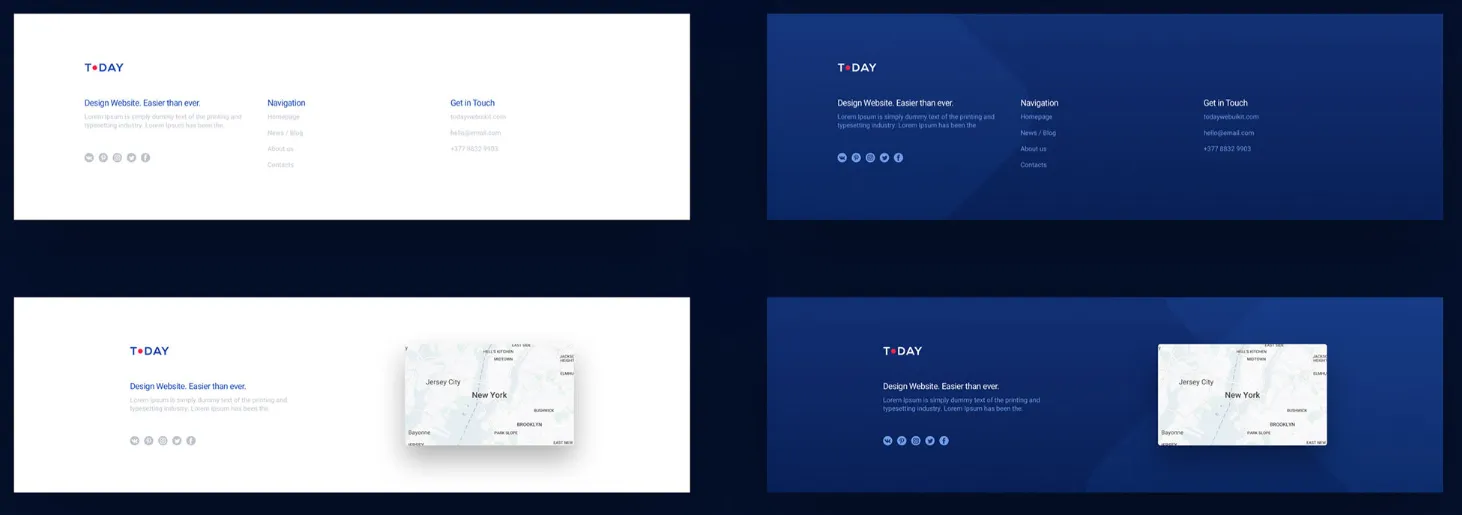
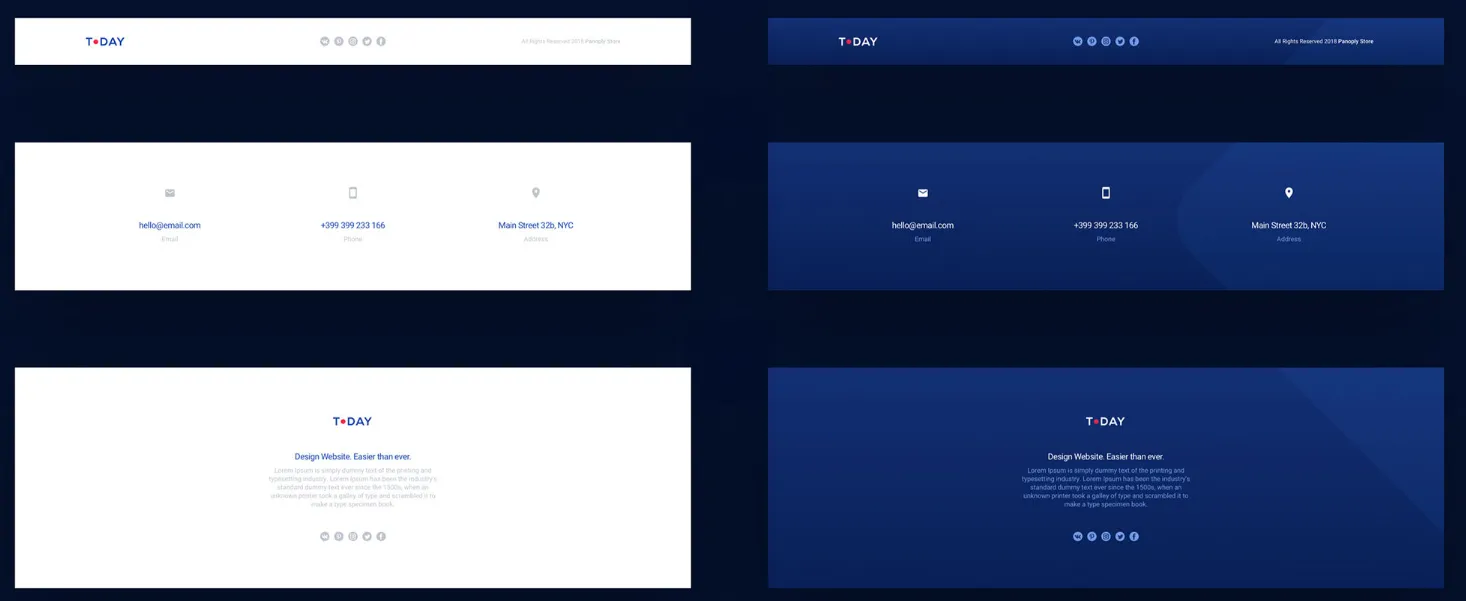
On landing pages, blocks can focus exclusively on contact information, while for online stores it is advisable to duplicate the menu. This will allow users to easily find the sections they need and improve site navigation.
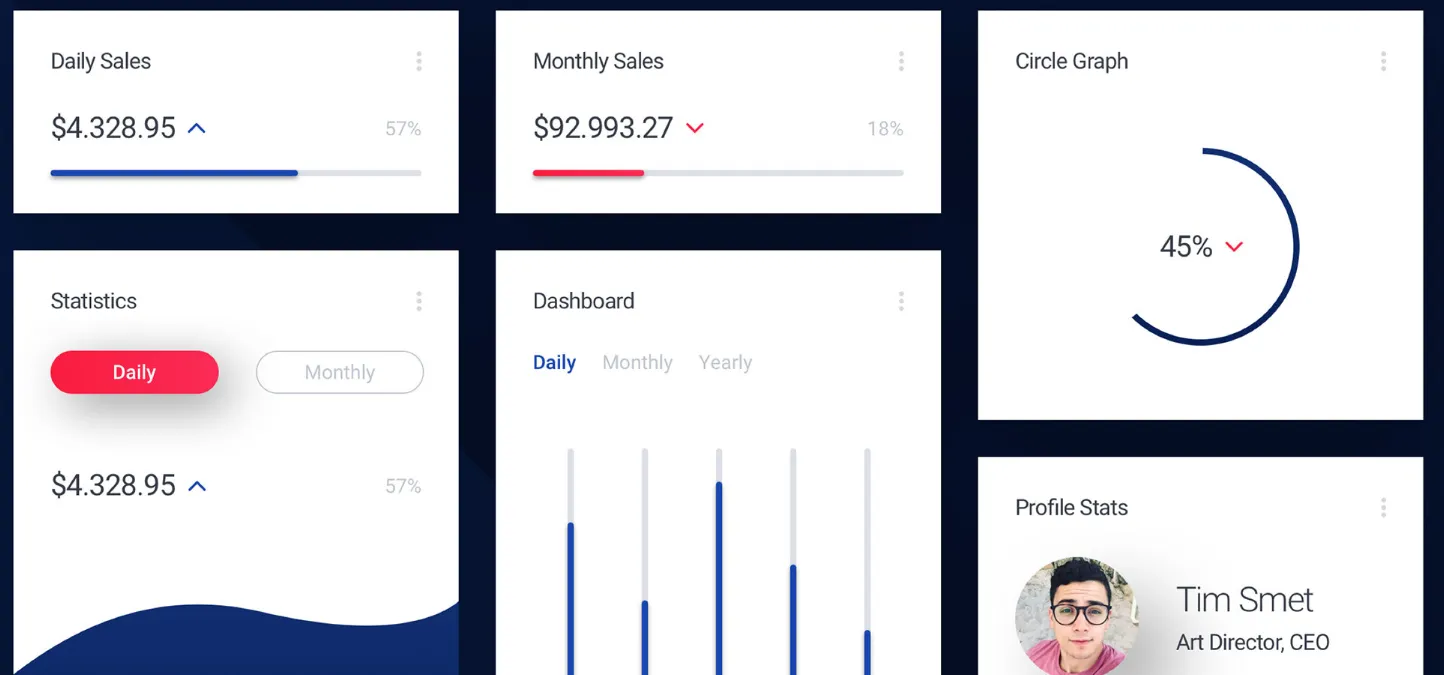
The dashboard displays key metrics important for analyzing the site's performance. This includes the number of subscribers, the latest Instagram photos, current weather, exchange rates, and other significant data. These metrics help users stay informed and make informed decisions.
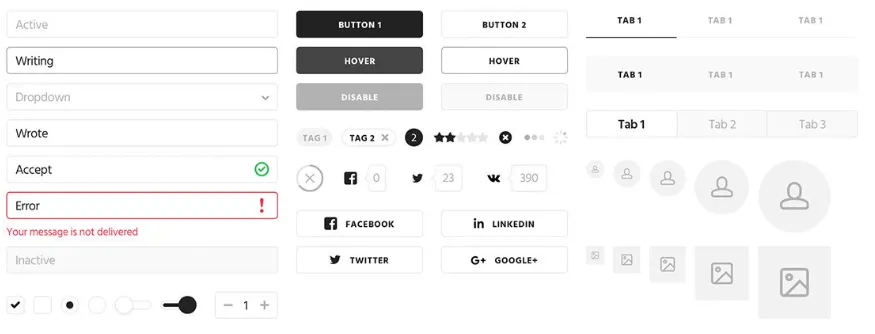
Buttons, input fields, and other core interface elements play a key role in user interaction. These components ensure the convenience and efficiency of using web applications and websites. Buttons perform actions such as submitting forms or navigating to other pages, while input fields allow users to enter text information. It's important that these elements are intuitive and easily accessible, improving the overall user experience. Effective use of buttons and input fields helps increase conversion and user retention. Optimizing these elements with web design and SEO principles in mind helps create a more engaging and functional interface.
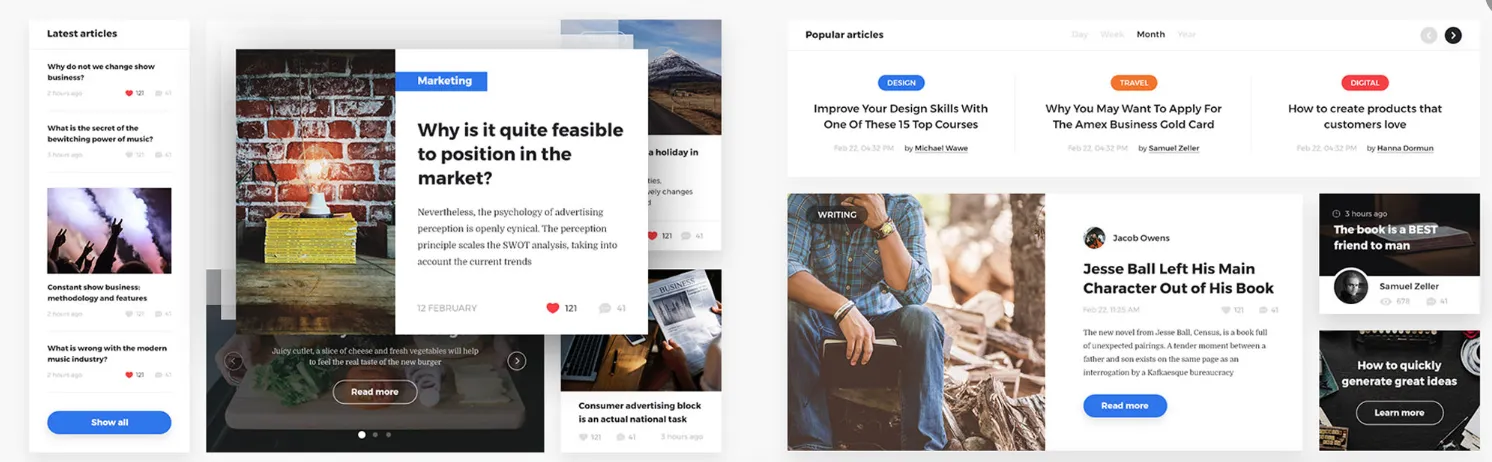
The display of news and articles plays a key role in user perception of content. The correct format and structure will help attract attention and retain reader interest. It's important to create an intuitive interface that allows for easy navigation between different categories and topics. Using headings, subheadings, and highlights will help emphasize key points. Furthermore, image optimization and meta tags will improve content visibility in search engines. Effective display of news and articles not only increases reader engagement but also improves SEO.
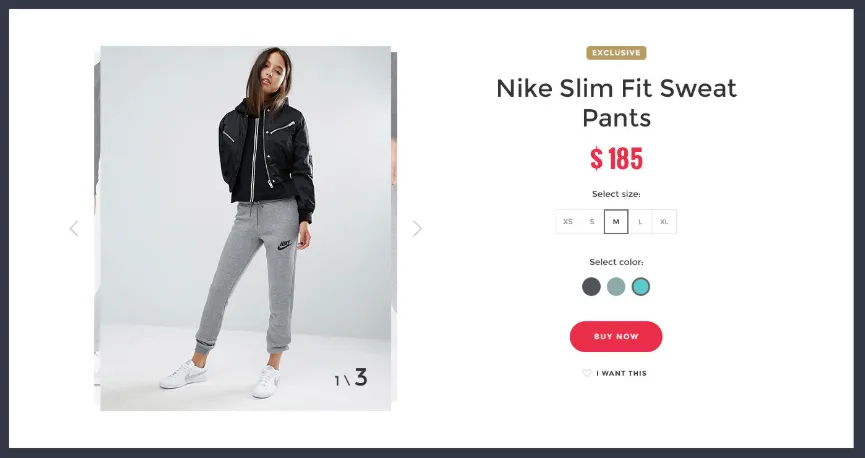
Filters, catalog, product card, various display options, as well as sections with similar products and products that you have recently viewed are important elements of an online store. These features help users easily find the products they need and improve site navigation. Proper organization and optimization of these elements contribute to a better user experience and increased conversions. Filters allow you to quickly filter out irrelevant options, and the catalog and product card provide comprehensive product information. Sections with similar products and recently viewed products stimulate repeat purchases and increase interest in the assortment.
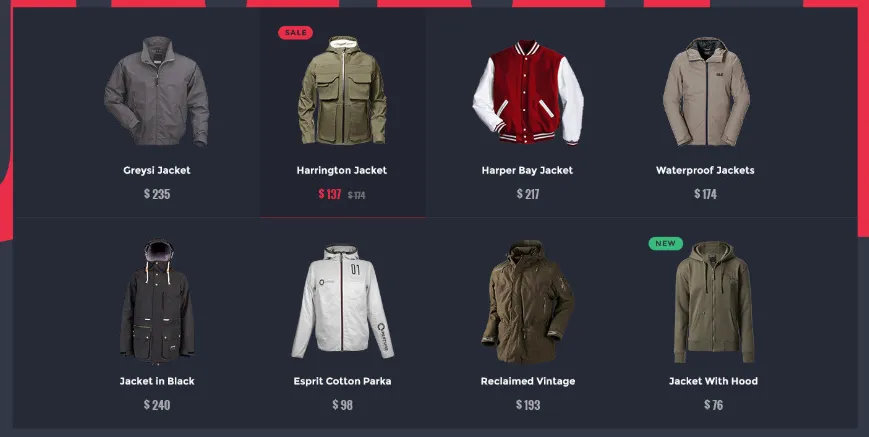
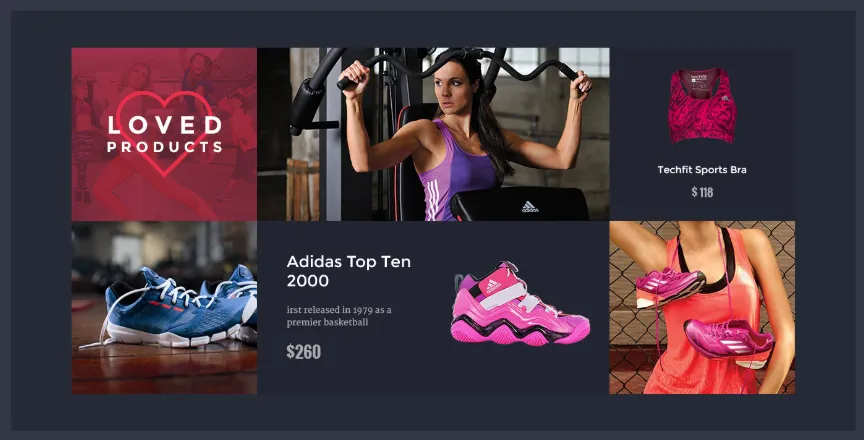
Designers usually present a UI kit in the format of a presentation, which demonstrates examples of finished pages composed of various elements. A UI kit is a standalone product that can be both bought and sold. There are specialized marketplaces, such as Designmodo Market, UI8, Creative Market, and others, where users can share their designs. These platforms facilitate the search for high-quality UI kits, providing developers and designers with the opportunity to expand their tools for creating user interfaces.
Creating a universal UI kit is possible, and it can be used on a variety of projects. However, in practice, UI kits are most often developed individually for each specific project to take into account the unique business challenges and corporate identity of the company. A customized approach allows for better adaptation of the interface to user needs and improves the effectiveness of interaction with the product. The use of universal solutions can lead to a loss of uniqueness and a decrease in the quality of the user experience. Therefore, although universal UI kits have their advantages, preference is often given to customized solutions for optimal results.
There are many online services offering free UI kits, such as Freebiesbug and Graphic Burger. These resources are especially useful for beginning designers, as they allow them to use ready-made elements in their projects. In addition, ready-made solutions can serve as a source of inspiration for the development of unique interfaces and significantly improve the level of visual perception. Using free UI kits helps speed up the development process and allows you to focus on creating functional and aesthetically pleasing applications.
Profession Graphic Designer PRO
You will learn how to create corporate identity elements and graphics for business. You will put together a portfolio that reflects your style and confirms your design skills. You can start a career in a studio or as a freelancer.
Find out more