Contents:

Course with employment: "The Profession of Methodologist from Beginner to Advanced"
Learn MoreMath Games: Math in Games
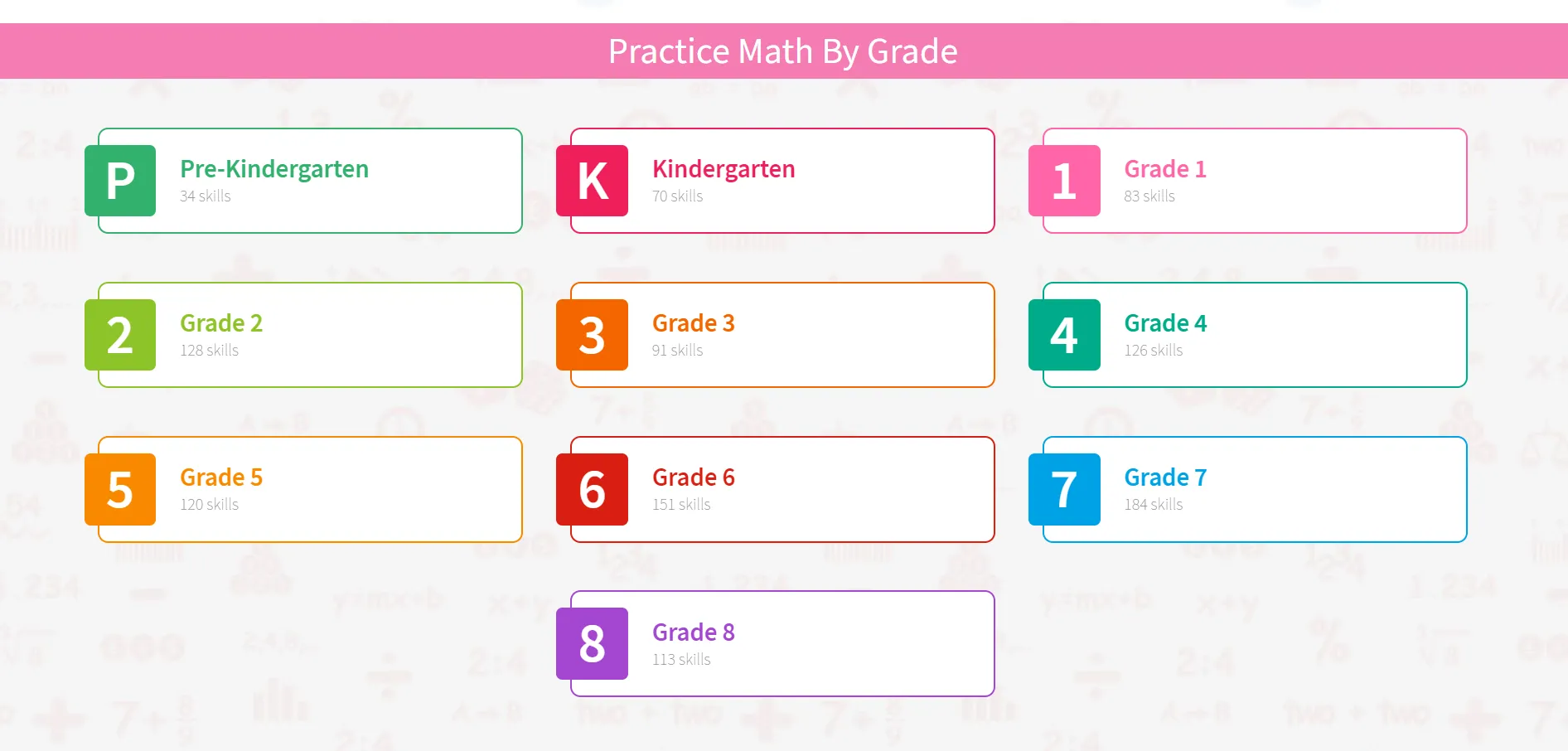
This website with interactive online math games for children offers engaging learning materials for children from preschool to eighth grade. Each game is designed to practice specific skills, such as arithmetic operations, unit conversions, equation solving, and other important math concepts. The games are available without downloading and are optimized for use on mobile devices, including phones and tablets. In addition to the games, the website offers printable worksheets for offline math practice, as well as video lessons to help you better understand the material. In total, the Math Games website offers over 1,200 different ways to learn math, making learning engaging and varied. Math Games integrates with popular educational platforms such as Google Classrooms, Edmodo, and Office 365. This tool allows teachers to effectively develop specific skills in students. Each game and learning activity is designed with assessment standards in mind, ensuring alignment with school requirements. This way, children practice the skills that will be considered in school grades. The platform allows teachers to create new activities, monitor each student's progress, and adjust the difficulty level based on their progress. This promotes more effective learning and allows for an individualized approach to each student.
Xello: Serious Career Guidance for Children
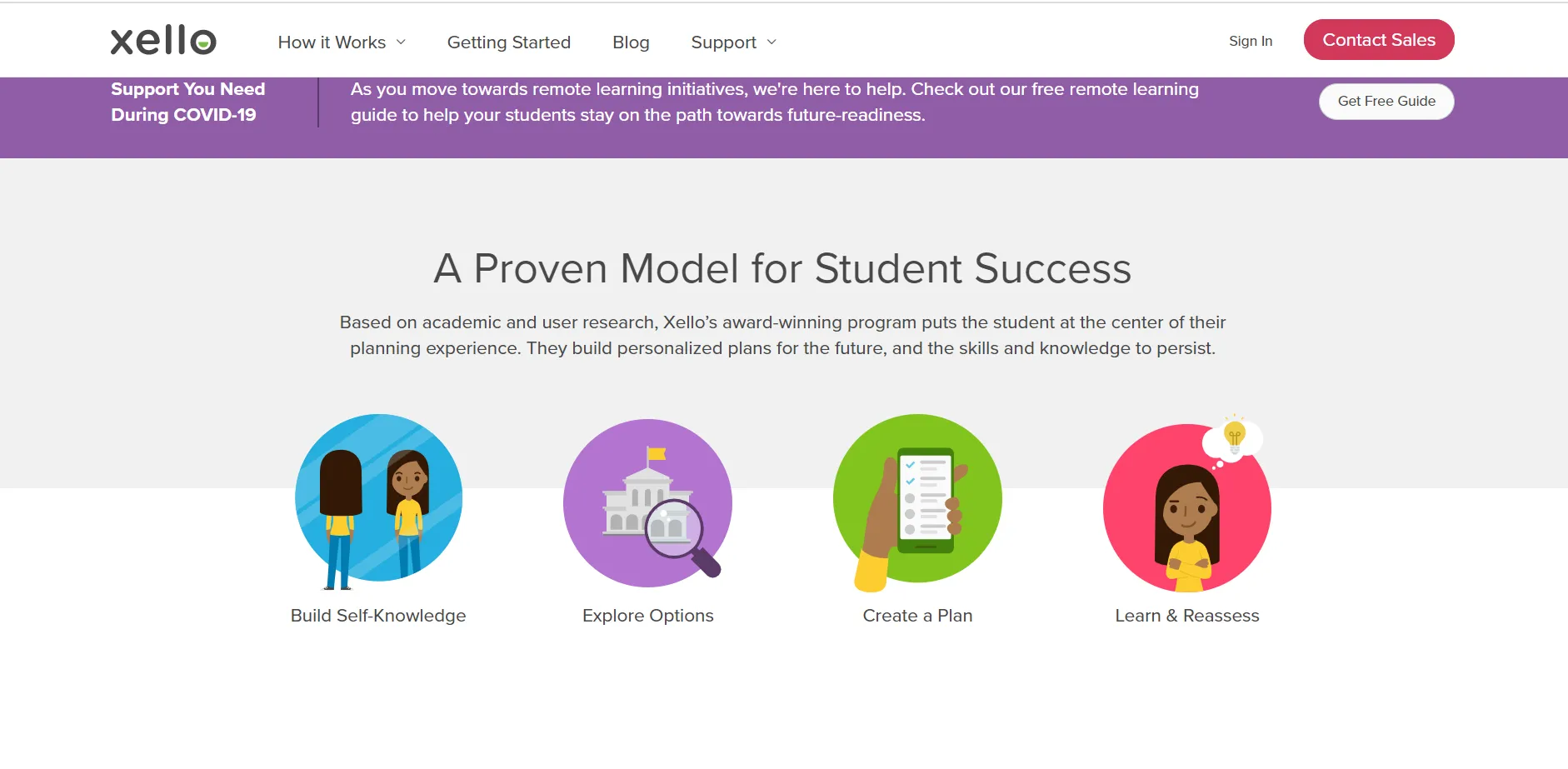
Xello is a career guidance platform designed for schoolchildren, starting from From elementary school to adolescence. The platform enables students, under the supervision of teachers and parents, to create personalized roadmaps for choosing a career and college, as well as for applying to and planning their future careers. While using Xello, children also develop soft skills that are highly valued by employers. The platform helps prepare the younger generation for a successful professional life by providing the necessary tools and resources to make informed choices.
Students take tests to determine their career interests, allowing them to better understand their aptitudes. They then research universities and careers, choosing suitable options based on their preferences. Throughout the program, they begin to develop essential skills, including interview skills, through integrated lessons. All skills are organized into six categories: communication and teamwork, leadership, personal qualities (including critical self-awareness, abstract thinking, and planning), creativity, information and analysis, and technical skills. This approach helps students prepare for future careers and improve their chances of successful employment.
The platform facilitates the creation of a personalized educational path for students. Course planning tools help students connect their long-term goals with their current educational process, increasing their motivation to learn. Teachers are able to track students' interests, strengths, achievements, and needs through reports, allowing them to provide individualized guidance and support to each student. This promotes more effective learning and preparation for higher education.
The platform is adapted for use on mobile devices, tablets, and desktop computers, providing users with convenient access to content regardless of device type. This improves the user experience and increases engagement. Optimization for various screen formats ensures fast loading and correct display, which is especially important in the modern web environment.
The essence: combining career guidance with university selection and the development of essential soft skills. Teenagers often find it difficult to independently determine their career path because they do not have a complete understanding of what work in a particular specialty actually involves and whether it is right for them. Parents are not always able to provide the necessary assistance, as they often only have information about their own profession, and also due to the emergence of many new and unfamiliar specialties. Therefore, it is important to provide teenagers with access to up-to-date information about professions and educational institutions, which will help them make informed choices in the future.
SMART Learning Suite: Engaging Hybrid Learning
SMART Learning Suite Software Designed for effective hybrid learning in educational institutions, it enables teachers to organize interactive lessons both in the classroom and remotely, while tracking each student's progress through a convenient dashboard. Students can access lesson materials at any time using their personal tablets or other devices, promoting deeper learning and a personalized approach to learning. Teachers can import existing lessons from platforms such as Google Drive or Microsoft Teams or create new ones directly in SMART Learning Suite using a variety of tools. This includes the creation of educational videos, ready-made assignments, games, surveys, and workspaces for classroom collaboration. Real-time assessment of student work is also available. When importing ready-made content, the system supports a variety of file formats, including PowerPoint presentations, PDFs, and Google Workspace for Education resources. This makes lesson preparation more efficient and convenient for teachers.
The platform's advantages include not only its extensive functionality for conducting interactive online classes but also the ability to use formative assessment. After a student completes an assignment, the teacher can provide real-time feedback using text comments or graphic elements, emphasizing the most successful answers. This promotes more effective learning and student development.
NetSupport School: Complete Online Control for Remote Learning
A multifunctional software solution for managing classrooms and collaborative learning, NetSupport School provides a complete virtual environment for organizing real-time learning. This software is ideal for both remote learning, which is as close as possible to live interaction in the classroom, and for offline lessons. NetSupport School is especially relevant during a pandemic, when social distancing is essential. Teachers don't need to move around the classroom and check each student's computer—all screens are displayed on their monitor, allowing them to monitor the learning process. Students can also effectively collaborate with each other while working remotely. This solution provides flexibility and security in learning, making the process more convenient and effective for all participants. This technical solution is ideal not only for educational institutions but also for corporate training. It ensures effective interaction and allows the learning process to be tailored to specific business needs. Using this technology helps improve the quality of employee knowledge and optimize the learning process within the company. The platform offers a variety of tools for effective collaboration in learning. The teacher can share their screen with the entire group, demonstrating how to complete assignments, and also share students' screens to highlight those who have completed the task best. A virtual whiteboard allows for drawing and writing information, and students can add their own notes and comments. Teachers can connect to any student's screen to promptly correct errors or provide assistance with assignments. In addition, the platform offers formative assessment features similar to those provided by SMART Learning Suite. This creates space for active interaction and contributes to an improved learning process.
Teachers gain the ability to remotely administer students' computers, opening up new horizons for the educational process. This feature allows them to restrict internet access to approved websites and applications. Additionally, teachers can remotely launch or close online resources and record students' internet usage history. This allows them to monitor student activity and ensure they are not distracted from the learning process. Ensuring cybersecurity during online lessons is an important aspect, protecting both students and educational resources. Thus, remote administration becomes an effective tool for improving the quality of learning and security in the digital environment.
FeedbackFruits: Active and Flipped Online Learning
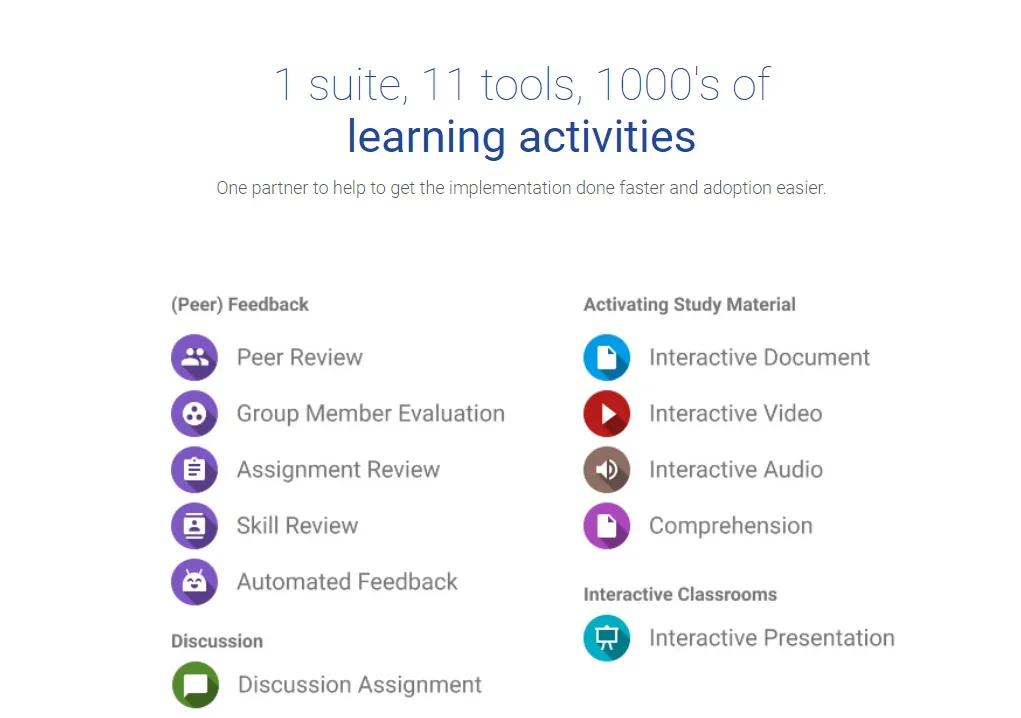
FeedbackFruits' suite of tools for educators is designed to facilitate active group work and create online courses that truly engage students. All FeedbackFruits services seamlessly integrate with leading learning management systems (LMS) such as Moodle, Canvas, Microsoft Teams, and Blackboard. These tools help create an interactive learning environment that promotes effective learning and increases student engagement.
We present 11 services, divided into several groups based on their functionality. Peer-to-peer learning services allow students to review each other's work, which promotes a deeper understanding of the material. Self-study tools help students effectively prepare for classes and exams. Services aimed at engaging students in the learning process create an active learning atmosphere. Finally, online discussion platforms enable the exchange of opinions and ideas among students, which also promotes knowledge acquisition.
Services such as interactive videos, interactive documents, and interactive presentations are designed to implement the "flipped learning" method. They encourage students to engage with materials independently, so that they have a solid foundation in group classes. This approach eliminates the possibility of skimming texts, casually viewing presentations, or listening to lectures while doing other things, such as using social media. Built-in assignments require active participation and stimulate critical thinking, which promotes deeper learning and eliminates distractions.
An automatic feedback service based on artificial intelligence and integrated into the LMS plugin allows instructors to customize criteria for automatically checking academic writing. Students can upload their written work and receive real-time automated recommendations for error correction before submitting it to the instructor. This may include prompts about text length requirements, insufficient or improperly formatted citations, and the need to expand on abbreviations. This approach significantly improves the quality of the learning process and fosters a deeper understanding of academic writing requirements. The bottom line is that service developers create conditions that compel students to learn productively, even if they don't feel like it. These platforms prevent students from remaining passive spectators and simply observing what's happening on the screen. Through active learning methods and involvement in the process, students have the opportunity to develop their skills and knowledge more effectively.