Content:

Practical course: "Online tutor"
Find out moreFlashcards are an effective learning tool that helps you remember important information. They are ideal for learning foreign vocabulary, terminology, and definitions, as well as for memorizing facts, formulas, historical dates and events, and the names of countries and their capitals. Flashcards with key questions and main points help prepare for exams and public speaking, serving as a support for quick recall. The use of flashcards in the educational process promotes deeper learning and improves memory. In the modern world, paper flashcards are gradually being replaced by digital counterparts that retain their basic functions and form. Information is located on the "front" and "back" of the cards, and they can be flipped with a mouse click or a keystroke. Digital flashcards can contain text, images, and audio recordings, for example, with the pronunciation of foreign words. Their creation has become more accessible thanks to specialized services that use generative neural network technologies. These services can automatically generate flashcards based on text documents, YouTube videos, or web pages, making the learning process more effective and interactive.
Digital flashcard services offer a wide range of learning opportunities. Teachers can create their own flashcards to provide students with targeted information for memorization or conduct oral quizzes during online lessons. Assignments can include prompts for word translations, explanations of terminology, or quizzes where the teacher displays a question on one side of the card, accepts student responses, and then displays the correct answer on the back, providing feedback. Students should also be encouraged to create their own flashcards on the topics they are studying, as research shows that creating flashcards is more beneficial than using ready-made materials. This not only improves information retention but also develops critical thinking skills and independent learning.
One of the most popular tools for teaching using digital flashcards is Quizlet. However, over time, it began introducing restrictions on the free plan, such as a limit of five repetitions per set, which is clearly insufficient for fully comprehending a large amount of information. Furthermore, purchasing premium access without a foreign bank card is currently not possible. Therefore, we've compiled a list of alternatives available to Russian users. Our review presents completely free options, as well as solutions with free plans that do not impose restrictions on the use of basic functions.
AnkiApp
The free plan has certain limitations, but the service remains completely free.
There is no Russian-language interface.
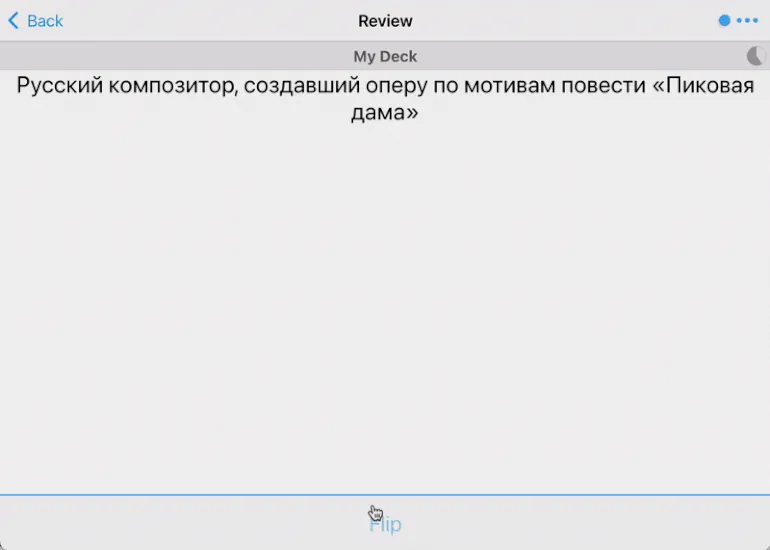
Unlike the other tools in this selection, AnkiApp is a desktop program that must be installed on a computer running macOS or Windows. The program is also available on iOS and Android mobile platforms, and also has a web version with limited functionality, allowing you to only work with text cards and add new ones. All versions of AnkiApp sync with each other, but the desktop version for computers has the most complete set of features. AnkiApp is ideal for learning new languages, memorizing facts, and preparing for exams, thanks to its flexibility and ease of use.
When creating cards manually, you need to determine their format. This can be simple text, an image with text, or an advanced format, which provides additional editing features and supports audio, images, tables, and other elements. Next, you should select the language for the flashcard. There are also specialized formats, such as audio flashcards, cards with formulas, or code fragments. This approach allows you to tailor content to specific needs and improve user interaction.
AnkiApp offers the ability to automatically generate flashcards based on entered text, photos of handwritten notes, or linked web pages. To do this, simply use a command such as "create flashcards from this Wikipedia page: ...". Generated flashcards are easy to edit: you can remove unnecessary elements and add new ones, allowing you to tailor the material to your needs. This makes AnkiApp a convenient tool for effectively memorizing and studying information.
Flashcards are loaded into the program from specialized CSV tables or APKG archives, including those created using third-party services. For example, the Memo service allows you to generate flashcards from PDF documents, which is functionality that AnkiApp does not currently offer. This approach provides the flexibility to use various data sources to create flashcards, which can significantly simplify the process of learning and memorizing information.
To share a set of flashcards with students, you must create a study group and invite them via the provided link. You can also export the set as an archive, which other users can open on their computers or smartphones. As students work with the cards, they can assess their level of knowledge, allowing the platform to display "difficult" cards more often and "easy" cards less frequently. This promotes more effective learning and optimizes the learning process.
"Convenience"
The free plan of the service has certain limitations. However, this plan is completely free, making it accessible to users who want to test the functionality without any financial investment. You can take advantage of all the main features of the service, which will allow you to evaluate its advantages and decide whether to switch to a paid plan in the future.
The Russian-language interface is available.
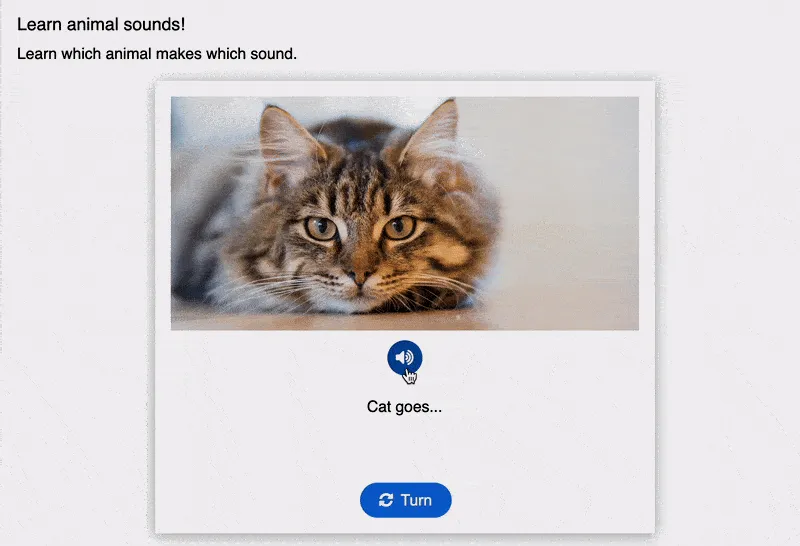
A free Russian platform offers a "Flashcard" format, which is an online quiz. Students enter their answers, and the system automatically checks them and provides feedback. This tool is ideal for effective learning and self-assessment, making it an indispensable aid in the educational process.
There are several effective flashcard formats for reinforcing material and self-assessment. One of them is "Dialogue Cards," which flip when clicked. These cards can contain text, an image (one on both sides), and audio, accessible only on the front. Another interesting option is "Guess the Answer." This format features an image with a question, and the correct answer is revealed when clicked. We discussed the use of "Udoba" in detail in our guide, which describes all the advantages and possibilities of these flashcards for learning.
To share the finished material with students, simply send them a link to the resource. No registration is required for access. You can also embed the HTML code into your learning management system (LMS), providing convenient access to the material.
Flippity
The free plan offers users access to full functionality, but there are certain limitations. The free version provides basic functionality at no cost, making it ideal for beginners. However, please note that the free plan may have some limitations, such as a limited number of requests or access to certain premium features. To get the most out of the service, we recommend that you familiarize yourself with its capabilities and the terms of the free plan.
The Russian-language interface is not available.
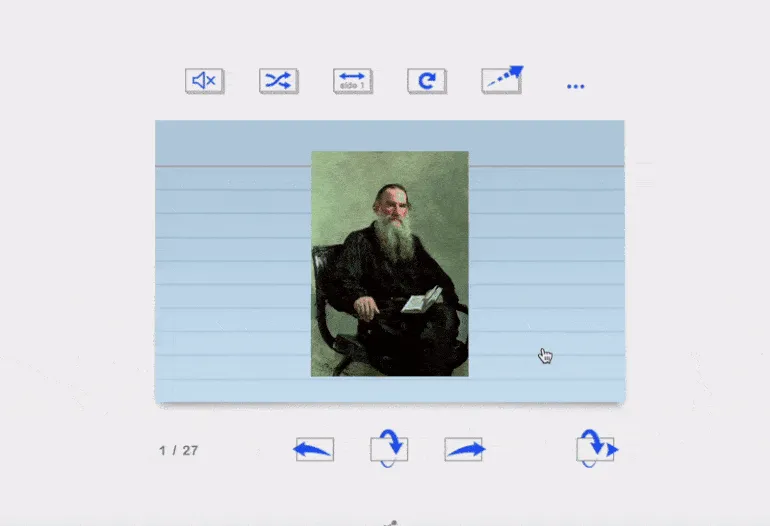
There's a free service that lets you create interactive materials using Google Sheets. We've already mentioned it in various collections, including timeline builders and word cloud generators. The service works quite simply: each format provides a table template, which you copy to your Google account and fill with the required data. Cards can contain not only text but also images and YouTube videos, which can be inserted via links. After filling out the table, you need to publish it by selecting "File" → "Share" → "Publish to the Web." The resulting link should then be pasted into the special field on the second tab. A link to the completed cards on the Flippity website will appear in the adjacent field, making it easy to share your created content. This service is useful for both educational purposes and for creating engaging materials for presentations and projects.
The service offers a unique ability to display table information in multiple formats. Users can choose to display data as cards or as a two-column list. The service also offers the ability to create matching tasks and quizzes with multiple-choice input based on the information provided. All these formats are available on the main card page, providing convenience and flexibility.
Brainscape
The free plan offers basic features, but has certain limitations. Users can take advantage of the basic features, but to access advanced functionality, they will need to upgrade to a paid plan.
The Russian-language interface is not available.
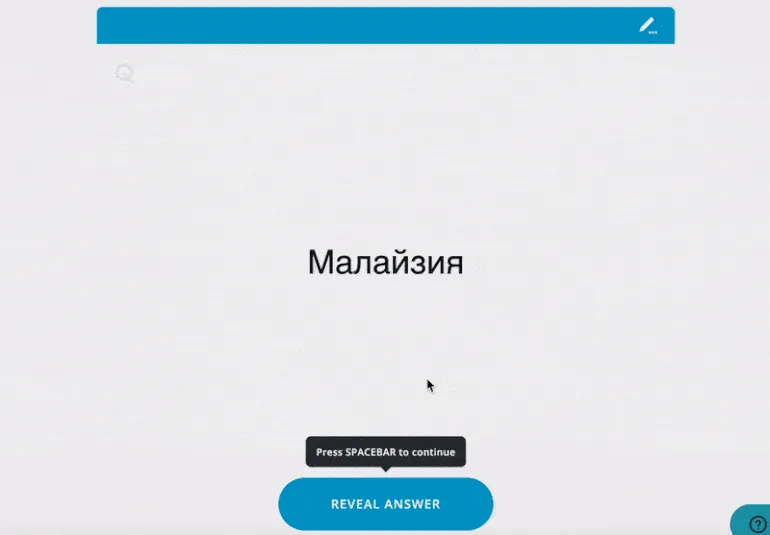
A platform for creating flashcards and studying with them. The free plan allows users to create an unlimited number of sets of cards, but the ability to add images and audio is not available - only text content is available. The service does not offer quizzes and exercises, but after viewing each card, students are asked to rate their confidence in the answer on a five-point scale. These ratings allow the system to track progress in studying the cards. The Brainscape collection also offers ready-made sets on a variety of topics, primarily in English.
Apps are available for students on iOS and Android. Created cards can be easily shared with students via a link or email. Please note that all users are required to register.
Lexilize Flashcards
The free plan offers basic features, but there are certain limitations.
A Russian-language interface is available.
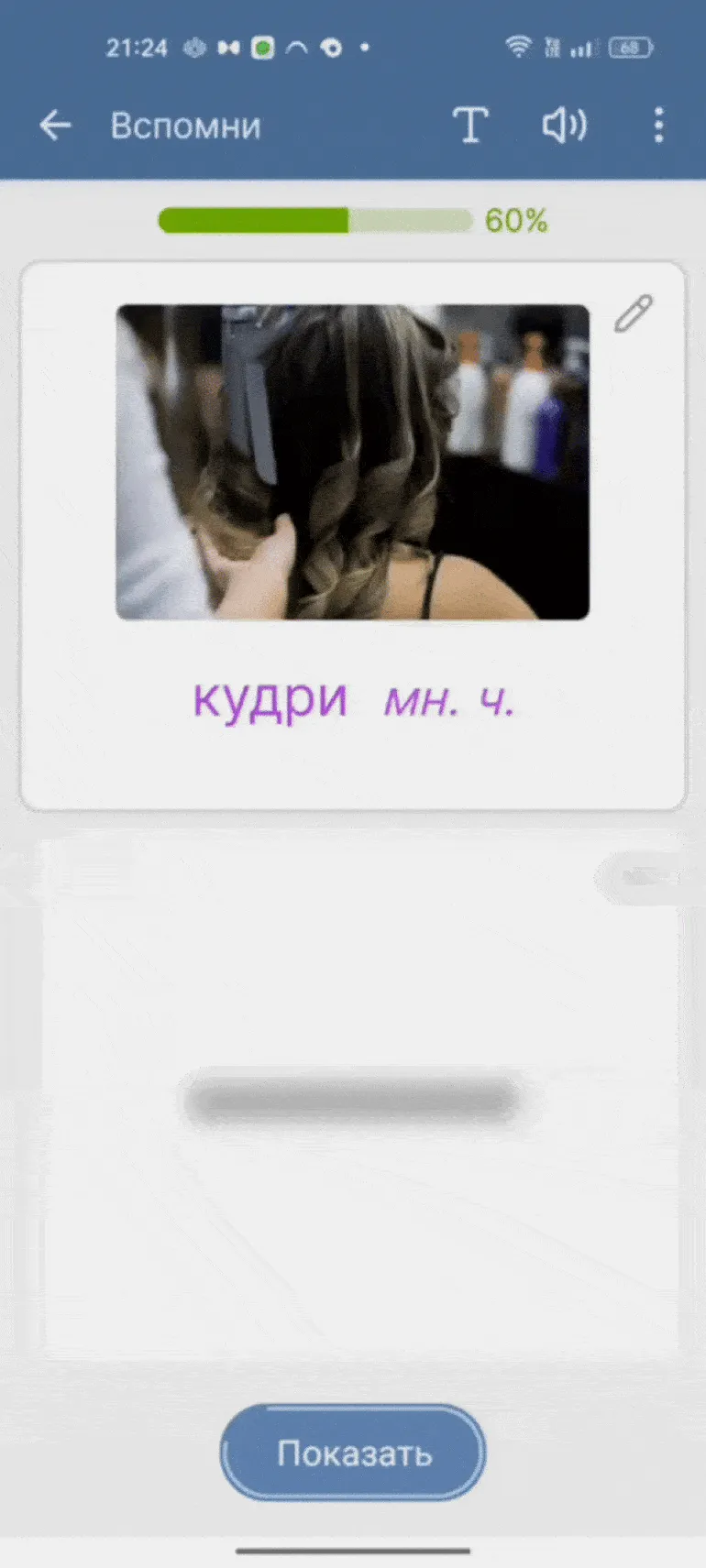
This Android app is designed for effective learning of foreign vocabulary. It features pre-installed flashcard sets with words in a variety of languages, including audio, transcription, and translation. The flashcards are grouped by topic, facilitating the learning process. Each set offers various interaction formats, including standard viewing, recall mode (where the user sees only the word and must recall its translation, and vice versa), matching tasks, and multiple-choice and multiple-choice quizzes. The app works without an internet connection, making it convenient for use anywhere and anytime. Creating your own flashcard sets in the Lexilize Flashcards app is simple and convenient. You can fill out the cards manually or upload them from an Excel spreadsheet. You can then share your sets with other users. The app allows you to export your created sets into archives, which can be easily accessed by other Lexilize Flashcards users. This makes the learning process more interactive and promotes knowledge sharing.
Knowt
The free plan has certain limitations. Basic features are available for free, but access to the AI assistant will be limited.
There is no Russian-language interface.

This is an AI-powered learning tool that can analyze various content formats, such as documents, videos, and presentations. It generates notes and flashcards, and also answers questions about the content. However, it's worth noting that access to advanced features is only available with paid plans. The free version allows you to test the tool's capabilities on one video and one document.
There are no restrictions on creating flashcards yourself. After adding text or images, various modes of working with flashcards are available. In addition to the standard viewing mode with click-to-flip, quizzes and matching tasks are available. Students can view flashcards via a link without registering, but creating an account is required for other actions. Learning is also available through iOS and Android apps, making the process more accessible and convenient.
Interacty
The free plan has the following limitations: you can create up to 20 projects, including any learning materials, such as flashcard sets. Cloud storage is 100 MB. In addition, the number of views of all your projects is limited to 500 per month, and during synchronous activities, such as games, no more than 3 people can participate.
The Russian-language interface is available.
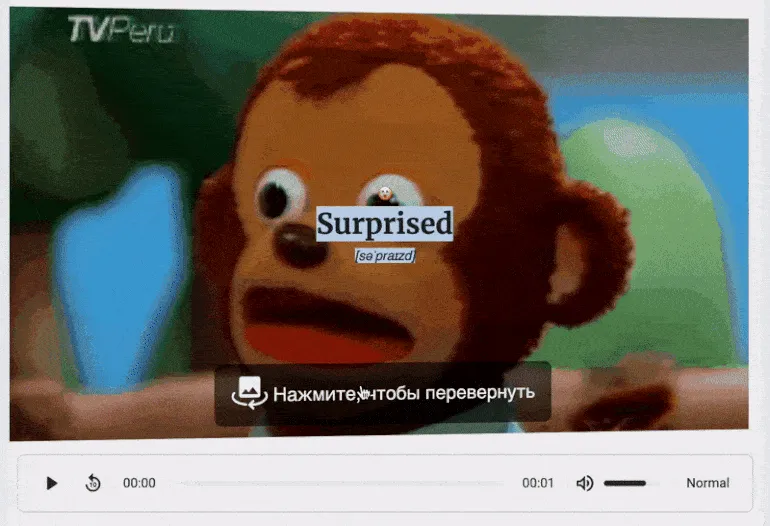
The multifunctional Interacty service allows you to create interactive flip cards using static images and animated GIFs. Users can upload their own images from their computer or use the collection on the free photo hosting service Unsplash. All materials, called projects, are formed from various blocks that can be easily combined. This allows you to add text with theoretical material or tasks, audio files with pronunciation of foreign words, and quizzes to reinforce acquired knowledge. Interacty offers a wide selection of templates that can be customized for your needs and used in the educational process with students. This approach makes learning more engaging and effective, promoting better assimilation of the material.
Registration is required to create your own materials. However, students can easily access a set of cards prepared by the teacher using a simple link or QR code. Additionally, you can integrate the material into a learning management system (LMS), post it on a website, or print it. This last option is especially convenient for static content.
Wordwall
The free plan has certain limitations: users can create only three materials in their account. Please note that a set containing up to 100 cards is also considered one material.
Russian-language interface is available.

This builder is designed for creating interactive tasks and exercises. We already covered the features of its free plan in a previous review. This tool features a "Flashcard" format, which offers both double-sided and single-sided options. Users can add images, including different images for each side of the card. Images can be uploaded from a device or found in the built-in library. Various visual styles are available for card design—from subdued to bright and cartoonish—as well as a variety of fonts. Regardless of the chosen content format, users can find examples created by others, which can easily be copied to their personal account and used as templates. This builder offers excellent opportunities for creating unique and effective learning materials.
To access the materials, students only need a link or QR code. Alternatively, they can enter their name. HTML code for website integration is also available, simplifying access to educational resources.
QuizRise
The free plan has certain limitations. Users can create up to three materials, including notes, quizzes, and flashcard sets, based on a single document. There is also a limit of 50 views per month. In addition, the number of cards within this tariff is also limited.
There is no Russian-language interface.
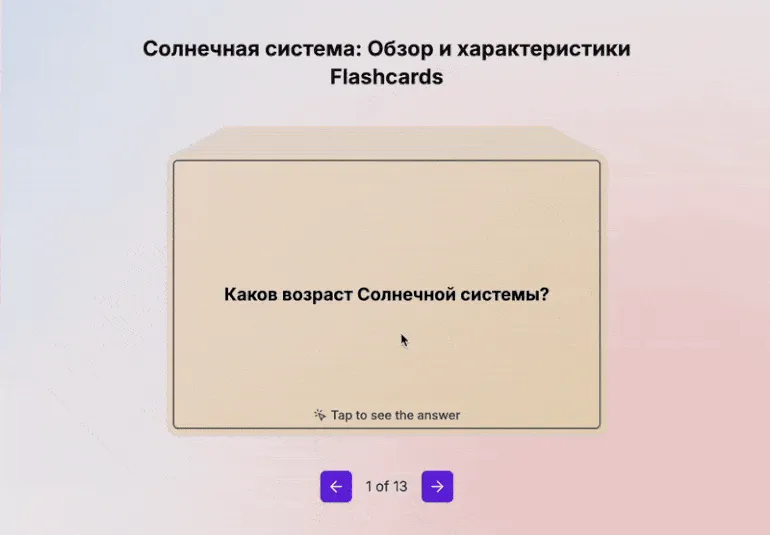
The free version of this tool has significant limitations compared to other solutions in this category. However, it deserves attention for its ability to quickly create quizzes, flashcards with questions, and notes in Russian. The tool uses artificial intelligence to process text documents, web pages, and YouTube videos. Importantly, the limit on the number of created materials is updated monthly, which is an advantage compared to many similar services.
The quiz offers three task formats with automatic checking: multiple choice, true or false, and fill-in-the-blank. Flashcards are designed traditionally: the question is on the front, and the answer is on the back. Questions in quizzes and on flashcards are unique and not repeated. Users can customize the number of test questions, but the number of flashcards is generated automatically, as is the case with the 13 flashcards created from the Wikipedia article on the solar system. Each card can be edited, but adding new cards is not free. There is also no option to illustrate cards with images. Students do not need to register to access generated materials. They are available via a direct link or can be embedded using HTML code. Quizizz
The free plan has the following limitations: users can generate up to 10 AI-powered materials per month. The library allows for the creation of 20 materials, with a set of dozens of cards counting as one material. Up to 100 people can participate in synchronous classes. A Russian-language interface with automatic translation ensures ease of use and accessibility for Russian-speaking users. This solution allows for easy interaction with the platform without language barriers. Automatic translation of the interface facilitates faster development of the functionality and improves the overall experience of working with the product.
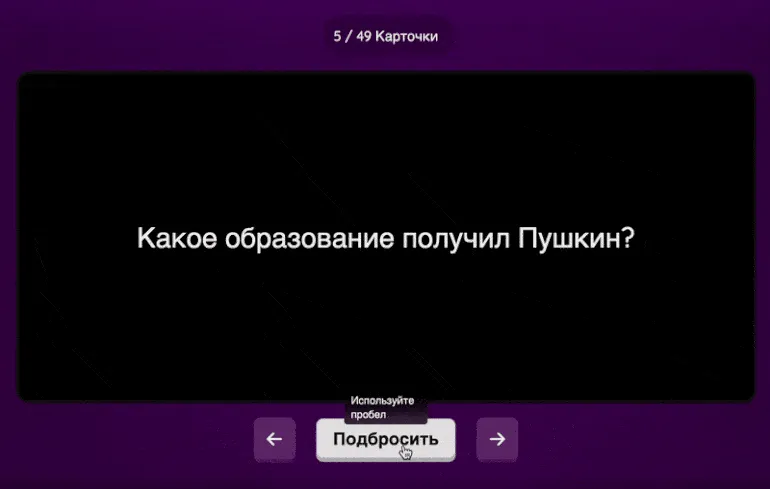
Quizz is a powerful quiz-creating solution, as we covered in detail in our previous article. However, its functionality isn't limited to this task alone. Quizz also offers the ability to create flashcards using artificial intelligence technology. The service can process text you enter in a special field, as well as uploaded presentations and documents. Additionally, Quizz allows you to generate flashcards from webpage links. Users can create flashcards simply by specifying the topic name, subject, and grade level for which the content is intended. However, it's worth noting that the quality of the results will be lower than when working with specific material. Using Quizz to create flashcards can significantly streamline the process of studying and preparing for exams.
Generated flashcards can be edited by adding images and audio. It's also possible to include new flashcards, created manually or using artificial intelligence technology, in the set. This allows for expanded functionality and a more effective and diverse learning process.
Two modes are available for effective use of flashcards: exercise mode, in which students flip over cards and note whether they know the answer, and familiarization mode, which allows students to view cards without any interaction. No registration is required—students simply connect via the provided link or scan the QR code and introduce themselves. This approach simplifies the learning process and makes it more accessible to all users.
Read also:
- Free services with online quizzes and tests for classrooms
- A large selection of services based on neural networks for teachers and methodologists
- A large selection of Russian online services for interactive classrooms
- A selection of worksheet designers and generators for teachers and tutors
Online Tutor
It doesn't matter what you teach—English, CrossFit, yoga, vocals, or culinary arts. Everything you previously taught in schools, studios, and offices can now be taught online. Promote your knowledge and skills and earn money from anywhere in the world.
Find out more