
Contents:

Learn: Online Tutor
Find out moreZoom remains one of the most popular services for organizing webinars, especially since the COVID-19 pandemic. However, in 2022, as a result of sanctions, it became more difficult for users from Russia to pay for paid subscriptions. While the free version of Zoom is still available, it has limitations on the number of participants and the length of webinars. This has led many to seek alternative platforms for online events that offer better terms and fewer restrictions.
As an alternative to Zoom, consider video conferencing services such as Google Meet or Yandex Telemost. These platforms are suitable for small groups and can be effective with a limited number of participants. However, they often lack the necessary participant management tools. If a webinar has many attendees who may turn on their microphones and cameras, the educational event risks devolving into chaos. Effective participant management is key to the success of online events.
There are many online course creation services that integrate with LMS platforms and support live streaming. You can read more about them in our previous article.
There are streaming platforms focused on one-way content broadcasting to a wide audience. These services are typically free and impose no restrictions on broadcast duration or the number of viewers. They are ideal for traditional webinars, where one or more speakers present, and participants can listen and ask questions via chat. Choosing the right platform can significantly increase the effectiveness of your webinar and improve audience engagement.
There are specialized platforms for hosting webinars, online lessons, remote training, and master classes. While most are paid, many offer a trial period to evaluate their functionality. These platforms offer flexible access settings and participant control, such as prohibiting meeting recordings. Options for organizing breakout rooms, creating webinar landing pages and registration forms, and using polls and online whiteboards are also available. This makes them an ideal choice for effective audience engagement and enhancing the quality of educational content.
We've prepared an overview of specialized webinar, streaming, and all-in-one platforms, available in various price categories. While these platforms offer similar features, each has its own unique features. Some of them are included in the Russian software registry, which is especially important for government organizations and educational institutions seeking solutions for distance learning for employees and students. Choosing the right platform will help optimize the learning process and increase its effectiveness.
Prices are valid as of February 2025.
MTS Link Webinars
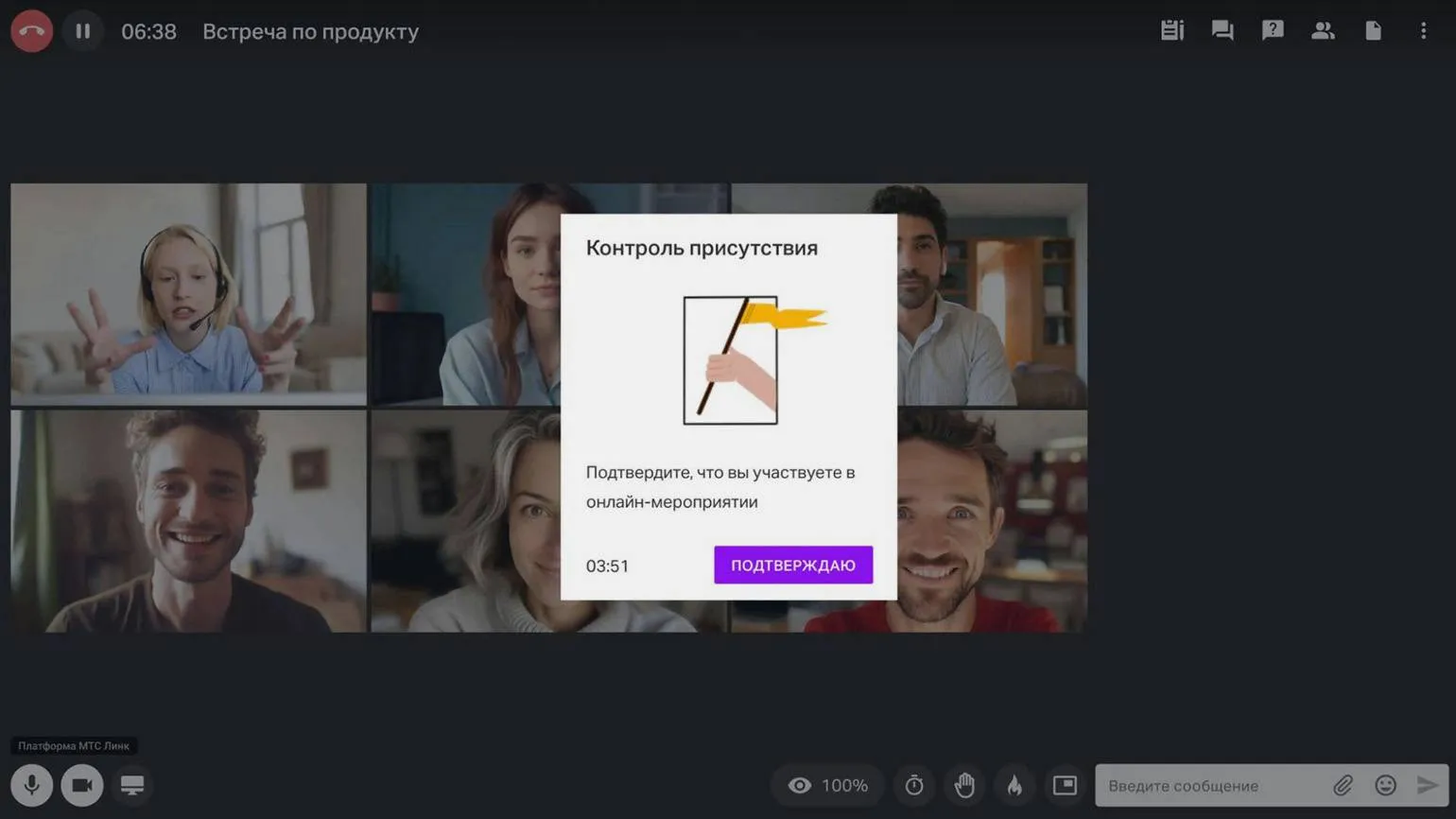
The service is part of the MTS Link ecosystem of online communication and collaboration tools. It was created based on the well-known digital products of Webinar Group, including the popular Webinar service.
"MTS Link Webinars" is an effective tool for online training and marketing, offering users a wide range of capabilities. Webinar organizers can assign roles to participants, such as administrator, moderator, presenter, and participant, each with unique rights. This allows for effective management of the learning and interaction process. Listeners can be divided into groups, which is especially convenient for using project-based or case-based methods. Polls and quizzes are also available during the webinar, promoting active participant engagement. The MTS Link Boards online whiteboard is designed for collaboration, allowing you to visualize ideas and work on projects in real time. Learn more about this tool's capabilities in our selection.
The platform offers the ability to track listener engagement. The system records when a user switches to another tab, minimizes the browser, or mutes the sound. This data allows you to determine when participants lose interest in the content and how many people are affected. An auto-webinar feature is also available, allowing you to broadcast pre-recorded online events, significantly simplifying the process of organizing and conducting webinars.
The Webinars platform allows you to create landing pages and host customizable event registration forms. You can brand your webinar room and display advertising banners to your audience with conversion tracking. This allows you to effectively attract participants and analyze the results of advertising campaigns.
MTS Link Meetings is a convenient service for organizing video conferences and online meetings. The free version allows users to host events up to 60 minutes long with up to 30 participants. However, by selecting any paid "Webinar" plan, time limits are removed and the number of participants increases. This makes the service an excellent choice for businesses and educational institutions that need a high-quality platform for online communications and collaboration.
This software is registered in the Russian software registry.
The subscription price is 7,386 rubles per month for a plan that provides simultaneous access for 30 participants. To increase the number of participants to 150, the cost is 14,778 rubles per month. A 20% discount is available for annual payments. Academic rates are also available for schools, colleges, and universities, the price of which is calculated individually based on applications.
SaluteJazz and SaluteJazz Webinars
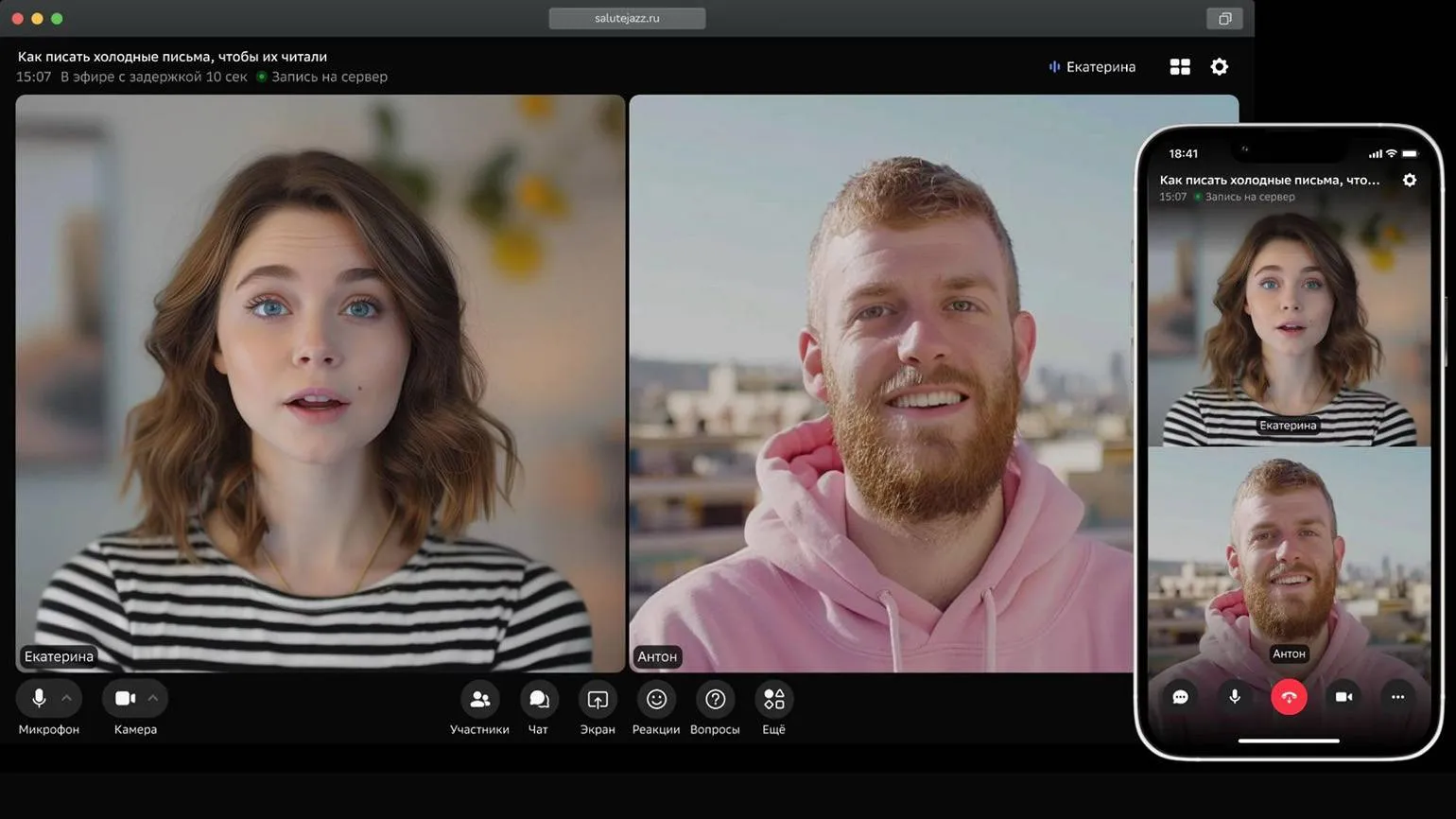
Sber's service, previously known as SberJazz, provided users with a free video conferencing platform. Webinars were only available as part of the premium features of one of the plan packages. Currently, webinar and video conferencing features have been split into two separate products, each offering its own unique pricing plan. This update allows users more flexibility in choosing the appropriate option based on their needs and goals.
SaluteJazz offers a free online meeting solution, allowing up to 100 people to participate simultaneously with no time limits. Paid features include additional capabilities such as a waiting room and GigaChat integration. No registration is required—users simply click to create a new meeting or join one using the provided link.
SaluteJazz Webinars is a platform specifically designed for webinars. It offers flexible connection settings, including access restricted to authorized and approved users. Additionally, different webinar links are provided for speakers and attendees. The platform also supports rebroadcasting to popular external platforms such as Rutube, VK, and YouTube. SaluteJazz Webinars provides a convenient and secure format for online events, allowing organizers to easily manage their audience and interact with participants.
To protect materials from copying during the video broadcast, watermarks are used, and participants are prohibited from recording the webinar. After the event, the administrator will receive a full transcript, broken down by speaker, ensuring ease of use for future information. These measures help preserve intellectual property and enhance content security.
Organizations that prioritize data security may consider deploying services on their own servers. This approach provides maximum control over information and protection from potential threats. Hosting services on local servers allows organizations to implement their own security policies, ensure legal compliance, and minimize the risk of data leaks.
This software is included in the registry of Russian software.
The cost of using SaluteJazz varies depending on the version and type of organization. The basic version of SaluteJazz is free, while the paid version with advanced features costs 8,000 rubles per year. Educational institutions, medical institutions, and charities can take advantage of a special price of 4,800 rubles per year. SaluteJazz Webinars plans start at 220,000 rubles per year for one license per speaker, with the ability to connect up to 500 listeners. The maximum audience is 3,000 listeners for 800,000 rubles per year. Educational institutions receive a 40% discount.
«VK Video» and «VK Video Live»
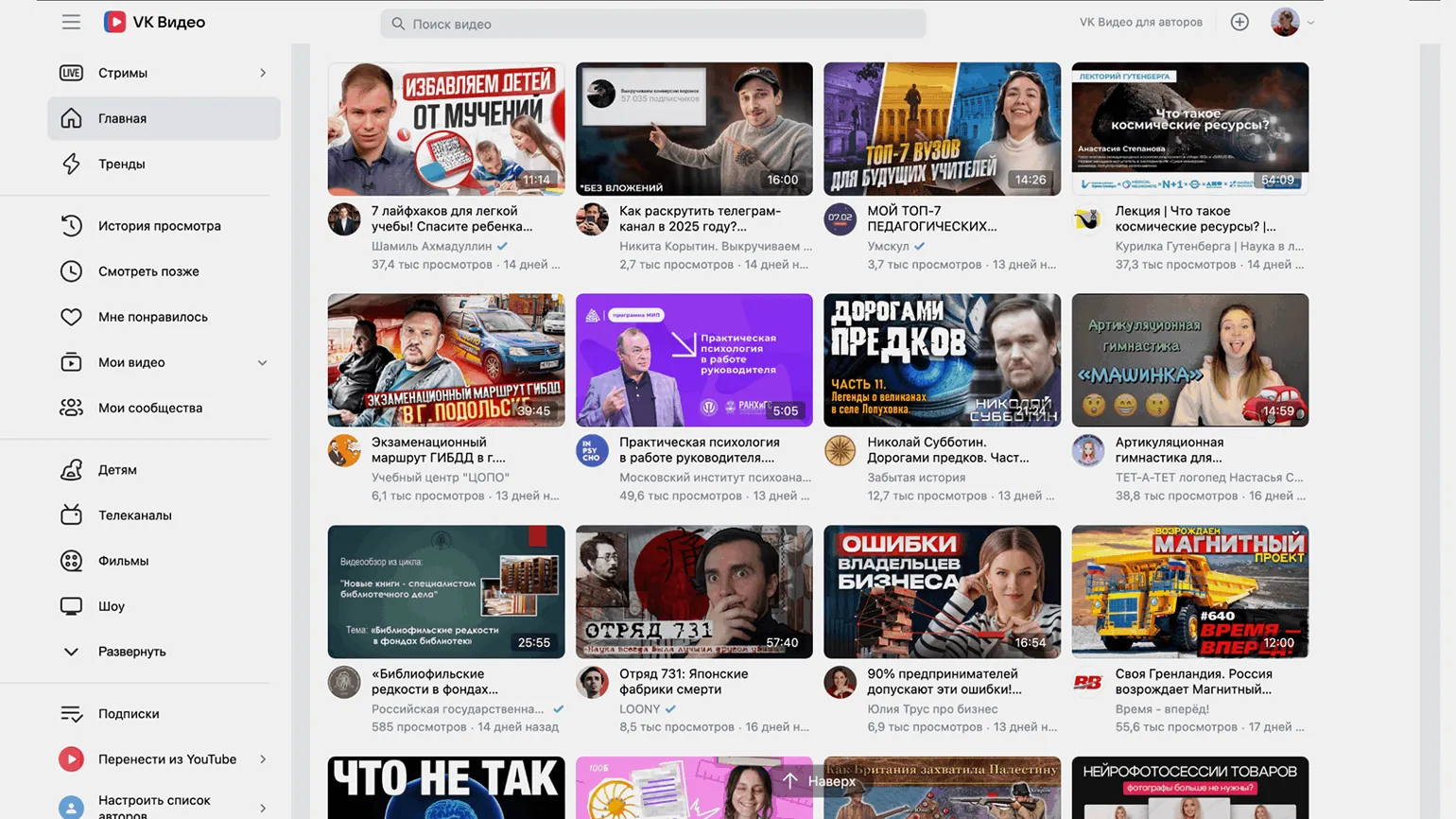
VK Video and VK Video Live are streaming services that are more similar to platforms like Twitch and YouTube than Zoom. These services are not designed for online events that require collaboration or active discussion between participants. However, they are great for formats where a single speaker presents and viewers can interact using emojis and chat messages. Using VK Video and VK Video Live provides a convenient way to deliver information to a wide audience and allows you to create interactive events where the main focus is on the presenter's presentation.
Starting a broadcast on VK Video is very quick; you only need a VK ID. A personal account is suitable for broadcasting, however, if you plan to monetize your content in the future, it is recommended to use a community. There are three main broadcast formats: webcam streaming, screen sharing, and streaming content using a program like OBS Studio, which allows you to simultaneously broadcast your camera and screen. After choosing the appropriate format, you'll need to enter a title and description for the broadcast, as well as determine who can view and comment on it—everyone or just friends and subscribers. After the broadcast ends, a recording will appear in your community or personal account, along with viewer statistics, helping you analyze interest in your content. VK Video Live offers a wide range of streaming options, initially creating a space for gaming broadcasts called VK Play Live. To use this platform, you need a VK account and the creation of your own channel, which comes with a functional streamer studio. In this studio, you can schedule a broadcast for a specific time or start it immediately. The organizer can set access conditions for the broadcast, and viewers do not need to register with VK unless restrictive settings are selected, such as subscriber-only access.
The streamer's studio also offers options for recording broadcasts and customizing the chat. For example, you can restrict the publication of messages with links and add blocked words to filter content. The platform collects statistics, including the number of viewers, subscription dynamics, as well as comments and donations if monetization is enabled. This makes "VK Video Live" a convenient tool for streamers looking to expand their audience and improve engagement.
In the channel settings, you can set commands for a bot that will send messages to the chat based on a timer or in response to user requests. You can also assign moderators and add audience engagement tools, such as rewards and badges for activity. "VK Video Live" integrates with the paid subscription service Boosty, allowing you to customize various subscription levels, including early access to content and exclusive materials. This creates additional opportunities for monetization and increased audience engagement.
This product is not included in the registry of Russian software.
Both services are provided completely free of charge.
Telegram
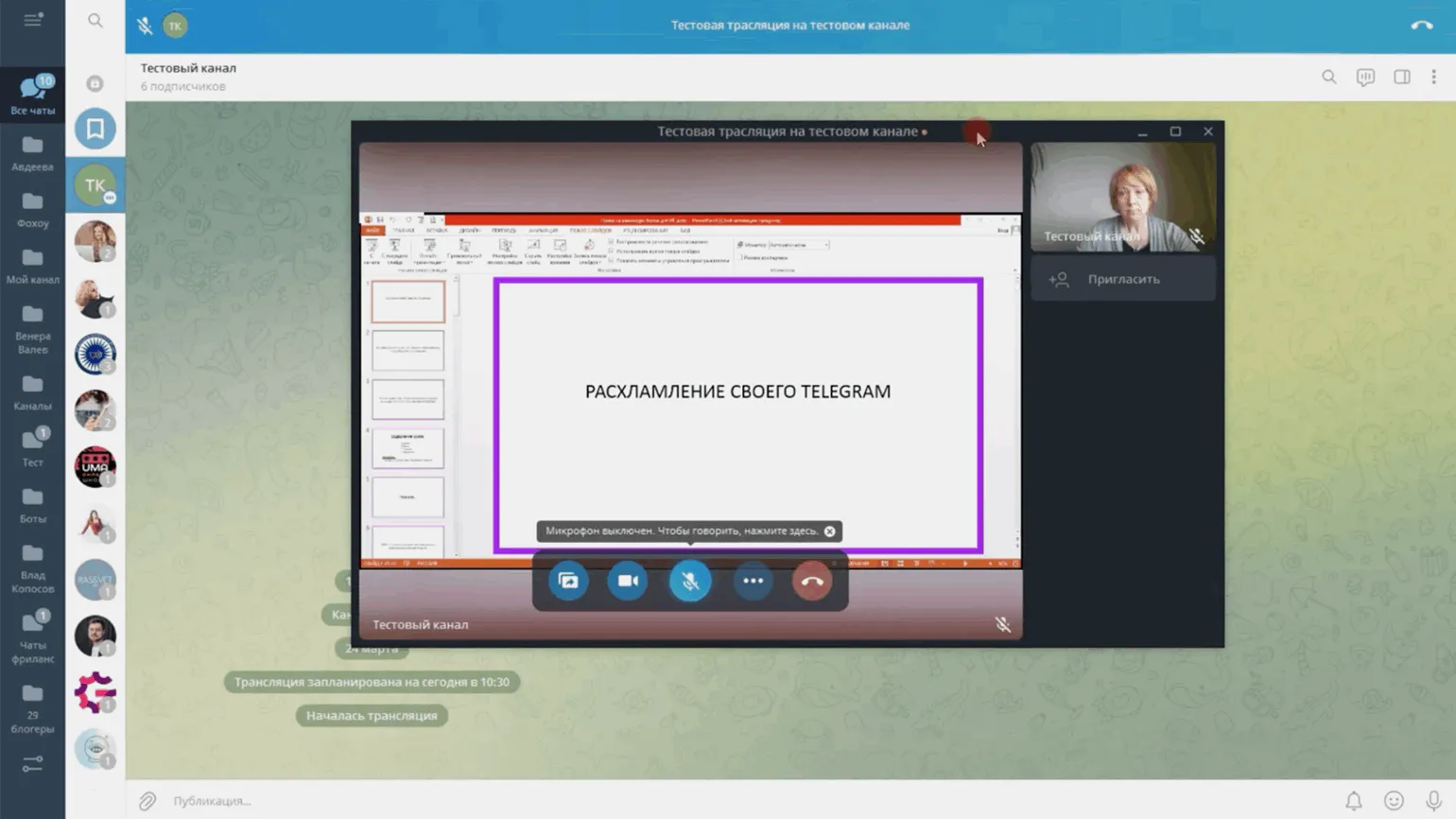
Despite its many features, this popular messenger can't completely replace specialized webinar platforms. However, if necessary, it can serve as a free alternative for both streaming and video conferencing. One of the main advantages is the unlimited duration of events and the number of participants. Furthermore, webinars can be conducted and listened to from any device, making them a convenient tool for communication and information exchange.
Video streaming and video chat are available exclusively in channels and groups, and the differences between these formats determine the specifics of video communication. A group has an owner with administrative rights, and all participants can send messages. This is why groups have video chat, which allows all participants to turn on their microphone and communicate. This format is ideal for meetings and online classes with a limited number of participants, such as practicing spoken foreign languages. Group video chat creates an interactive atmosphere conducive to effective learning and the exchange of ideas. Telegram channels operate according to unique principles. The channel owner, acting as the author, publishes content to which subscribers respond and leave comments. The ability to launch a broadcast, or live stream, allows the channel owner to communicate with the audience in real time. In this format, participants can only listen and comment; to ask a question or express an opinion, they must "raise their hand" and wait for the speaker's approval. This interaction format is ideal for webinars. It is important to note that in an open channel, an external audience can also join the broadcast by following a special link. This makes Telegram channels a convenient tool for communication and learning, allowing for engaging a wide audience and ensuring interactivity. Both options offer users basic features, such as recording broadcasts and meetings, screen sharing, and noise reduction. When scheduling a broadcast or meeting, channel subscribers and group members are notified of the date and time. Telegram integrates with OBS Studio, allowing you to combine screen sharing with the speaker's camera feed and broadcast to multiple platforms simultaneously. However, for online collaboration boards, breakout rooms, and flexible access settings, users should consider other platforms that offer more extensive functionality.
This software is not registered in the Russian software registry.
The cost of using the service is 0 rubles, making it completely free for users.
Virtual Room
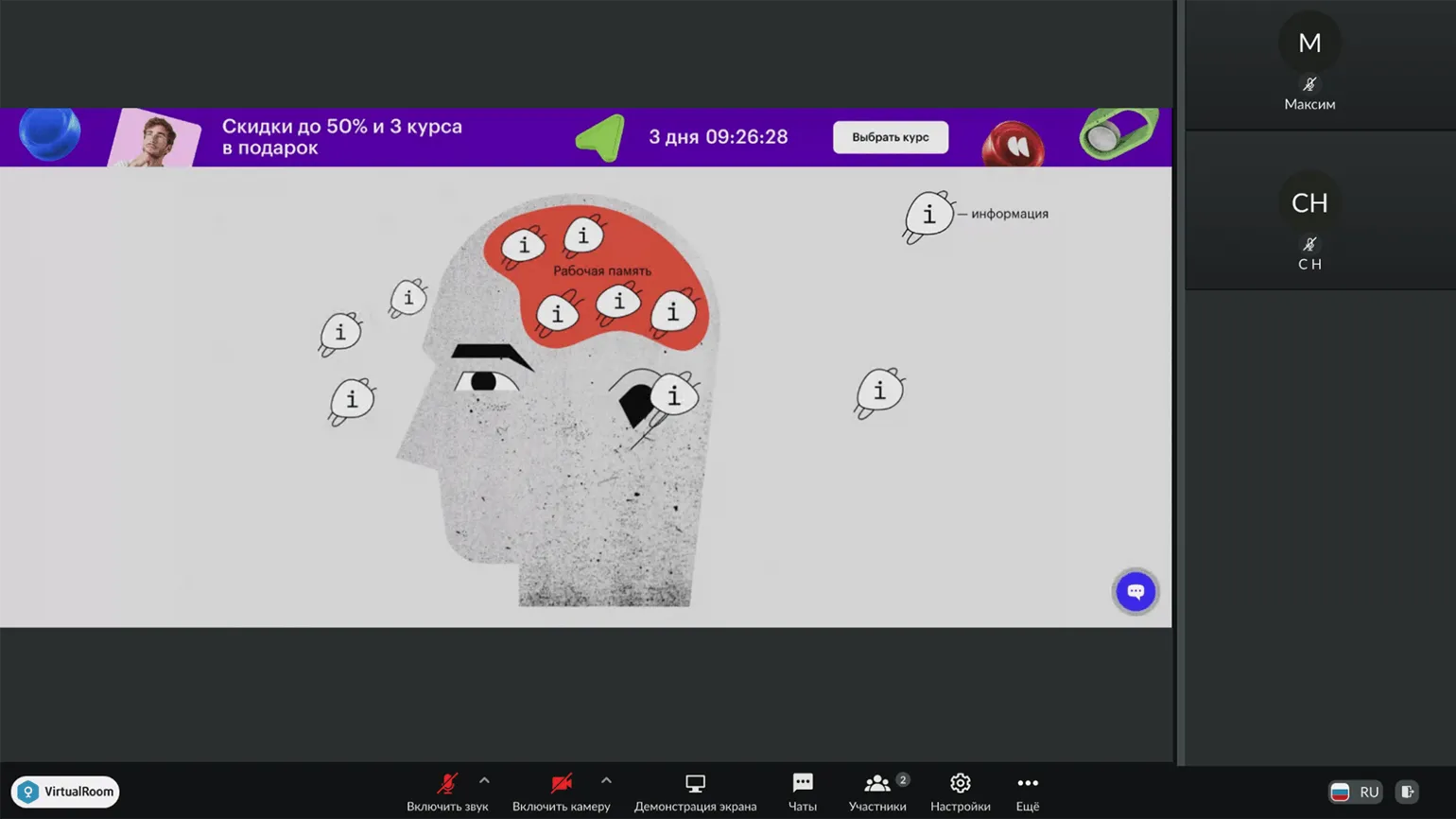
The Mirapolis platform, developed by a Russian company, provides extensive capabilities for customizing online events. You can customize the registration form by adding the necessary fields, as well as create text for automatic reminders and notifications for participants, both those who attended the webinar and those who missed it. The virtual room, registration form, and email notifications can be customized with your logo, giving the event a personalized feel. Organizers and participants can assume various roles, such as speaker, attendee, or moderator, each with their own rights and access conditions. This allows you to create a more structured and professional event that meets your needs.
During the webinar, you can conduct polls, share files, and share your screen using a virtual pointer and simple drawing tools. Participants can communicate in the chat, which has a separate tab for questions. Message pre-moderation can be enabled if needed. Webinar recordings can be converted to MP4 format, allowing you to send the video to all participants, giving them the option to download it or just view it. After the event, the Virtual Room platform offers organizers detailed attendance and viewership statistics, as well as the ability to download poll results and messages from the chat. This makes the webinar process more interactive and manageable, ensuring high-quality engagement with the audience.
The personal account interface may seem complex due to the large number of settings, especially for new users. However, detailed instructions will help you get started. To better understand the capabilities of the Virtual Room platform and determine whether it meets your needs, you can use the trial version. Access is granted after filling out a special form on the website.
The software is not included in the Russian software registry. This means that this software does not meet the criteria established for registration in this registry, which may affect its use in state and municipal institutions, as well as in some commercial organizations that require compliance with Russian software legislation. The service fee for new customers is 990 rubles per month. This plan allows for up to 30 participants and provides 15 GB of file storage. A 25% discount applies when purchasing a 12-month plan. Basic plans start at 2990 rubles per month, allowing for 50 participants. Discounts are also available for 3-, 6-, or 12-month subscriptions. A discounted plan is available for educational institutions, while corporate clients can choose the Enterprise plan, suitable for audiences of 300 to 10,000 people. The Enterprise plan includes personal support and the ability to conduct multiple webinars simultaneously.
Bizon 365
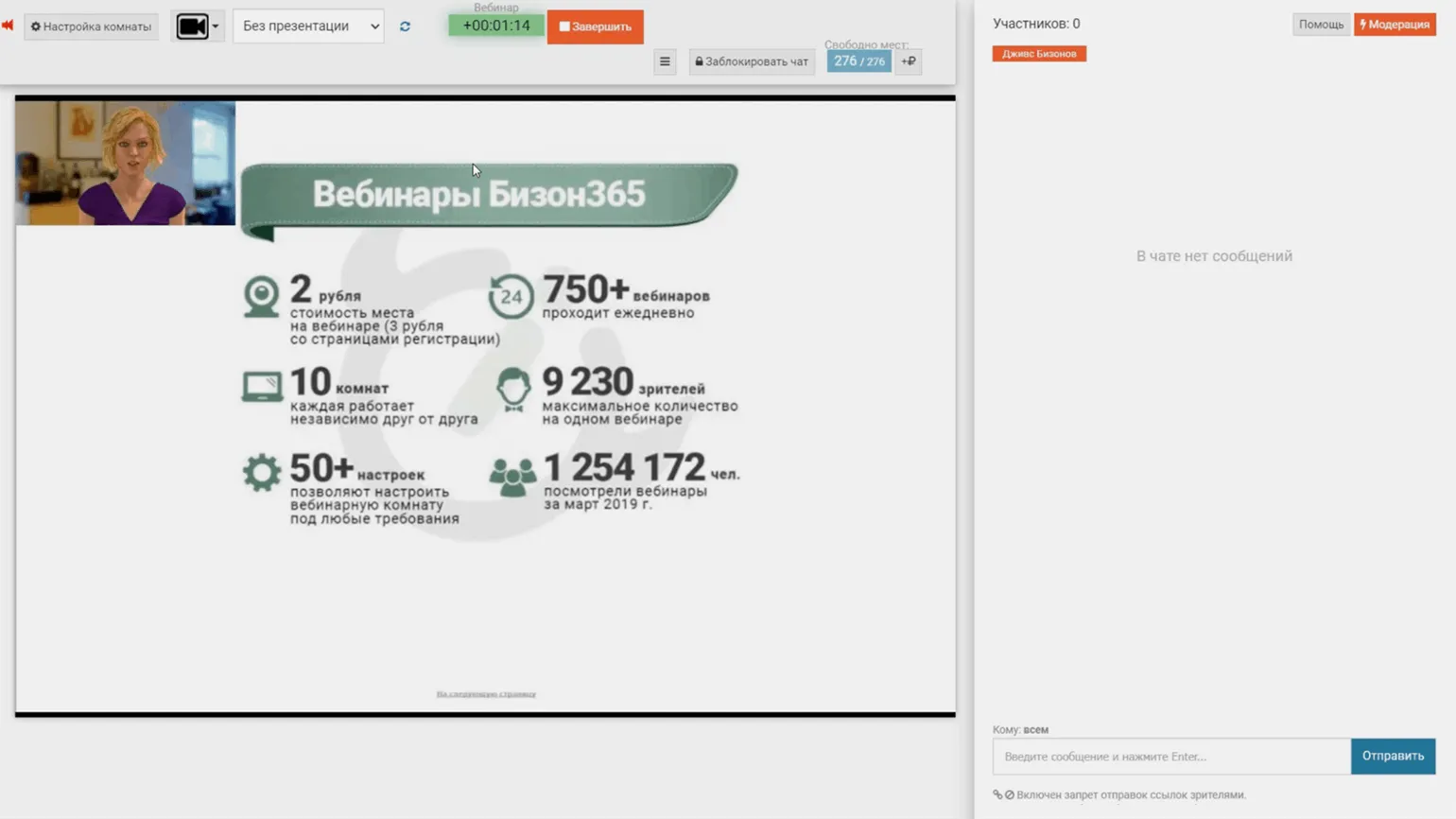
This platform offers a full suite of features for organizing webinars. Organizers can create a registration page and set up automatic notifications for participants. Presentations and files can also be uploaded for sharing with the audience, while breakout rooms allow for effective group collaboration. Chat features flexible settings, including pre-moderation and filtering of obscene language and stop words. The platform also offers tools for creating sales banners and buttons.
For event recording, the "Video Farm" feature allows you to create full-fledged video lectures. It allows you to customize the timing of slide shows and the placement of videos and presentations during recording. The finished material can be broadcast as an auto-webinar or sent to participants after the event. This platform provides all the necessary tools for successfully hosting webinars and increasing participant engagement.
Bizon 365 offers a unique, flexible pricing system consisting of two types. The first type involves traditional monthly payment, which is convenient for users who prefer a stable cost. The second type is based on the actual number of participants attending your webinar simultaneously. This allows you to optimize costs and pay only for those who actually participate. Thus, Bizon 365 gives users the opportunity to choose the most suitable payment option depending on their needs and the format of their webinars.
Among the disadvantages of Bizon 365, it is worth noting the outdated interface design, which may not meet modern requirements. Furthermore, it is worth considering the peculiarity of the service: Bizon 365 does not broadcast live, but integrates streams from other platforms or uses video encoders. These programs, such as OBS Studio, process and transmit video and audio from the user's webcam, screen, and microphone. To organize a webinar through Bizon 365, you must either install specialized software or create an account on platforms such as Rutube, Twitch, VK Video, or YouTube. A full list of supported services and instructions for launching broadcasts can be found on the official website.
Bizon 365 offers the ability to connect a cash register for conveniently accepting payments for access to webinars. This solution not only allows you to offer coupons and promo codes to your audience but also analyze the number of participants coming from various promotion channels. The platform also provides features for creating and selling quizzes and entire courses. To familiarize yourself with all the capabilities of Bizon 365, a 30-day trial is available to help you evaluate the service's advantages.
This software is not registered in the Russian software registry.
The cost of platform services depends on the pricing structure, making it difficult to specify a specific amount. For example, with the "Start" plan, the minimum cost is 3 rubles per webinar participant. If you enable a registration page and newsletter, the price per webinar seat increases to 4 rubles. Subscription packages start at 750 rubles per month, which includes up to 30 participants. The platform also charges a 3% commission on sales for cash register services, or you can choose a flat subscription fee, which varies depending on the chosen plan. More detailed information on payment details can be found in the help article.
Jitsi
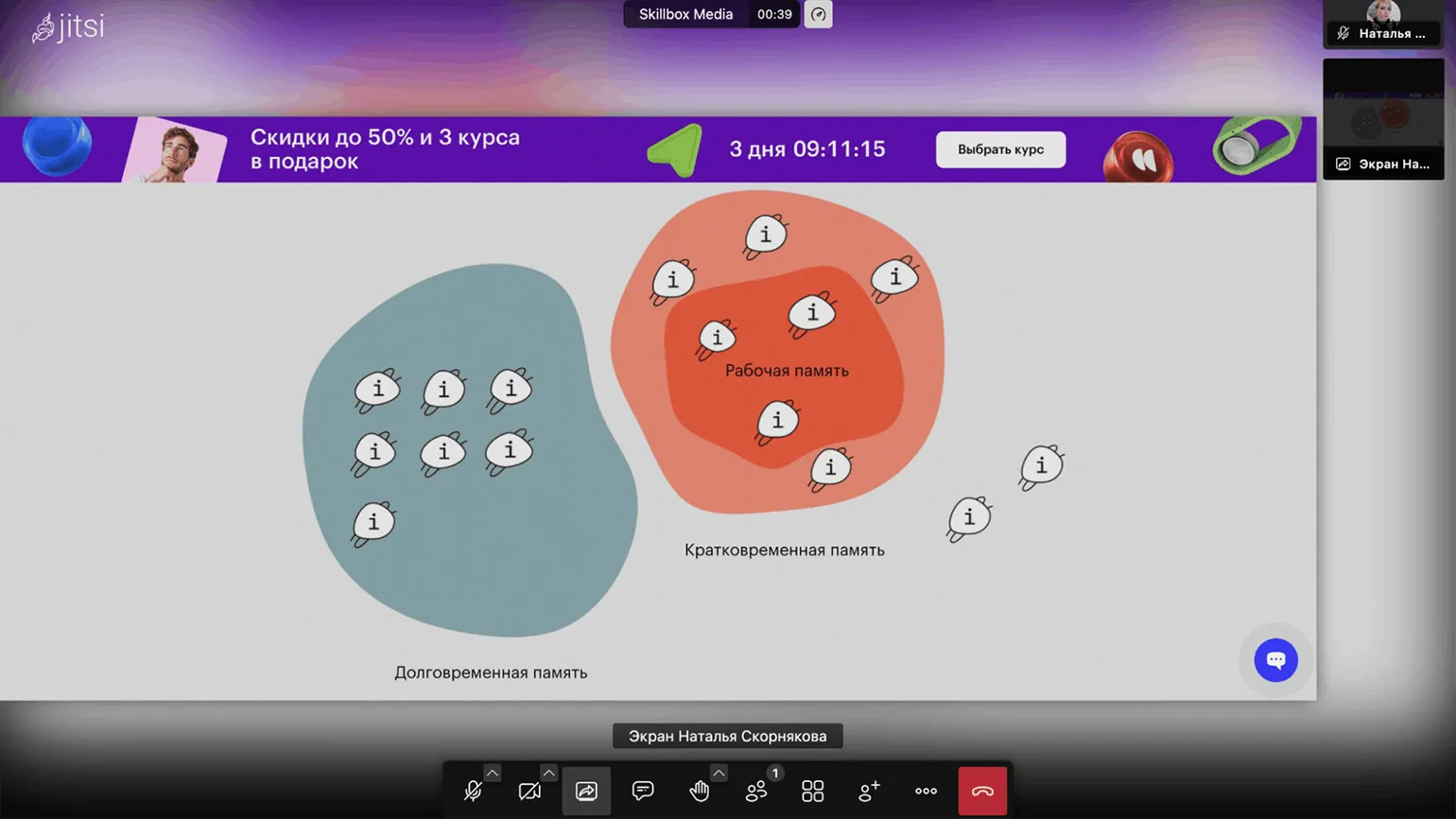
This is a free, open-source service that allows you to get started quickly. Simply sign in with your Google or GitHub account, create a new meeting, and invite other users. No registration is required to join the meeting; users will only be asked to provide their name.
Jitsi offers a wide range of features for online meetings and webinars. These include a waiting room and password-protected connections, which ensure security and access control. The platform also includes noise reduction, screen sharing, meeting recording, and text chat. A built-in online whiteboard allows participants to visualize ideas and collaborate. Jitsi easily integrates with Google and Microsoft Outlook calendars, making event planning simple.
While polling is available, it does not allow for quizzes to test participant knowledge. While there is no provision for assigning roles to participants, the platform supports the creation of breakout rooms, making it convenient for both single-speaker webinars and classes requiring group collaboration. Jitsi is an excellent choice for organizations and educational institutions seeking to host interactive online events.
Since the platform is free to use, users have the option to install it on their own server if they have the technical skills and resources. This allows the platform to be customized to individual needs and provides full control over its functionality.
This product is not registered in the Russian software registry.
The platform costs 0 rubles, with no time limits. However, please note that there is a limit on the number of connected participants. If the number of users exceeds 100, this may negatively affect the quality of the broadcast.
«Webinar FM»
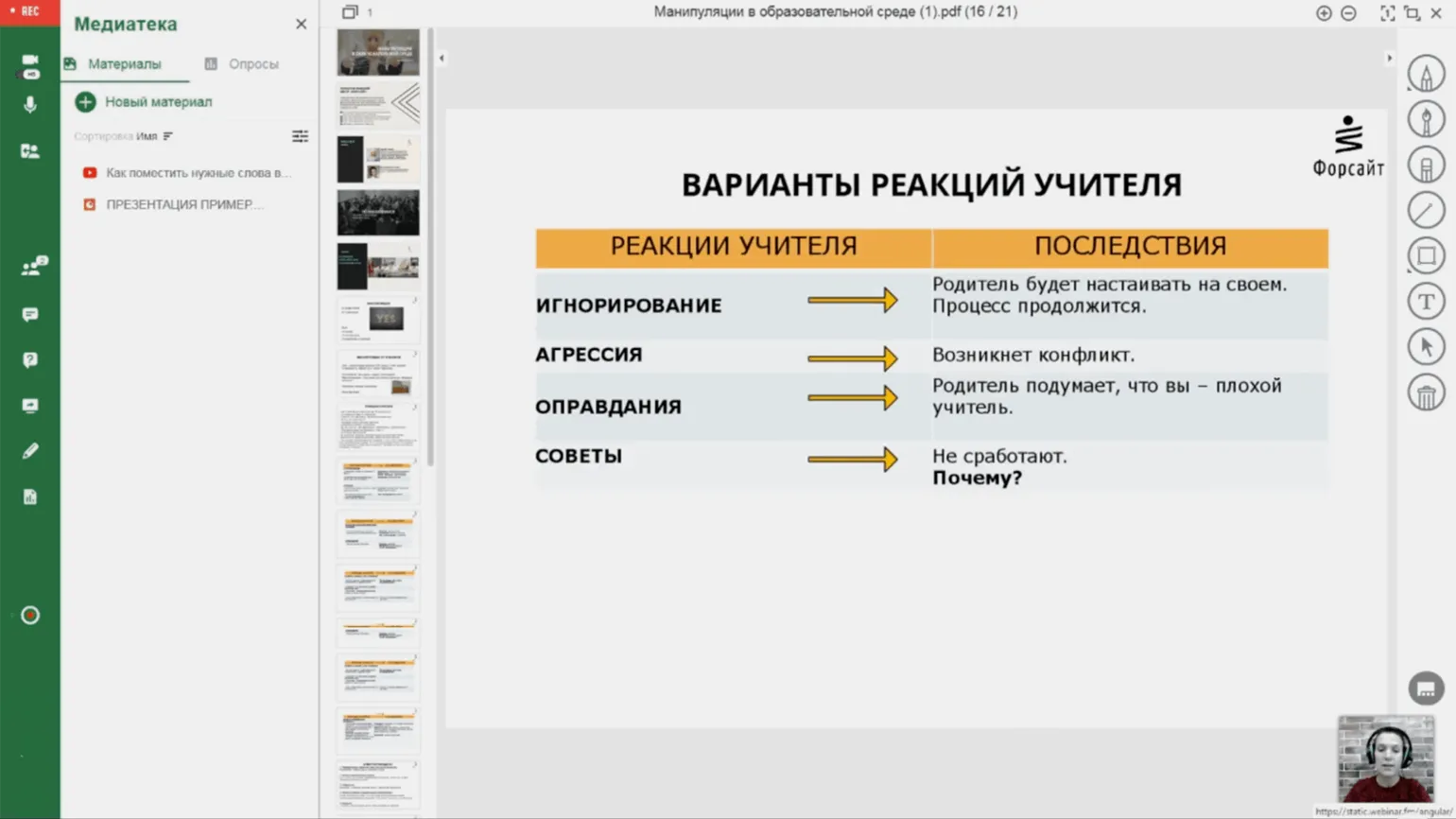
This webinar platform, founded in 2010, is ideal for organizing online events for up to 500 people. The platform runs in a browser, eliminating the need for additional software. Flexible pricing options allow for the best option for both private users, sole proprietors, and corporate clients.
Webinar FM offers a wide range of features necessary for running successful online events. The platform allows you to create landing pages with attendee registration forms and organize email invitations. Participants can interact via chat, which includes a Q&A panel and the ability to send private messages. Polls and polls are available to increase engagement. A whiteboard and breakout rooms for group collaboration are also available.
During the broadcast, you can share individual applications or documents, as well as play uploaded videos and audio files. Event recordings, attendance statistics, and attendee retention provide the ability to analyze the effectiveness of webinars. Access conditions can be flexibly configured: by email address, by link, or by a combination of link and password.
Organizations can also take advantage of the ability to brand the webinar room and integrate the platform via API, allowing it to be easily connected to existing learning management systems (LMS).
This software is not registered in the Russian software registry.
The price of services includes a free version with limitations: participation of up to 10 people, 2 speakers, 5 recordings, and 200 MB for file uploads. Individuals can subscribe to a subscription that allows for up to 50 participants, 500 MB for files, and 20 recordings, for 2950 rubles per month. Corporate plans start at 5900 rubles per month and include 50 participants, 3 GB for files, and 50 recordings. There is also a separate pricing line for video conferencing, starting at 2900 rubles per month for 5 participants. When purchasing a 6- or 12-month subscription, discounts of 10% and 20% are provided, respectively.
Saby Meet
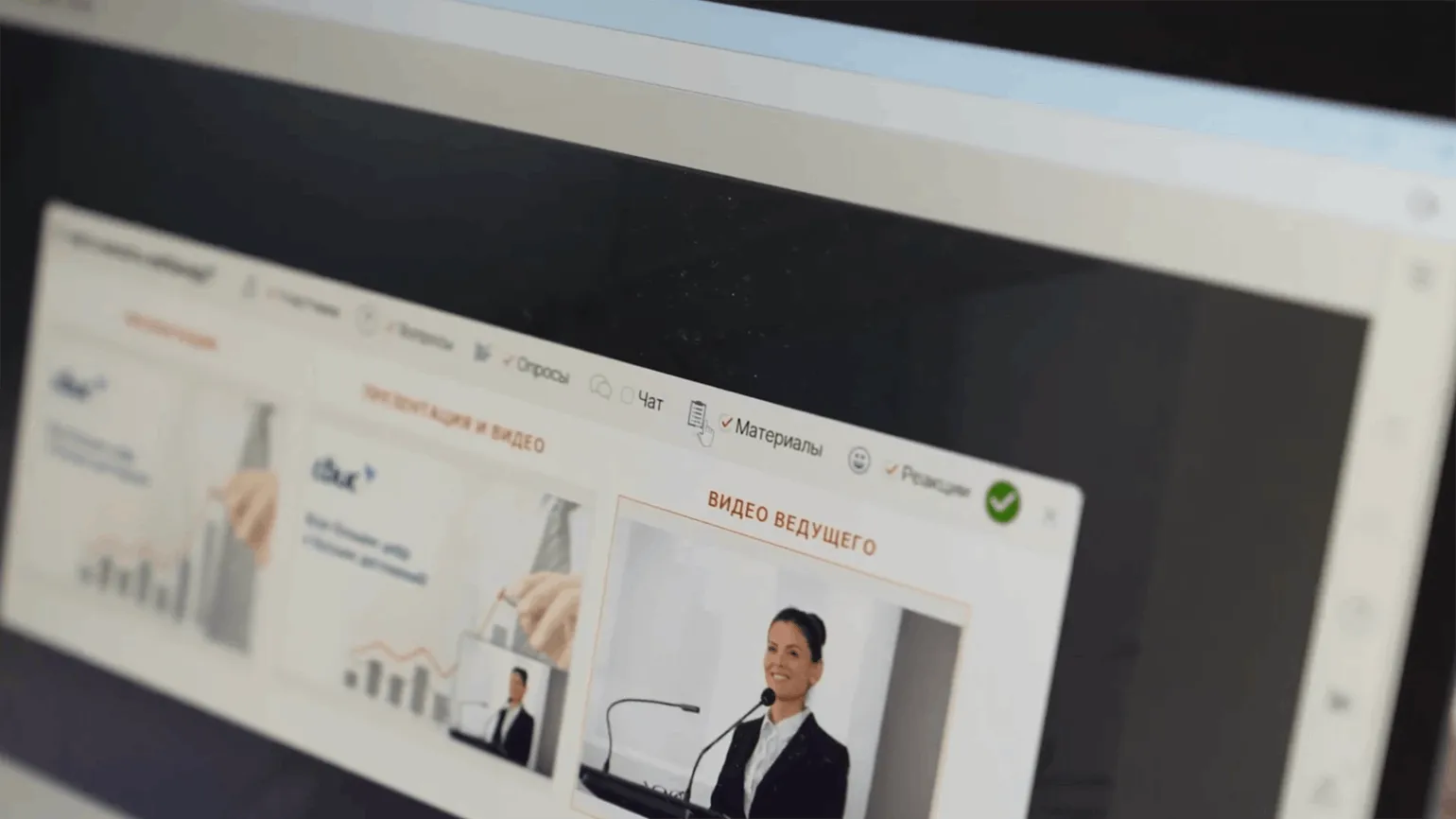
Saby, formerly known as SBIS, is a comprehensive business ecosystem that includes a platform for video meetings and webinars. This platform is ideal for companies that use webinars as a tool for employee training and product promotion. Saby provides high-quality video and audio, interactive features, and ease of use, making it an effective solution for organizing online events and increasing audience engagement.
Saby Meet offers not only standard video meeting features but also a variety of additional tools that make webinar organization more convenient and effective. The platform provides ready-made webinar landing page templates and the ability to send notifications to participants. A chat with reactions, a separate tab for questions, and automatic message moderation significantly simplify interaction between participants and the organizer.
Webinar organizers can assign speakers, moderators, and directors, allowing them to focus on the technical aspects of the event. The webinar window can include a sales banner, a whiteboard, and individual files. The platform's tools allow you to prepare a presentation plan in advance using the built-in text editor.
Furthermore, Saby Meet offers the ability to record a webinar, edit it later, and share the recording with participants—either for a limited time or indefinitely. This makes the platform ideal for professionals looking to deliver a high-quality webinar.
Attendees do not need to register to participate in a webinar if the setup allows, making the process more convenient for external audiences. Each online event provides detailed statistics, including participant sources and their geographic location. Viewer engagement data is also available, allowing you to better analyze your webinar's effectiveness. Saby Meet offers a unique feature for remote access to another participant's computer. This feature is especially useful for training employees on new software. With Saby Meet, you can quickly and effectively demonstrate required actions, significantly accelerating the training process and increasing team productivity. The software is included in the Russian software registry. The connection fee starts at 4,400 rubles quarterly, allowing for up to 50 participants. Increasing the number of attendees to 100 will cost an additional 4,400 rubles. Connecting up to 150 participants costs an additional 7,300 rubles. A simultaneous participation of 550 people will require a 20,000 ruble payment. Discounts are also available for payment for one, two, or three years in advance.
Kontur Talk
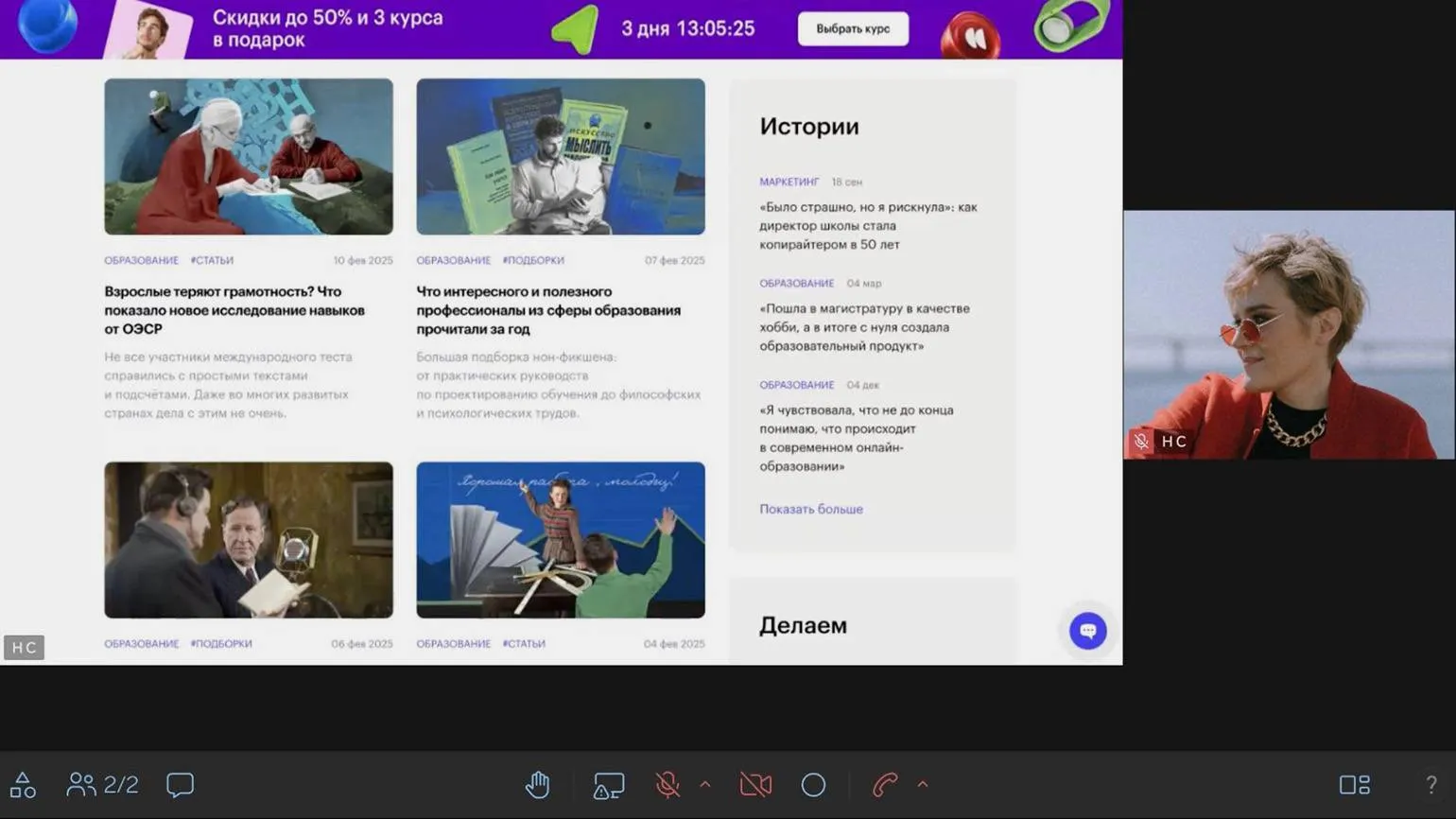
This service is designed to support business solutions and offers the ability to create a landing page for scheduled webinars. The landing page includes customizable registration fields and a branded design, allowing you to effectively present your event. The platform also provides automatic email invitations and reminders, helping attendees remember the upcoming event. Using this service significantly simplifies webinar organization and increases attendance.
Unregistered participants can join the webinar via a link. Access protection with a PIN is also available. External speakers can participate without mandatory registration and still have moderator rights. As usual, the webinar will be recorded, and a chat with polls and screen sharing are available. Participants can use the screen as an online whiteboard for taking notes or use remote computer access.
Kontur Talk offers modern solutions for webinars, including noise reduction, integration with calendars, and the ability to hold group sessions in separate virtual rooms. The platform supports broadcasting webinars to third-party platforms such as VK, Rutube, Twitch, and YouTube, as well as streaming using video encoding software. Available features include a text transcript of the recording with speech recognition for each speaker. To analyze the effectiveness of webinars, attendance and retention reports are provided, allowing you to optimize future events and increase their effectiveness.
It is important to consider the differences between tariff plans. The "Webinars" tariff is aimed at users holding events for registered participants. In contrast, the "Broadcasts" tariff Provides streaming platform features, allowing you to reach a wider audience of up to 3,000 people. However, the "Broadcasts" plan does not include tools for creating landing pages or registering participants.
This software is registered in the Russian software registry.
The subscription fee is 1,100 rubles per month and includes 100 participants, but with limited features, such as no speech transcription or calendar integration. Full access to all service features, as well as the ability to increase the number of participants to 200, is available for 2,000 rubles per month. New users receive a free three-day trial. Large companies that need to host the platform on their server or conduct several webinars simultaneously can receive a customized price quote.
Reworked text:
Study additional materials:
- A selection of designers that allow you to create your own online course
- 10 free online boards for distance learning and collaboration
- How to keep webinar participants engaged
- How to adapt exercises from an in-person training for an online lesson
Online Tutor
It doesn't matter what you teach—English, CrossFit, yoga, vocals, or culinary arts. Everything you previously taught in schools, studios, and offices can now be taught online. Promote your knowledge and skills and earn money from anywhere in the world.
Find out more