Table of Contents:
- Vectary: Innovative 3D Modeling Solution
- SelfCAD: Innovative 3D Modeler
- SketchUp: Innovative Solution for Architects and Designers
- 3D Slash: Innovative 3D Modeling Tool
- Autodesk Tinkercad: User-Friendly 3D Design Tool
- Womp: Innovative 3D Modeling Platform
- Spline Review: Powerful Tool for 3D Modeling
- Leopoly: Simplified 3D Modeling
- BlocksCAD Review: Innovative 3D Modeling Tool
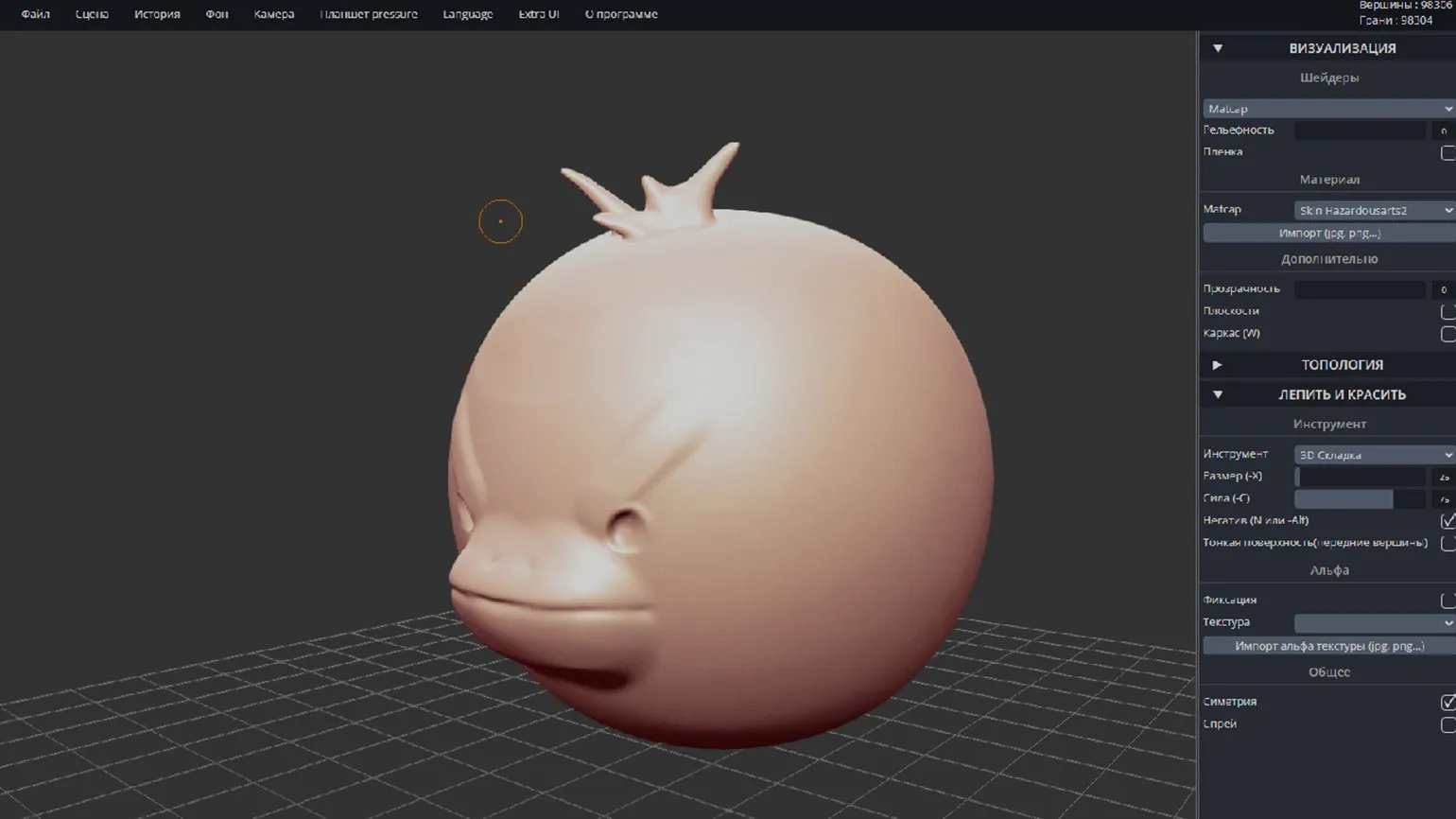
- SculptGL Review: Online 3D Sculpting Tool
- Review of Online 3D Modeling Services
3D Modeling for Beginners: 5 Simple Steps to Success
Learn MoreVectary: An Innovative 3D Modeling Solution
Vectary is a modern online 3D modeling platform that provides extensive capabilities for Designers and engineers. With Vectary, users can easily create, edit, and visualize 3D models using an intuitive interface and powerful tools. The platform supports collaboration, allowing teams to effectively share ideas and designs in real time. Cloud-based technology allows projects to be accessed from any device, making Vectary the ideal solution for design and engineering professionals.
Vectary license prices range from $0 to $15 per month. An annual subscription is also available for $180. For larger companies, customized terms are available, allowing you to tailor the service to your specific business needs.
Vectary's official documentation provides all the resources you need to quickly master the platform's functionality. With it, you can maximize the power of Vectary to create 3D designs and models.
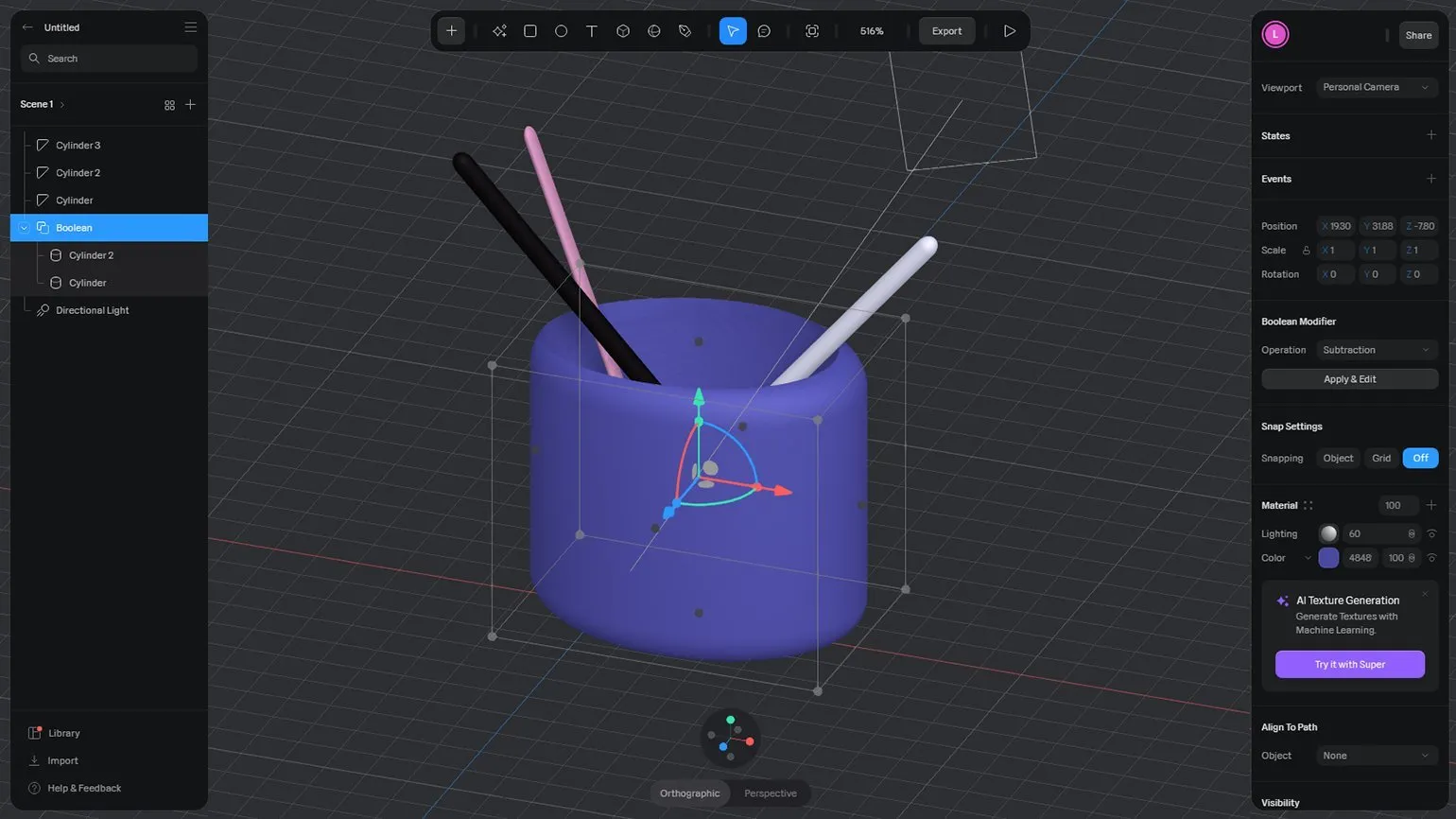
Vectary provides users with tools for 3D modeling objects from scratch using a combination of primitive shapes such as cubes, spheres, cylinders, and cones. The platform also supports various modifiers, including Boolean, allowing for the creation of more complex and unique models. Thanks to its intuitive interface, Vectary is suitable for both beginners and experienced users looking to develop their 3D design skills.
The platform offers the ability to export to common formats such as .obj, .fbx, .dae, and .stl in the free version. However, creating animated and interactive visualizations is only available with a license. This limitation highlights the benefits of the paid version, which opens up more functionality for users interested in creating high-quality 3D models and animations.
Vectary provides users with built-in PBR materials, a lighting system, and a variety of mockups, facilitating the creation of unique designs and high-quality visualizations. These tools allow designers to quickly and easily implement their ideas, increasing efficiency and improving the final result.
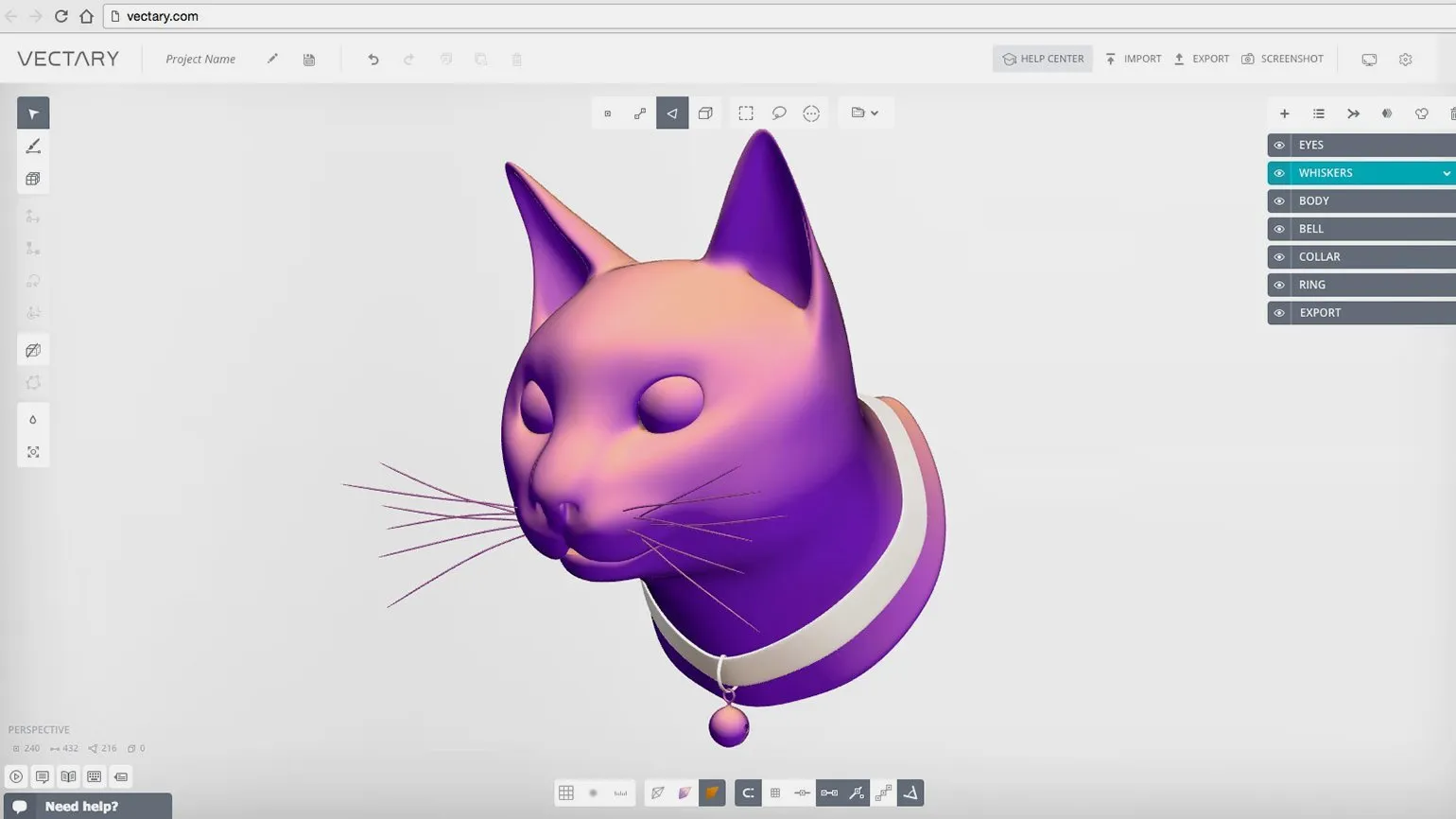
Getting started with Vectary is easy. Register on the platform and start creating 3D models right in your browser. Vectary offers an intuitive interface and a wealth of modeling tools, making it an ideal choice for both beginners and experienced users.
Vectary offers a wide selection of training materials and video tutorials on its official website. These resources will help users quickly master the platform and effectively utilize all its features.
Vectary supports several formats for importing 3D models, including .fbx, .gltf, .obj, .stl, and .dae. These formats provide flexibility and compatibility, allowing users to easily integrate their 3D objects into the Vectary platform.
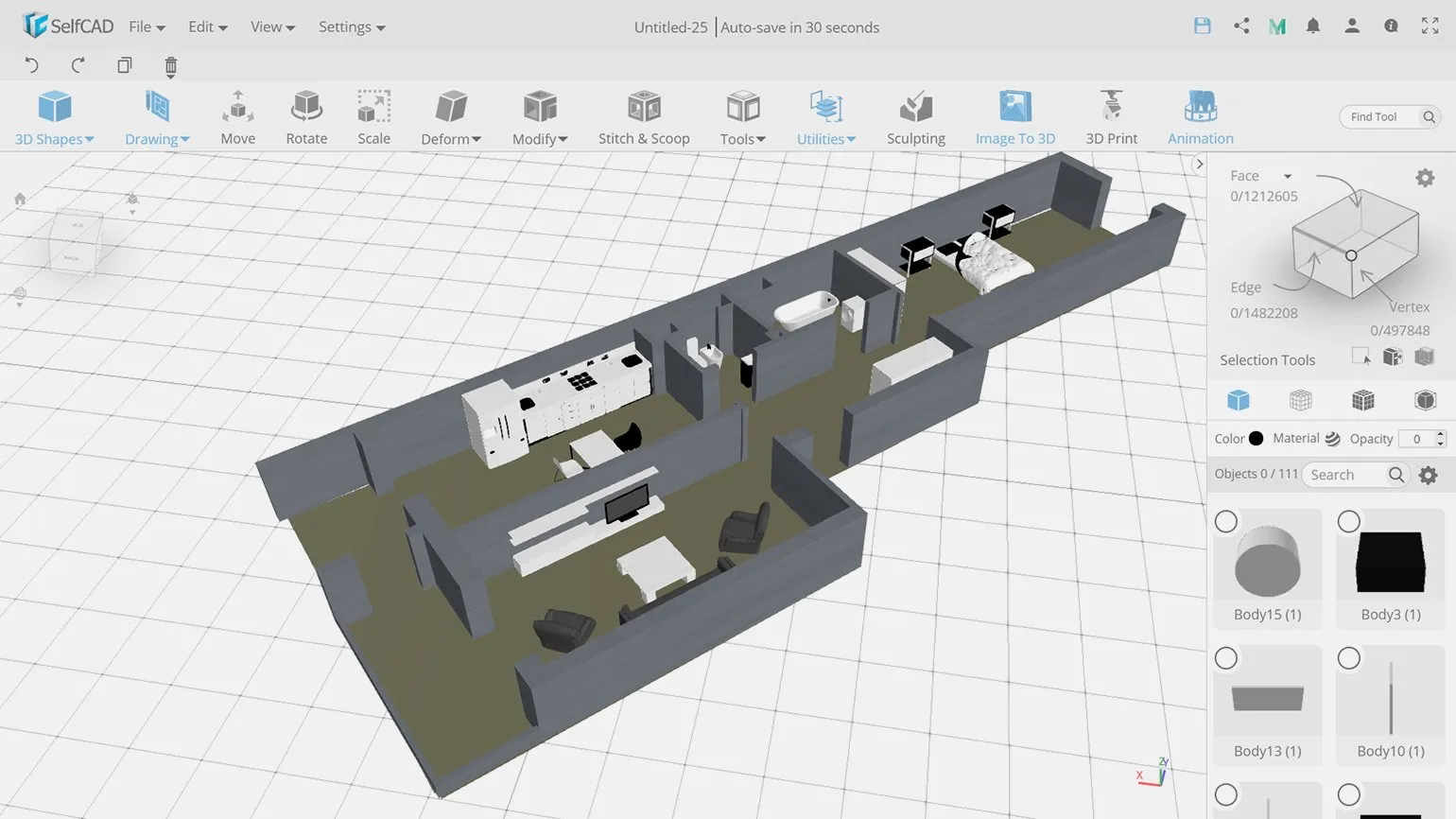
SelfCAD: Innovative 3D Modeler
The official SelfCAD website provides users with access to powerful 3D modeling and animation tools. SelfCAD is ideal for both beginners and professionals, offering an intuitive interface and a wide range of features. On the site, you will find detailed instructions, tutorials, and resources to help you get the most out of the program. Explore the benefits of SelfCAD and start creating unique 3D models today.
License prices range from $0 to $599, ensuring accessibility to a diverse audience, including individual developers and large manufacturing companies. This price allows users to choose the best option based on their needs and budget.
SelfCAD is ideal for developing 3D models in a wide variety of fields, including industrial design and art. This program offers a wide range of tools that allow you to create detailed and high-quality 3D objects that meet the needs of both professionals and beginners. Using SelfCAD increases work efficiency and allows you to realize your most daring creative ideas.
Users can export their designs to a variety of formats, including .fbx, allowing them to efficiently prepare them for 3D printing.
The Pro version of the program provides users with advanced features, including point mesh editing, sculpting, animation, and rendering. These features enable high-quality results in 3D modeling and animation, making the program the ideal tool for computer graphics professionals.
Every user has the opportunity to test all of SelfCAD's functionality with a 30-day free trial immediately after registration. This is an excellent way to familiarize themselves with the platform's tools and capabilities and appreciate its benefits for 3D modeling and design.
SelfCAD offers users built-in interactive tutorials to help beginners quickly master the program's interface and basic functions. These tutorials are based on step-by-step modeling, making the learning process intuitive and accessible. Users will be able to effectively explore all the capabilities of SelfCAD and apply the acquired knowledge to create their own 3D models.
SketchUp: An Innovative Solution for Architects and Designers
The program's official website offers a wide range of resources and user support, providing access to important information and tools. On the site, you will find useful materials, instructions, and answers to frequently asked questions to help you get the most out of the program.
License prices range from a free version to $749 per year. The price depends on the selected plan and available features.
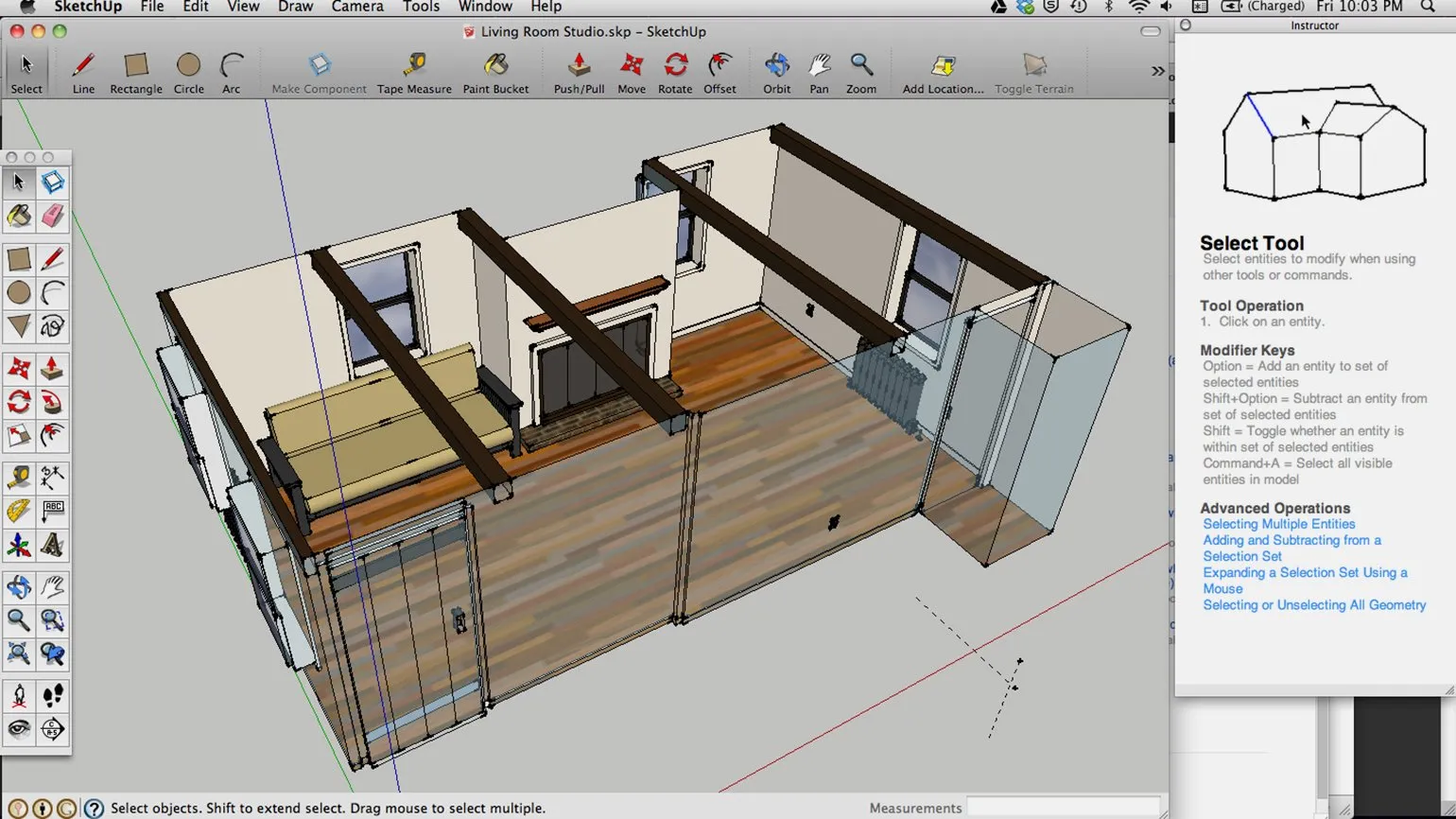
SketchUp is a powerful application specifically designed for architects and interior designers. It provides a wide range of tools to effectively implement projects, from conceptual design to detailed visualization. With an intuitive interface and an extensive library of models, SketchUp facilitates the design process and allows you to quickly adapt to changing ideas and client requirements.
To learn more about SketchUp's functionality and capabilities, we recommend referring to the official documentation. It contains comprehensive information to help you get the most out of this 3D modeling tool. Reviewing the documentation will help you better understand the program's features and its application in various fields, such as architecture, interior design, and engineering.
SketchUp has established itself as one of the most popular 3D modeling tools among professionals thanks to its intuitive interface and a workflow that resembles hand drawing. Users can easily define the vertices of the future structure with a virtual pencil, and use the Push/Pull tool to create volumetric objects. This approach makes SketchUp an ideal choice for architects, designers, and engineers who want to quickly and effectively visualize their ideas. The program's ease of learning allows users to focus on the creative process, rather than the technical aspects of modeling.
The created model provides the ability to add new elements, including furniture, windows, and doors. The "Roulette" tool The "Eraser" tool allows for precise measurements, while the "Eraser" tool allows for easy removal of unwanted geometric shapes. Since the program is primarily focused on architectural design, it offers tools for creating high-quality visualizations, ideal for presentations. Using these features contributes to an efficient and high-quality design process.
Access to the SketchUp online application is currently restricted for users with IP addresses in Russia and Belarus. This restriction may significantly impact service availability for users in these countries. Such measures may hinder the use of the design and modeling tool, which is widely used in architecture, design, and other fields. Users in Russia and Belarus are advised to seek alternative solutions or use a VPN to bypass restrictions to access SketchUp functionality.
If you have questions about SketchUp or want to learn more about its functionality, we recommend visiting the frequently asked questions section on the official website. You might also find the information on specialized forums, where various aspects of working with this program are discussed, useful.
3D Slash: An Innovative Tool for 3D Modeling
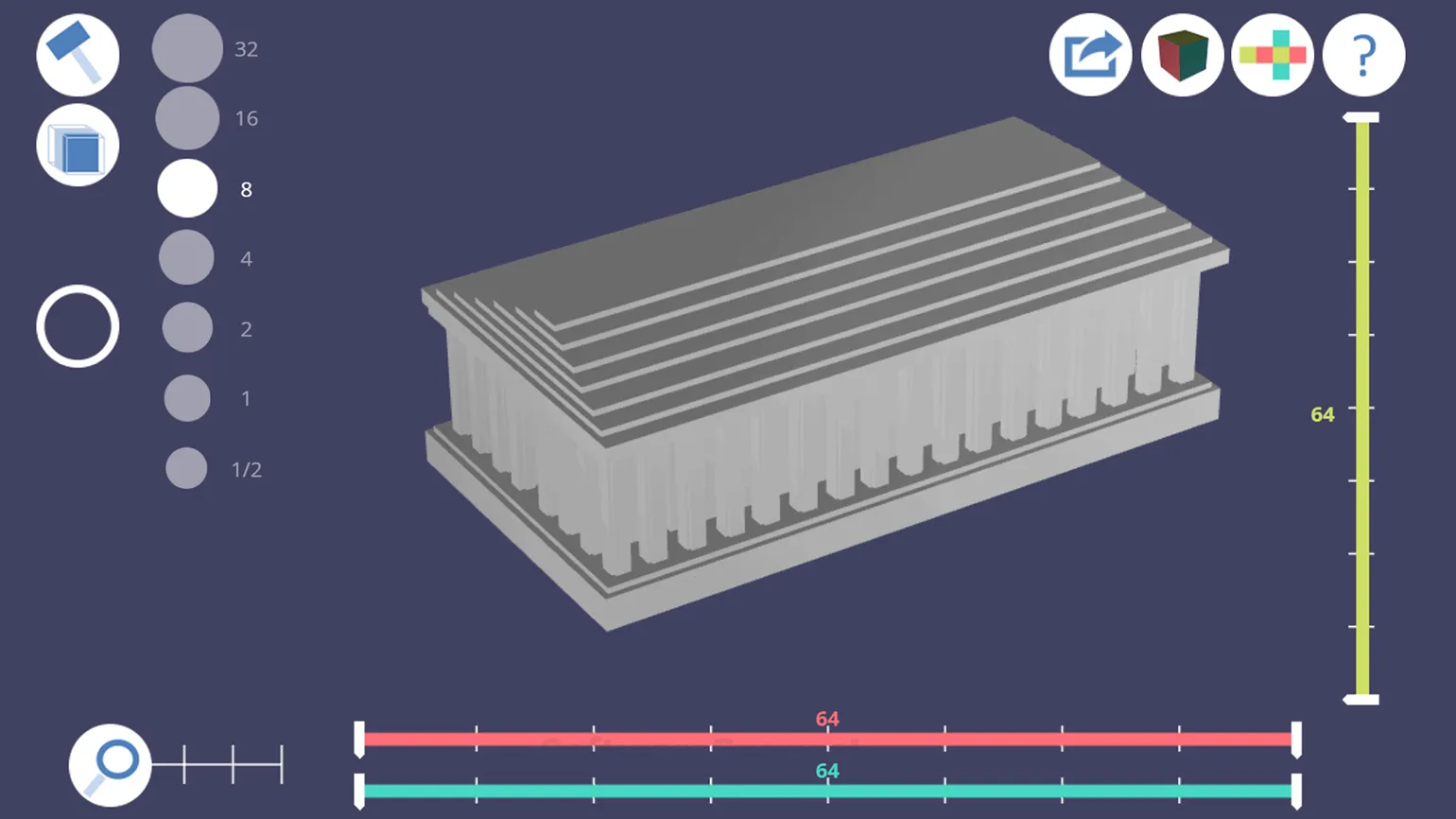
The official 3D Slash website provides users with a powerful tool for creating voxel 3D models. With 3D Slash, you can easily design and edit 3D objects using an intuitive interface. This tool is ideal for both beginners and professionals, allowing you to quickly realize creative ideas in 3D. Voxel model creation becomes accessible and engaging, making 3D Slash an excellent choice for anyone interested in 3D design. 3D Slash subscriptions range from free to $20 per month, ensuring the service is accessible to a diverse user base. This price range allows everyone to find the right plan based on their needs and budget. 3D Slash is a versatile tool suitable for a variety of projects, including game creation, animation, and architectural modeling. The program offers users a wide range of 3D graphics capabilities, making it an ideal choice for both professionals and hobbyists. With its intuitive interface and powerful tools, 3D Slash makes it easy to bring any creative 3D design idea to life. Users can explore all the program's features in detail by reading the official documentation available on our website. The modeling process in 3D Slash is similar to the gameplay of Minecraft, where users interact with cubic shapes by adding or removing them. This approach allows for the creation of detailed 3D objects in a unique voxel style. 3D Slash offers an intuitive interface that makes creating complex models accessible even for beginners. Users can easily experiment with shapes and textures, opening up wide possibilities for creativity and design. One of the program's key features is the Projector tool, which allows users to project images onto surfaces and "engrave" them. This functionality opens up the possibility of creating unique textures and details, making designs more expressive and personal. Projector helps designers and artists realize their ideas by adding new layers of complexity and depth to their work.
3D Slash's intuitive interface and interactive effects make it a great tool for both professionals and children eager to master 3D modeling. This program provides access to extensive 3D model creation and editing capabilities, allowing users to easily bring their ideas to life. 3D Slash teaches the basics of 3D design in a fun way, making it especially appealing to younger audiences.
In the free version, exporting finished models is only available to online services. To download in popular formats such as .fbx and .obj, you must purchase a license.
Autodesk Tinkercad: A Convenient Tool for 3D Design
The program website offers access to a functional online editor for 3D modeling and design. This tool allows users to create, edit, and visualize three-dimensional objects with high precision and convenience. Thanks to an intuitive interface and a wide range of tools, users can easily work on their projects, regardless of their skill level. Use our online editor to realize your ideas in 3D.
Tinkercad License: A free version makes the platform accessible to a diverse audience, including schoolchildren, students, and professionals. Tinkercad offers an intuitive interface and powerful 3D modeling tools, making it easy to create complex projects and learn design fundamentals.
The program is designed for designing objects for 3D printing, creating electronic circuits, and developing geometric shapes using code blocks. This solution allows users to efficiently develop and optimize models that can then be used in 3D printing. The use of code blocks simplifies the process of creating complex geometric shapes and designs, making the program an ideal tool for engineers, designers, and students. With a focus on designing for 3D technologies, the program promotes the development of CAD (computer-aided design) and programming skills, which increases the competitiveness of specialists in the job market.
The official Autodesk website offers extensive documentation, including helpful guides and training materials. These resources will help users gain a deeper understanding of the software, providing step-by-step instructions and practical tips. Reviewing the official documentation is an important step in improving the efficiency of Autodesk products.
Tinkercad is a popular platform for teaching children and teenagers information technology and design. It is often used in courses aimed at developing 3D modeling and design skills. The platform offers an intuitive interface and a variety of tools, making the learning process engaging and accessible to young people. Using Tinkercad in educational programs helps develop children's technical skills and creative thinking, which is especially important in today's world.
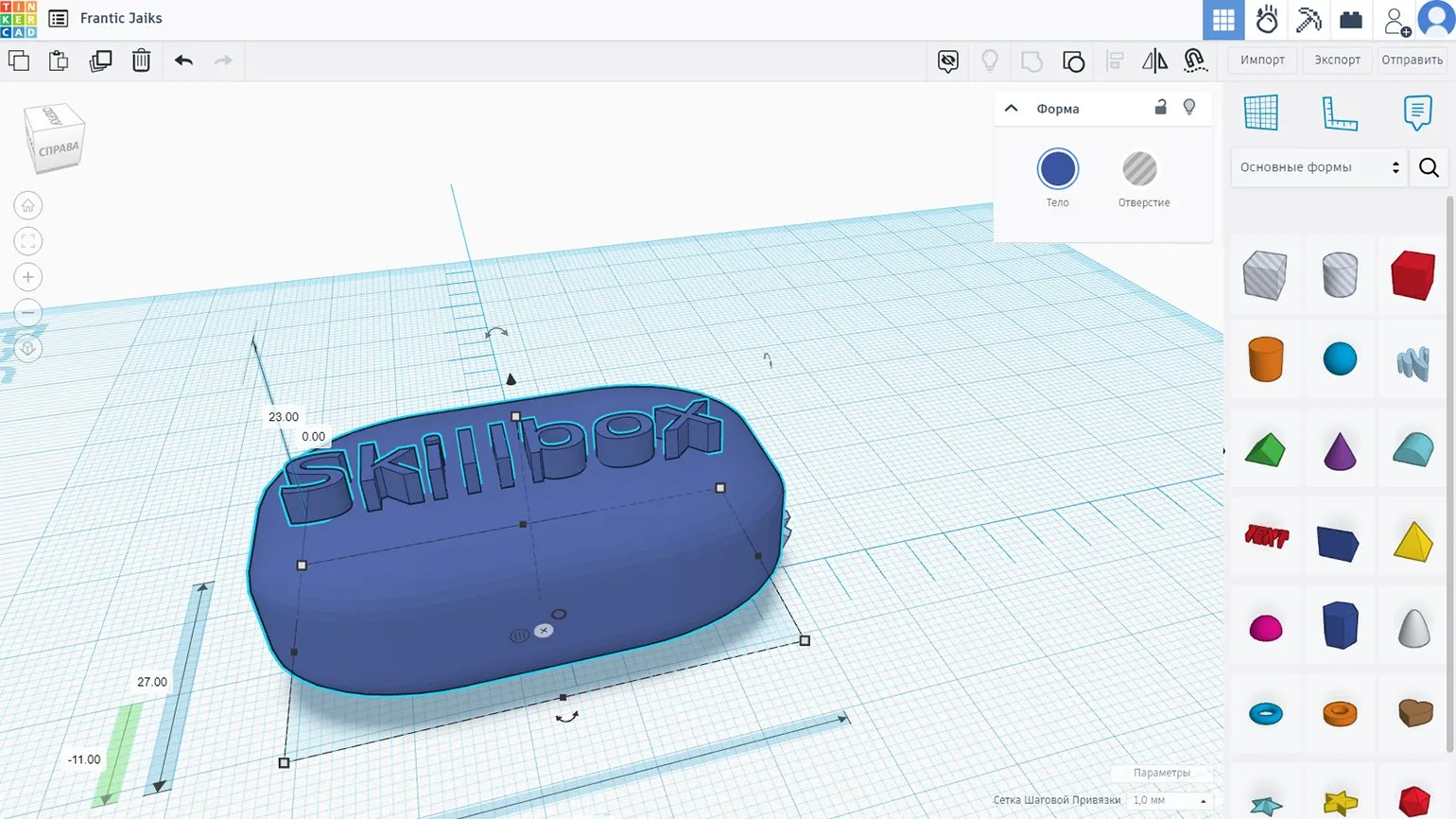
Creating 3D models in Tinkercad is simple and intuitive. Users can easily drag and drop primitive shapes or pre-made templates onto the workspace, adjust object parameters, and combine them. Tinkercad supports exporting models to various formats, such as .obj, .gltf, .stl, and .svg, and also allows them to be sent for 3D printing directly from the application. This makes Tinkercad an ideal tool for both beginners and experienced users looking to quickly and efficiently create unique 3D designs.
Tinkercad offers various additional modes that significantly expand the program's capabilities. These modes allow users to more effectively create and edit 3D models, design circuits, and program microcontrollers. These feature additions make Tinkercad a powerful tool for designers, engineers, and students looking to bring their ideas to life digitally.
- Simulate physical processes (e.g., visualize domino effects with specified object properties).
- Convert models to blocks (the result is exported in .schematic format, which allows it to be used in Minecraft).
- Convert to LEGO bricks with the ability to customize the block sizes (the result can be saved as an image).
Womp: Innovative 3D Modeling Platform
Womp is an innovative design tool focused on 3D printing and electronic device development. The program provides users with unique capabilities for creating complex geometry using code. Womp is ideal for both professionals and hobbyists seeking to realize their ideas in 3D design and electronics. It allows for easy modeling and visualization of projects, making the development process efficient and engaging.
License: Free
This license allows users to freely access and use the software without payment. A free license may include certain limitations, such as a lack of technical support or limited functionality compared to paid versions. Users can use this software for personal or educational purposes, making it accessible to a wide audience. Downloading and installing software with a free license is generally straightforward, contributing to its popularity among users.
For more detailed information, please refer to the official Womp documentation, which is available on the developer's website. The documentation contains comprehensive information on the platform's functionality, settings, and capabilities, helping you get the most out of Womp.
One of Womp's key advantages is its high performance, enabled by cloud computing. This allows the program to efficiently handle complex tasks, making it competitive among the best game streaming services. Cloud technology guarantees stability and speed, which is especially important for gamers seeking a flawless gaming experience.
Among its unique tools, the Goop parameter stands out, effectively softening the shapes of meshes, giving them a stylish and original look. Goop allows designers to create smoother and more attractive models, which is especially important in modern projects. Additionally, Womp offers advanced settings for PBR materials, lighting, and rendering, significantly improving the quality of the final models. These features make Womp the ideal choice for professionals seeking to create high-quality visual content.
You can export your finished 3D model in popular .obj and .stl formats. To optimize the file, we recommend slightly reducing the detail percentage in the export settings. This will help reduce the amount of data and improve performance when loading and using the model.
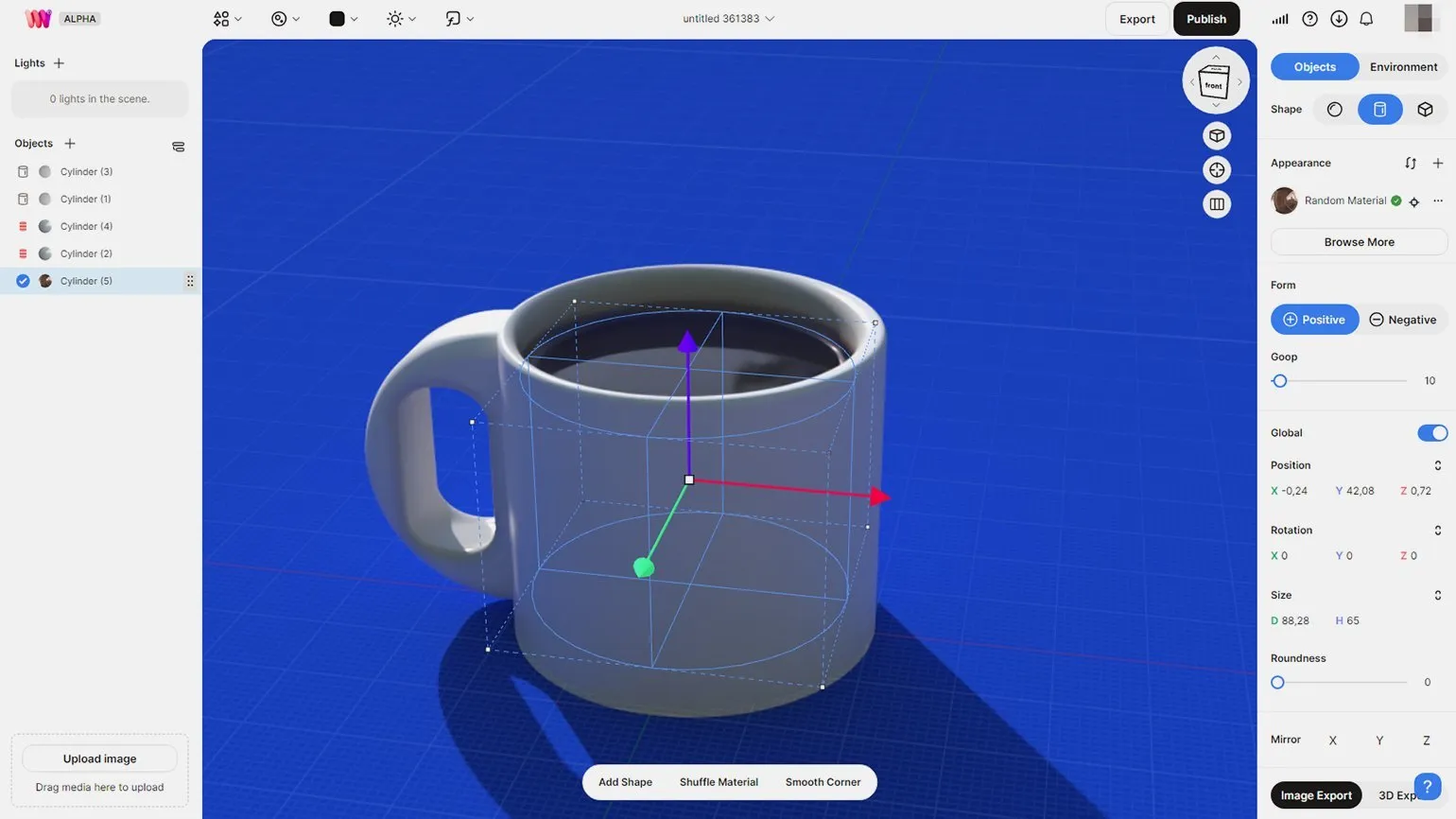
The main advantages of using Womp include high performance, a user-friendly interface, and flexible settings. The platform provides quick integration with various systems and tools, allowing you to optimize workflows. Womp offers a wide range of features, including data analytics, which facilitates more effective decision-making. Additionally, users value a high degree of security and privacy, making Womp a reliable choice for businesses.
- Free to use and accessible.
- High performance thanks to cloud technology.
- Intuitive interface for users of all levels.
- Flexible tools for creating and editing 3D models.
The system requirements for Womp include the minimum and recommended specifications to ensure stable operation of the application. For optimal functioning of Womp, it is necessary to have an up-to-date operating system, as well as a device with sufficient RAM and video memory. We recommend using a modern processor that will ensure fast data processing. Please pay attention to having a stable internet connection, as this is critical for the full use of Womp. You should also make sure that you have all the necessary updates and drivers installed. Compliance with these requirements will allow you to get the most out of all the features of Womp.
Womp operates in a cloud environment, which makes it available on most modern devices with an internet connection. This makes Womp a versatile tool for users seeking flexibility and ease of use. There are numerous resources for learning Womp. The official Womp website offers documentation and user guides to help you quickly master the platform. YouTube video tutorials, where experienced users share their knowledge and practical examples of working with Womp, are also helpful. Furthermore, various forums and communities dedicated to Womp allow you to share experiences and get answers to questions. Don't forget about blogs and articles, which can contain useful tips and recommendations for using Womp in various projects. The official Womp website offers an extensive library of training materials and video tutorials to help users master the platform and improve their skills. These resources cover a variety of topics and make it easy to find the information you need for effective learning.
Spline Review: A Powerful 3D Modeling Tool
Spline is a modern 3D design platform that provides users with unique tools and capabilities, regardless of their skill level. This program allows you to create high-quality 3D models and animations, making it an ideal choice for both beginners and professionals. Spline simplifies the design process, offering an intuitive interface and powerful features that help realize even the most daring creative ideas.
The program's official documentation offers comprehensive information and detailed guides for both beginners and experienced users. This documentation serves as a valuable resource, helping users effectively master the program's functionality and resolve any questions that arise.
A Spline license costs from $0 to $9 per month, making this tool accessible to startups and professionals. With this pricing policy, Spline is suitable for both beginners and experienced professionals looking to optimize their 3D design workflows.
Spline can be used in a variety of applications, including creating interactive web applications and developing animations for video games. This platform provides opportunities to realize creative ideas and create unique user experiences. With Spline, developers can easily integrate 3D models and animations, opening up new horizons in design and programming.
One of Spline's key features is its ability to collaboratively edit projects in real time over the internet. This feature is especially relevant for teamwork, allowing participants to effectively collaborate and make changes simultaneously. Spline facilitates the process of co-creation and improves communication between team members, making it an ideal tool for collaborative projects.
Working in Spline is similar to using traditional desktop 3D modeling software. Users can precisely edit vertices, edges, and faces, as well as sculpt and combine objects. Spline also offers animation, material customization, and rendering capabilities. Neural network integration expands the platform's functionality, enabling the creation of more complex and interactive 3D projects. Spline provides users with all the necessary tools for efficient 3D design, making it an ideal choice for professionals and hobbyists alike.
The program offers a wide range of export formats for 3D models, including popular .gltf, .glb, .stl, and .usdz formats. Users should note that uploading their 3D models will require purchasing a license.
Leopoly: 3D Modeling Made Easy
Leopoly is a powerful online 3D modeling tool that allows users to easily create and edit three-dimensional objects. Suitable for both beginners and professional designers, it offers an intuitive interface and extensive functionality. Leopoly allows you to quickly implement creative ideas and streamline the modeling process, making it an excellent choice for anyone interested in 3D design.
License: Free.
This content is available for use at no cost. The free license allows users to freely use, distribute, and modify the materials. It is an ideal option for those looking for affordable solutions without financial investment. With a free license, you can expand your capabilities and use the content in various projects without worrying about additional costs.
Object and character design plays a key role in creating unique and memorable visual images in various media formats. This process involves developing the shapes, colors, textures, and functionality of objects, as well as creating distinctive traits and expressions for characters. Successful design of objects and characters requires a deep understanding of the target audience and the context in which they will be used.
When creating objects, designers consider both aesthetic and practical aspects. It is important that each element not only attracts attention but also fulfills its function. Characters, in turn, must be varied and multifaceted to evoke an emotional response and interest in viewers.
Key techniques in object and character design include research, concept art, modeling, and animation. The use of modern technologies, such as 3D modeling and animation, allows for the creation of more complex and detailed images that can be used in games, animation, and other forms of media.
Optimizing the design for various platforms and formats is also an important aspect that helps ensure maximum accessibility and appeal to the end user. Thus, high-quality object and character design not only enhances visual perception but also contributes to creating an engaging and memorable experience for the audience.
The program's official documentation provides a quick reference guide available upon launch. This feature allows users to quickly familiarize themselves with key features and settings, providing easy access to the necessary information.
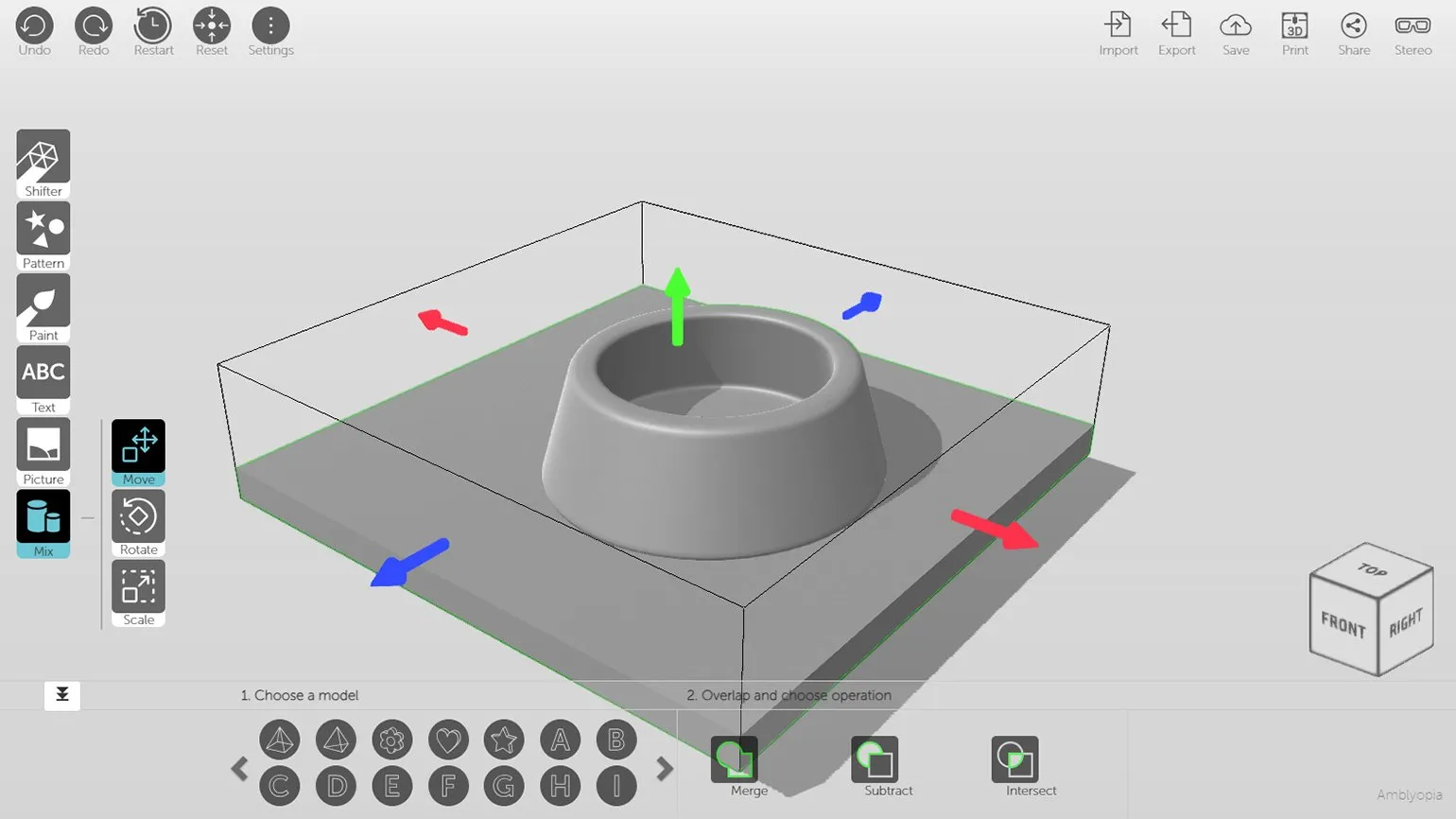
Leopoly offers users a wide selection of 3D modeling templates, significantly simplifying the object creation process. After selecting a suitable template, users can easily adjust model parameters or create unique objects from scratch using the convenient sculpting mode. This approach makes Leopoly the ideal tool for both beginners and experienced modelers looking to bring their creative ideas to life.
- Sculpt from a sphere (from scratch) or face/body model.
- Create objects from a cylinder or donut.
- Block-based construction mode with available bases for vehicles and buildings.
Leopoly allows users to upload their own 3D models and edit objects created by other community members. This feature significantly expands the horizons of creative expression and allows each user to create unique content.
The modeling process in Leopoly is structured and intuitive. The user begins by selecting a template, after which they adjust the necessary parameters. They can then combine the template with additional meshes from an extensive built-in asset catalog. Objects can be decorated using engraving, painting, and adding text or images that the user can upload from a local drive. This approach provides high flexibility and allows for the creation of unique 3D models.
Finished models can be saved in .obj or .stl formats, ensuring their compatibility with various 3D modeling programs. You can also upload your models to the Leopoly service for further editing and use. This allows you to effectively integrate your 3D objects into various projects and simplifies the process of working with them.
BlocksCAD Review: An Innovative 3D Modeling Tool
BlocksCAD is a powerful online editor designed for creating 3D objects. Available on the official website, this tool allows users to easily dive into the basics of 3D design and programming. With an intuitive interface and a variety of features, BlocksCAD is ideal for both beginners and more experienced users looking to develop their 3D modeling skills.
License: Free
This license allows users to freely use certain software or content without having to pay. A free license may include restrictions, such as prohibiting commercial use, modification, or distribution. It is important to read the terms of this license to avoid copyright infringement and ensure legal use of the product. Free licenses are often used to attract users, allowing them to evaluate the product before possibly upgrading to paid versions with advanced features.
This program is ideal for people of all ages and skill levels. It allows each participant to tailor the lessons to their individual needs and capabilities. This allows everyone to achieve their goals, regardless of their initial level of physical fitness.
Official documentation is available directly in the editor under the "Learn" section of the main menu. This allows users to access training materials while working, making it easier to master the editor's functions and increasing efficiency.
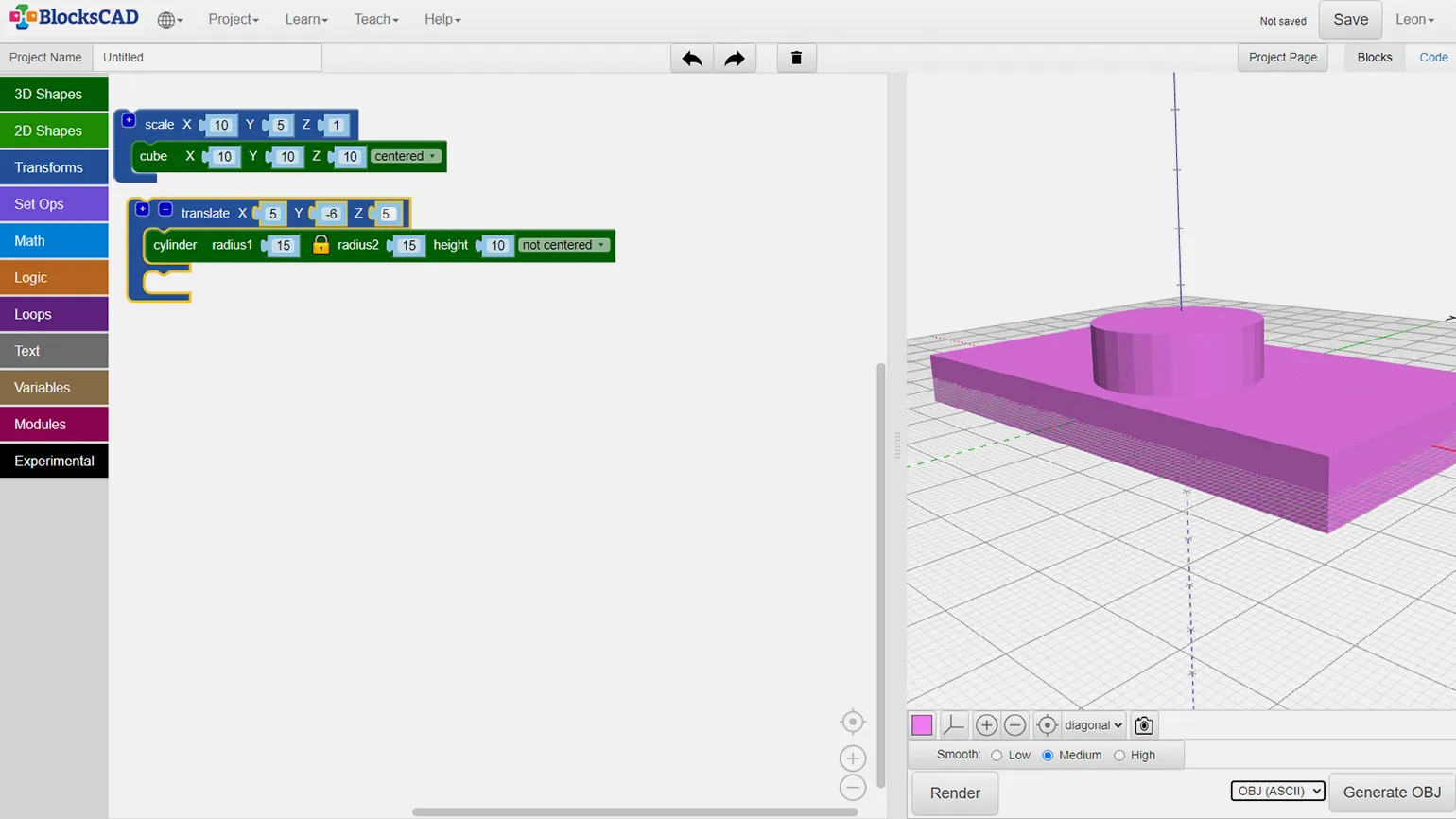
Unlike most other editors, creating 3D objects in BlocksCAD is step-by-step. Users can drag and drop blocks, which represent data and logic, to the left side of the screen. Object parameters can also be set here. To obtain a visual result, go to the 3D viewport located on the right and click the "Render" button. This approach simplifies the modeling process and makes it more intuitive for users, which contributes to a more effective learning experience in 3D design.
Available export formats in BlocksCAD include .stl, .x3d, .obj, and .amf, as well as the ability to publish models to the Polar Cloud platform. This program not only teaches the basics of mathematics and programming but also promotes computational thinking. BlocksCAD is an excellent starting point for schoolchildren and teenagers who want to master more complex tools such as OpenSCAD. Using BlocksCAD helps users develop 3D modeling and programming skills, which opens up new horizons in STEM education.
SculptGL Review: Online 3D Sculpting Tool
SculptGL is a powerful online application designed for 3D artists and sculpting enthusiasts. With an intuitive interface and a variety of tools, users can create and edit 3D models of characters, objects, and other elements. This application is ideal for both beginners and professionals, allowing everyone to realize their ideas in 3D space. SculptGL supports various file formats, making it convenient for integration into workflows and sharing with other programs.
License: Free
This product is available for use at no cost. Users are free to download and use it in their projects. The free license provides access to all the basic features without any payment. This is an excellent solution for those looking for high-quality tools without a financial investment. We recommend that you read the terms of use to avoid misunderstandings and get the most out of the product.
Sculpting is the art of creating three-dimensional forms and figures from various materials, such as stone, wood, metal, and clay. This process involves not only physical modeling but also a deep understanding of anatomy, proportions, and textures. Sculptors use their skills to convey emotions and ideas through their works.
An important part of sculpting is the choice of material, which affects the final result and execution technique. For example, stone sculptures require a special approach and tools, while working with clay allows for more experimentation and modifications during the creation process.
Modern sculpting also includes the use of new technologies, such as 3D modeling and 3D printing, which opens up new horizons for artists. This field continues to evolve, bringing new ideas and forms to the world of art.
Sculpting is not only a beautiful art form, but also a form of self-expression that allows artists to interact with the world around them and leave their mark on history. It's important to understand that each sculpture is not just an object, but a story that requires careful perception and understanding.
Official documentation is available on the developer's website. Here you can find helpful guides and tips to help you use the product effectively.
The SculptGL app launches instantly after clicking the link and requires no registration, making it accessible to all users. It supports Russian and offers stylus pressure correction, ensuring high modeling accuracy. Thanks to its ease of use and accessibility, SculptGL is ideal for both beginners and experienced users looking to create 3D models without unnecessary complexity.
The sculpting and texturing toolset includes a variety of brushes and shaders, as well as basic rendering settings, allowing you to more accurately visualize the final result. The final 3D models can be saved in popular formats such as .stl, .sgl, .obj, and .ply, ensuring compatibility with a variety of applications. You can also upload your models to the Sketchfab platform for further use and demonstration, allowing you to share your work with a wider audience and receive feedback.
Overview of Online 3D Modeling Services
Online 3D modeling services continue to gain popularity due to their accessibility and ease of use. These platforms offer unique features, making them ideal for both beginners and experienced professionals. With online services, users can easily create, edit, and visualize 3D models, significantly simplifying the design process. Intuitive interfaces and extensive resource libraries allow you to speed up work and improve the quality of your projects. Thus, online services represent a valuable solution for anyone interested in 3D modeling, from hobby to professional work.
- Powerful hardware is not required – a stable internet connection is sufficient, as all operations are performed in the browser. This is especially convenient for users with older computers.
- Many of the online services are free, making them ideal for beginners looking to learn the basics of 3D modeling.
- Data is saved in the cloud and linked to the user's account. Some services do not even require registration, allowing you to work on any device with internet access.
- Some platforms, such as 3D Slash and Tinkercad, are specifically designed for educational purposes, encouraging children and teenagers to explore 3D technologies.
- Many of these applications may struggle to handle complex models, especially those with a large number of polygons. However, there are exceptions, such as SketchUp, which offers high optimization.
- Limited tool capabilities may not meet the needs of more experienced users.
- Online services are often inferior in functionality to desktop programs, which may limit their use in professional projects.
- Free versions of some applications, such as SketchUp and Spline, may have limitations on exporting models to various formats.
Online 3D modeling services offer a number of significant advantages. They have an intuitive interface, which eases the learning process. Accessibility from anywhere in the world allows you to work on projects anytime and anywhere. In addition, these platforms support collaboration, making it easier to interact with colleagues and clients in real time. Choose the right application and immerse yourself in the fascinating world of 3D graphics, where your ideas become visual reality.

Studying additional materials is an important part of the learning process. They help deepen your understanding of a topic and expand your knowledge. It is recommended to use a variety of sources, such as books, articles, video tutorials, and online courses. This will allow you to gain a variety of perspectives and approaches to the subject being studied. It is important to choose relevant and high-quality materials to ensure effective mastery of the topic. Additionally, participating in webinars and seminars can significantly enhance your understanding and facilitate the exchange of experiences with other students.
Dive into the World of 3D Professions: From CG Artist to 3D Designer
3D professions are becoming increasingly popular in modern digital art. CG artists and 3D designers play a key role in the creation of visual effects, animations, and games. These specialists use specialized programs for modeling, texturing, and rendering objects.
CG artists often focus on creating characters, environments, and effects, while 3D designers may work on projects in fields such as architecture, advertising, and product design. Success in these professions requires not only technical skills but also creativity, an understanding of composition, and color theory.
The demand for 3D professionals continues to grow, opening up a variety of career opportunities. Training in this field may include courses in 3D modeling, animation, and the use of various software tools. Diving into the world of 3D professions provides a unique opportunity to influence visual culture and create exciting projects.
3D Modeling for Beginners: 5 Steps to Success
Want to master 3D modeling? Learn how to create unique models from scratch in Autodesk Maya! Read the article.
Find out more