Contents:

Who are you in the world of game development? Learn more with this free course ➞ You'll experience three professions in action: game designer, 2D artist, and Unity developer. Create your first Mario-style game. Click here for details.
Learn moreWe live in the era of high-performance computers. Modern video cards are capable of real-time ray tracing, which until recently seemed unattainable. This technology opens up new horizons in graphics and gameplay, enabling visual effects that were impossible just a few years ago. Today, powerful computing capabilities allow developers to create more realistic and immersive graphics, significantly improving the user experience.
Many developers believe that optimizing game performance is not a priority. They assume that if a player has a powerful computer, they won't notice the difference in performance. However, ignoring optimization can negatively impact the experience of users with less powerful devices and lead to a decrease in the game's audience. Therefore, it is important to consider optimization as an integral part of the development process to ensure a comfortable gaming experience for all users, regardless of their hardware.
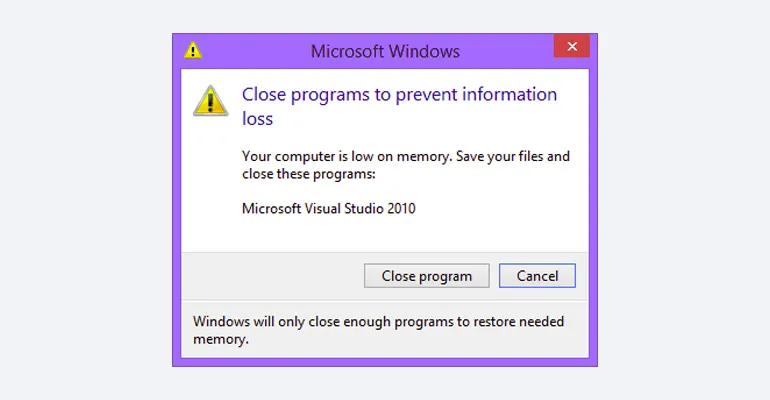
Poorly optimized games can lead to freezes and crashes, both on low-end and high-end computers. In this article, I will share basic methods for improving game performance to ensure smooth gameplay and avoid annoying crashes. Proper settings and optimization can significantly improve game quality and reduce the load on the system.
Remove unnecessary objects
In the article about developing an endless race in Unity, I used procedurally generated roads to create endless gameplay. In the game, new road blocks appear in front of the player, and when they cover a certain distance from the previous block, it is removed. This approach allows for uninterrupted gameplay and provides an immersive experience for players.
If this weren't the case, the game would begin to slow down significantly after a few minutes, depending on the amount of RAM, and could then crash completely. Optimizing game performance and using device resources efficiently are critical to ensuring a stable gaming experience.
Even without location generation, you can always find elements that need to be removed.
- shards;
- bullet casings;
- corpses;
- wood chips;
- blood and the like.
When creating game content, it is important to consider the specific features of each game. In games like Counter-Strike, elements such as bullet casings can be removed without any problem, as they do not affect the overall process. However, in detective or sniper games, bullet casings can play a significant role in gameplay, adding realism and tension. Pay attention to detail to improve the gaming experience and make it more engaging for users.
The problem of excessive object numbers will remain relevant until we learn how to create RAM with unlimited capacity. Therefore, resource optimization will be necessary for a long time to come.
Sometimes this problem cannot be solved. For example, if your game implements a time rewind mechanic, you need to store all the information for the period the player can rewind. This requires careful data organization and efficient memory management to ensure smooth gameplay.
In this situation, you can either minimize the number of objects or use unconventional techniques, as players have implemented in Super Time Force.
Disable Object Display
Some elements, such as static parts of the game world, cannot be deleted, but they can be disabled. This feature is often used in games with vast open worlds, as it helps optimize performance and reduce system load. Disabling static objects helps developers manage resources and improve gameplay, providing a smoother player experience.
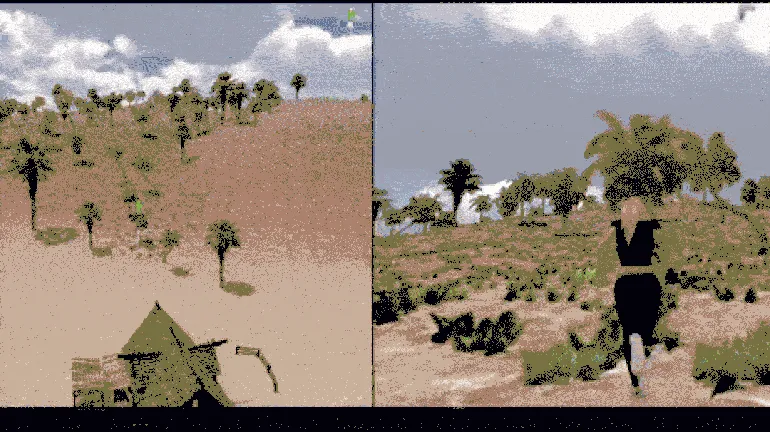
You can disable only the rendering of an object or remove it from the game completely. The first option reduces the load on the graphics card, while the second option reduces the load on both the graphics card and the CPU. This happens because the game stops checking collisions and physics for the disabled object, which improves overall performance and optimizes resources.
It's important to exercise caution when working with physics in games. If the player turns away from a falling object and you disable it, an unusual effect occurs: the object stops falling until the player turns their attention back to it. This behavior can negatively impact gameplay and create a false perception of the game's physics.
This can be considered a unique feature of the game. A prime example is the Weeping Angels from Doctor Who. At first glance, they look like ordinary statues, but when no one is paying attention to them, they are capable of movement.

In the game The Witcher 3, you can find references to various angels. These elements highlight the rich mythology and folklore that inspired the developers to create this unique world. Angels, in the context of the game, symbolize hope, protection, and spiritual guidance, adding depth to the storylines and characters. While exploring the world of The Witcher 3, players may encounter various references to such beings, making the gaming experience more rich and engaging.
Optimize Assets
When creating 3D content, it is important to use lightweight assets, such as low-poly objects and compressed textures. Optimizing assets allows you to maintain high visual quality while reducing their size. You can optimize textures yourself, but for more complex objects, you will need the help of an experienced 3D artist. Proper optimization not only improves performance but also contributes to faster loading times and a better user experience.
Here is an example of a high-quality low-poly model that meets modern standards. Low-poly models are widely used in video games, animation, and virtual reality, as they provide a balance between visual quality and performance. These models have a limited number of polygons, which reduces the load on the graphics card and increases rendering speed. This makes low-poly models ideal for mobile devices and resource-constrained projects.
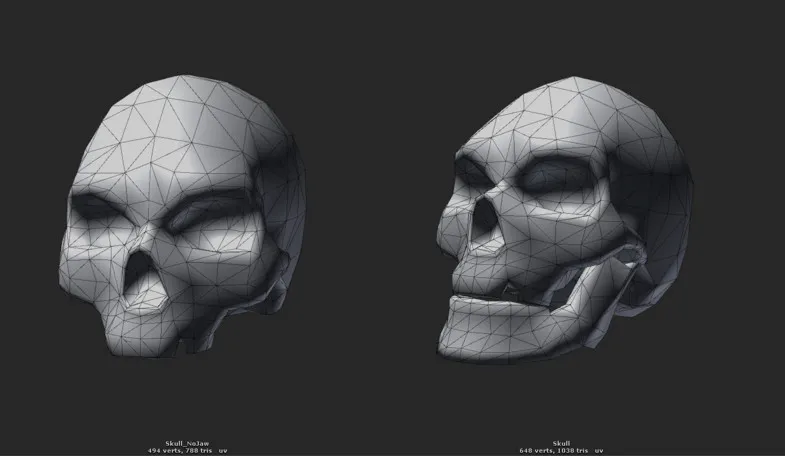
Adding high-quality textures will make the model an ideal decorative element for a project with a high level of graphics. The right choice of texture will highlight details and create the atmosphere needed to achieve a visual effect. Effective use of texture can significantly enhance the perception of a model, making it more realistic and appealing to viewers. Such textures are widely used in video games, animation, and architectural visualization, where every detail matters. Choosing a texture that matches the overall style of the project will be the key to successful visual design.

Prioritize Quality
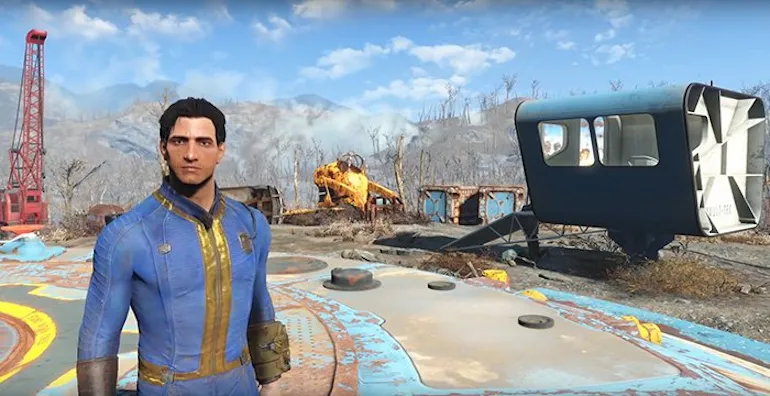
When discussing decorations in games, it is important to understand that not all objects require high quality execution. The main character should be carefully designed, as they are the central figure in the gameplay. However, environmental elements such as flowers, grass, and rocks can be rendered in low resolution. This optimizes game performance while maintaining visual appeal. The right balance between quality and performance helps create a smoother gaming experience without putting unnecessary strain on the system.
Work more efficiently with light, shadows, and reflections
Calculating and rendering light, shadows, and reflections require significant computational resources. However, these effects add expressiveness and depth to visual content. Minimizing the number of light sources and reflective surfaces is recommended to optimize performance. This will achieve a balance between image quality and processing efficiency while maintaining an appealing visual presentation.
To improve the quality of shadows in graphics, it is recommended to reduce the number of objects creating dynamic shadows. This will not only improve performance but also improve the visual perception of the scene. Limiting the number of dynamic shadow sources will achieve clearer and more realistic lighting and also reduce the load on the system.
Distribute the load
Modern processors have at least two cores, but their efficient use depends on the software developers. In games that involve complex calculations that are independent of the game engine, it is important to implement parallel execution of tasks. This will allow for more efficient use of processor resources, improving performance and ensuring smoother gameplay. Optimizing code for multithreading can significantly improve the overall performance of an application, which is especially important in modern games with high computing demands.
The method of performing a task depends on the chosen technology. The correct choice of technologies and tools plays a key role in the successful implementation of a project. It's important to consider the specifics of each technology to optimally adapt the process to your specific requirements.
Remember Caching
If you frequently access a value calculated by scripts in your game, it's recommended to store it in a variable instead of reusing it. This will not only improve code execution efficiency but also improve the readability and maintainability of your scripts. Storing values avoids unnecessary calculations and potential errors, making your code more optimized and understandable.
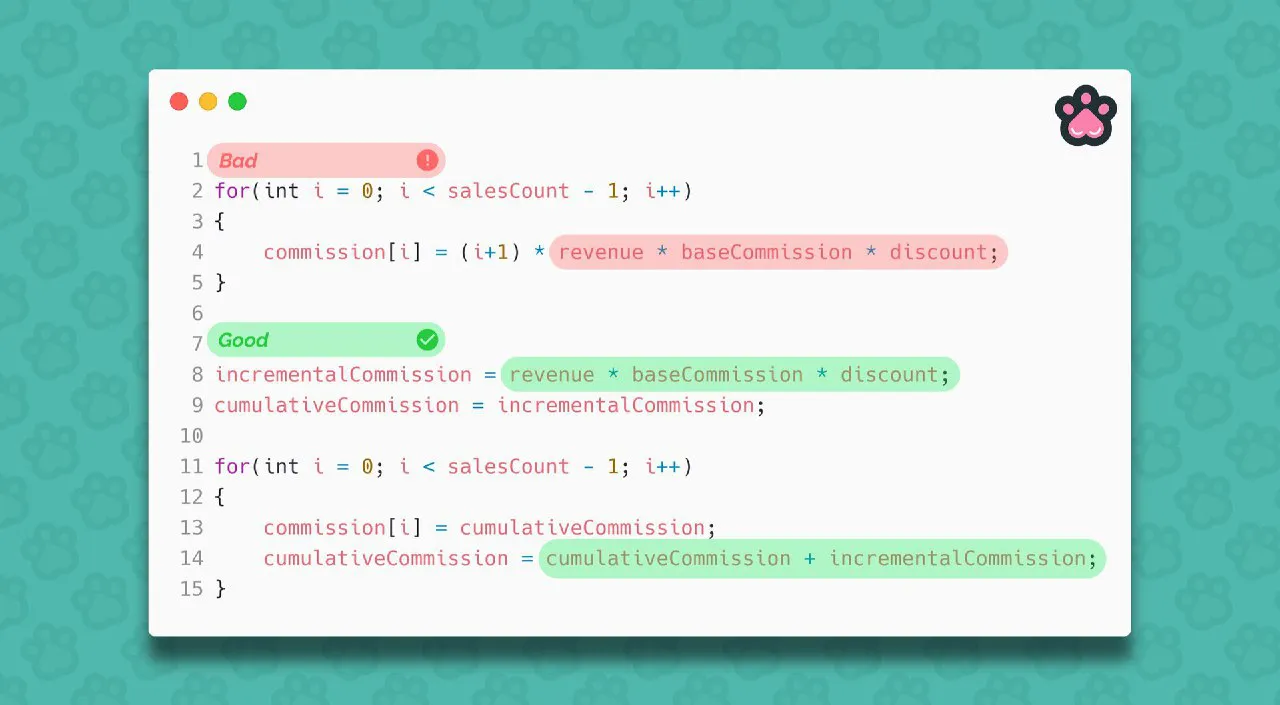
When working with graphics, it is important to optimize the process of rendering sprites. If you create a sprite using code and plan to use it repeatedly, it is recommended to save it to a file or in memory. This will significantly save resources by avoiding re-rendering each element. Proper management of graphic resources not only improves the performance of your application, but also promotes more efficient use of memory.
Who are you in the world of game development? A mini-course for those who want to make games.
In this free mini-course, you'll try yourself as a game designer, 2D artist, or Unity game developer and choose the profession that's right for you.
Find out more.