Contents:

Learn: Profession Game Developer on Unity from Scratch
Learn MoreMark Brown is the creator and host of the popular YouTube channel Game Maker’s Toolkit, dedicated to game design. For nine years, he has been creating videos analyzing various aspects of video games, and also organizes the annual GMTK Game Jam. Over two years ago, the blogger began developing his own game in the Unity engine, which adds new experience and knowledge to his content about game creation.
Brown’s motivation was that by running a channel about game development, he could not only deepen his theoretical knowledge, but also demonstrate that anyone can create their own video game. This commitment to practice not only serves personal interest, but also inspires viewers to implement their own projects in the gaming industry.
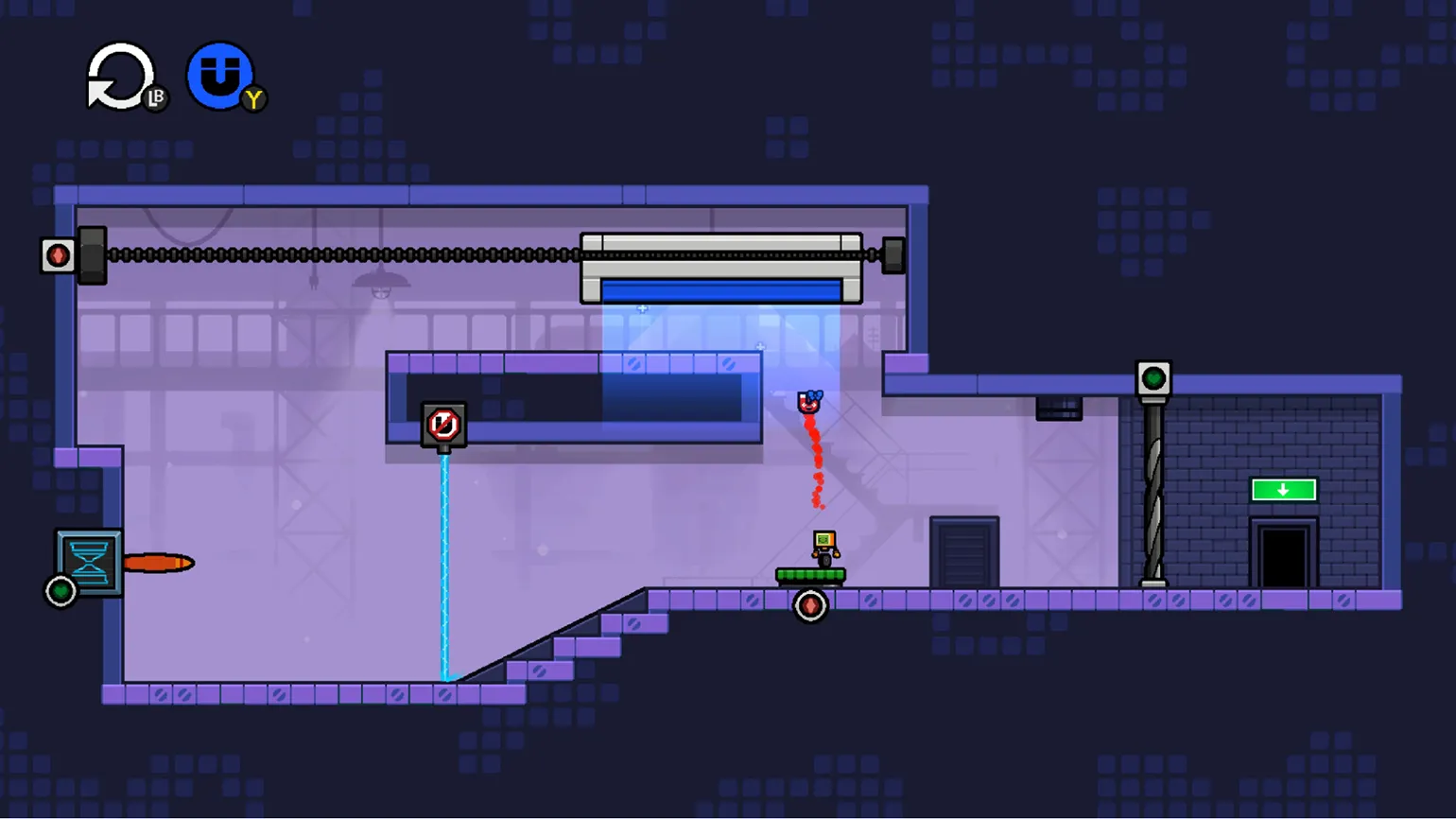
Mark Brown shares his experience creating a tiny video game, emphasizing that it may not be perfect, but it is still a game. He wants to showcase his journey from a beginner to a developer who released his first game on the itch.io platform. This process will serve as an intriguing example for those looking to immerse themselves in the world of game development, regardless of their initial knowledge level. Brown intends to openly share all stages of development, overcoming challenges, and gaining experience. The puzzle platformer about solving puzzles using magnets, previously known as Untitled Magnet Game, now has an official name—Mind Over Magnet. The game quickly expanded beyond a small indie development on itch.io and received its own Steam page. The developer has already released 13 diary installments dedicated to the creation of this unique game. Mind Over Magnet offers players exciting challenges where they must use magnetic forces to solve various problems and overcome obstacles.
We've prepared a series of articles in which we'll cover key points from the video and the blogger's main findings in detail. In the first article, we looked at how the blogger mastered Unity, and in the second, we covered the process of creating a public demo. These materials will help readers better understand the blogger's journey and his approach to game development.
In this article, we'll discuss how Brown improved the gameplay based on player feedback. He primarily focused on refining the main character.
Content is an important element of any web page, as it determines the structure and navigation of the content. Properly formatted and optimized content can improve user experience and increase website visibility in search engines. Using keywords in headings and subheadings helps search engines better understand the topic of the page. It's also important that the content is unique and relevant, as this directly impacts search rankings. Structuring the text with lists, paragraphs, and highlights improves readability and retains user attention. Optimizing meta tags and image attributes also helps improve the experience of your content for both users and search engines. It's important to update your content regularly to keep it fresh and relevant.
- How to Properly Set Up Character Controls
- Technical Stages of Development
- Three Reasons That Inspired Brown to Take the Game Seriously
How to Make a Character That's Enjoyable to Play
Two years ago, Brown released a demo of his game to gather feedback from players and developers. This decision resulted in a multitude of valuable comments, with the most notable complaints being about the main character—a square robot on wheels that moves magnets. These comments formed the basis for further improvements to the game and character, allowing the developer to take into account audience preferences and enhance the gameplay experience.
Players expressed dissatisfaction with the slow and unnatural movements of the protagonist, which create a feeling of "floating." In addition, they noted that jumps are too long, which negatively affects the gameplay. Slowing down upon landing becomes an annoying factor, and controlling the magnet throws turned out to be too complex and confusing. These aspects require improvement to improve the overall experience of the game.
Brown devoted a month and a half to improving the image of the protagonist. During the development process, the blogger identified four key goals:
- Improve the feel of controlling the character.
- Make it easier to throw the magnet.
- Add charm and uniqueness to both the robot and the magnet.
- Add options for people with disabilities.
With these goals in mind, Brown opened a new project in Unity and began development.
To refine the robot's controls, Brown researched YouTube for suitable controllers, which are instructions on writing code for character movement. He chose a controller from YouTuber Shinjingi because it contains a minimal number of lines of code. This controller features only a moving cube character and a few customizable parameters, making it easier to adapt to a specific project.
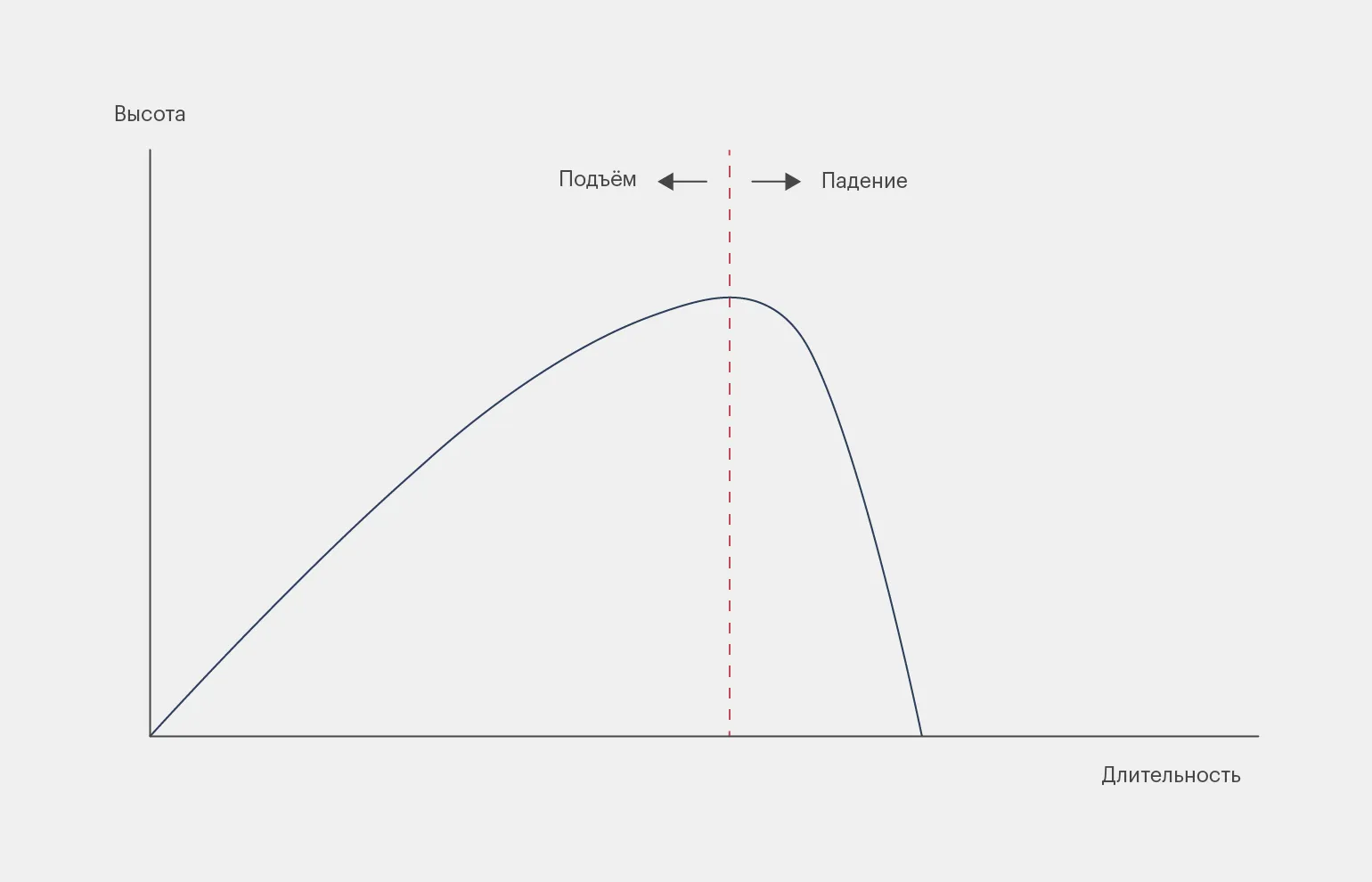
In terms of controls, Brown significantly improved the jump parameters. The key characteristics for him were acceleration and maximum height. In Shinjingi's controller, these parameters can be adjusted differently depending on the phase of the jump. During the ascent stage, Mark reduced the acceleration, and during the descent, on the contrary, he increased it to the maximum, which allows him to effectively simulate the effect of gravity. This can be seen in the graph below.
After defining the core principles, Brown began developing subsystems that make the platforming process more intuitive and comfortable for the user. These improvements are aimed at increasing the usability of interactions and optimizing the user experience, which in turn contributes to the successful implementation of the project. The implementation of such subsystems helps simplify navigation and improve the overall efficiency of the platform.
- Jump Buffer. By default, games only activate jumping when the character is standing on the ground. Jump Buffer forces the game to process the jump button press multiple times before canceling the action, allowing the player to press jump a couple of frames before landing and immediately jump again.
- Coyote Time. The opposite of Jump Buffer. The game remembers that you were on the surface for a few frames after you left it and allows you to jump during this time. This is done to avoid penalizing the player for a few pixel errors when the character jumps off the edge of a platform.
- Jump height adjustment. If you quickly press the button, the character will jump only slightly, but if you press it for a few seconds, the character will perform a high jump.
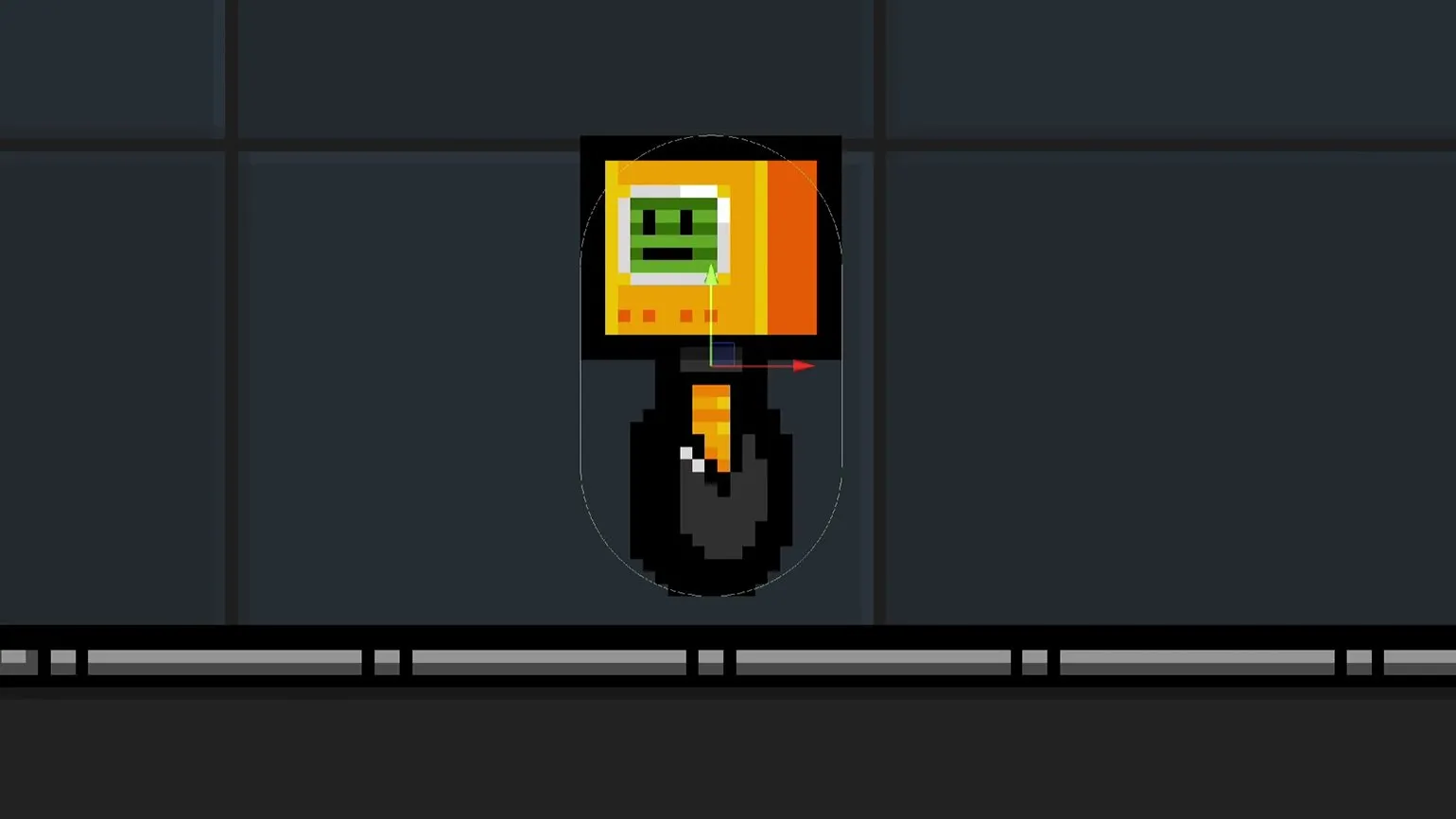
Brown modified the shape of the robot's hitbox, replacing the rectangular design with a streamlined capsule. This optimization prevents the character from ricocheting off platforms if they are a few pixels above or below the required height. Instead, the robot glides smoothly along surfaces, which significantly improves the gameplay mechanics and makes the process more comfortable for players.
Character control has become more The game is made more engaging thanks to a number of improvements Mark added. He introduced stylistic elements such as visual effects for smoke billowing from the wheels and a tilted robot body. These effects were implemented using an additional controller developed by Tarodev.
The game's level design has undergone a revamp: levels now feature new elements such as ramps, which allow the robot to climb elevated areas. Moving platforms have also been added, thanks to contributions from members of the Discord channel. These innovations enrich the gameplay and make it more engaging and dynamic, improving player interaction with the environment.
After solving the robot problems, Brown moved on to working on the magnet. Much of the magnet-related code was already functioning correctly in the demo. Therefore, the blogger focused on optimizing the controls, trying to make them more intuitive and user-friendly.
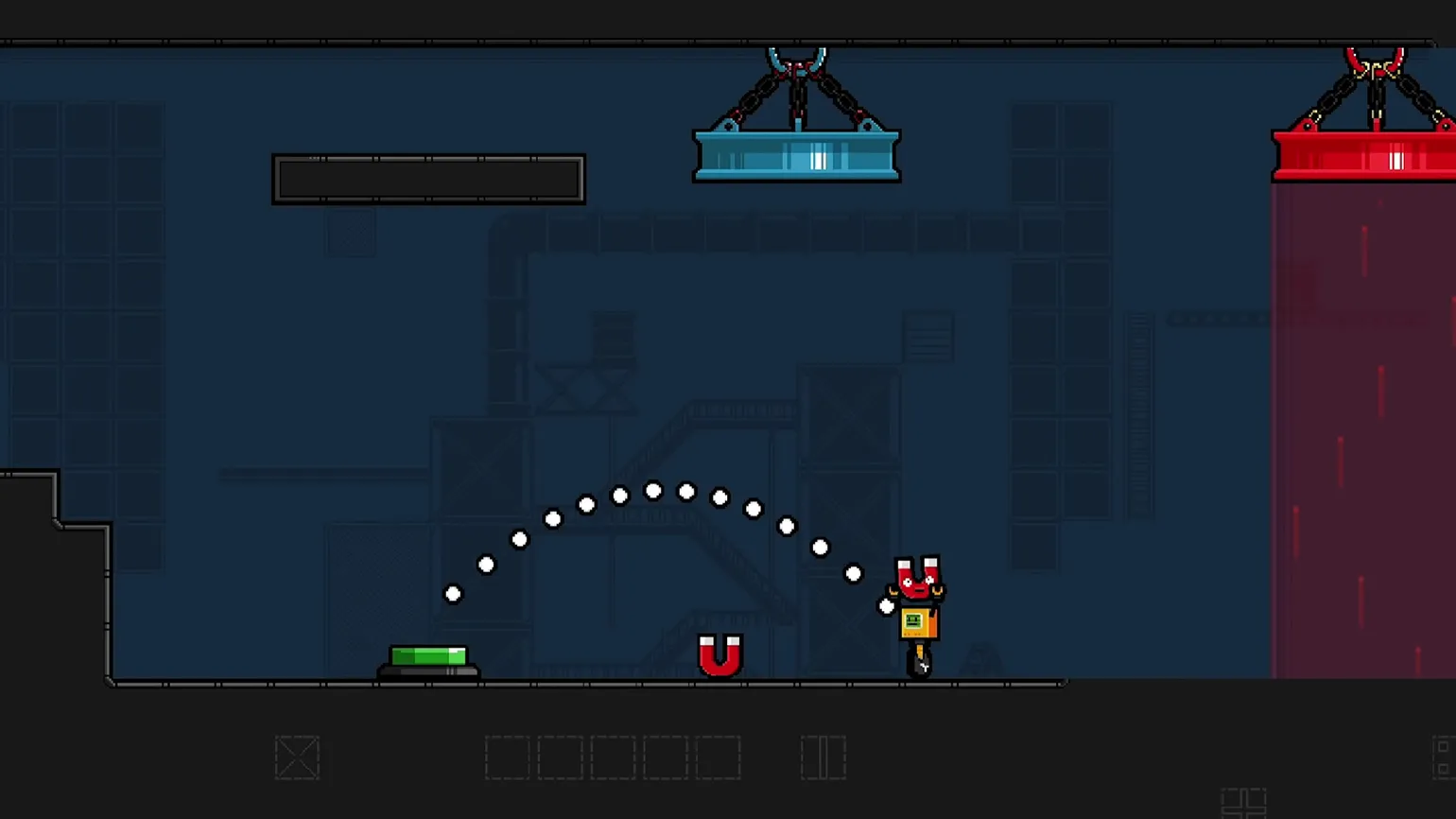
In the new version of the game, the controls The magnet has become more user-friendly. Players can easily pick up or throw an item with a single quick press of a button, and a long press activates a targeted throw. Mouse support has also been added, creating a similar aiming feel to using an analog stick. These improvements significantly streamlined and made gameplay more intuitive.
Brown began by redesigning the main character, giving him a more appealing and cartoonish look. As part of this update, a new jump animation was developed, which became more dynamic: the robot's head would rise instantly, while the wheel support would adjust to it with a slight delay. These changes contributed to improved visual perception and made gameplay more engaging.
In the previous release, Brown announced his intention to give the magnet a unique personality. As a result, the magnet's animation has undergone changes: its "facial" expression now adapts depending on the situation. The change in polarity of the magnet is accompanied by a spectacular flash, and contact with metal surfaces causes a noticeable shaking of the screen. These innovations make interaction with the magnet more lively and interesting.
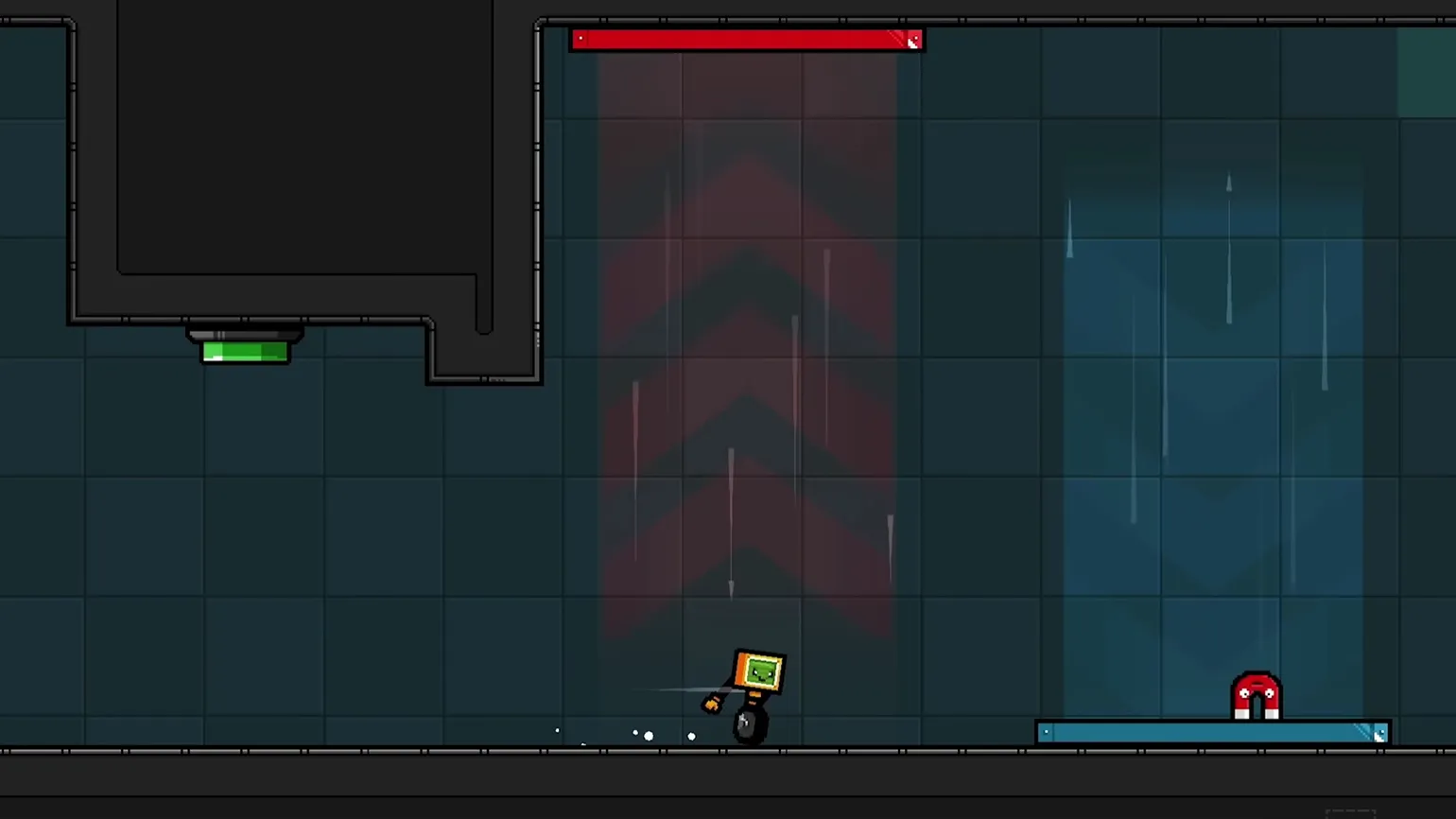
Now the magnets and robots have charm and personality, making them resemble video game characters, Brown noted.
The blogger emphasized that the timing of accessibility settings is crucial. It's inappropriate to implement them during the prototyping stage, when ideas and code are constantly changing. However, they also shouldn't be delayed until the final release, as attempting to integrate accessibility into existing code can become a serious challenge for developers. The optimal option is to implement accessibility settings when the code structure is already established, but before finalization. This will ensure smoother integration and minimize difficulties down the road.
Brown decided to release the first demo of the game when it was still in a rough state, but already included all the necessary elements. In this version, Mark has implemented additional options for players with disabilities, demonstrating his concern for accessibility and inclusivity in the gameplay.
- Changing control keys.
- Ability to turn on/off the magnet crosshair with a separate button.
- Reducing the sensitivity of the magnet crosshair.
- Disabling smoke, trails, and screen shake effects.
- Changing colors for people with color blindness.
- Displaying magnet polarities using plus and minus signs.
Brown emphasized that implementing accessibility settings is a complex task that requires a significant investment of time and a large amount of code. As a result, he had to abandon one of the features. Nevertheless, the blogger made every effort to implement accessible solutions that matched his skills.

Brown successfully achieved all four of his goals, as evidenced by the positive feedback he received from Celeste programmer and artist Noel Berry. He submitted a demo with improved controls, which contributed to the positive feedback.
Brown, feeling tired, decided to take a break to prevent burnout. Upon returning to work, he focused on less interesting tasks.
Routine Technical Stages of Development and Assistance Tools for Level Design
In the seventh issue, Mark Brown noted that there are many less glamorous aspects of game development. This process includes not only creative ideas and innovative mechanics, but also routine tasks that often remain outside the public eye. Understanding these nuances allows you to more deeply appreciate the work that goes into creating computer games and the importance of every detail in the overall development process.
The aspects Brown is referring to include elements such as menus, interface, save system, support for various controllers, level transitions, and other important components. These aspects are rarely covered in developer diaries and documentaries, as they are considered less engaging. However, their development is an integral part of the gameplay, and without them, the game cannot function properly. There are nuances that require separate explanation, as they can significantly impact the overall perception and usability of the game.
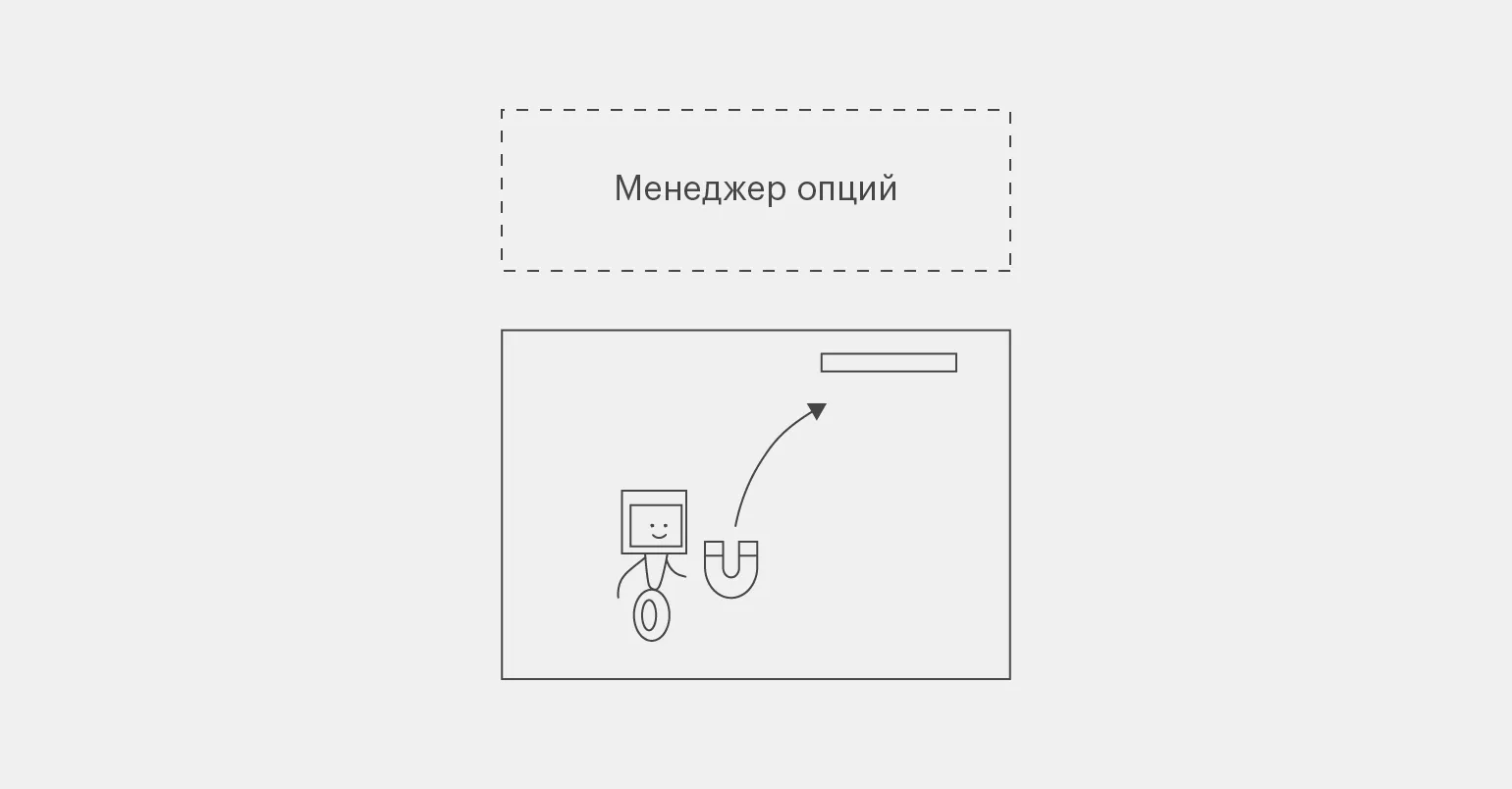
To ensure stable operation of key swapping options and color selection throughout the game, they must be synchronized between levels, saved on player devices, and provided with the ability to customize in the in-game menu. Brown implemented this functionality as follows:
- When the player enters the main menu, the game creates an options manager—an invisible object whose scripts track the user's settings and save the selected options to the hard drive. The object's code contains the DontDestroyOnLoad command—"Don't destroy on load"—which is needed for the next step.
- When the player starts a level, the main menu is erased from RAM and replaced with a location, but the options manager remains. This allows objects in the level to send it queries like, "How sensitive should the aim be?" or "What color should the magnet be?"
Brown identified important metainformation relevant to the entire game, as well as data needed for a specific stage. This separation allows for more efficient analysis and application of information depending on current game conditions, which helps improve game strategy and overall performance.

In the early demo, there was no mechanism for transitioning between locations. Each level had unique code for implementing transitions, a save and load system, and a pause menu. This significantly increased the time it took to test levels and complicated transferring data between them. Code optimization and system unification simplified the development process and reduced testing time, improving the overall efficiency of the project.
The blogger expressed the opinion that the previous system was extremely ineffective. He noted that the new system demonstrates a significantly higher level of intelligence and efficiency.
Brown continued developing new assistance systems. He created a transition manager that deleted the old level and loaded a new one. This system worked in conjunction with a music manager, which automatically changed the music when transitioning between locations. The HUD manager displayed key icons at the top of the screen, adapting them depending on the controller being used. The UI manager was responsible for loading the pause and settings menus, ensuring a convenient user experience.
Mark created a game hub that allows players to select a level to play. This system allows him to change the order of levels, facilitating the customization of difficulty progression. This allows players to adapt their gameplay skills and achieve optimal gameplay.
The system works as follows: each file associated with a stage is named in the format 01 Lift Key 02. The first two digits denote the hub number, and the last two digits denote the level number within that hub. The Lift Key specifies the key needed to open the exit from the puzzle room. Thanks to this structure, Mark simply changes the number, and the location automatically moves to the correct location within the overall hub. This approach simplifies navigation and level management, allowing you to quickly find the necessary files and optimize the process of passing.
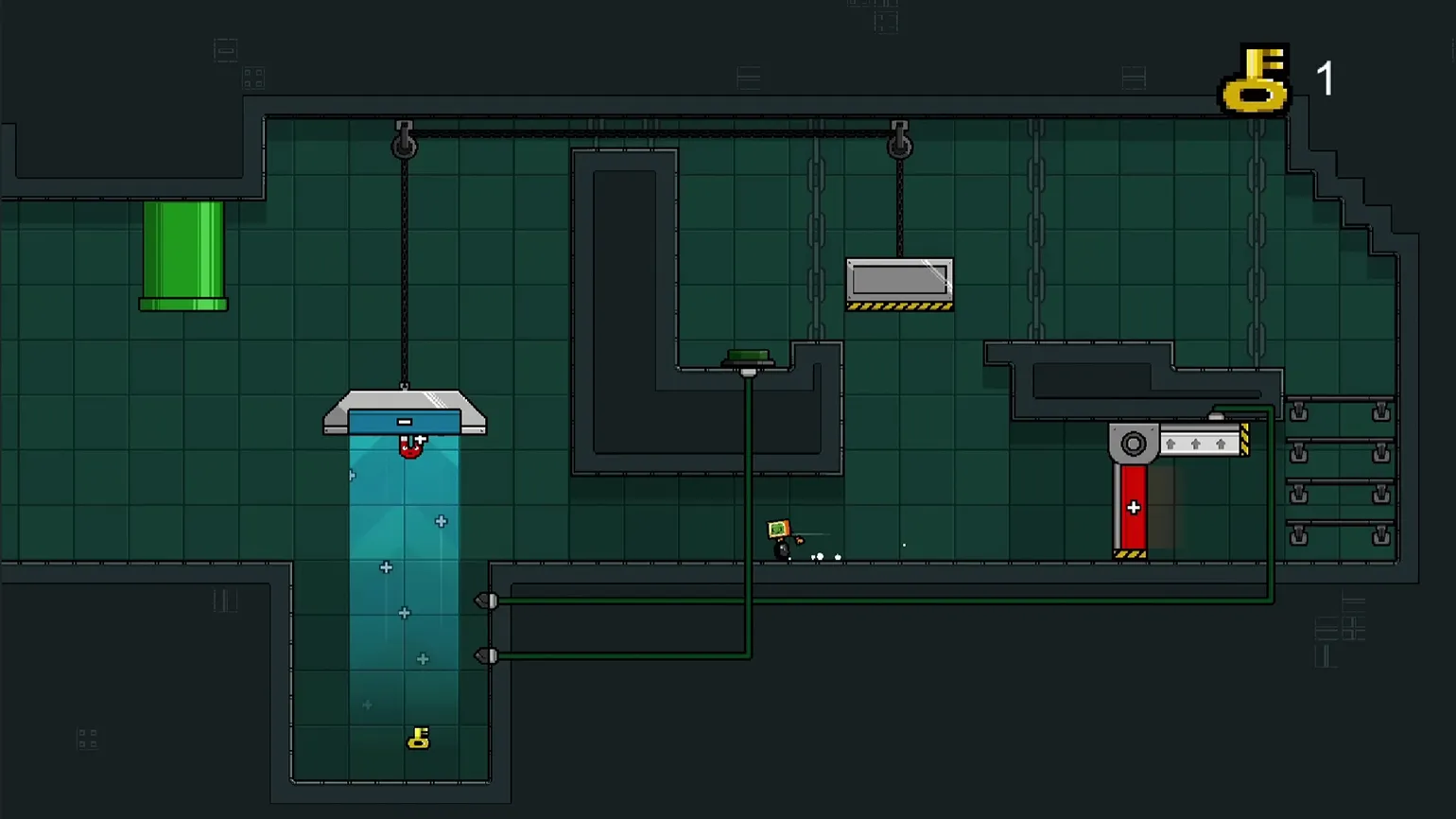
Mark began to think about the importance of development tools, which are pieces of code that simplify the process of creating game content. These tools play a key role in streamlining the workflow and increasing efficiency in game development.
Unity is a powerful game development tool, but the program itself does not create the game for the developer. The main goal is to use Unity's capabilities to build the necessary tools and systems that will help create content focused on a specific project. Success in game development depends on how effectively the developer can adapt and customize Unity to their needs.
Brown focused on developing simple scripts to simplify level editing. He created a slider that allows you to adjust the height and width of the magnetic beams, and also implemented a button that changes the colors of the magnetic panels with a single click. These tools significantly speed up the work process and make it more convenient for users.
The blogger gradually developed more and more tools that simplified the game creation process. He implemented a trajectory indicator for the moving platform, as well as a window for controlling key objects, such as buttons and magnetic panels. He also created a special brush that allows clicking on objects in the scene and changing their properties and functions. These tools have significantly increased efficiency and improved the user experience in game development.
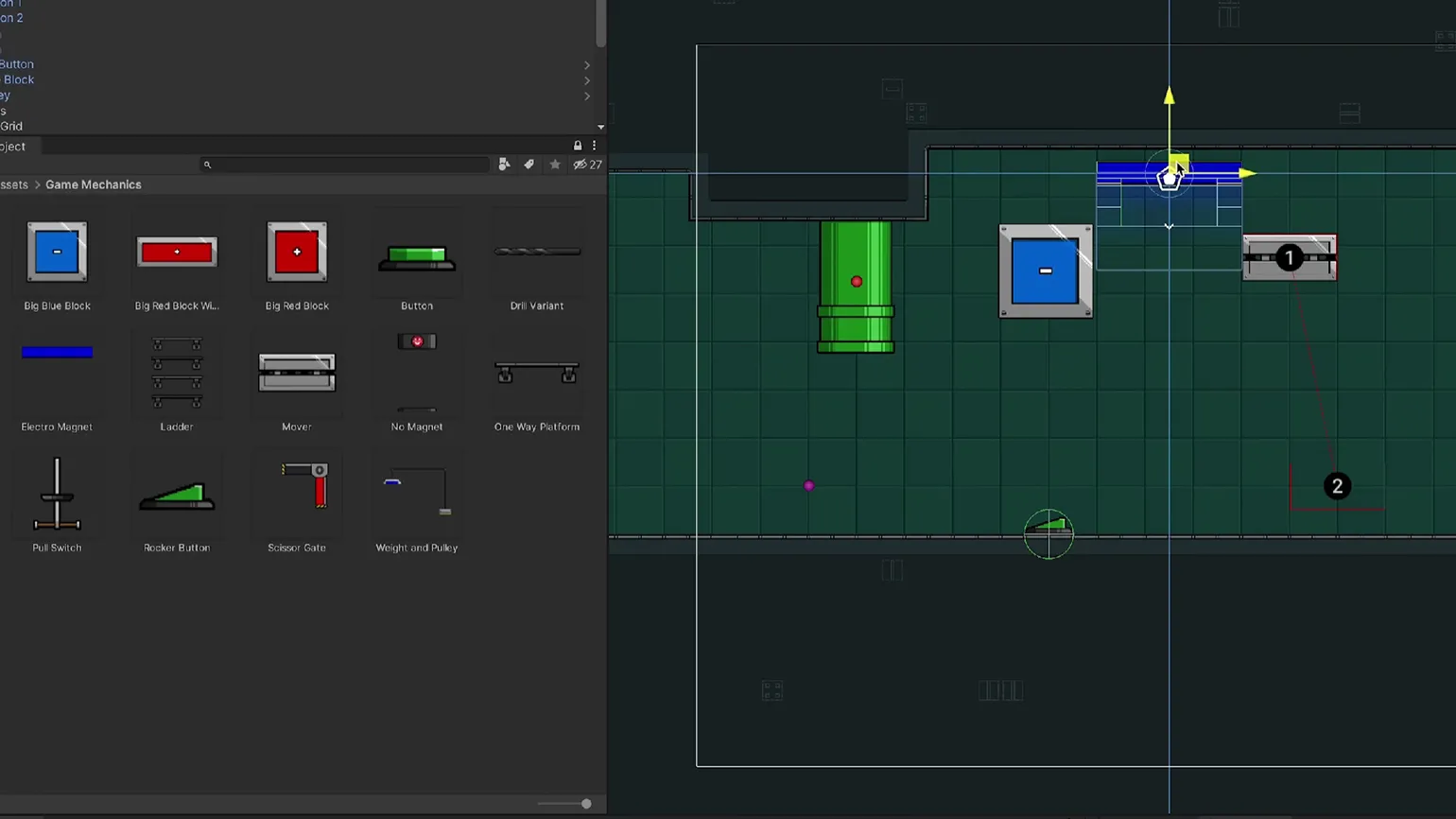
Brown used various tools to create levels, then tested and refined them. He developed new levels and, gradually, without realizing it, produced another demo of Untitled Magnet Game.
Efficient game development tools significantly simplify and speed up the content creation process. Thanks to such technologies, developers can generate game elements almost automatically, without realizing all the nuances. This allows them to focus on the creative aspect of development, streamlining the workflow and increasing productivity. Using modern tools opens up new opportunities for creating unique gaming experiences and allows teams to implement their ideas faster.
Brown concluded that it was worth investing more time and effort in creating tools at the initial stage of development. This will help avoid many problems down the road and significantly save time and resources during the main process. Proper organization and preparation at the start of a project are key to effectively implementing an idea and minimizing risks.
After mastering the necessary tools, Brown successfully created version 2.0 of Untitled Magnet Game, which is still available on the itch.io platform along with other versions. This allowed him to move on to key stages of development, focusing on improving the gameplay and introducing new features.
What inspired Mark Brown to take the game seriously
Despite the successes Brown achieved in the previous stages of development, there are still many aspects of the design of Untitled Magnet Game that require completion, final approval, or implementation.
The blogger admitted that "these are things that I was passing on to Mark from the future."
Despite the constant desire to avoid work, finishing the game became a necessary step. In his latest blog entry, Brown shared the motivation that propelled him to action and helped him reach the finish line.
The number one reason is that many people don't realize the importance of SEO for their online business. Search engine optimization is a key tool for increasing website visibility and attracting a target audience. Without quality SEO, your resource can go unnoticed among competitors. This leads to decreased traffic and, consequently, decreased potential profits. Optimization includes keyword use, improving site structure, and creating high-quality content, which contributes to better search engine rankings. Therefore, it's important to recognize that ignoring SEO can negatively impact the success of your online project.
Players have noted the significant improvements Brown has made since the first demo. They praised the more intuitive controls and streamlined platforming, but they especially enjoyed the new puzzles centered on the magnetic mechanic. Brown worked hard to ensure that the puzzles evoked those aha moments when the solution to a difficult problem suddenly became obvious. These changes contribute to a more engaging gameplay experience and increased interest in the game.
I created these puzzles and made them publicly available so that people could easily find, play, and enjoy the results of my creativity. Receiving positive feedback and seeing their joy was an incredible feeling. It was a unique experience that I hadn’t experienced before.
Reason number two.
After the release of the second demo of Untitled Magnet Game, Brown had the idea to create an interactive essay on platformer design. This would not be just another 2D game, but a smaller-scale project that would allow for a deeper exploration of the mechanics and elements characteristic of the genre.
The project’s development took only a month, and in the summer of 2022, the blogger released his project, called Platformer Toolkit, on the itch.io platform. This tool presents key movement parameters fundamental to any platformer, such as jump length and height, and sprint acceleration, in a playful format. After an introductory section, players are given the opportunity to explore simplified settings and test different results, allowing for a deeper understanding of the mechanics of platformer movement.
Brown shared his experience developing a protagonist for a platformer in a new, unique format. During this process, he learned many useful aspects that he later applied while working on Untitled Magnet Game. Creating the character became not only a creative challenge for him, but also an important part of his professional growth, which enriched his skills in game development.
Mark gained valuable insights into the final stages of game development. He realized the satisfaction that comes from completing a project. Having released a finished game, developers can free themselves from constantly thinking about it and focus on new ideas and projects. This process not only brings joy, but also opens up new opportunities for creativity and professional growth in the gaming industry.
Reason number three is that many people do not realize the importance of choosing high-quality content for their website. The wrong choice can negatively affect traffic and the overall effectiveness of the resource. High-quality content attracts target audiences, promotes search engine rankings, and increases the likelihood of user conversion. Therefore, it's important to focus on creating unique and informative content that meets the interests and needs of your target audience. Optimizing text for SEO helps improve website visibility and increases the chances of attracting new visitors.
In September 2021, ElecHead was released, initially disappointing developer Brown with its concept. It's a 2D platformer about a robot using objects to solve puzzles. Brown noted that the game felt too similar to his own project, which left him with a negative feeling.
The blogger avoided ElecHead for a long time, but eventually couldn't resist playing it. He soon noticed that the game was significantly different from Untitled Magnet Game. Moreover, the process of completing ElecHead became an additional motivation for him to return to developing his own project.
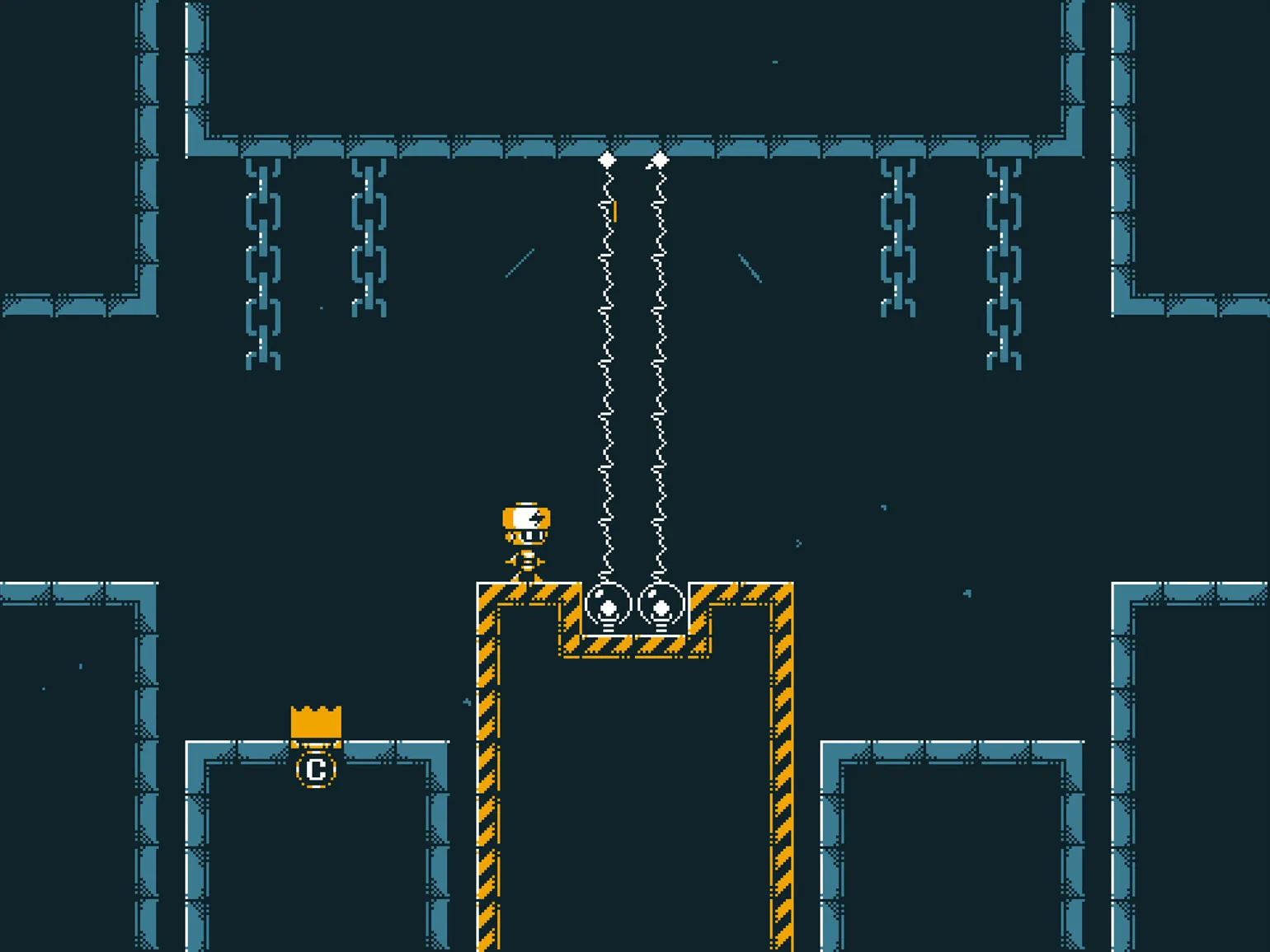
Brown always viewed Untitled Magnet Game as a massive project that would require significant time to complete. At the same time, ElecHead demonstrated that a successful puzzle game doesn't need complex graphics or extensive content. Original gameplay and high-quality level design remain key factors. This demonstrates that innovative mechanics and well-thought-out challenges are more important than mere visuals when creating an engaging game.
When I consider ElecHead, its scale, length, and ambition seem quite realistic, noted Mark Brown. ElecHead attracts attention with its original concept and engaging gameplay, making it worth exploring.
Thanks to this revelation, Brown finally overcame his procrastination and dedicated a month to completing the key components of Untitled Magnet Game. This decision allowed him to focus on implementing core features and improving gameplay, which was a crucial step toward creating a quality product.
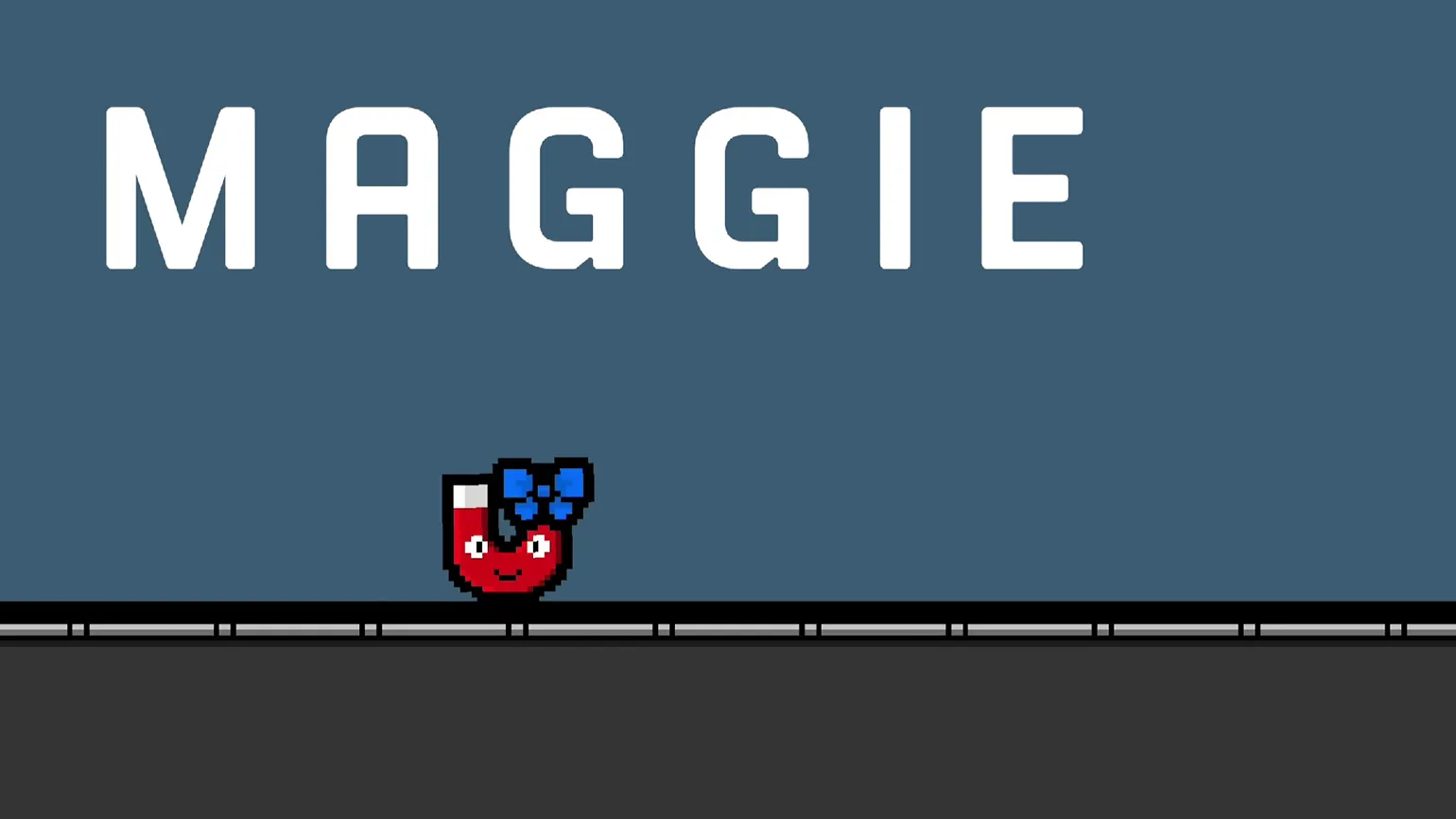
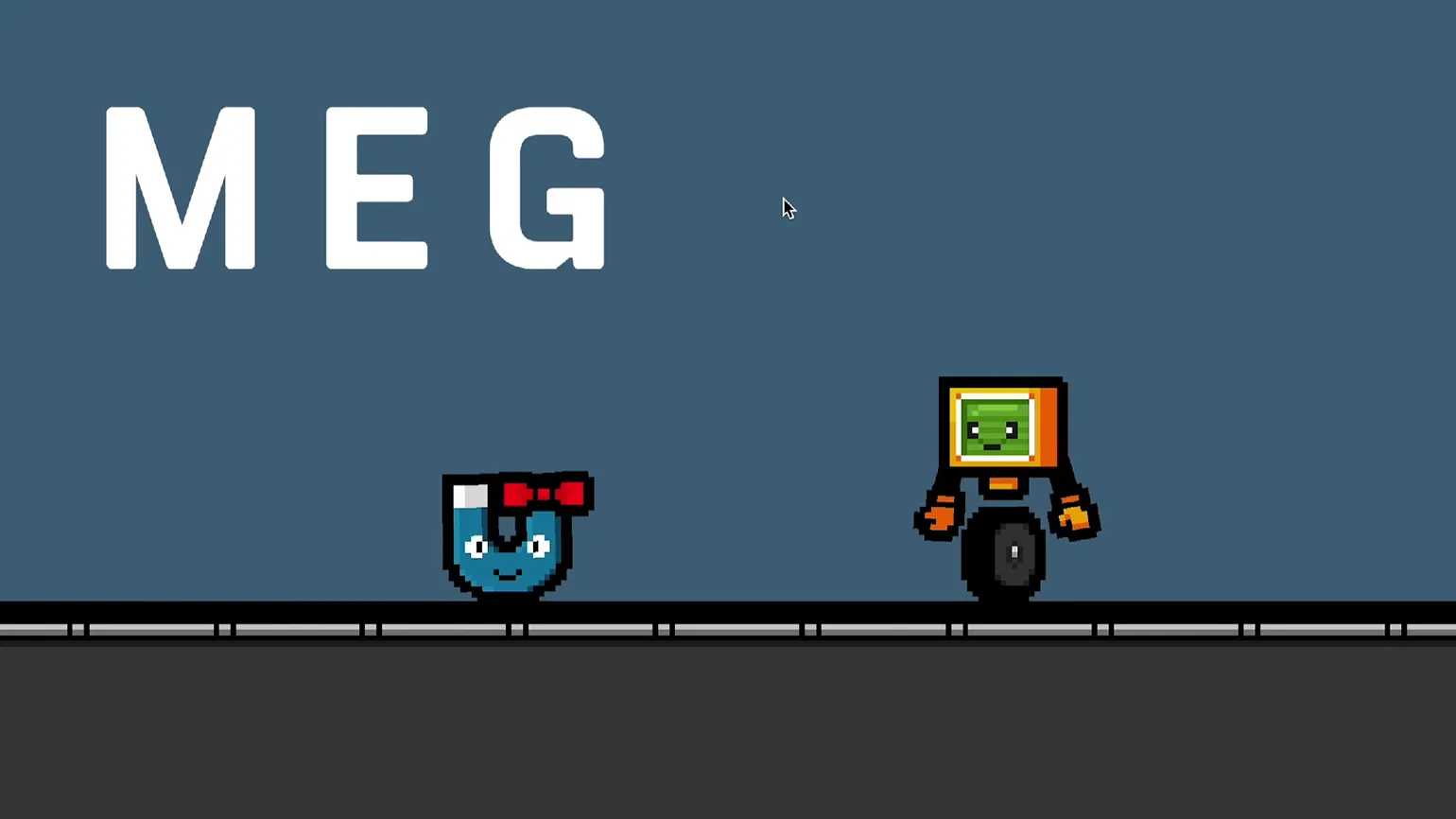
- Magnet. Despite the improvements made in the second demo, the game's main characters still required a lot of work. Brown decided to replace one magnet with three: Max, the standard red magnet; Maggie, who can change polarity, transforming into her blue sister, Meg; and Magnus, a huge magnet that acts as a magnet of its own. Thus, each of the main mechanics associated with magnetism became a separate character with its own character.

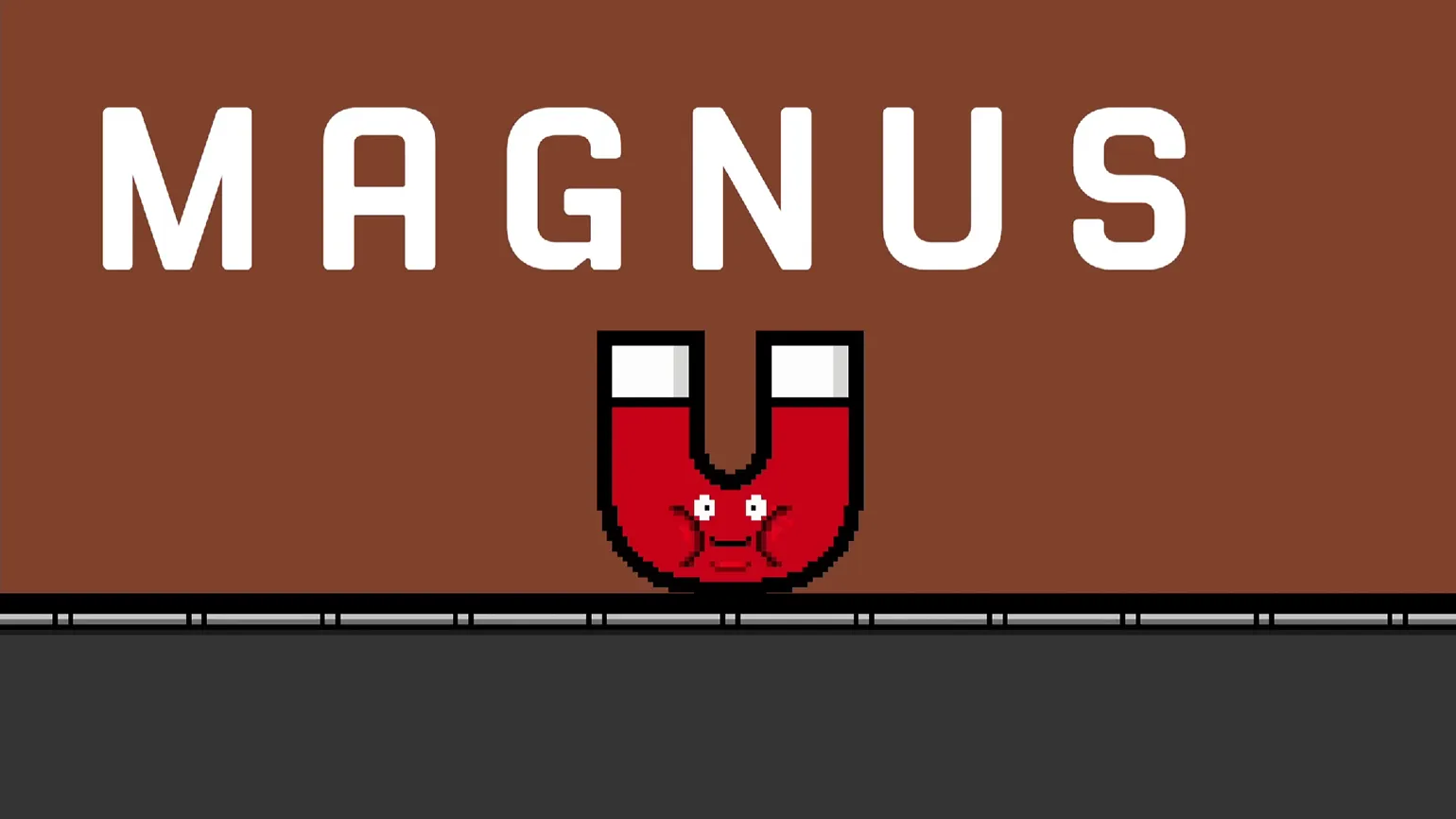
- Key mechanics. Brown brought back the lasers from the first demo, added magnetic conveyors, and created new tools to make it easier to build puzzle rooms from these and other objects.
- Sound Design. As Brown himself noted, sound effects are crucial to making the game feel alive and polished. Therefore, he added sounds such as a magnet hitting a metal panel and the buzz of a laser. Brown also added temporary music with the expectation that he will replace it with a soundtrack by a professional composer closer to release.
- Level Backgrounds. In early versions of the game, the backgrounds on the levels consisted of a simple checkerboard grid—it looked boring and detracted from immersion. Therefore, Brown created a simple backdrop depicting the interior of an industrial building, added light streaming through the windows, and made different layers of the image move at different speeds to give it depth through the parallax effect. Finally, Mark colored the painting with color filters and brought it to life with animations like steam coming from boilers, creating an interesting backdrop that matches the game's theme.

- Level objects. Brown also refined the visuals of the remaining level elements: he changed the shaders for the lasers and added a thick black outline to all the objects to make them stand out against the background.
- Level transitions. Brown replaced the keys from the previous demo with pipes, a clear reference to Mario platformers. Now the robot at the end of the level opens a plug - and is sucked along with the magnet into the next puzzle room, where he jumps out of the pipe.
Of course, I am ready to help you with text editing. Please provide the source text that you would like to rewrite and optimize for SEO.
After completing all stages of development, the game is close to its final version. The changes may seem minor on the surface, but I removed key elements from the to-do list that were essential to the successful completion of the project. This significantly improved the overall gameplay experience and ensured a higher quality final product.
Brown is now ready to focus on creating game content, including developing puzzles and a story that will give them the necessary context. In the next part of our series, we'll go into more detail about this process.
Check out other materials in our series.
- Part 1. How to Master a Game Engine on Your Own
- Part 2. How to Make Your First Game Demo
- Part 4. How to Create Good Puzzles
You'll master game development from scratch. Enhance your programming skills: learn to write in C# and create 2D and 3D games in Unity. The language is easy to learn, even if you've never coded before. This means you'll be able to develop the mobile or desktop game you've always dreamed of and land real-world projects during the course. And a personal manager will help you find a job at a cool game studio.
Find out more