Contents:
Briefly about Unity
Unity is a platform for creating games and interactive content. 750,000 projects have been created with its help.
💡 Interactive content is the one you can interact with.
Unity is like a constructor for games. With it, you can create any game: from a simple mobile game to a complex computer game.
Unity is popular among professional developers and beginners. It is used to create games on different platforms:
- Computers — Windows and macOS;
- Mobile devices — Android, iOS;
- Game consoles — PlayStation, Xbox.
Developers like Unity for its accessibility: a free version and a licensed version with advanced features. Advanced features include the Unity Cloud ecosystem of products and services.

Learn to develop complex multiplayer applications with realistic graphics on the Intermediate Game Developer course with Unity
Learn morePlatform History
Unity's path to fame began with two Danish programmers, David Helgason and Nicholas Francis. In 2002 they decided to make game development more accessible.
Initially, they created an engine for mobile devices. The first version of Unity was released in 2005 for Mac computers. In 2006, the platform became available for Windows.
Unity became more functional every year. For example, in 2015, a significant version was released – Unity 5. It included many new features that improved performance and expanded the engine's functionality. For example, Unity 5 now supports photorealistic materials.
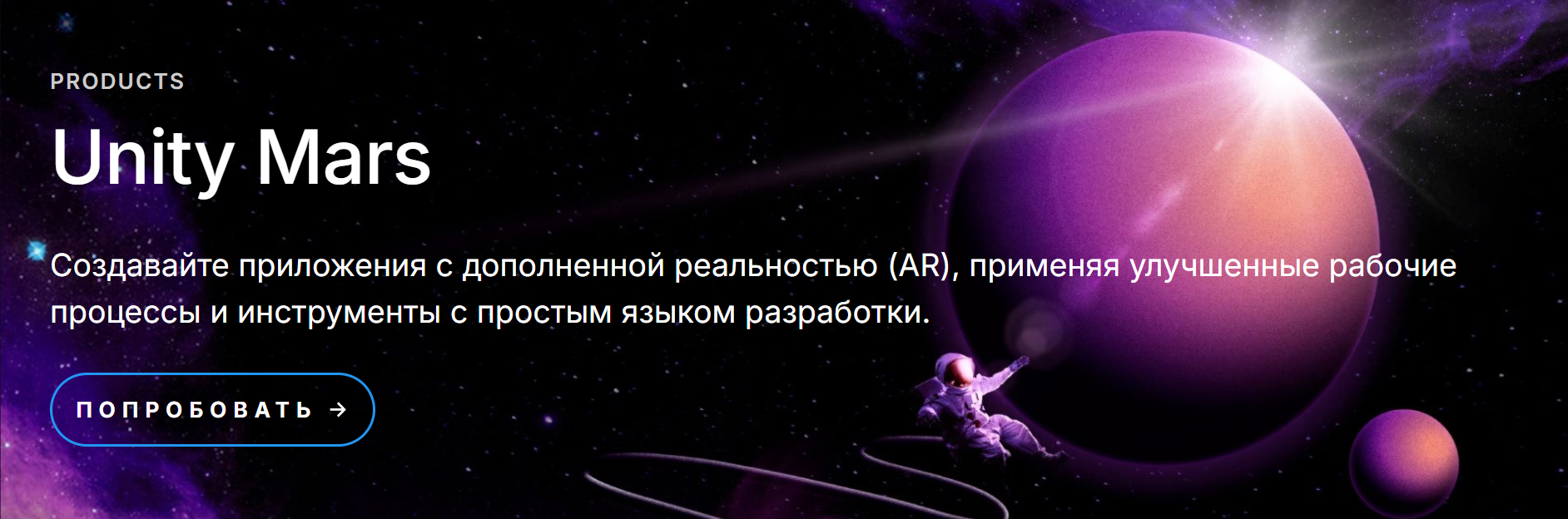
In 2020, the company introduced Project MARS, a platform for creating augmented reality. It allows developers to create digital objects that interact with the real world.
💡 Augmented realityis a technology that overlays digital elements on our real world through the screens of smartphones, tablets, or special glasses. A digital element can be anything. For example, an image, a 3D model, or text.
Functionality and Capabilities
Game creation is a creative process and development. To avoid getting bogged down in technical routine and leave time for creativity, Unity offers the following features:
- Cross-platform.The engine helps create games that run on different platforms. On computers, mobile devices, consoles, and web browsers. This means that the developer does not need to write separate code for each platform;
- 2D and 3D development.Unity supports both 2D and 3D graphics. You can create games of any kind, using tools and functions for both types of development;
- Physics Engine.Unity uses a physics engine that allows for realistic interactions between objects in the game. For example, create objects that fall, bounce, and rotate just like in the real world;
- Animation.Unity provides tools for creating animations for characters and objects. Developers use standard animation tools or advanced animation systems like Mecanim;
💡 Mecanimis an animation system built into the Unity game engine. It helps developers create complex animation scenarios for characters and objects. For example, smooth transitions between poses and actions.
- Debugging and visualization.Unity includes tools for debugging code and testing the game. Thanks to the tools, it is easy to find and fix errors, monitor performance;
💡 Code debugging is the detection and correction of errors in the program.
- Scenes and Objects. Unity works with scenes - virtual worlds in which objects are placed;
💡 Objects are everything that is in the game: characters, buildings, objects. The player can control their properties and create interactions between them.
- Assets and Scripts. Unity has a huge asset store. They are used to speed up development. For example, to find 3D models, sound effects, music, and ready-made scripts that simplify programming.
💡 Assetsare ready-made resources for games.
Pros and Cons
Like any tool, Unity has its advantages and disadvantages.Let's take a closer look.
| Pros | Cons |
| Easy to use Unity is an easy-to-learn game engine. It provides many ready-made tools and features. For example, ready-made physics of objects, which allows novice developers to quickly learn the basics of game creation. | Limitations of the free version The free version has limitations. For example, the user will not be able to sell games unless they have purchased a license. |
Large community of developers Unity has a large community of users - 2 million developers. A beginner will be able to find answers to questions, get help, and find ready-made solutions for their projects. | Licensing The license requires a monthly fee after the trial period. This is a problem for developers who cannot afford such expenses. For example, Unity Pro plan costs $185. |
| Large library of assets Unity provides access to a library of ready-made resources. These include models, textures, sounds, and other elements that speed up the development process. | Performance Requirements Creating complex games with beautiful graphics and advanced physics requires a powerful computer. An inexpensive laptop won't handle the job. |
| Cross-platform support Unity is used to create games that run on different devices and platforms. On computer, phone, console, and web browser. | The Complexity of Optimization Optimizing a game for different platforms will be a challenging task for novice developers. |
💡 Optimization is improving code and resources so that they run efficiently and quickly, take up less RAM and consume less computing power.
3 successful games
We found some interesting Unity projects. We've compiled a list of the top 3, according to the Skillbox.by editorial team.
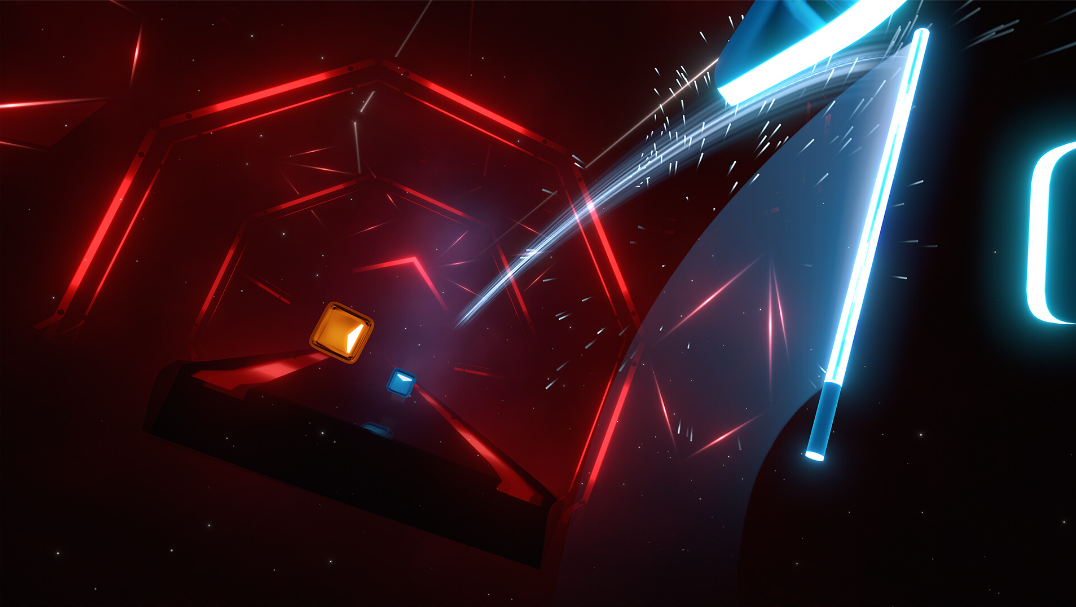
A music game for VR where you need to cut flying cubes in the right directions and with the right color. The sword in the right hand is responsible for the blue cubes, and in the left hand - for the right ones.
💡 Beat Saber has sold over one million copies.
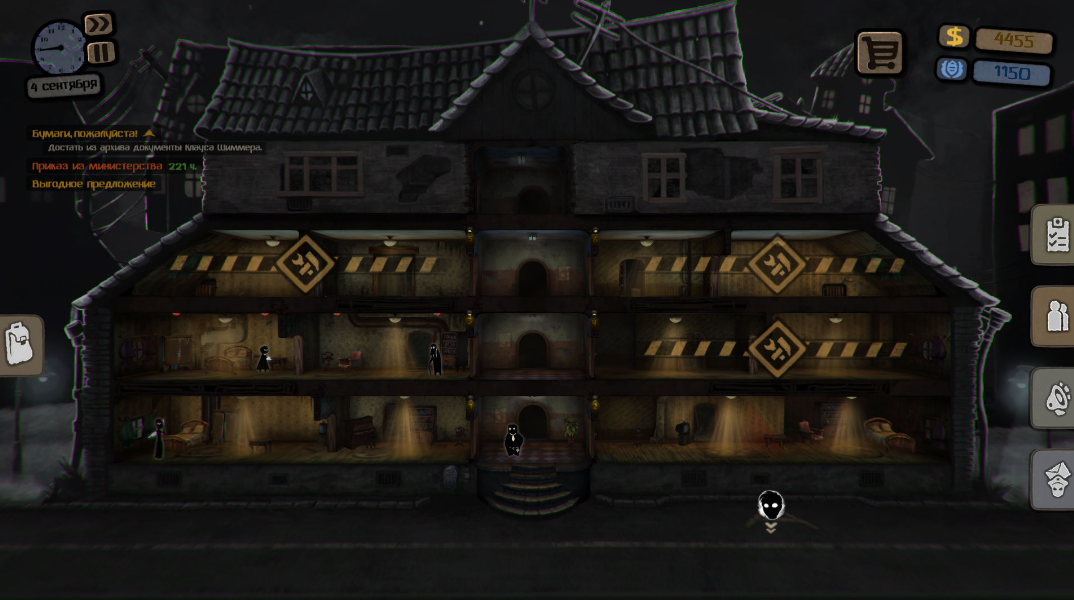
According to the plot, the player is the caretaker of an apartment building. The player will have to eavesdrop on conversations, search apartments, and resolve difficult situations.
💡 On the ratings aggregator website Metacritic, the game is rated 75 out of 100.
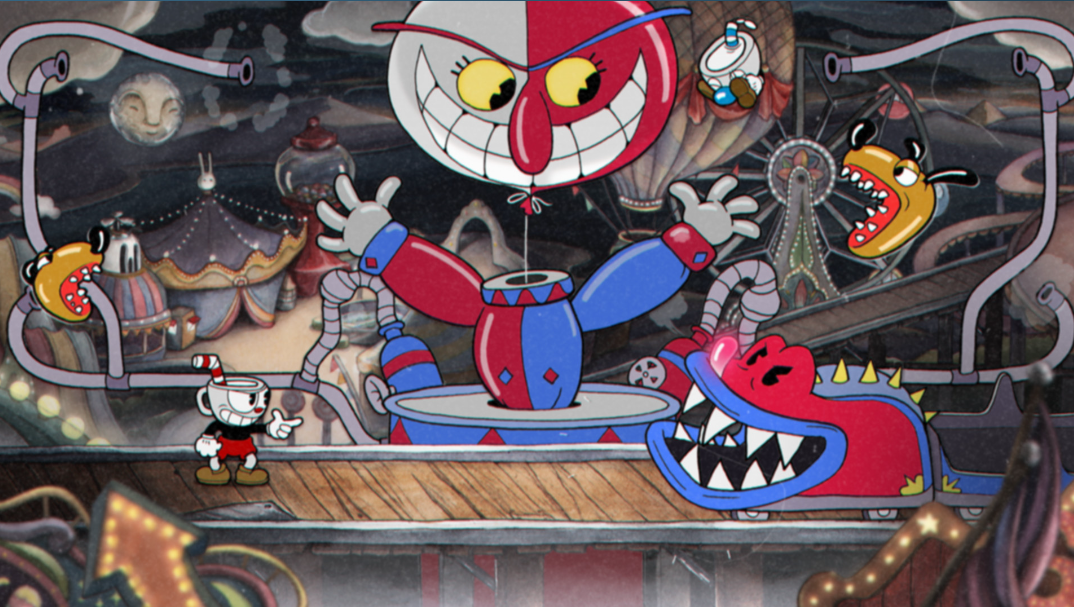
A cross-platform game in the style of 1930s cartoons. According to the story, the player fights bosses to repay a debt to the devil.
By genre, Cuphead is a classic platformer in which you need to jump, run, and literally shoot with your finger.
Creating the first project
Probably, everyone wanted to create their own game as a child. With Unity, even a beginner can do it. The editors of Skillbox.by asked the development team to help create the project. Follow these steps:
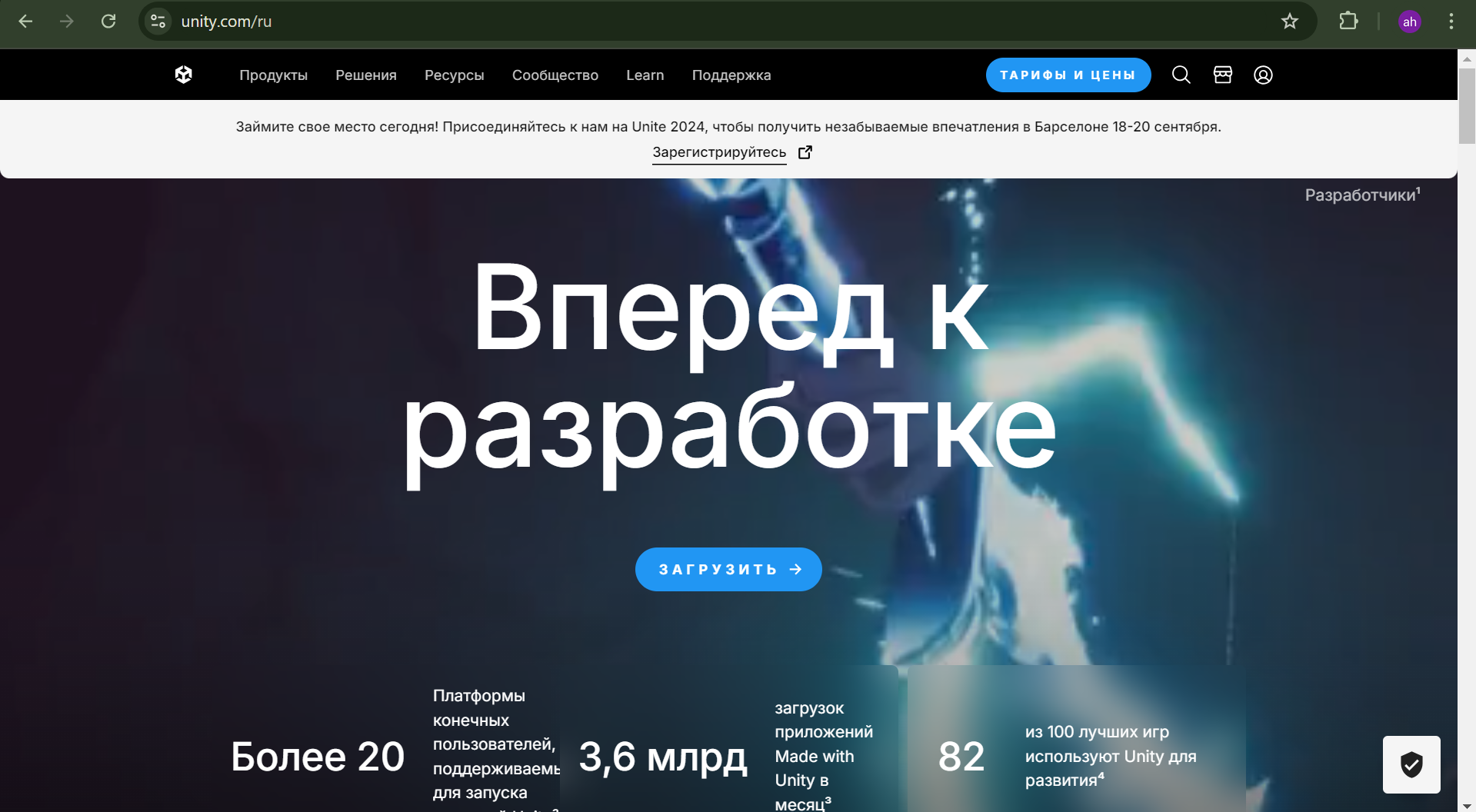
1. Download Unity. Go to the site of the engine and click the "Download" button.
2. Install the engine.Run the installer and follow the instructions. Choose the appropriate version of Unity for your computer.
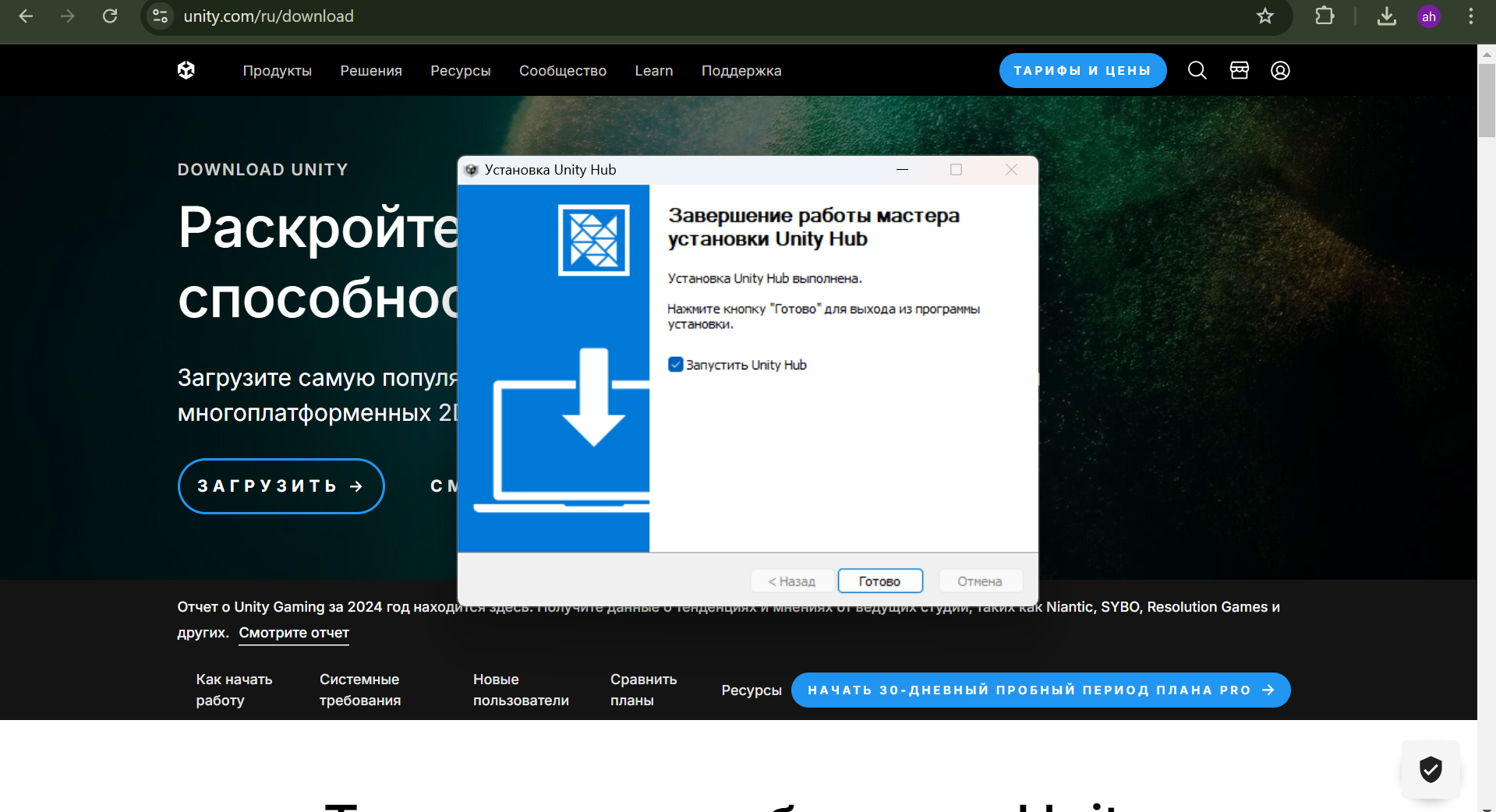
3. Launch the platform. Launch Unity Hub and register.
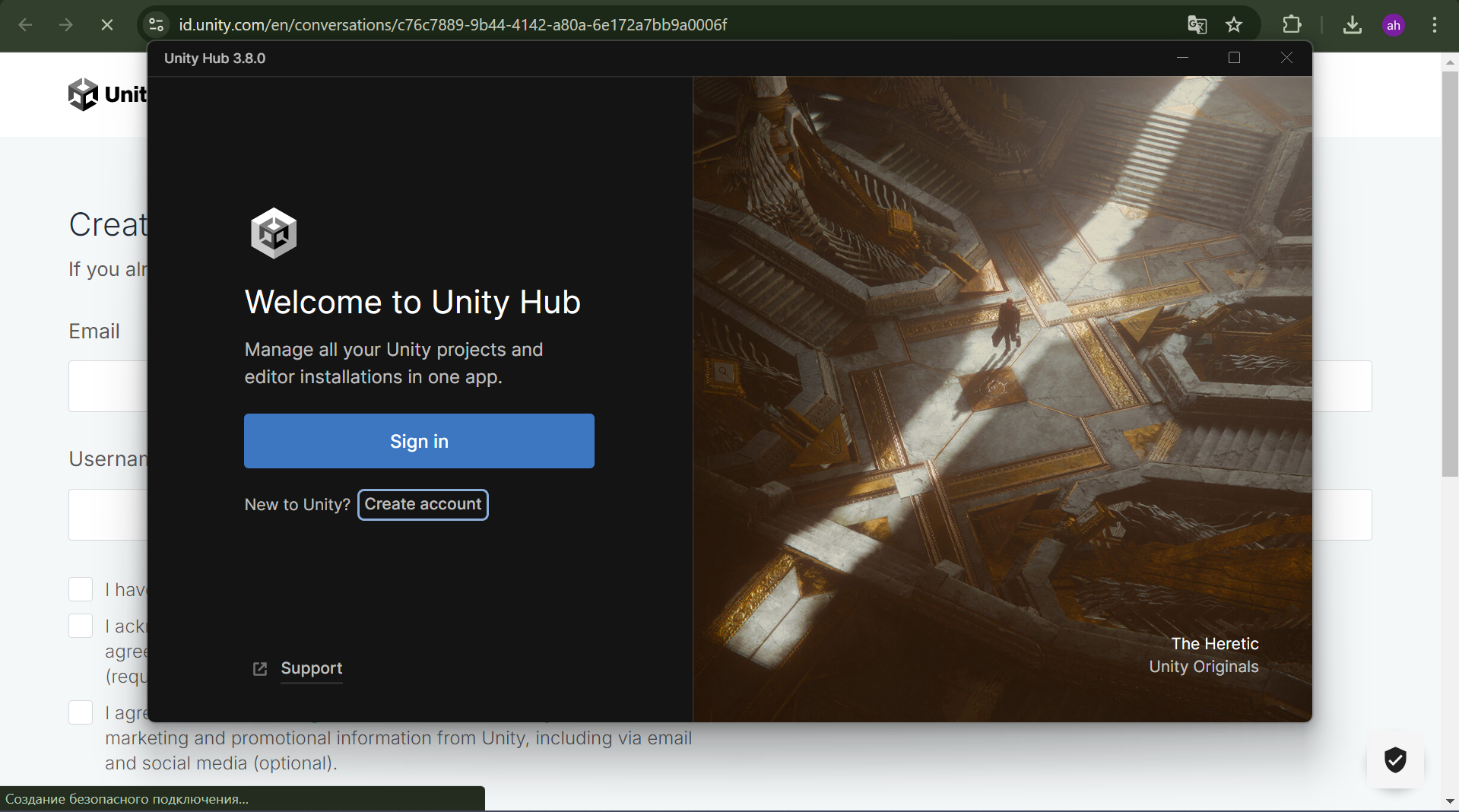
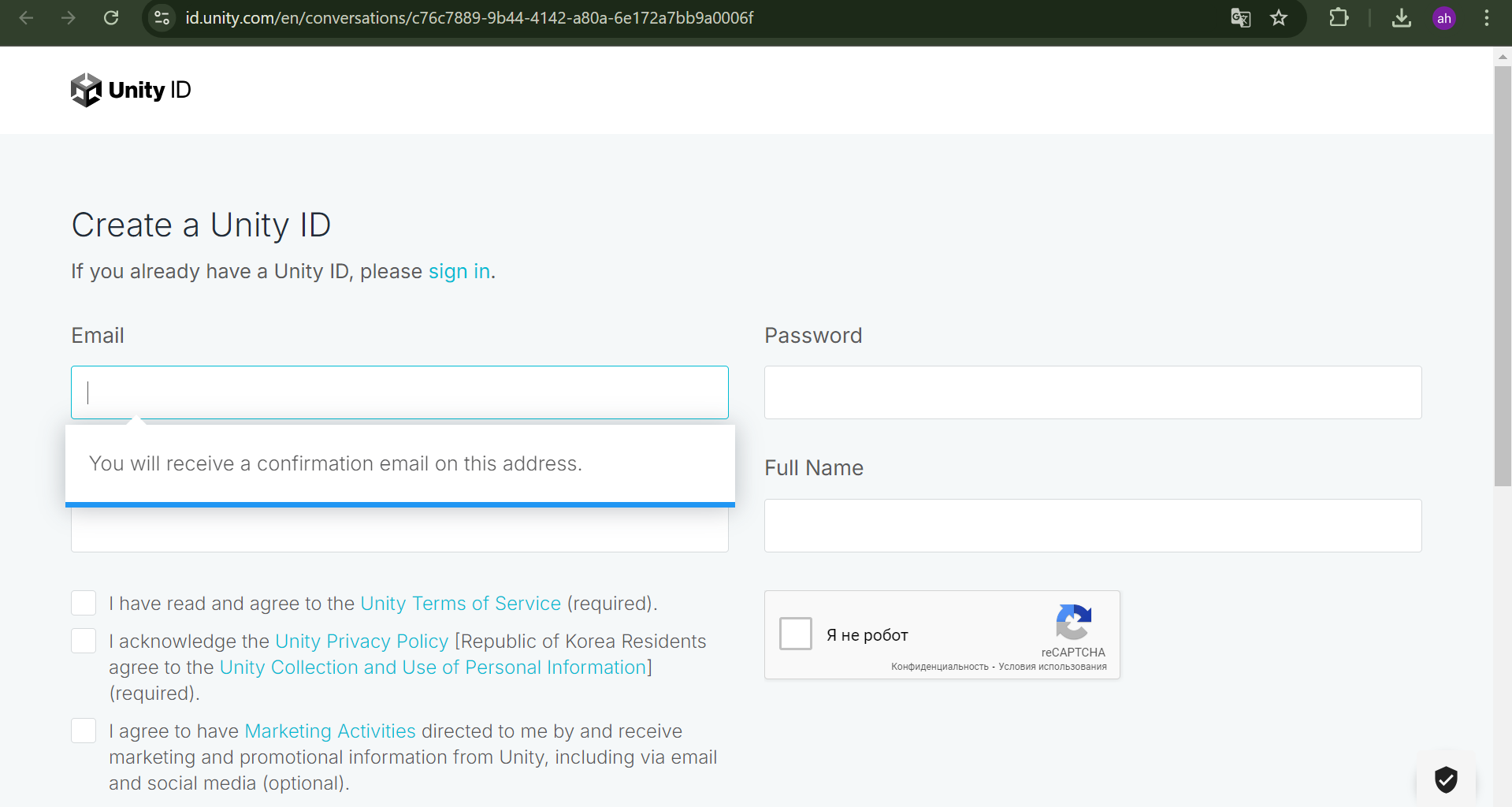
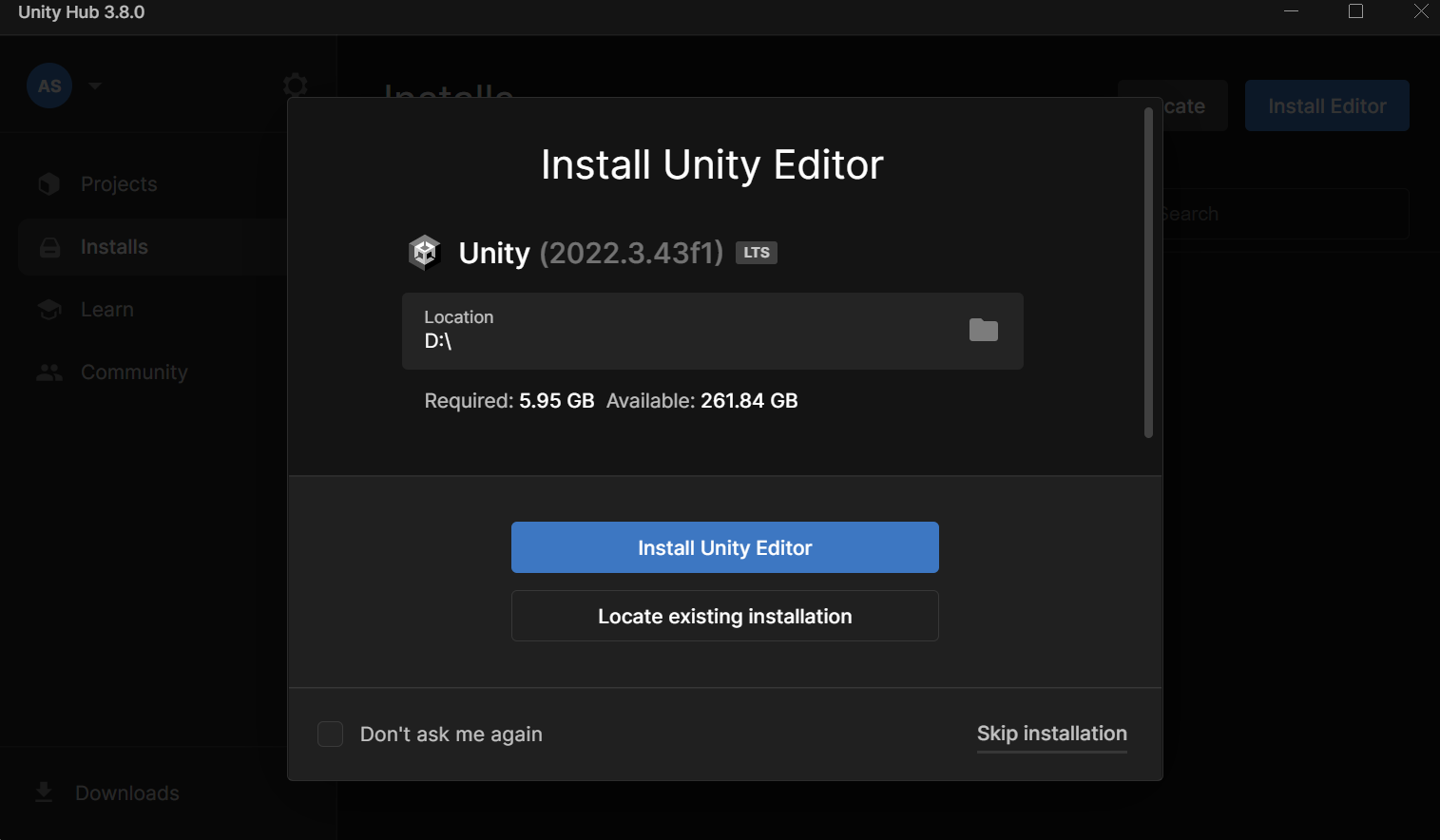
4. Install the editor.After registration, the program will prompt you to install the editor. Select the desired folder and download it.
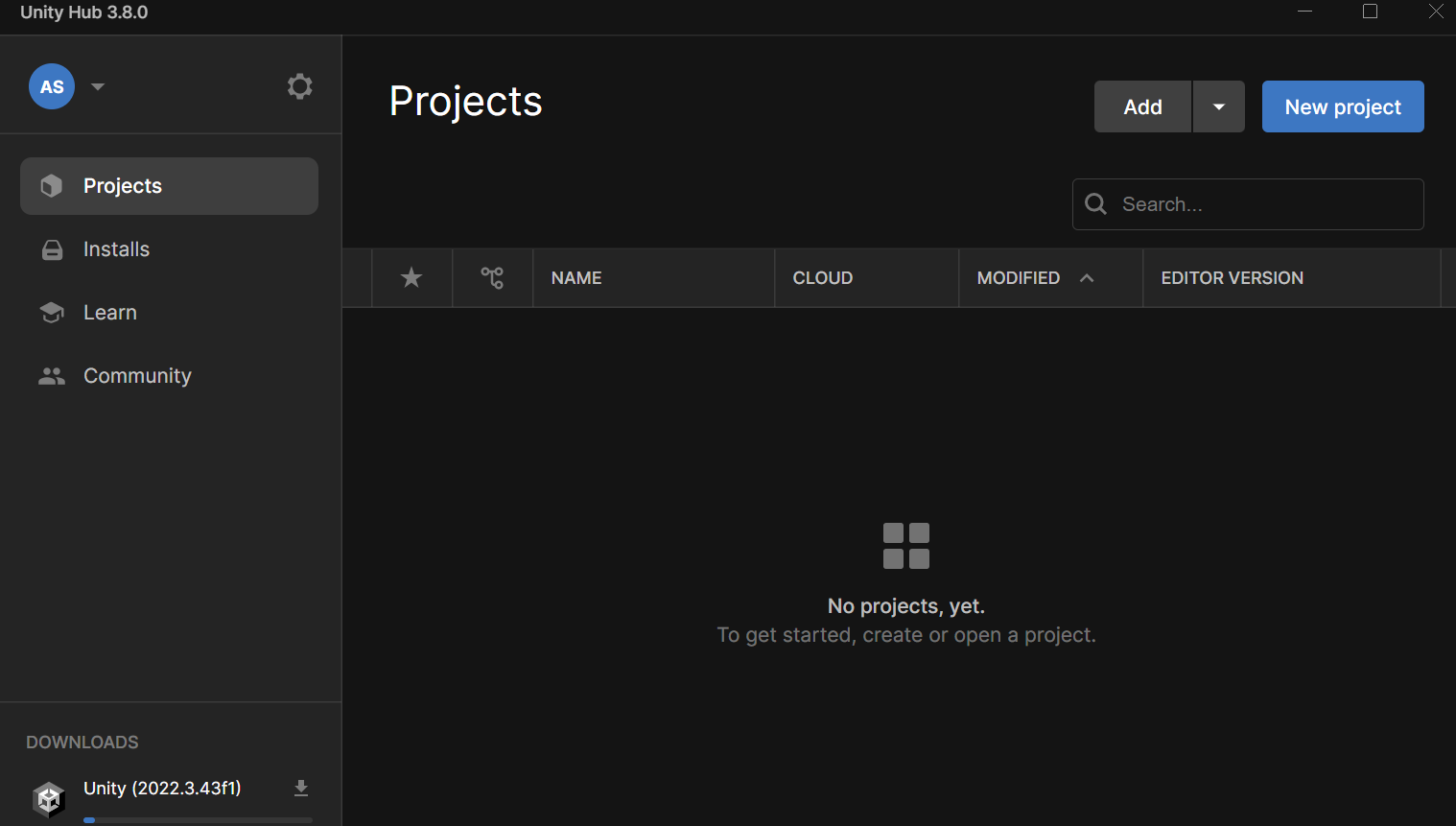
5. Create a project.In Unity Hub, click the "Create Project" button. Select the project name, the type of 2D or 3D game and the location to save the project.
The Future of the Engine
We figure it out based on the research Unity Gaming Report 2024.
Artificial Intelligence
The report indicates that 62% of companies that use Unity use artificial intelligence in their work. AI automates routine tasks and speeds up development. For example, artificial intelligence is often used for:
- Character animation.Tools help create realistic and smooth movements;
- Code writing.AI generates individual parts of the code, reducing routine tasks and development time.
Multiplatform
Games are often released on multiple platforms - PC, consoles, and mobile devices.
- Multiplatform games.Games available on multiple platforms are popular because they can be played on any device. From a tablet to a laptop;
- Crossplay.Users play together regardless of platform. This feature expands the audience.
Multiplayer
Multiplayer is a mode in video games that allows multiple people to play and compete together in a single gaming session.
- Wide audience. Multiplayer games have a large audience because many people have more fun playing with others;
- Creating multiplayer games is a complex and expensive task. The reason is the need for servers for the online mode to work.
LiveOps
LiveOps is a process of constantly updating the game. It ensures:
- Player retention.Regular updates, new events, and content are a way to attract and retain an audience;
- Less risks. Constant feedback from players allows us to quickly correct errors and make changes.
Useful materials from the editors of Skillbox.by
For those who want to develop games on Unity, the editors of Skillbox.by have prepared useful materials.
Resources:
- Official Unity Website — Here you will find documentation, tutorials, and answers to frequently asked questions;
- Unity Forum — A place to find answers to questions and ask other developers for help.
Telegram channels and chats:
- Unity Engine: Questions and Answers— a chat dedicated to Unity development.
References:
- «Unity in Action: Multiplatform Game Development in C#» by Joe Hocking— a book suitable for beginner developers. It covers the basic principles of working with Unity and practical projects;
- "Learning C# by Developing Games with Unity" by Harrison Ferrone - this book will teach you how to program in C# in the context of creating games with Unity. Suitable for beginners who are just starting out in programming.
Master the profession of "Unity Game Developer from Scratch to Middle" with Skillbox
Learn how to create complex graphics and animations, apply OOP in practice, and create games for mobile platforms. You will be able to complete complex tasks and apply for a middle-level developer position.
Take access