
Contents:
- Why it is important to know the target audience for a successful presentation
- The optimal number of slides in a presentation
- Effective creation of a presentation plan
- How to create effective presentation slides
- Effective methods of writing text for a presentation
- Effective presentation preparation: additional tips
- Methods for evaluating the effectiveness of a presentation: a practical guide
- How to effectively prepare a presentation: key aspects
- Recommended literature for successful preparation presentations

Making Money Giving Presentations: 5 Steps to Success
Learn MoreWhy Knowing Your Target Audience Is Important for a Successful Presentation
Your target audience isn't just the group of people attending your event or viewing your presentation. They are the critical individuals who determine the success of your proposal. They make decisions about funding and investing in your product or project. Understanding the needs and interests of this audience allows you to more effectively communicate your message and tailor your offerings, which ultimately helps you achieve your business goals. The right approach to your target audience can significantly increase your chances of successfully attracting investment and closing profitable deals.
To achieve your goals, it's important to deeply understand your target audience and identify effective strategies for engaging with them. The more data you collect about your audience, the higher the likelihood of achieving successful results. Understanding your audience's preferences, interests, and behavior allows you to create more targeted and effective content, which leads to increased engagement and customer satisfaction.
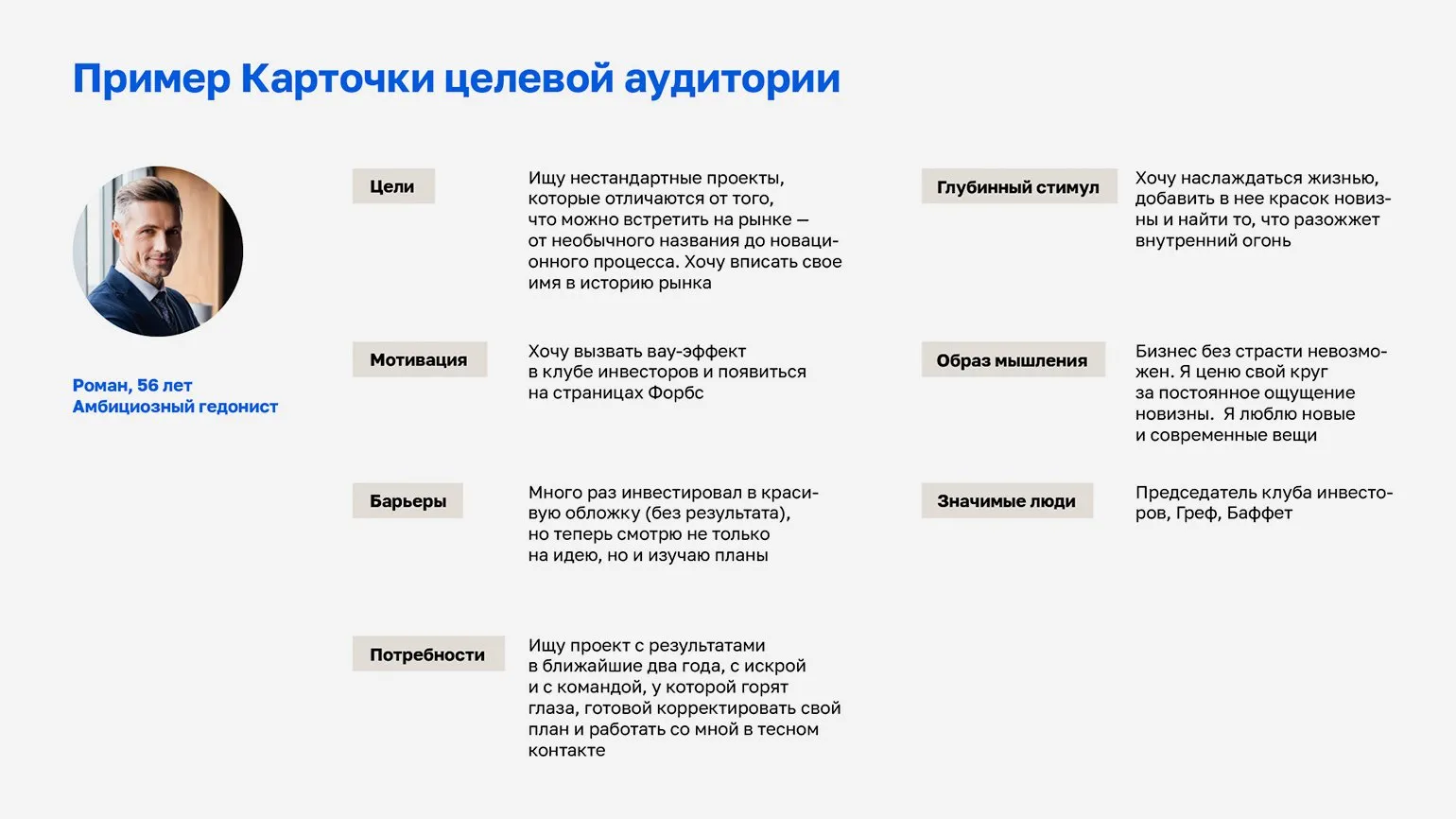
Creating a target audience profile is one of the most effective ways to analyze it. This process can include both a rough profile based on answers to key questions and a detailed audience profile that the team develops before an important presentation. Understanding your target audience allows you to better tailor offers and marketing strategies, which in turn increases the likelihood of business success. Using methods such as demographic, behavioral, and interest analysis helps create a more accurate picture of customer needs and preferences.
When creating an audience profile, the key question is how your audience will benefit from your presentation. Investors are looking for promising products, while buyers are looking for solutions to their current problems. If your market is not saturated with competitors, it is sufficient to emphasize your offering and its unique advantages. A compelling presentation should clearly demonstrate how your product or service can meet the needs of your target audience and create value.
In a highly competitive environment, it's essential to develop a detailed customer profile. It's important to consider their goals, underlying motivations, needs, interests, barriers, and fears. You should also consider your audience's psychological makeup, using the Censydiam, Psyche, or Jungian archetype models. This approach will allow you to gain a deeper understanding of your consumer and create more effective marketing strategies. Understanding psychological aspects will help you develop offers that resonate with your audience, increasing the likelihood of successful engagement and conversion.
Alisa Korzhenevskaya, a project management expert, emphasizes the importance of creating a complete profile of your target audience. It's important to consider not only professional aspects but also demographic characteristics, such as age. For example, using a Marvel superhero might be effective for a younger audience, but it might seem inappropriate for an older generation. A proper understanding of your target audience allows you to better tailor your marketing strategies and achieve greater results.
Alexander Zubritsky, a certified project manager, emphasizes the importance of understanding your audience's values. He argues that a successful strategy lies in identifying and emphasizing these values. For example, if a senior executive values sincerity, it's worth openly discussing the potential risks of your proposal. This will establish trust and demonstrate your willingness to engage in honest dialogue.
There are many effective methods for collecting target audience data. One of the simplest is analyzing potential customers' social media profiles, which reveals their interests and preferences. A more complex, yet informative, method is conducting in-depth interviews with target audience representatives. These interviews provide detailed information about customer needs and motivations, which can significantly improve your marketing strategy. Effective collection of data about the target audience is the key to the successful promotion of products and services.
The Optimal Number of Slides in a Presentation
When choosing the number of slides, you need to consider the presentation format. There are different types: for self-study and for live presentations. Determining the optimal number of slides will help make your presentation more effective and understandable for the audience, and will also ensure better comprehension of the material.
Presentations intended for reading are usually sent via email. It is important to provide complete information about the product, project, or company so that the reader can easily familiarize themselves with the material. A well-designed presentation helps attract attention and increase interest in your proposal. Make sure the text is clear, structured, and contains key points that will help the reader quickly understand the essence.
Despite the abundance of information, it is important to keep it concise. Research shows that the average attention span is approximately ten minutes. To keep your audience's interest, begin with the most significant slides. This will help make your presentation more effective and memorable.
There is no universal number of slides for a presentation, as it depends on the objectives, product, and target audience. However, research shows that shorter presentations are more likely to be viewed to the end. It is recommended to include key elements on the slides, such as product images, process diagrams, target audience profiles, and prototypes. It is better to provide additional information in the attached explanatory note, which will avoid overloading the slides and focus attention on the most important aspects.
It is important to keep in mind that, according to netiquette, the presentation file size should not exceed 10 MB. Most email services may reject large attachments or classify them as spam. Optimizing the file size is a key step in presentation preparation. For recommendations on file optimization, please refer to the materials at the link.
A presentation deck plays an important role in supporting the speaker's speech and helps effectively convey key ideas. One common mistake is duplicating the speaker's text on the slides. According to a survey conducted by VisualMethod, 36% of conference organizers report facing this problem. To make a presentation more effective, use visual elements and concise phrases that complement, rather than repeat, what has already been said. This will help retain the audience's attention and make the presentation more memorable.
A mismatch between the text of the speech and the presentation materials indicates a lack of preparation on the part of the speaker. If the slides completely repeat the speech, the speaker's presence on stage becomes useless—simply sending the materials via email is sufficient. The key to a successful presentation is creating a multimedia effect that illustrates and complements the speech, captivating the audience and enhancing its perception of the information.
Dmitry Stepanov is the CEO and co-founder of InterForum. Under his leadership, the company has achieved significant success, providing high-quality services and solutions in its field. Dmitry's experience and professionalism contribute to the innovative development of InterForum and the strengthening of its position in the market.
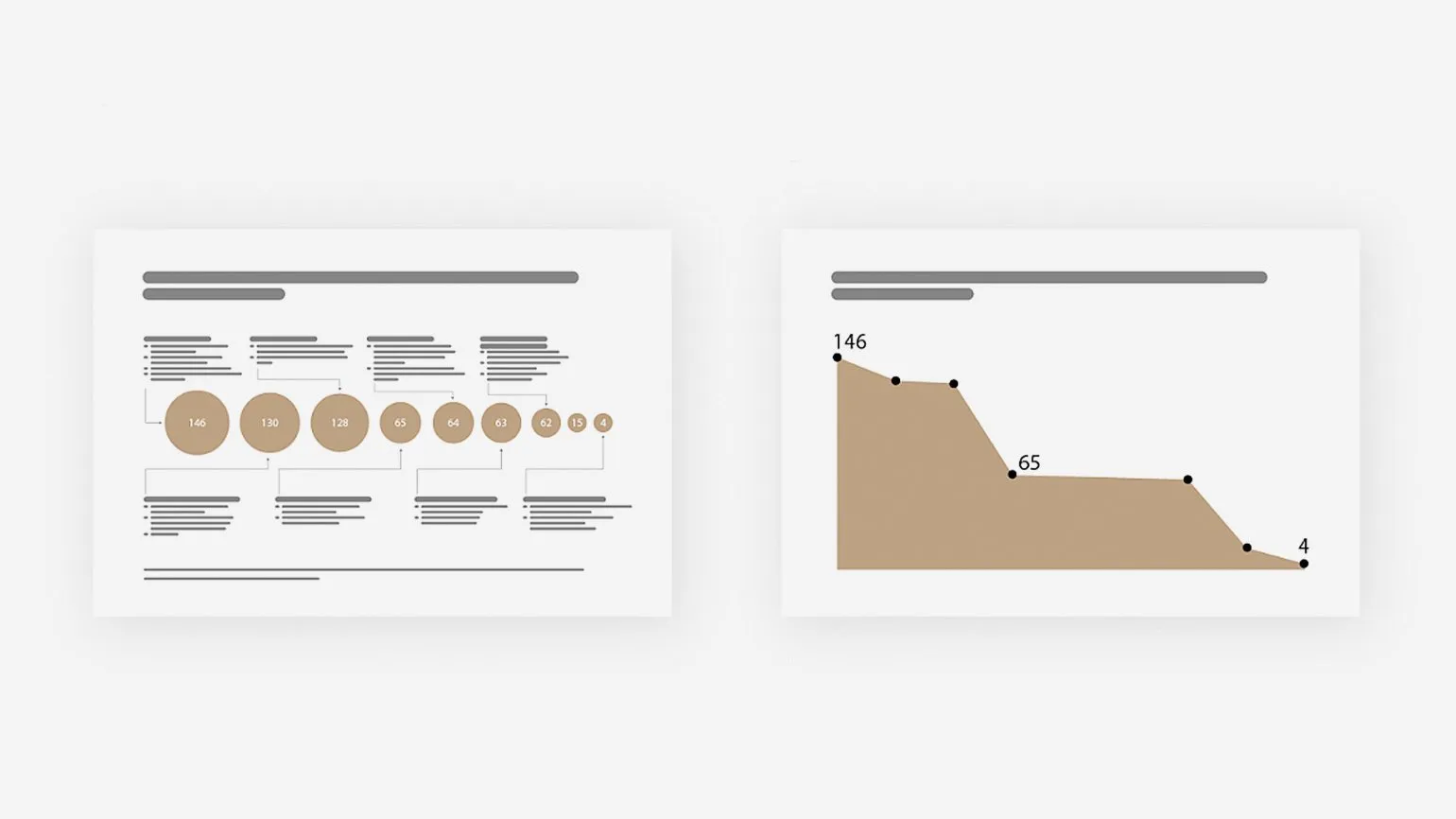
The number of slides in a presentation should correspond to the time allotted for the speech. On average, an audience absorbs information from one slide in two to three minutes. However, changing slides too frequently can distract listeners from the main content, reducing the effectiveness of the presentation. It is recommended to carefully plan the number of slides to ensure a smooth transition between topics and maintain the audience's attention. The optimal number of slides will help make the presentation more structured and understandable, which in turn will improve the perception of the information.
According to research by VisualMethod Studio, the optimal duration of a speech is 20 minutes, and the number of slides should be limited to ten. It is important to note that for high-status speakers, it is recommended to use even fewer slides, since the audience's attention is focused on the speaker. This emphasizes the importance of high-quality content and the ability to hold the audience's attention without excessive visual clutter.
It is recommended to write your speech at a pace of 120–150 words per minute. Based on this pace, create slides that visually support your story. This approach will help retain the audience's attention and make the information more digestible. It is important that the slides complement your speech rather than overwhelm it. Use clear and concise phrasing to emphasize key points. This will ensure a harmonious combination of words and visual elements, improving the perception of your presentation.
Victoria Ryndina is the co-founder of VisualMethod studio and a communications expert with an MBA. Her experience and knowledge in visual technologies help create effective communication strategies for businesses. Victoria's VisualMethod studio focuses on developing unique visual solutions that help brands successfully engage with their audiences. Creating an Effective Presentation Outline A presentation outline is the foundation for determining the content of your slides and the order in which they will be presented. It should be clear and engaging for your audience. In this article, we'll explore the key factors that will help you develop an effective presentation outline and provide an example of a structure that can improve comprehension and make your presentation more memorable. Creating a quality presentation outline is an essential step toward success, allowing you to clearly convey your ideas and keep your audience engaged.
Creating an effective plan starts with clearly defining your goal. It's important to understand what exactly you want to convey to your target audience. Ask yourself key questions: Why should your audience pay attention to your product? What benefits will they gain from using it? What possible objections might arise, and how do you plan to address them? The answers to these questions will help you formulate a compelling proposal and establish rapport with potential customers, which in turn will increase the chances of successfully promoting your product.
Collect your answers in a document and prepare the necessary data: case studies, statistics, tools, and examples. Organize the information into structured blocks to create a coherent script with headings related to a common theme and facts under each. This will improve the material's comprehension and increase its value to readers.
To create an engaging presentation, it is important to evoke an emotional response in listeners. People make decisions not only based on facts, but also based on emotions. Emotions arise when the audience follows the development of the plot, encounters unusual facts, or effective transitions. It is recommended to use an adapted model of the "three-act structure" when developing your presentation to make it more engaging and memorable. This will help hold the audience's attention and increase the effectiveness of your speech.
The model includes three main elements:
- Setup. An intriguing fact, an unusual situation, or a challenge. This part immerses your audience in the context. Compare it to the "inciting incident" in a movie.
- Peripeta. A sudden turn - a description of a threat or an interesting opportunity, usually placed in the middle.
- Denouement. The final part, where you summarize and draw conclusions: what needs to be done to achieve a positive outcome.
Research shows that people better remember the beginning and end of information, as well as unexpected moments that evoke strong emotions. Using a sharp turn mid-speech helps hold the audience's attention. This technique not only heightens interest in the material but also makes it more memorable. Emotional accents and unexpected changes in the course of presentation help create a captivating narrative that is imprinted in the audience's memory.

The structure of your presentation should be tailored to the goals and characteristics of your target audience. Objectives can vary significantly: education, sales, investment, or entertainment. Let's consider a universal structure, optimal for sales, consisting of seven modules. This structure will help you effectively convey information and convince your audience of the need for your product or service. Proper organization of the material facilitates better comprehension and increases the chances of successfully closing the deal.
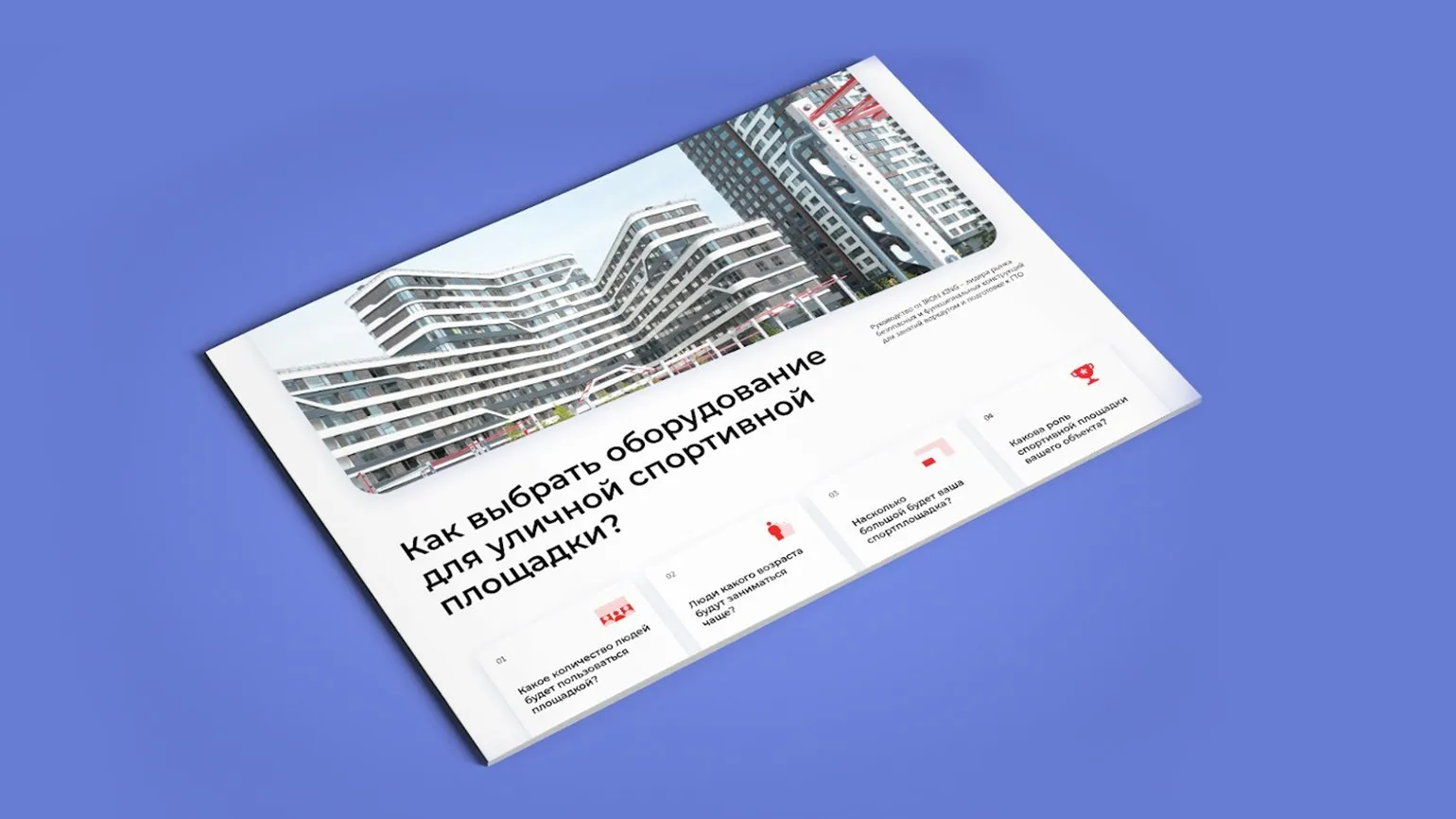
The introduction slide is the first element of your presentation, which should effectively attract the attention of the target audience. On this slide, it is important to emphasize key aspects: identify the problem your audience faces, offer a unique solution, or highlight the main advantages of your company. The slide should be visually appealing and informative to instantly generate interest and a desire to learn more about your offer.
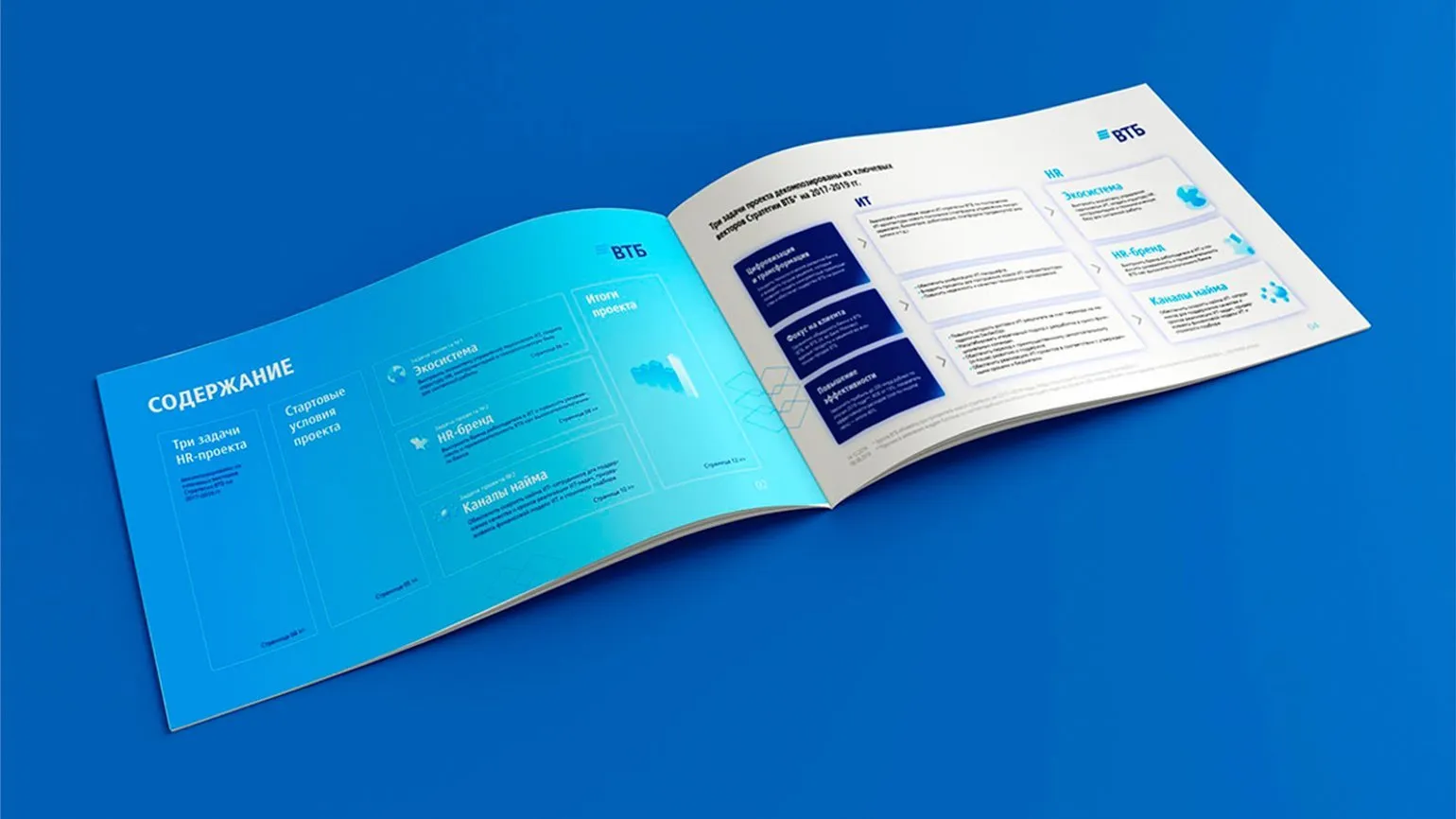
The module's table of contents, also known as an interaction plan, provides a summary of the presentation's structure and helps create a coherent flow. Instead of simply listing the content on a slide, we recommend using corresponding icons and dividing the plan into logical groups. This approach helps make information more accessible and memorable for the audience, which in turn increases the effectiveness of the presentation.
The problem faced by the target audience is a lack of effective solutions to meet their needs. Users are looking for ways to optimize their processes, save time, and improve their quality of life. The main problem is that existing products do not always meet customer expectations and requirements, leading to dissatisfaction and wasted resources. Our product offers innovative solutions that help solve these problems, providing users with the necessary support and improving their experience. We understand that it is important not only to offer a product, but also to create value that will meet the real needs of users.
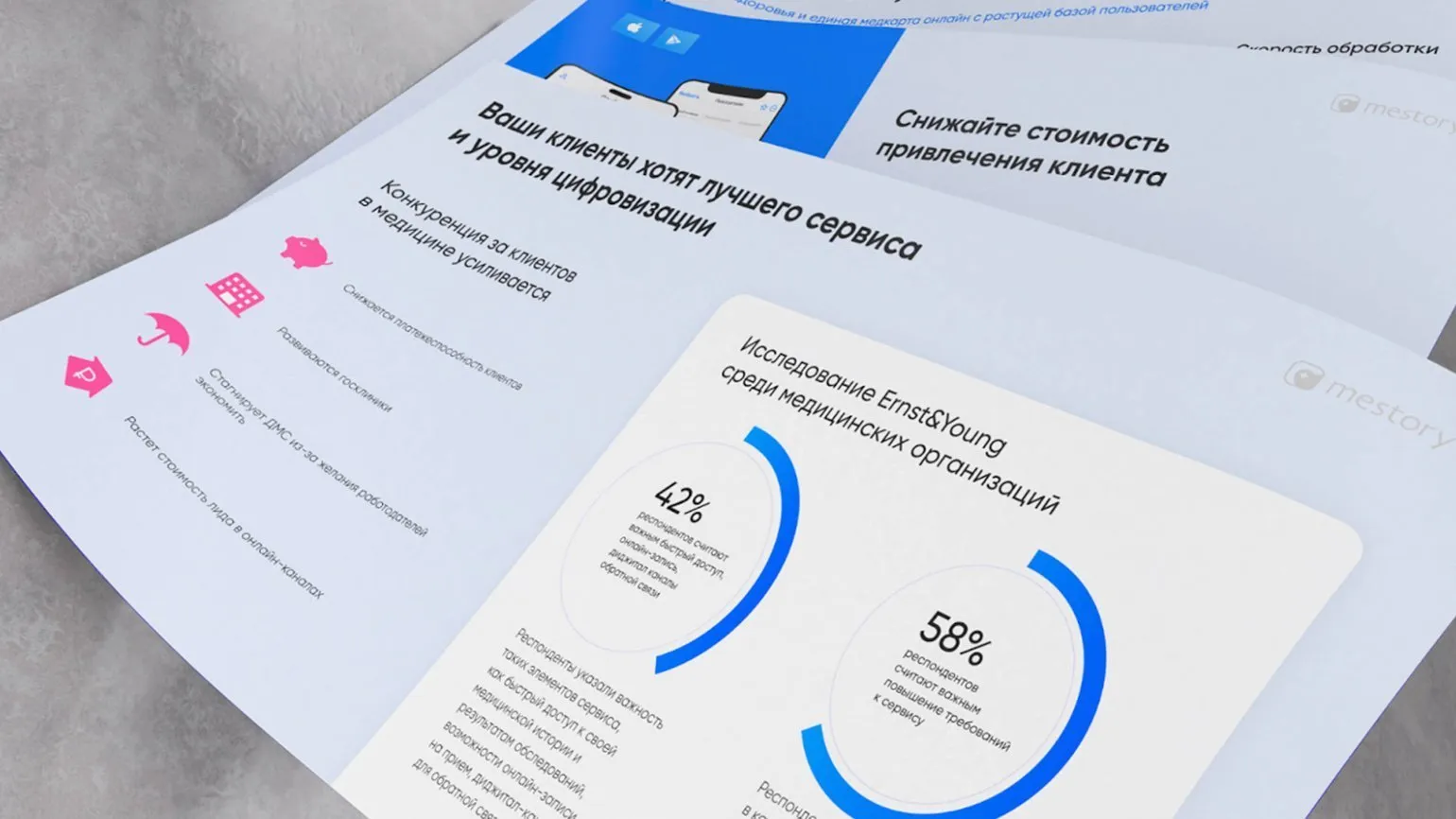
Analytics. Confirm the urgency of the problem and demonstrate the consequences of ignoring it. The need to address this issue is driven by potential risks that may arise in the future. If action is not taken, the situation may worsen, leading to serious negative consequences such as financial losses, reputational damage, and decreased competitiveness. Effective analytics not only allow you to identify key problems but also develop strategies to address them, which ultimately contributes to sustainable development and business success.
You can mention existing solutions, detailing how similar problems are being addressed by competitors or in other countries. This information will help you highlight the uniqueness of your offer and make it stand out from the crowd.
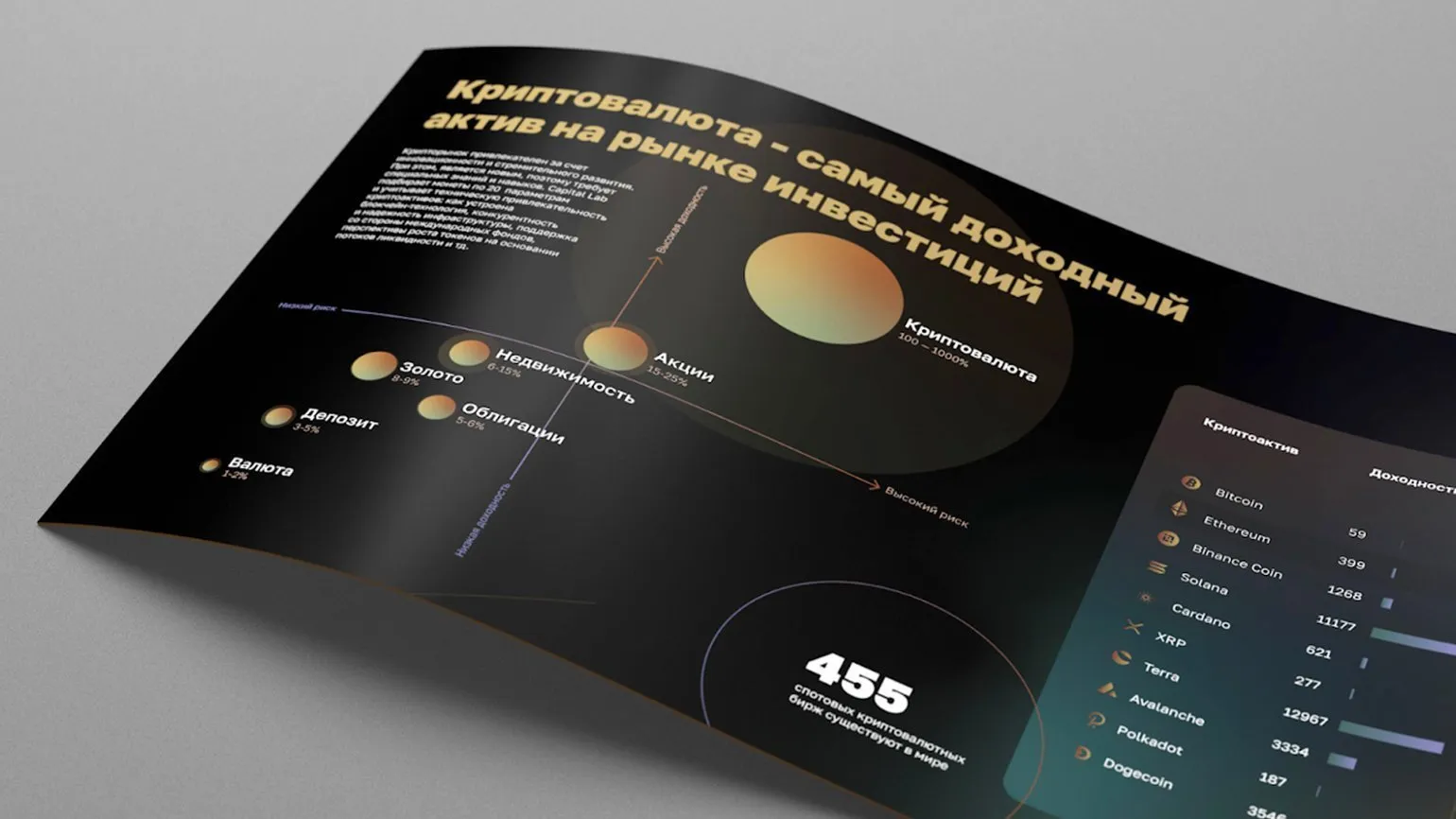
Perspective. Your solution effectively meets the needs of your target audience, delivering significant benefits. It enables users to solve the challenges they face and offers unique solutions. As a result, your audience not only experiences an improved quality of life but also saves time and resources. Thanks to your offering, users will be able to increase their productivity and achieve their desired results faster. By implementing your solution, they will also be able to improve their skills and expand their capabilities, which will ultimately lead to increased satisfaction and loyalty.
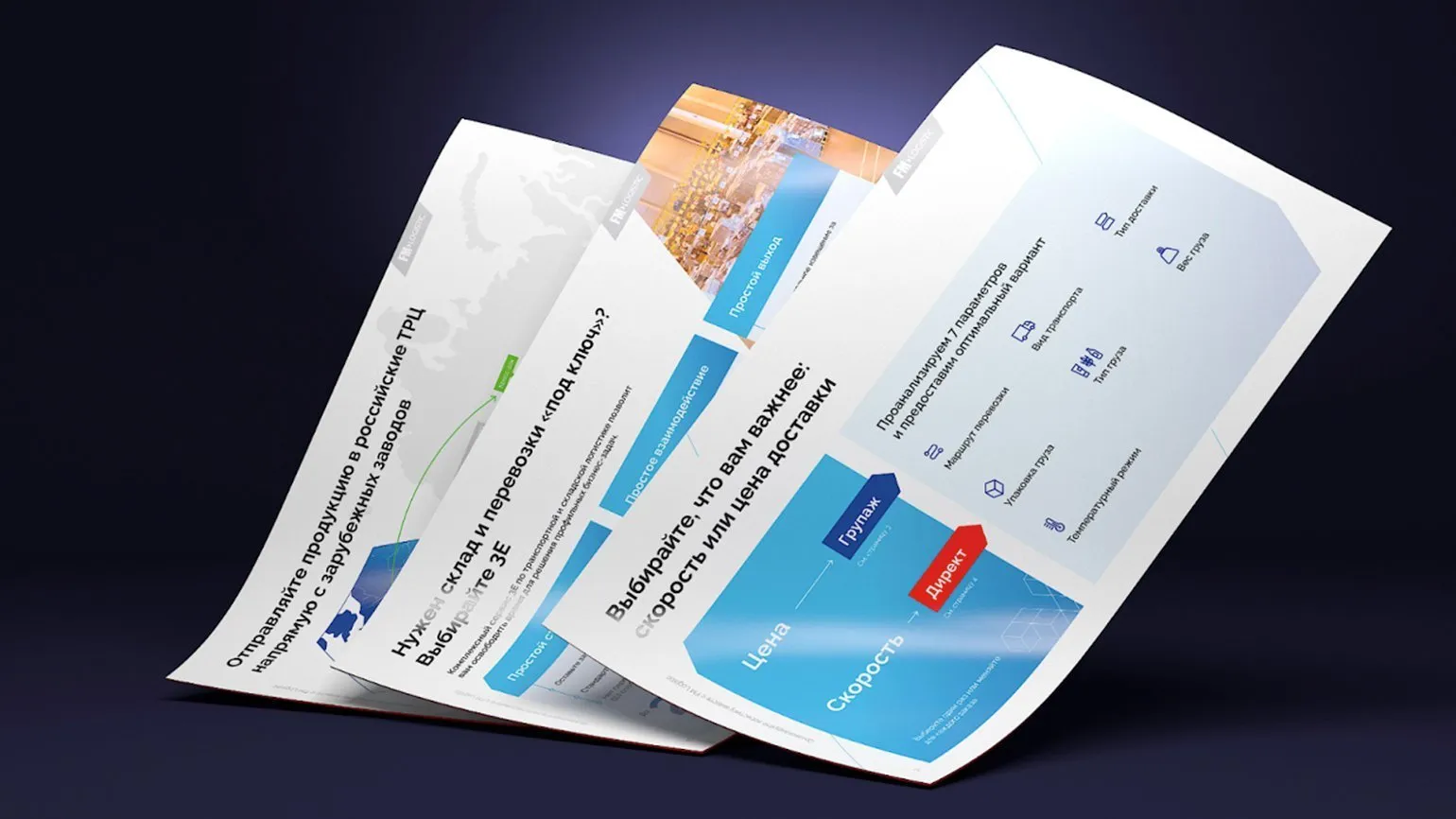
Affirmation. In this section, the key is to build audience confidence in the reliability of your product. Use specific examples to demonstrate the successful solutions your product offers. Highlight your company's benefits, emphasizing its unique features and expertise. Include case studies that illustrate how your product has helped other customers overcome their challenges and achieve their desired results. This will increase trust in your brand and increase the likelihood of a purchase decision.
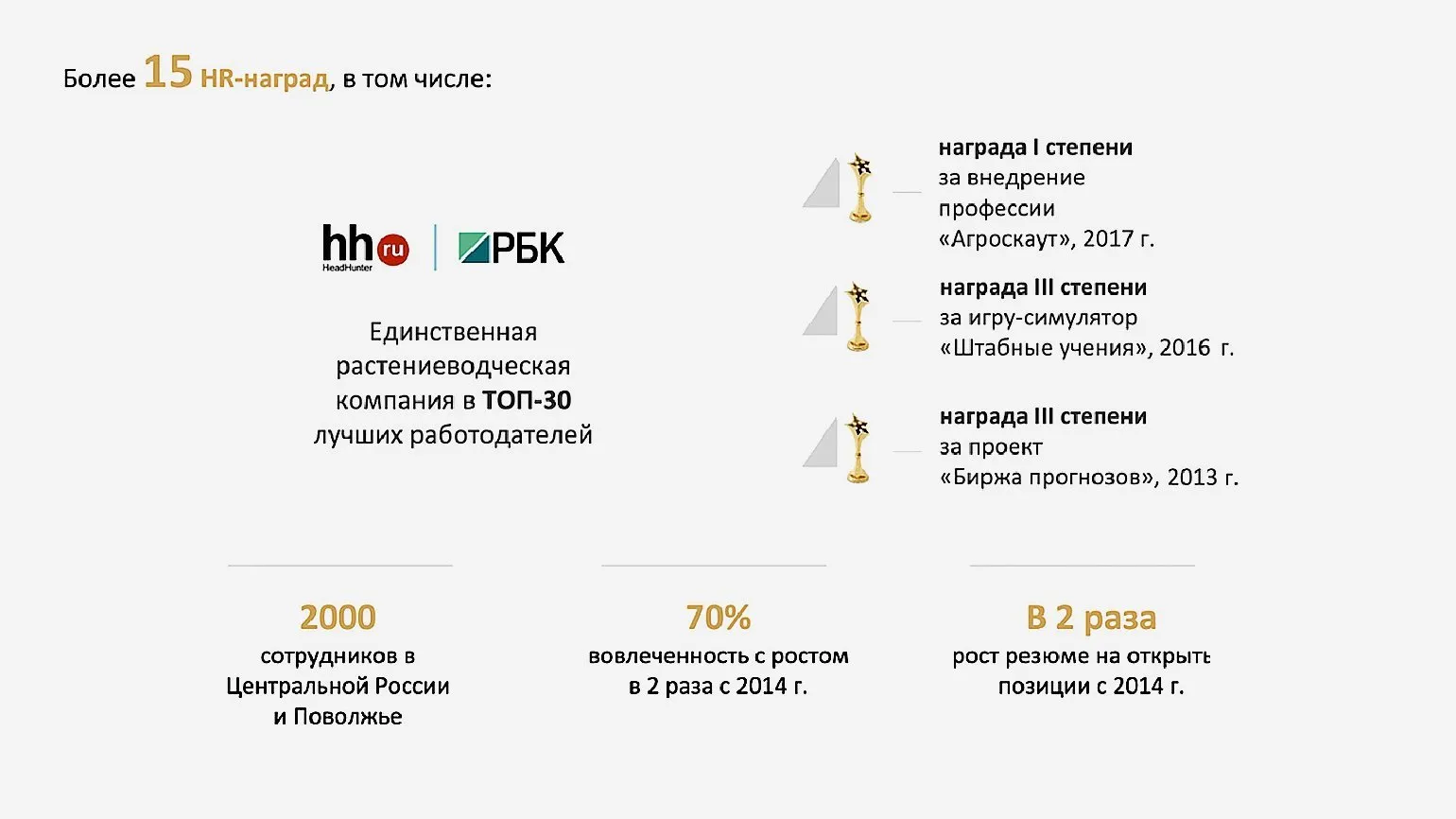
In the final module, it's important to clearly outline the steps required to obtain your product. Use strong calls to action that are clear and easy to follow. For example, invite users to sign up for a webinar, book a demo, or receive a special discount. An effective call to action helps increase conversions and attract new customers.
How to Create Effective Presentation Slides
In today's world, where information flows at high speed, the ability to quickly and effectively convey ideas is critical. Data visualization is a key tool for achieving this. It not only helps simplify complex data but also makes it more accessible for perception. Proper presentation of information contributes to better understanding and memorization, which is especially important in business, education, and scientific research. The use of graphs, charts, and infographics allows you to convey key ideas to your audience with maximum clarity and minimal time expenditure. It is important to understand that data visualization not only facilitates the process of information perception but can also significantly improve the effectiveness of communication.
Research shows that the perception of visual information is significantly faster than text. For example, it takes a person only 0.25 seconds to perceive a large object, whereas it takes two seconds to understand a short three-word phrase. This highlights the importance of using visual elements in content to improve perception and retention of information. Visual materials, such as images and graphics, can enhance communication and speed up comprehension, making them indispensable in modern content marketing and web design.
To achieve maximum impact in presentations, follow this important rule: each slide should contain one main idea and one major visual element. This is especially true when working with complex data, such as tables and graphs. Highlight key figures and facts to effectively capture the audience's attention. Using this approach will help make your presentation more memorable and understandable, and will also make the information easier to digest.
Ivan Zhyvitsa, PR Director at Wargaming, emphasizes the importance of visual storytelling: "A visual story is more effective than even the most compelling narrative. This is especially true when you need to convey information to third parties. Visualization helps avoid distortions that can occur when the audience retells your presentation." Visual elements such as graphs, infographics, and images significantly enhance the perception of information and facilitate a better understanding of key points. Using visual content in presentations and communications is becoming a strategically important tool for ensuring the accuracy and clarity of information transfer.
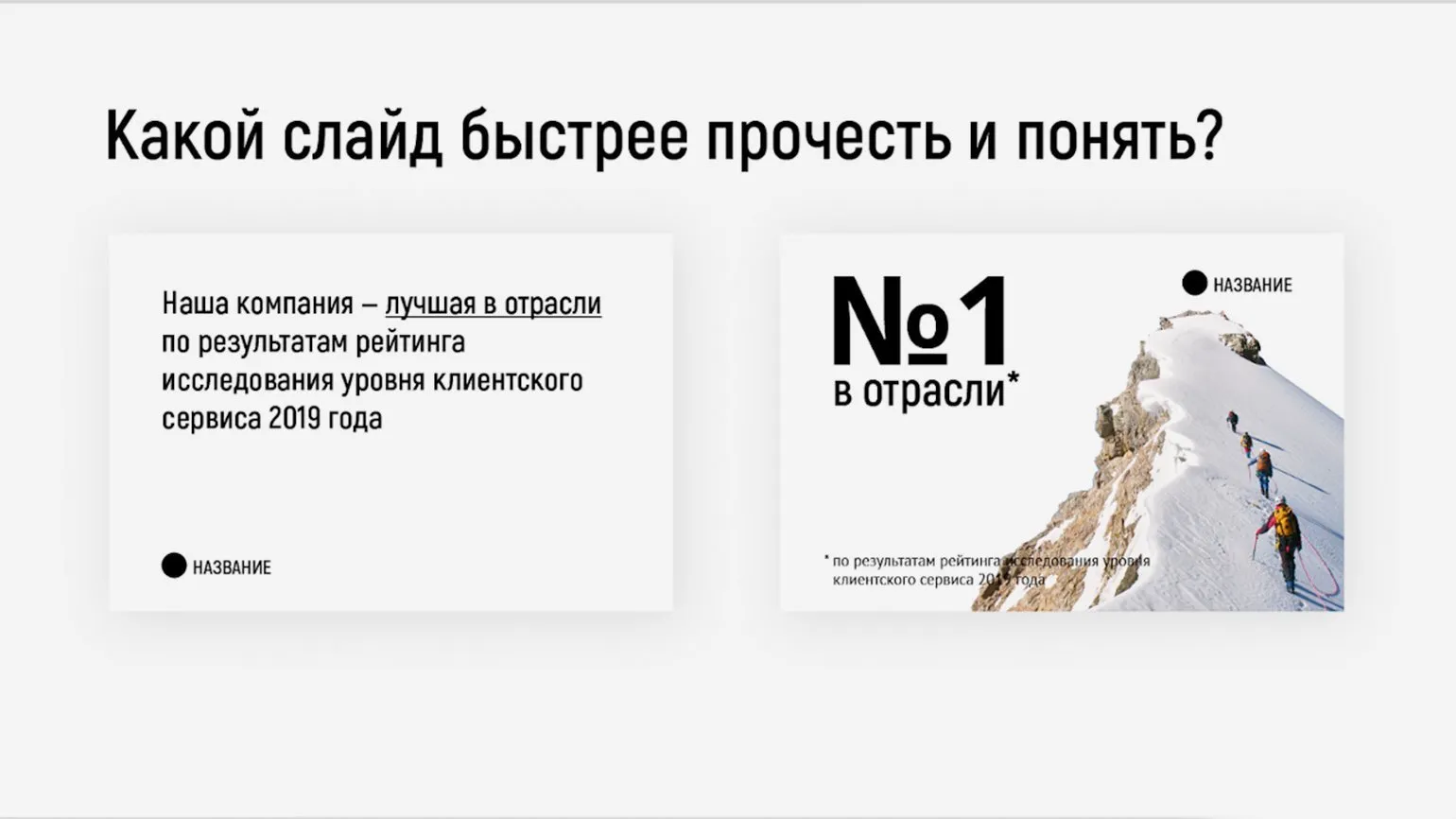
Basic design principles play a vital role in creating an effective presentation that captures audience attention. Key recommendations include using a clear and simple structure, a harmonious color palette, and legible fonts. It's important to avoid an excessive number of elements that can distract viewers from the main idea. Leave enough white space to emphasize key points. It's also worth using high-quality images and graphics to visually support the text information. Following these principles will help create a presentation that is not only informative but also aesthetically pleasing, ensuring maximum audience engagement.
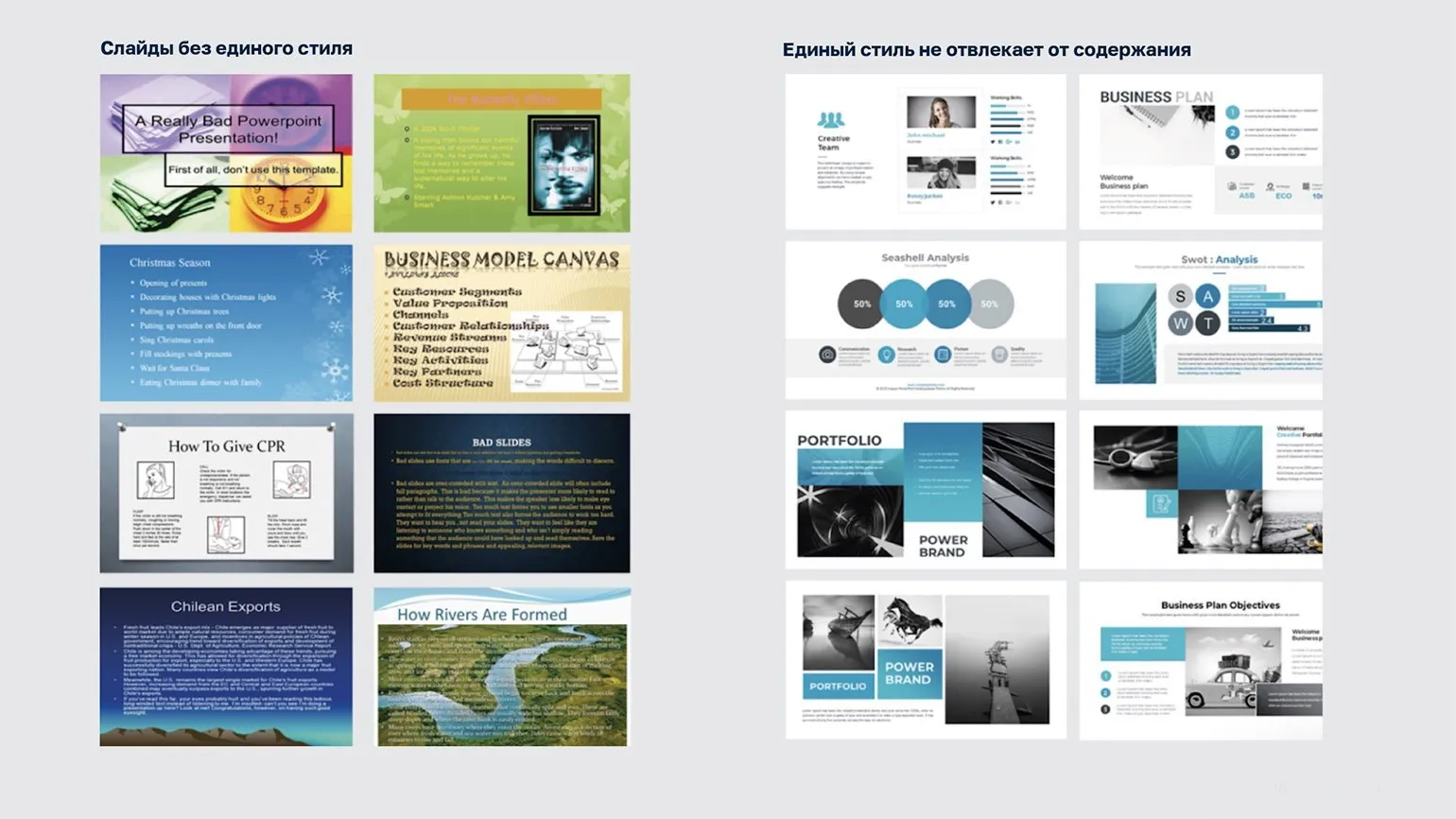
Design styles play an important role in content perception. It is recommended to limit yourself to three styles, including fonts and text colors. Excessive mixing of different styles can lead to visual noise and hinder information comprehension. Consistency in design facilitates better perception and understanding of the text, and also enhances its aesthetic appeal.
Readable fonts play an important role in the perception of text on a website. It is recommended to use no more than two fonts: one for headings and one for the main text. This will help create a harmonious and readable design. Make sure both fonts are easy to perceive so that users can easily read the information. The correct choice of fonts improves user experience and increases the time spent on the page.
Avoid using all caps in the text. Text in uppercase is perceived as shouting and can evoke negative emotions in readers. This rule applies not only to the main content but also to headings. Use lowercase letters to create a more comfortable and friendly atmosphere. Proper text formatting facilitates better perception of information and increases readability.
Create a consistent style for all presentation slides. Use your company logo, as well as brand colors and fonts. This will help create a holistic perception and increase brand recognition. Proper slide design facilitates better information comprehension and creates a professional image for your company.
Contrasting colors play a key role in design, especially in web content. Choose high-contrast combinations, such as white and black, to improve text readability and improve user comprehension. Proper use of contrasting colors helps highlight important elements on the page and makes content more accessible to all users, including those with visual impairments.
Hierarchy of elements plays a key role in content perception. Create a structure that directs audience attention to the most important elements. Use highlighted headings and key images to emphasize important points. This will not only improve comprehension but also improve the overall page performance in search engines. An optimal hierarchy promotes better user interaction with content, which in turn can positively impact search engine rankings.
Effective Presentation Writing Techniques
Creating a presentation requires careful thought to attract your target audience and effectively convey key ideas. The content should be not only informative but also engaging. Using a clear structure, simple wording, and compelling examples will help retain your audience's attention. It's also important to consider the audience's needs and interests so that the text evokes an emotional response and facilitates better information comprehension. Proper formatting and SEO optimization of the text will help increase its visibility and accessibility in search engines, which will further increase interest in your presentation.
Choosing the right tone of voice is a key step in creating a successful text. To do this, it is important to define the profile of your target audience. Analyze how your audience perceives information and adjust the intonation, emotional tone, and style of presentation to suit their preferences. This will help you establish a deeper connection and increase the effectiveness of your communication.
If your target audience uses jargon, feel free to incorporate it into your text. In cases where communication requires a more formal approach, it's best to use the formal form of address. This will help set the right tone and establish trust with readers. An appropriate communication style promotes better comprehension and increases engagement.
To achieve maximum clarity, it's recommended to use an informational style that relies on facts and useful information. It's important to follow a few guidelines for its effective use. First, use simple and clear wording, avoiding complex and confusing sentences. Second, structure the information logically to make it easy for the reader to understand. Third, choose precise terms and definitions to avoid misunderstandings. Finally, provide up-to-date data and references to enhance the credibility of the information presented. This approach will help you create a clear and informative text that will be useful to a wide audience.
Eliminate unnecessary elements from the text. Eliminate introductory phrases, filler words, and bureaucratic jargon. Remove any information that doesn't help develop the main topic. For example, avoid unnecessary stories about the company if they don't contribute to the decision. Focus on specific facts and arguments that will interest the reader and help them make a choice.
Be specific with your facts, avoiding metaphors and vague adjectives. Use precise data, for example, stating that your product is number one in sales or has won a prestigious award. This will help increase the credibility of your offer and improve your ranking in search engines. Clear and specific facts make your information more persuasive and attractive to potential customers.
Explain in clear language. Use simple words and formulate clear conclusions. If your text contains abbreviations or specialized terms, be sure to provide their definitions. This will help avoid misunderstandings and make the information more accessible to your audience. Proper explanations of complex concepts promote better comprehension and increase interest in your content.
To check your text for compliance with the informational style, we recommend using online services such as Glavred. This tool helps identify unnecessary words and simplify the content, making the text more understandable and readable. Effective use of such services will help improve the quality of your writing and make it more appealing to your target audience.
To improve the comprehension of information on your slides, it is important to limit the use of synonyms. For example, when describing software, it is recommended to use a single word, such as "platform," instead of alternating synonyms such as "resource" or "service." This approach will avoid confusion and simplify the understanding of the material being presented.
According to expert Evgeny Ryndin, art director of VisualMethod studio, the correct sequence of terminology on slides is critical for retaining the audience's attention. Effective organization of information not only helps to better perceive the material but also promotes a deeper understanding of the presentation topic. Properly structured slides with logically arranged terms make the content more accessible and interesting for listeners.
Effective Presentation Preparation: Additional Tips
For a successful presentation, it is necessary to consider Miller's Law, which states that human attention is limited to seven elements. Modern research confirms that the optimal number of perceived words is reduced to five. This emphasizes the importance of using short and concise titles and descriptions, which are easier to perceive than long and complex constructions. Simplifying information and emphasizing key points will help make your presentation more effective and memorable.
Use the "rule of three" to effectively organize information. Research shows that the human brain remembers arguments, key characters, and main conclusions better if they are presented in groups of three. Even if you have more arguments, highlight three main groups. This will help your audience focus on the main points and improve their perception of your message. Using this rule will make your presentation more memorable and persuasive.
If your message contains one key point, repeat it three times. First, announce it at the beginning, then elaborate in the middle, and summarize at the end. This approach helps your audience better remember important information and enhances the impact of your message. Constantly repeating a key point helps reinforce it in the minds of your audience and increases the effectiveness of your communication. Use this method for maximum impact and persuasiveness.
Slide numbers are an important element of a presentation that demonstrates your organization and helps your audience better perceive the information. When audiences see how many slides are left, it helps them understand the structure of your presentation and follow the main points. Numbering prevents uncertainty and reduces stress in the audience, which in turn promotes more productive comprehension. An effective presentation should include elements such as a clear structure and slide numbers to ensure maximum audience engagement.
When giving a live presentation, audiences can become distracted, making it difficult for them to return to your message. This can leave them feeling confused and nervous, as they won't be able to easily resume your thread. Unpredictability can negatively impact information comprehension, reducing the effectiveness of your message. To avoid such problems, it's important to think ahead about how to keep your audience's attention and ensure clarity of presentation.

Rehearse your presentation to improve its quality and confidence. Write down the text and read it aloud. Giving a test presentation to friends will allow you to identify problem areas, such as speaking too quickly or reading slides, which can negatively affect the audience's perception. Careful preparation will make your presentation more convincing and memorable.
Be sure to check the technical requirements before starting the broadcast. Check whether your device needs to be connected. The key is choosing the connection type: HDMI or VGA. An incorrect choice can cause technical problems that will affect the quality of the broadcast. Make sure you have the necessary cables and adapters for the correct operation of the equipment.
When creating a presentation, it is important to consider the screen resolution. If you develop material for one format and then present it on a screen with a different resolution, this may cause fonts and elements to shift. To avoid unexpected problems, save presentations in PDF format. This ensures that the original design and structure are preserved even when last-minute changes are made.
Alisa Korzhenevskaya, Project Manager at VTB, shares her experience: "Early in my career, I encountered a problem with screen resolution mismatches in the room, which resulted in sloppy slides. This negatively impacted my presentation. Therefore, it is crucial to test the equipment in advance and ensure everything functions properly."
Get your audience's attention to take action. Instead of simply ending your presentation with a "Thank you for your attention" slide, invite them to follow you on social media, ask questions via email, or take advantage of special offers. This not only strengthens the connection with your audience but also encourages further interaction, which is important for maintaining interest in your content and increasing engagement. Effective calls to action can significantly increase feedback rates and help build long-term relationships with your target audience.
Methods for Evaluating Presentation Effectiveness: A Practical Guide
After completing a presentation, you need to thoroughly analyze its results to assess its level of success. Here are six key approaches to help you in this process.
- By achieving objectives. Determine whether your goals were met—whether it was increasing lead magnet downloads, attracting investment, or winning an award for a report.
- By clicks. Including UTM tags for links in presentations or QR codes will allow you to track the number of clicks and user actions on the landing page.
- By audience reaction. Conduct a vote among participants using simple formats, such as choosing one of five emojis. Lengthy surveys can put people off.
- By feedback. Develop a short online form or ask organizers to send questionnaires to participants. This method is especially effective for engaged audiences.
- Media mentions. Use specialized tools such as Medialogia, SCAN-Interfax, or Brand Analytics to track the number of mentions of your presentation in the media and social networks.
- Downloads. If your presentation is publicly available, count the number of times it has been downloaded.
When choosing an evaluation method, it is important to consider the specific goals of your presentation. For training materials, analyzing reactions and feedback is optimal, while for commercial proposals, it is preferable to use evaluation based on goal achievement and click-through rates. Combining several evaluation methods can provide a more complete picture of the results, provided they are aligned with the stated objectives. Effective selection of evaluation methods contributes to the quality and effectiveness of your presentation.
How to Prepare an Effective Presentation: Key Aspects
Before creating a presentation, it is necessary to thoroughly study the target audience. Understanding the needs and expectations of this group of people is a key factor in achieving the set goals. It is recommended to conduct in-depth interviews and analyze open sources of information, including social media and media articles. This will help form a more accurate picture of your audience and tailor the content of the presentation to generate maximum interest and response.
There are two main types of presentations: for reading and for oral presentation. A reading presentation should be informative, concise, and no more than 10 MB in size to minimize the risk of being classified as spam. An oral presentation is best limited to ten slides, which allows you to effectively convey information in 20 minutes. Proper structure and conciseness will help retain your audience's attention and make your message more memorable.
Creating a presentation begins with developing a clear plan. It's important to define the main goal—what exactly you want to convey to your audience. Formulate key points that will help answer the question: why does your proposal matter to listeners? To make the material more engaging and memorable, include interesting facts or unexpected data. This will not only attract attention but also increase your audience's engagement.
Visualization of information on slides plays a key role in the perception of the material. We recommend using large elements to emphasize the main ideas. Follow basic design rules: limit the number of fonts to two, choose contrasting colors, and stick to a consistent design style. Maintaining a hierarchy of information is also important, and limiting the number of design styles for objects will significantly improve the perception of the content. These principles will help you create effective and attractive slides, which in turn will increase audience engagement.
The text of your presentation should be attractive and easy to understand for your target audience. Adjust your delivery style to suit your listeners' habits. To achieve maximum clarity, adhere to the principles of informational style: eliminate redundant information, rely on facts, and explain complex terms. This will help make your message more accessible and memorable, which in turn will increase the effectiveness of the presentation and engage your audience.
To increase the effectiveness of your presentation, it is recommended to follow a few helpful tips. Use Miller's Law and the Rule of Three to simplify the perception of information. Be sure to number your slides, rehearse your presentation, and test the functionality of your equipment in advance. Conclude your presentation with a call to action on the last slide to establish contact with the audience and encourage further interaction. This will help make your presentation more memorable and effective.
Presentation effectiveness can be assessed using various methods. Key methods include goal achievement analysis, audience reaction research, survey results, and mention counts. The choice of a specific method depends on your goals for preparing and delivering a presentation. It's important to consider how each of these methods can help you gain a more complete understanding of how your presentation is received and its impact on the audience.
If you're looking to improve your presentation skills, we recommend taking the "How to Make Money with Presentations" course from Skillbox. This training course will help you master the techniques for creating effective and engaging presentations, giving you an edge in the competitive job market. By mastering these skills, you can not only increase your professional value but also open up new income streams. Participating in the course will allow you to learn the secrets of successful presentations and apply them in practice, making you a sought-after specialist.
In our course, you will discover ready-made templates, learn how to create impressive slides, and master methods for finding freelance work. During this month of training, you'll acquire skills that will help you successfully earn money remotely. This course will be your stepping stone to career advancement in the freelance world.
Recommended Reading for Successful Presentation Preparation
When preparing a presentation, it's important to use reliable sources that will help you master the art of effective communication. Consider books that will make your content more engaging, informative, and structured. These works contain valuable tips and strategies that will help you convey your idea to your audience with maximum clarity and persuasiveness. Choosing the right literature can significantly improve the quality of your presentations and make them more memorable.
- Nancy Duarte, "Slide:ology" - tips for creating visually appealing slides.
- Maxim Ilyakhov, Lyudmila Sarycheva, "Write, Cut" - techniques for working with text to improve its clarity.
- Alexander Mitta, "Cinema Between Hell and Heaven" - principles of dramaturgy and storytelling for capturing the audience's attention.
- Barbara Minto, "The Minto Pyramid Principle" - the logic of presenting information for achieving maximum effectiveness in business communications.
Resources from Skillbox Media will help you develop your interactive communication skills and improve the quality of your presentations. By studying the materials and practicing the knowledge gained, you can become a more confident speaker and effectively convey your ideas to the audience. Improving your interaction skills with your audience will allow you to create more engaging and memorable presentations. Effective team communication management is key to successful work. To this end, it's helpful to familiarize yourself with a number of specialized guides that will help improve team interaction and productivity. Properly organized team communication facilitates faster task resolution and strengthens relationships between team members. Learning effective communication techniques will help you create an open and trusting atmosphere, which in turn will contribute to the achievement of common goals.
- A Starter Guide to Conflict Management: Strategies for Preventing and Resolving Disputes in a Team.
- How to Properly Delegate Tasks to Ensure Their Successful Completion and Employee Development.
- Feedback Guidelines: How to Give Constructive Criticism and Support.
- A Guide to Managing Project Communications: Key Aspects Every Manager Should Know.
- The Role of Swearing in Management: Expert Opinions and Current Research.
Earning money on presentations: 5 effective ways
Want to earn money by creating presentations? Learn 5 proven ways to make money with this skill!
Learn more