Contents:
- Effective ways to protect business pages from unauthorized access
- How to restore access to your community on social networks?
- Frequently asked questions
- How to protect advertising accounts from blocking and data theft
- Effective strategies for protecting an advertising account from blocking and "theft"
- What to do if your advertising account is blocked?

SMM specialist: 7 steps to success in Professions
Learn MoreEffective Ways to Protect Business Pages from Unauthorized Access
Protecting business pages on social media is a key task for every owner. To prevent possible loss of access, it is necessary to thoroughly review the security settings. Despite the differences between platforms, there are general security recommendations that will help you maintain control over your pages. Regularly update passwords and use multi-factor authentication. It is also important to monitor page activity and promptly respond to suspicious activity. Don't forget about the importance of data backup and regularly checking access rights for employees. These measures will not only help protect your business pages but also increase the level of trust with customers.
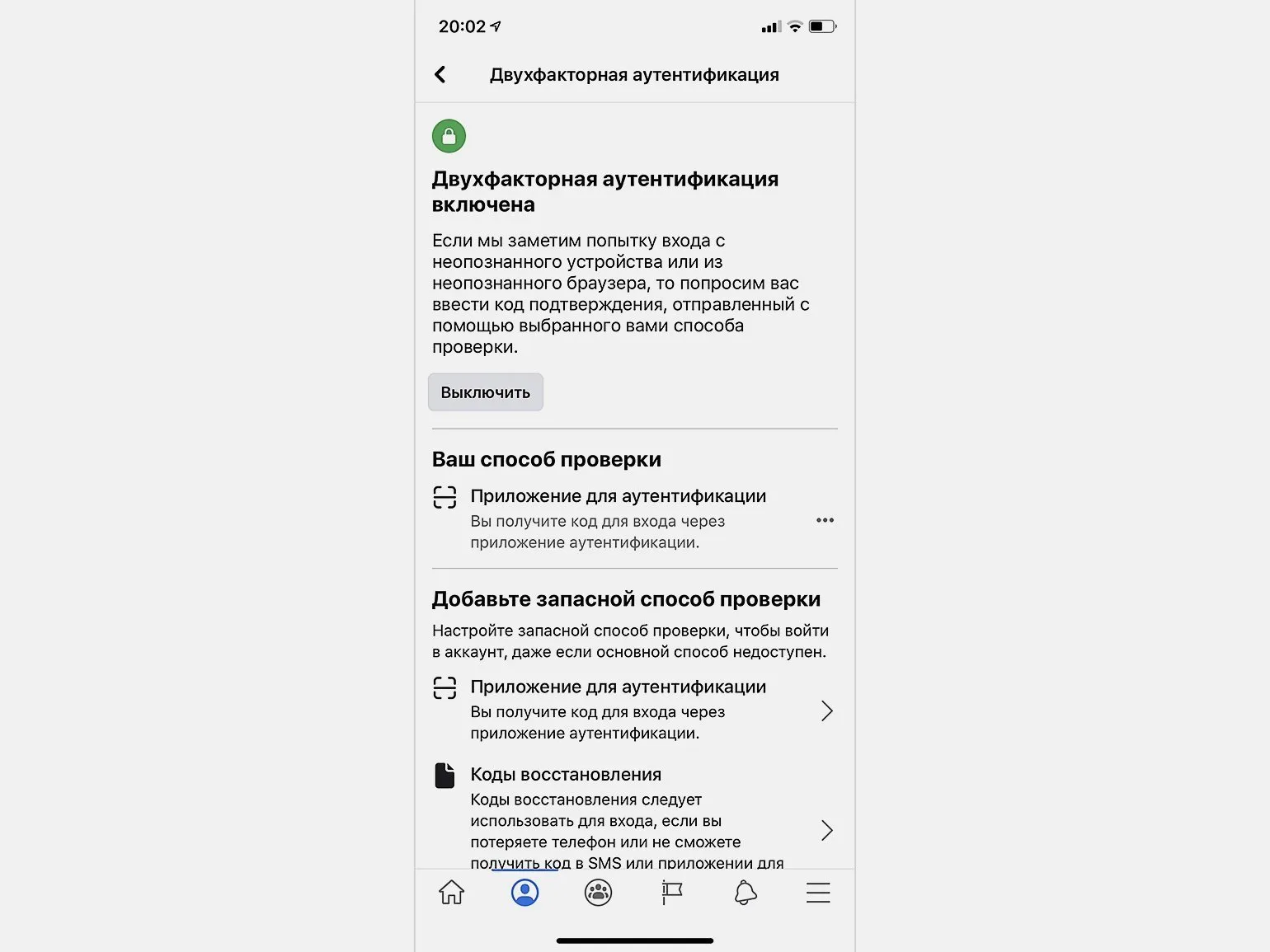
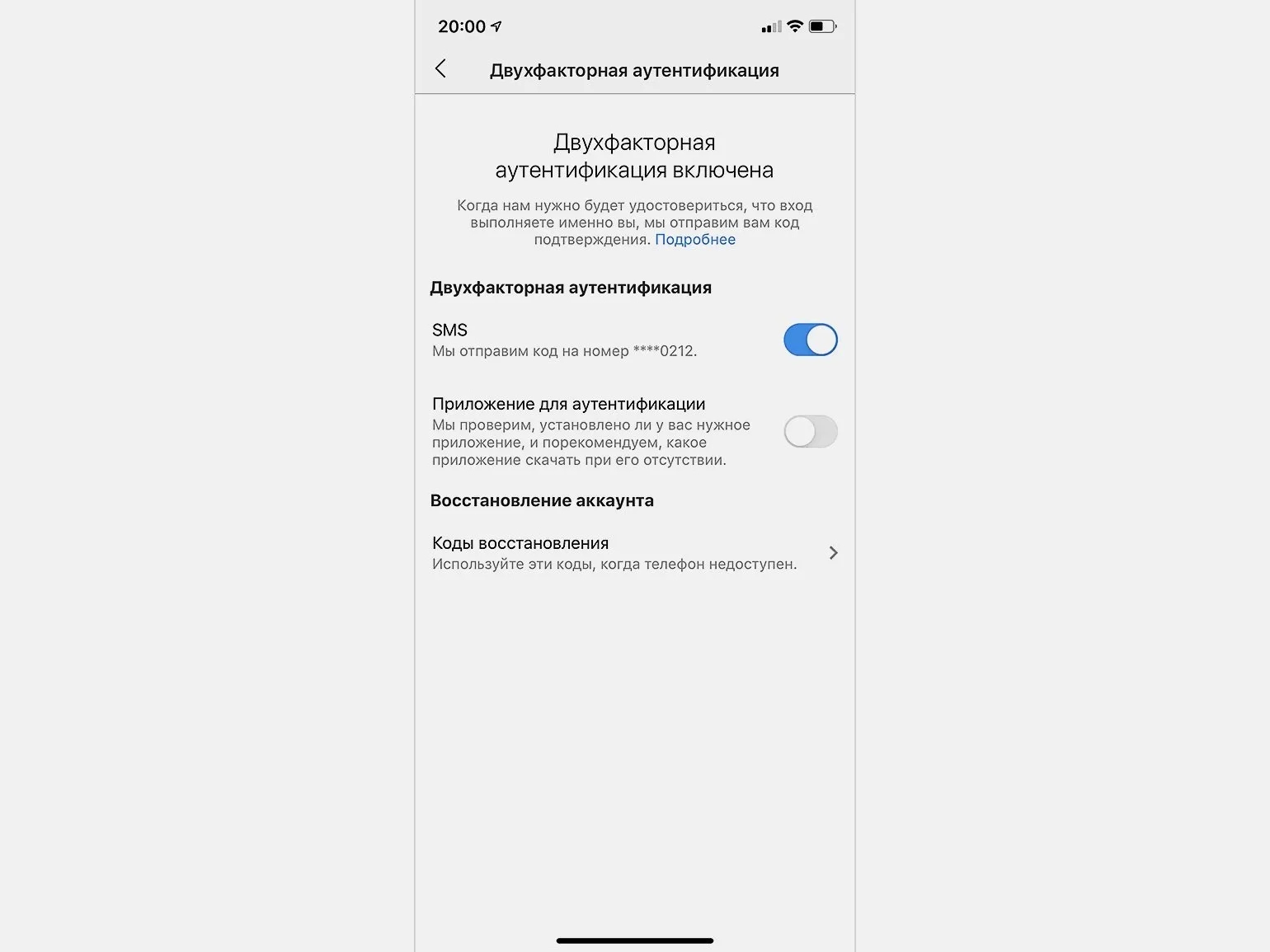
Activating two-factor authentication is mandatory for all users with access to your community. This additional level of security significantly reduces the likelihood of an administrator account being hacked, as it requires login confirmation via SMS or specialized authentication applications. Setting up two-factor authentication will protect your data and ensure the safety of your online community.
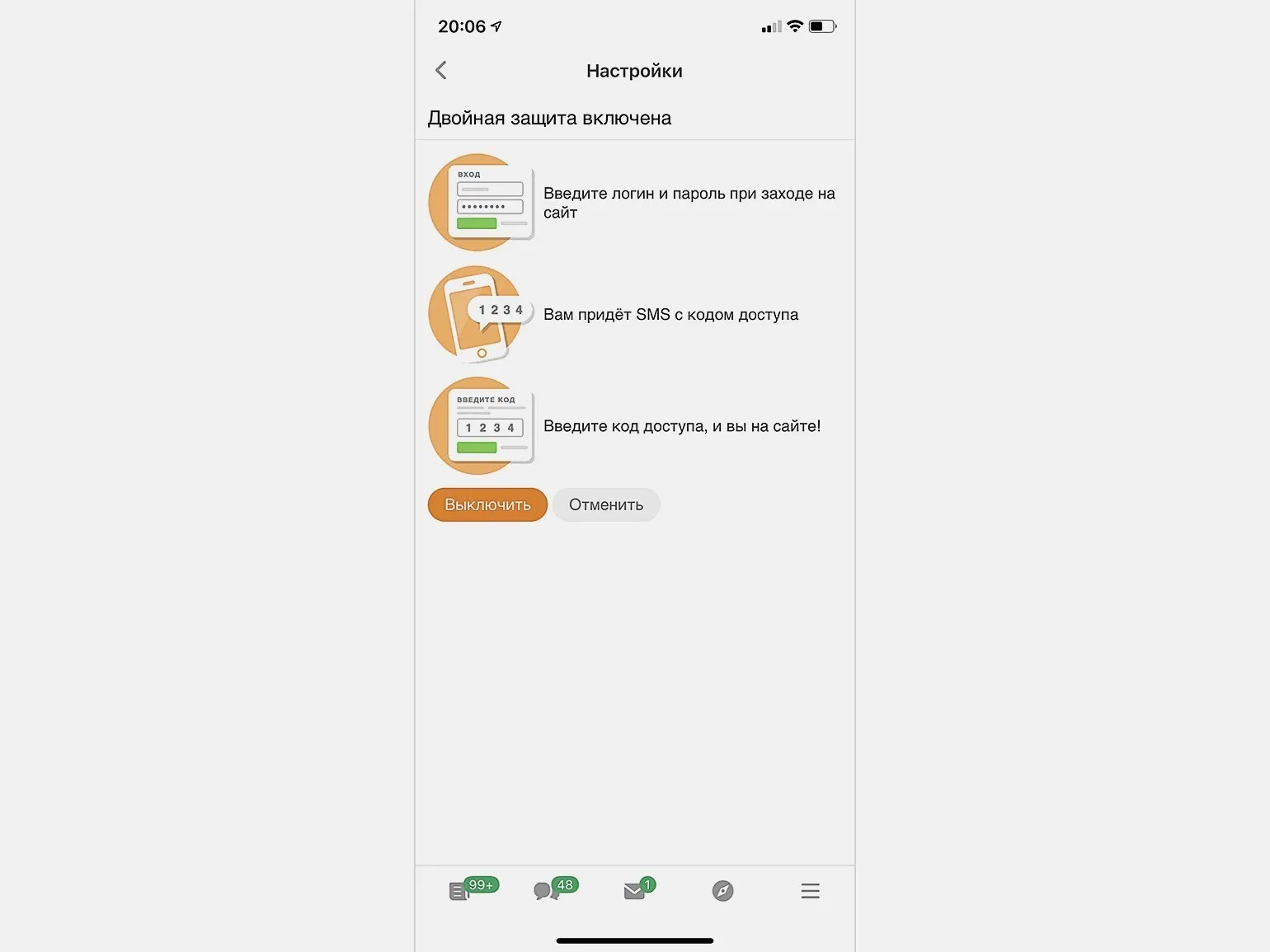
Before creating a business owner profile, it is important to ensure that it complies with the platform's rules. Violating these rules may result in profile deletion, which, in turn, will entail loss of access to the community. This is especially true for social networks such as VKontakte and Odnoklassniki, where deleting an owner's account can lead to the deletion of the associated group. Compliance with all established rules and regulations will help avoid unwanted consequences and maintain your business's activity on social media.
Be careful when granting access to pages. Avoid granting administrator rights to people you don't know well. It's recommended to start with moderator or editor access to mitigate potential risks. This will help maintain the security and integrity of your content.
Post links to your social communities on your official company website. This will not only strengthen your online presence but also confirm the pages' connection to your brand. Links to social networks will help users easily find and interact with your content, which will help expand your audience and increase trust in your business.
Experts from Odnoklassniki recommend entering into a community rights assignment agreement with contractors and employees. This not only ensures legal protection of your interests but also creates a basis for conflict resolution. This approach helps avoid misunderstandings and protect your intellectual property, ensuring stability and transparency in community management.
Regularly updating the list of community administrators is an important step in team management. It is necessary to remove inactive employees, freelancers, and agency representatives with whom cooperation has ceased. This practice is relevant not only for social networks, but also for all online services of your company, such as Yandex.Metrica and Google Analytics. Maintaining an up-to-date list of administrators helps ensure account security, improve customer interactions, and increase team efficiency.
How to regain access to your social media community?
If you encounter the problem of losing access to your community, don't panic. Follow these steps to regain control of your community. First, make sure you are using the correct login credentials. If you have forgotten your password, use the password recovery feature. If access was restricted due to a platform violation, review the terms and conditions to understand what may have happened. Contact the platform's support team with a detailed description of your situation. They can help restore access to your community. It's also important to ensure account security by using strong passwords and two-factor authentication. By following these recommendations, you can regain control of your community and prevent similar situations in the future.
Contact the support service of the social network you have chosen. This will allow you to receive the necessary assistance and resolve any issues with your account or platform functionality. The support service will provide you with information and recommendations that will help you quickly resolve your situation.
- VKontakte: Use the [contact form](https://vk.com/support) to contact the support service.
- Odnoklassniki: Send an email from your company's official address to partners@ok.ru.
- Facebook/Instagram: Use the Russian-language support chat for assistance.
Prepare documents confirming your rights to the community. On social networks such as Odnoklassniki and VKontakte, the following materials may be required:
- Contracts with an SMM agency or freelancers.
- Employee work records confirming their participation in community management.
To create accounts on Facebook and Instagram, you must prepare a notarized application in English. This application must include all available information about the community. This is important to confirm the authenticity of your request and comply with platform requirements. Please ensure all information is accurate and complete to avoid delays in the registration process.
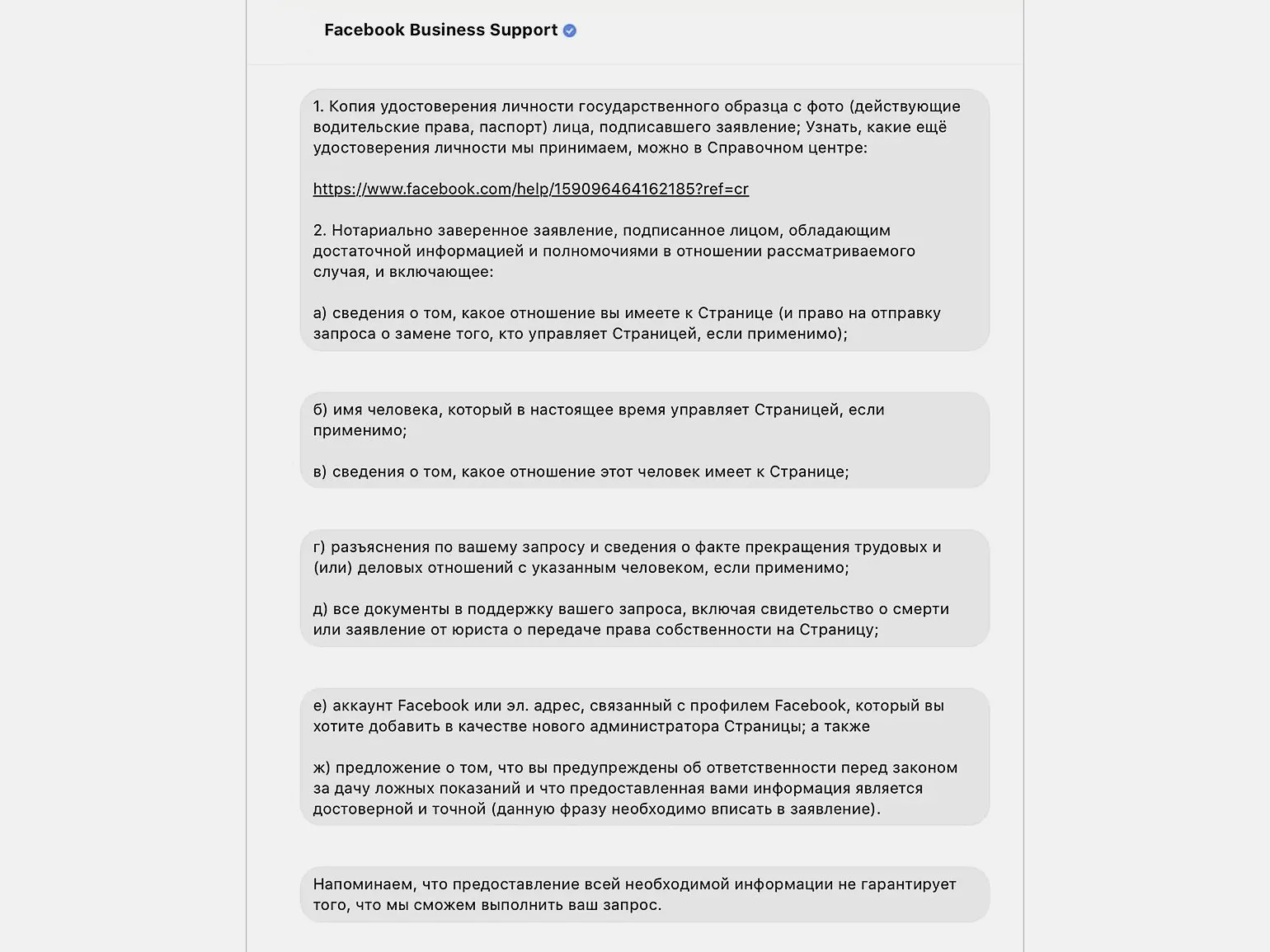
Please be patient and wait for a response from support. Restoring access may take some time, so it's important to remain hopeful. Remember that support is working on your request and doing everything possible to resolve the issue quickly.
Frequently Asked Questions
Restoring access may take different times depending on several factors. Typically, the process takes from a few minutes to a few days. Restoration time depends on the complexity of the situation, the availability of the necessary documents, and the speed at which support processes your request. If all the necessary data is provided, access can be restored promptly. However, if additional verification or clarification of information is required, the time may increase. We recommend preparing all the necessary documents in advance and following support instructions to speed up the process.
The response time on social networks varies, but in most cases it takes from a few days to a few weeks. Factors affecting response speed may include support team workload, request type, and the platform you choose.
If you haven't received a response, we recommend taking several steps. First, check whether your request or message was sent successfully. Ensure that all contact information is correct. If enough time has passed, you can send a polite reminder, clarifying the status of your request. You should also consider reaching out through alternative communication channels, such as phone or social media. If you haven't received a response within a reasonable time, you may want to contact another organization or specialist to obtain the information you need.
If you haven't received a response within two weeks, we strongly recommend contacting support again to remind them of your request. This will help speed up the process of obtaining the information you need or resolving your issue.
How to protect advertising accounts from blocking and data theft
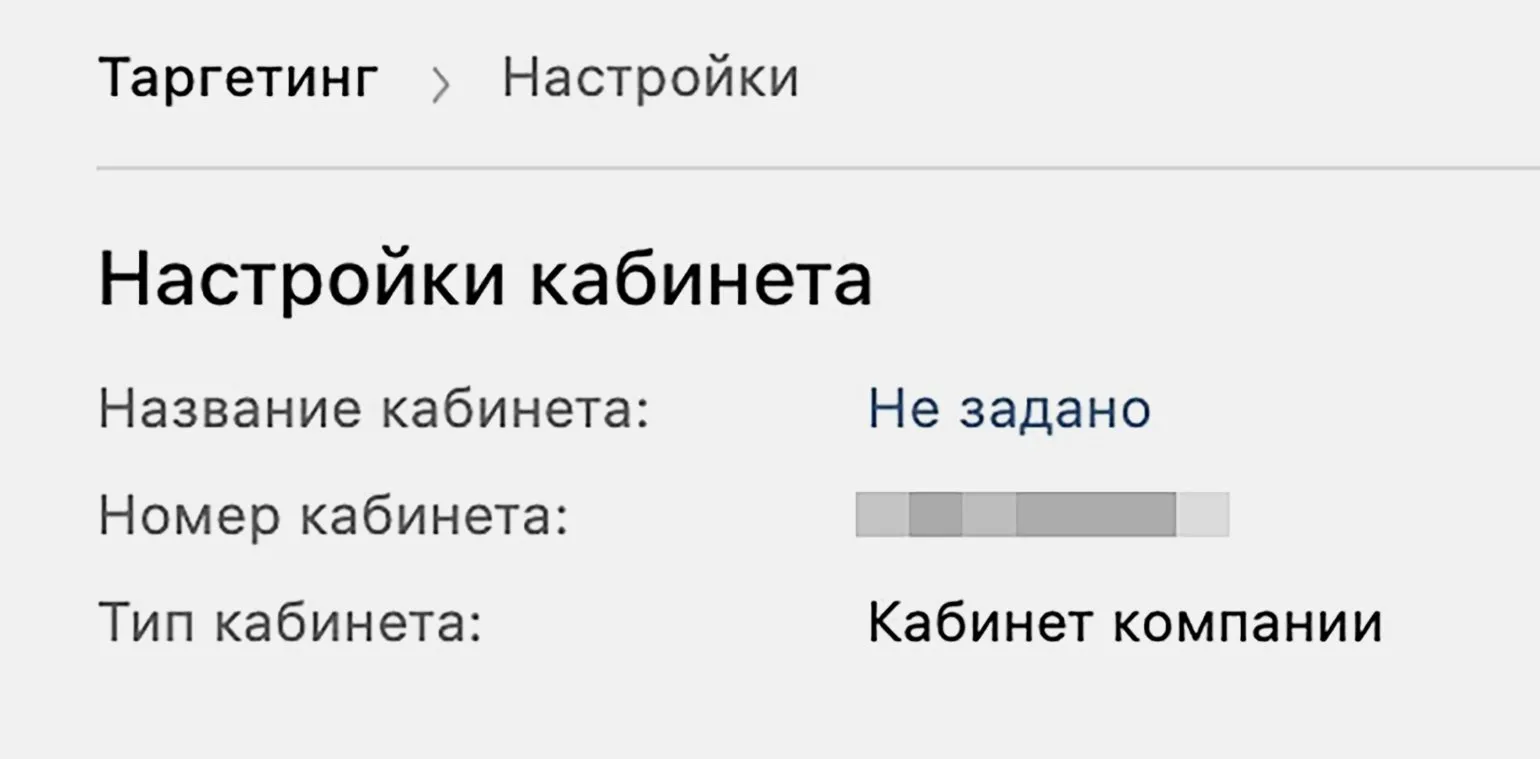
Losing access to an advertising account can significantly impact a company's financial results. Account recovery requires both time and resources, which may be limited. This is especially important in situations where you need to quickly launch advertising campaigns to remain competitive in the market. The need to quickly restore access becomes critical to achieving business goals and minimizing losses. The loss of accumulated retargeting audiences is one of the most serious risks for a business. Audiences consisting of website visitors and customer contact information are a valuable asset. If an attacker gains access to your account, they can use this data for their own gain, depriving your company of the ability to return interested users. Protecting these audiences should be a priority for every organization to minimize the risk of data leakage and ensure the safety of their clients. If your VK or OK advertising account is registered to an employee's personal page, it will be impossible to transfer it to the company after termination. To prevent such situations, ensure the account type meets your company's requirements. Check the settings and ensure that advertising accounts are registered to corporate pages. This will allow you to maintain access to advertising resources and simplify their management in the future.
To access your Odnoklassniki account, you must use the login and password associated with your corporate email. It's important to check if you can change your password in the "Security" section on my.com. If this option is available, everything is configured correctly. Maintaining account security will help protect your information and prevent unauthorized access.
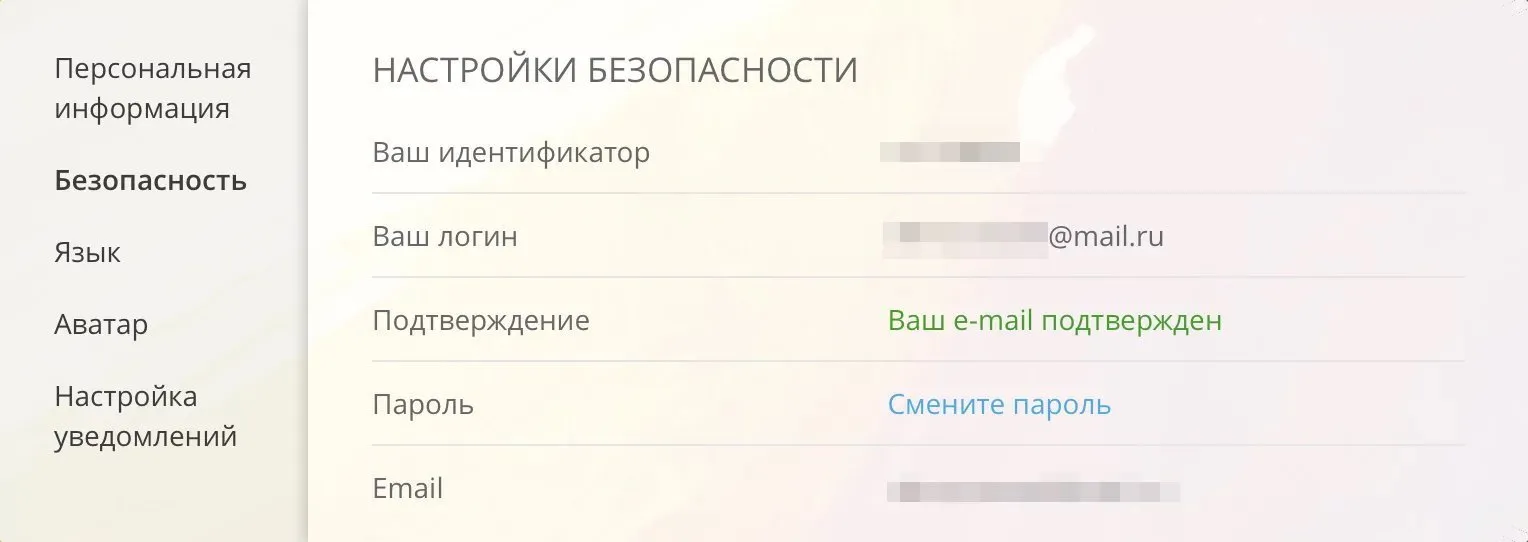
To enhance security, we recommend using email on a corporate domain. This will allow you to quickly restore access to your account in case of unforeseen situations. Corporate email provides reliable protection and simplifies the recovery process, which is especially important for preserving confidential information and protecting your company's data.
Facebook and Instagram advertising accounts must be linked to Business Manager. You can check this in your company settings. Linking accounts to Business Manager ensures efficient campaign management and access to all platform features. Setting up this connection is important for optimizing advertising costs and increasing the effectiveness of social media marketing.
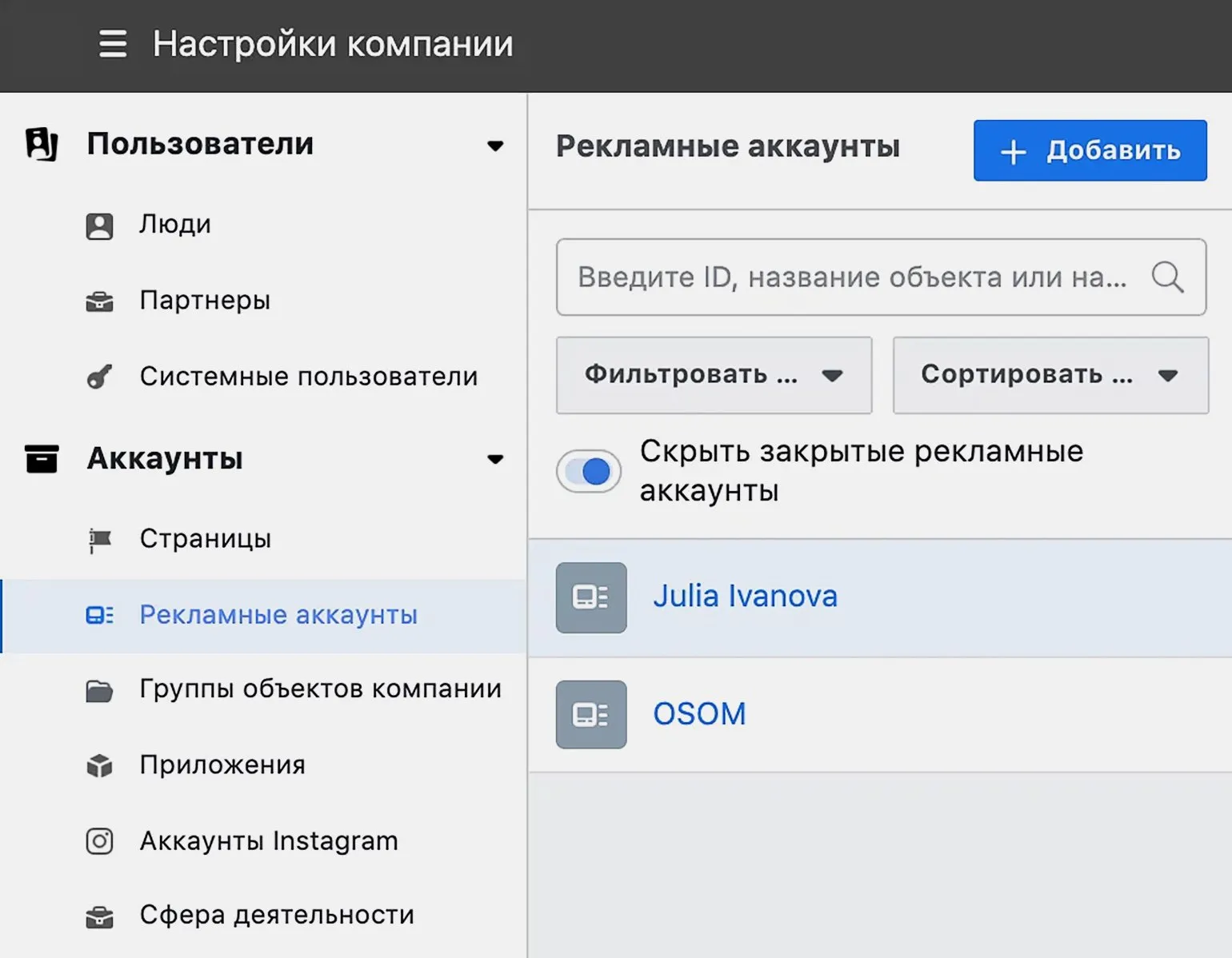
Protecting an advertising account on Facebook is an important task for every advertiser. Following a few simple rules will help prevent unauthorized access and ensure the security of your advertising campaigns. The first rule is to use strong passwords and update them regularly. This will reduce the likelihood of your account being hacked. The second rule is to enable two-factor authentication. This additional layer of security makes your account less vulnerable. The third rule is to closely monitor your account activity. Regular monitoring will help identify suspicious activity. The fourth rule is to limit access to your advertising account. Grant access only to those users who truly need it. The fifth rule is to train your team in the basics of online security. Knowing the potential threats will help you avoid mistakes that could lead to account compromise. Following these rules will help you protect your Facebook advertising account and effectively manage your advertising campaigns.
Avoid linking virtual cards to advertising accounts. If this is not possible, we recommend using PayPal for advertising payments. This will help ensure greater security and protection of your financial data.
Avoid logging into your Facebook ad account at the same time as colleagues from other countries, as this may raise suspicions in the system. It is important to exercise caution when working with your account to avoid being blocked or restricted. It is recommended to coordinate with your team and use different accounts to manage ad campaigns depending on your region. This will help maintain account security and ensure its effective operation.
Avoid logging into your account from Crimea or other regions with restrictions. This may result in access being blocked and other undesirable consequences. Ensure the security of your account by avoiding logging in from such locations.
Avoid publishing ads on questionable websites, especially free hosting services. Such platforms can negatively impact your brand's reputation and lead to a decrease in user trust. We recommend choosing reliable and proven advertising resources to ensure maximum campaign effectiveness and protect your company's interests.
Regularly remove rejected ads from your advertising account and monitor your account status in the "Account Quality" section. This will help maintain high performance indicators for your advertising and avoid negative impact on your account rating.
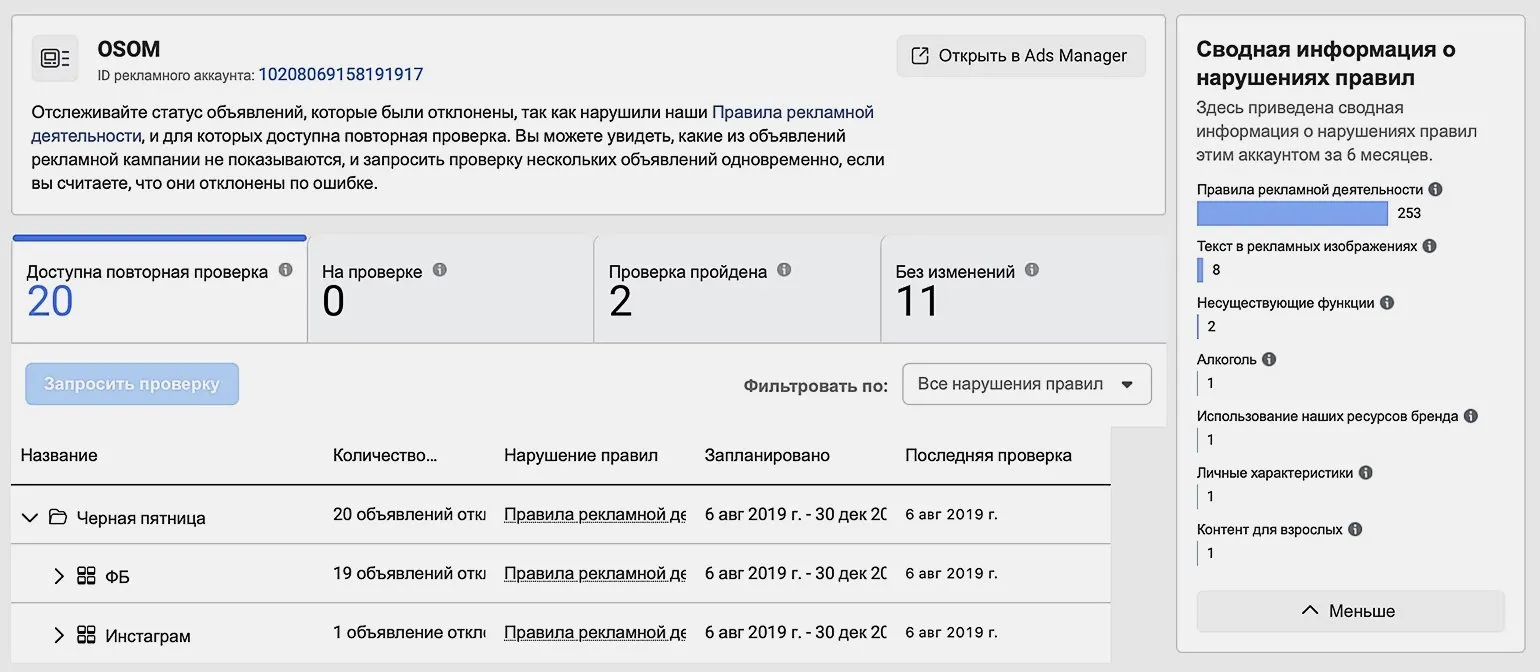
Avoid adding unnecessary users to your account to maintain a positive reputation. Each new member can impact your image, so choose your contacts carefully. Maintaining the integrity and quality of your network is essential for building trust and respect among your audience.
Effective Strategies for Protecting Your Ad Account from Blocks and "Hijacking"
To reduce the likelihood of your ad account being blocked, follow these guidelines. First, carefully review and adhere to the advertising platform's rules. Ensure that your ads comply with established standards and do not contain prohibited content. Second, regularly review the quality of your ads and landing pages. This will help avoid low engagement and improve your ad rankings. It's also important to control your frequency and avoid overly aggressive advertising, as this can negatively impact your company's perception. Finally, monitor user reviews and respond promptly to negative comments. This will build trust in your brand and reduce the risk of blocking.
- Follow social media advertising rules.
- Avoid advertising products and services that violate the law and the platforms' internal regulations.
- VKontakte (VK)
- Odnoklassniki (OK)
- Facebook and Instagram
Register an advertising account under a legal entity to ensure the reliability and security of advertising campaign management. Ensure that only trusted employees and partners have access to the account, which will help prevent unauthorized actions and improve work efficiency. Well-organized access to the advertising account facilitates better control over the budget and results of advertising activities.
Ensuring security is an important aspect of managing the personal pages of administrators and editors. These pages must strictly comply with social media rules and be sure to use two-factor authentication. This will protect your accounts from possible hacks and unauthorized access. Regularly updating passwords and using unique combinations also help improve security.
Create your company account in Business Manager and link it to your Facebook and Instagram pages. Also, don't forget to connect your advertising account to effectively manage your advertising campaigns and analyze their results. This will allow you to centrally manage all your resources and improve engagement with your audience.
Transferring a retargeting audience from an active advertising account is an important task for optimizing advertising campaigns. This process allows you to effectively leverage the data you've already collected about users who engaged with your content or products. To ensure a successful transfer, carefully monitor your audience settings and ensure all parameters align with your current advertising strategy goals. Ensure you maintain relevant audience segments to improve the effectiveness of future advertising efforts. The right approach to audience transfer will help improve retargeting results and increase conversions.
- It is impossible to transfer a retargeting pixel installed on a website to VK, but you can share the collected audience with another account.
- In OK, to transfer a pixel to myTarget, you will need to know the owner's email and the Top@Mail.Ru counter ID.
- In Facebook and Instagram, you can grant pixel usage rights to a new advertising account through the "Events Manager" section.
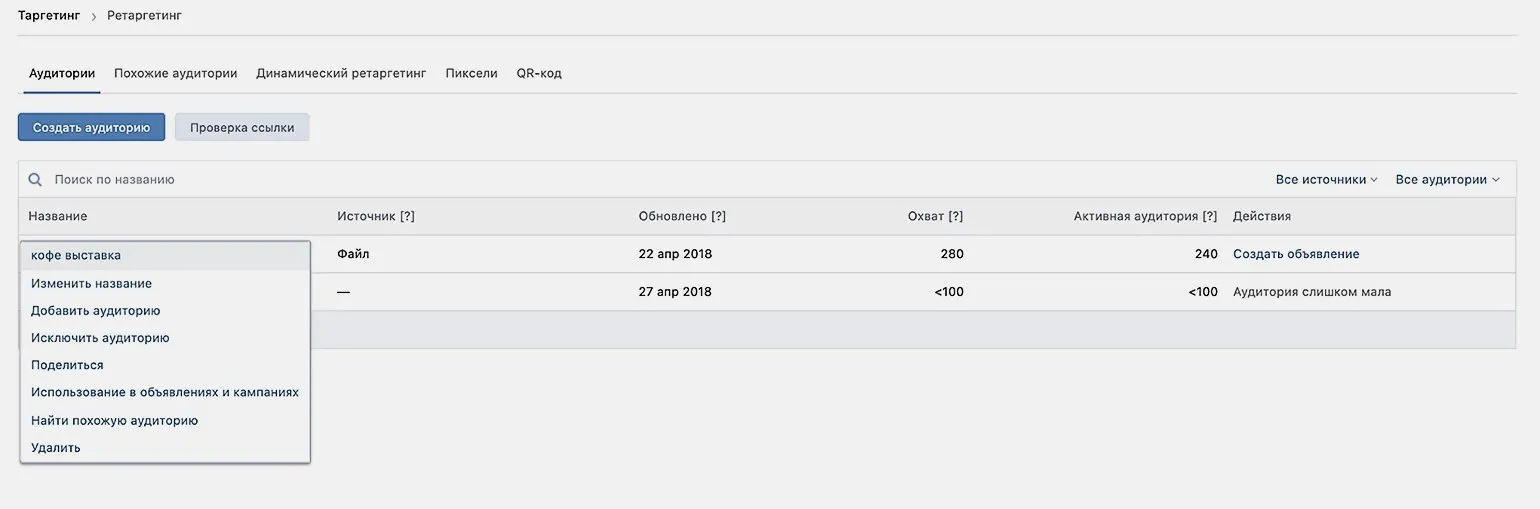
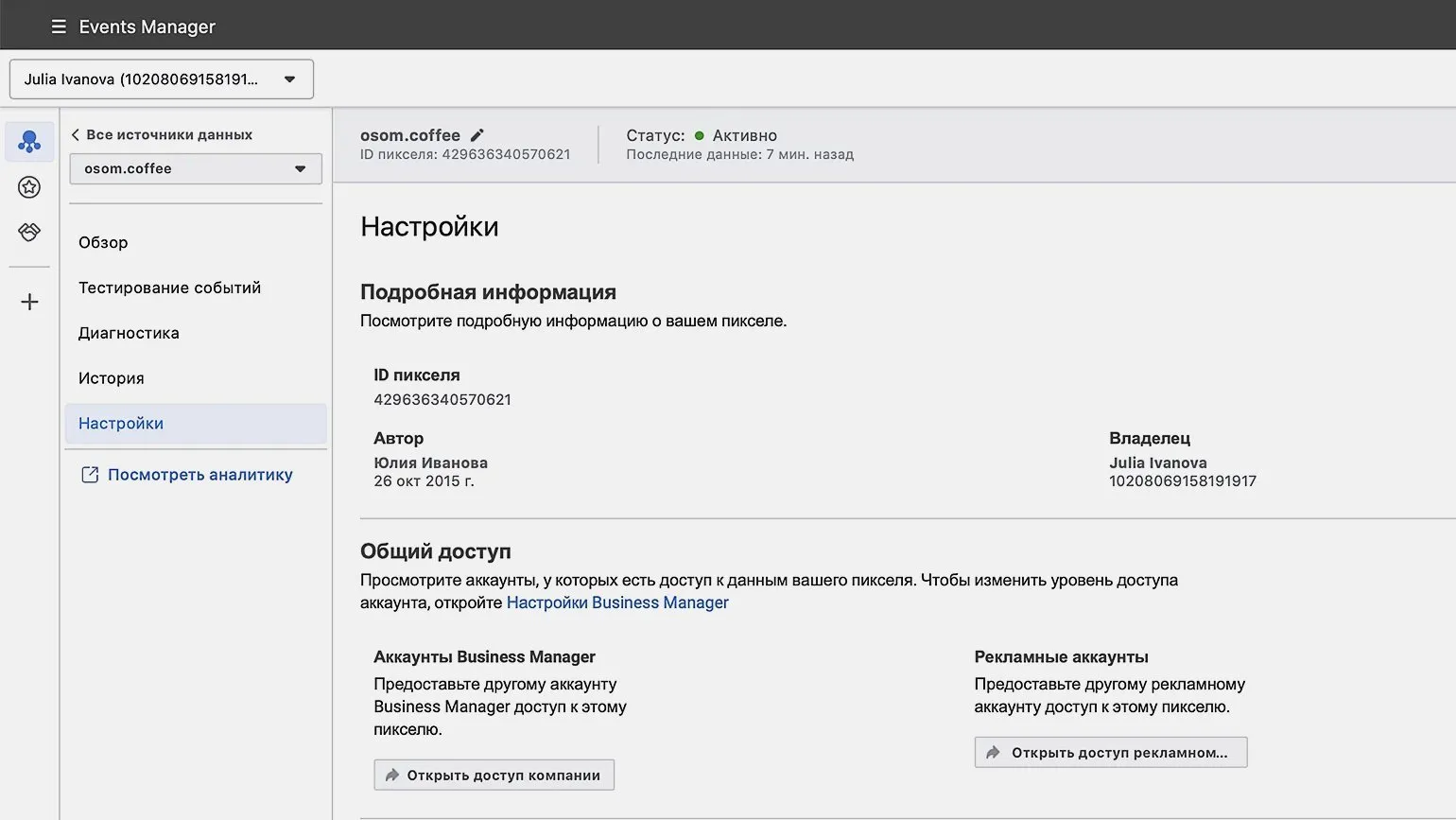
Remove the retargeting pixel from your old advertising account and install the new pixel created in your new account. Keep in mind that the audience will be rebuilt, but only your company will have access to it. This will allow you to effectively manage your advertising campaigns and improve targeting.
What should I do if my advertising account is blocked?
Blocking an advertising account is an unpleasant situation that can occur on various social platforms. For example, on Odnoklassniki and VKontakte, you can block your account at your own discretion. However, if you violate the advertising rules, your ads may not pass moderation, and you will be provided with reasons for the rejection. It is important to comply with the established requirements to avoid blocking and ensure the successful promotion of your content. Understanding and adhering to advertising standards will help you avoid problems and effectively leverage the power of social media advertising.
Facebook reserves the right to block an advertising account at its sole discretion, and such decisions are often perceived as unfair. In such situations, a standard support chat may not yield the desired results. If you believe the blocking was in error, or want to restore your account even if you violated these guidelines, follow these recommendations.
Contact support immediately after receiving the block notification. This will speed up the process of resolving your issue and restore access to your account.
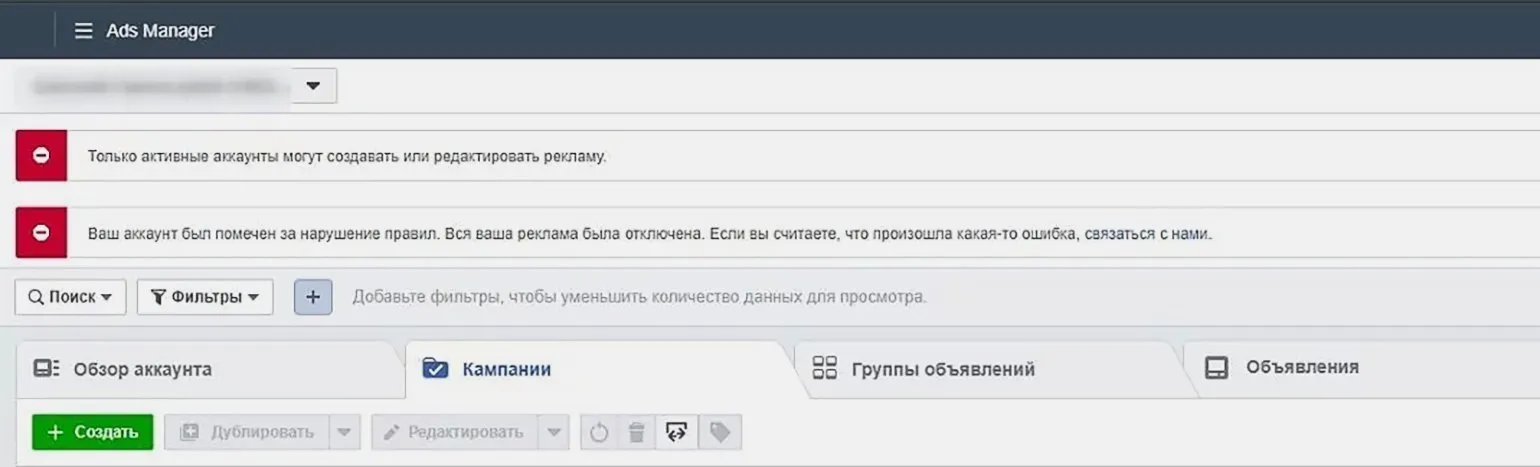
In your request, be sure to describe the situation in detail, explaining why you believe the blocking was unjustified. If you made a mistake due to inexperience, don't be afraid to admit it. Sometimes such sincerity can play a positive role in resolving the issue.
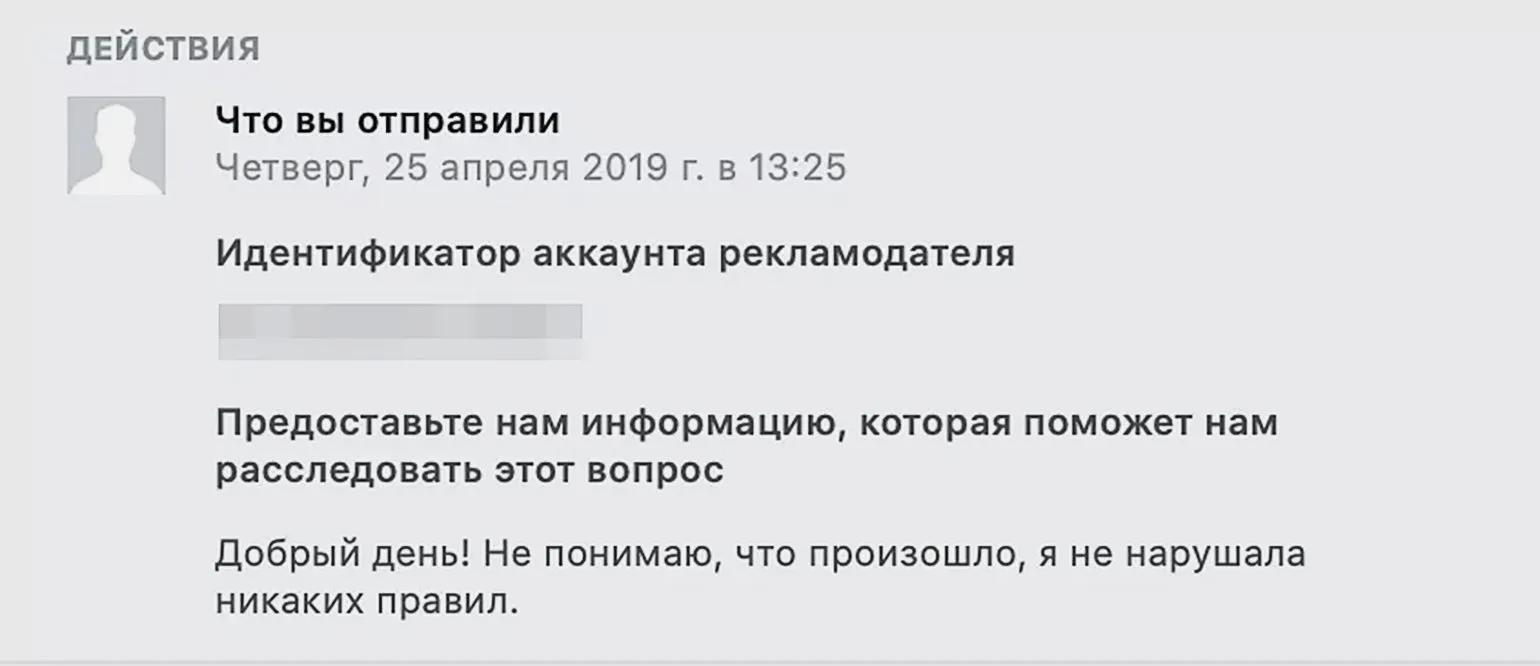
Wait for a response from the support team to the email address you provided. We also recommend monitoring the status of your request in the "Incoming messages from the support team" section. Here you can find out whether your request is open or closed, and also correspond with the representative reviewing your request.
Please note that if Facebook's decision to block an account or content cannot be appealed, the support team will notify the user. In such situations, we recommend carefully reviewing the advertising rules on the platform. This will help avoid similar problems in the future and ensure more effective promotion of your materials.
For a more complete understanding of the reasons for blocking advertising accounts, we recommend reviewing the official Facebook documentation on the Facebook Business website. Here you will find useful information and recommendations that will help you avoid common mistakes and successfully manage advertising campaigns.
SMM Specialist: 5 Steps to Success in Online Promotion
Want to become a professional SMM specialist? Learn 5 key skills for a successful career!
Learn more